• Skip to primary navigation
  • Skip to main content
Teague Nelson

Teague Nelson

UX Leadership & Design

  • About
  • Work
  • Process & Reflections
  • Testimonials
  • Contact

Teague

E-commerce UX

Case Study Coming


Client

Jacob’s Pillow School for Dance

My Role

UX Design

Summary

A website design to present the dance school and speak to students, the dance community, and the audience the school draws each year for their summer show.

Visit the Designs Northwest Website


PROBLEM STATEMENT

Jacob’s Pillow is a well known dance school in the ((Birkshires)). They wanted to design their website in a way that would ….


APPROACH

Assessing the Redesign

Understanding the Stakeholders & Audiences
Competitive Analysis

Sitemapping / Information Architecture

Visual Design

Development


1. Assessing the Redesign


D – CONTENT

Using three lines….
Using three lines….
Using three lines….


2. Title


D – CONTENT

Using three lines….
Using three lines….
Using three lines….


3. Title


D – CONTENT

Using three lines….
Using three lines….
Using three lines….


4. Title


D – CONTENT

Using three lines….
Using three lines….
Using three lines….


5. Assessing the Redesign


D – CONTENT

Using three lines….
Using three lines….
Using three lines….


6. Title


D – CONTENT

Using three lines….
Using three lines….
Using three lines….


E-commerce UX

Case Study Coming


Client

Jacob’s Pillow School for Dance

My Role

UX Design

Summary

A website design to present the dance school and speak to students, the dance community, and the audience the school draws each year for their summer show.

Visit the Designs Northwest Website


PROBLEM STATEMENT

Jacob’s Pillow is a well known dance school in the ((Birkshires)). They wanted to design their website in a way that would ….


APPROACH

Assessing the Redesign

Understanding the Stakeholders & Audiences

Competitive Analysis

Sitemapping / Information Architecture

Visual Design

Development


1. Assessing the Redesign


D – CONTENT

Using three lines….
Using three lines….
Using three lines….


2. Title


D – CONTENT

Using three lines….
Using three lines….
Using three lines….


3. Title


D – CONTENT

Using three lines….
Using three lines….
Using three lines….


4. Title


D – CONTENT

Using three lines….
Using three lines….
Using three lines….


5. Assessing the Redesign


D – CONTENT

Using three lines….
Using three lines….
Using three lines….


6. Title


D – CONTENT

Using three lines….
Using three lines….
Using three lines….


E-commerce UX

Case Study Coming


Client

Jacob’s Pillow School for Dance

My Role

UX Design

Summary

A website design to present the dance school and speak to students, the dance community, and the audience the school draws each year for their summer show.

Visit the Designs Northwest Website


PROBLEM STATEMENT

Jacob’s Pillow is a well known dance school in the ((Birkshires)). They wanted to design their website in a way that would ….


APPROACH

Assessing the Redesign

Understanding the Stakeholders & Audiences

Competitive Analysis

Sitemapping / Information Architecture

Visual Design

Development


1. Assessing the Redesign


D – CONTENT

Using three lines….
Using three lines….
Using three lines….


2. Title


D – CONTENT

Using three lines….
Using three lines….
Using three lines….


3. Title


D – CONTENT

Using three lines….
Using three lines….
Using three lines….


4. Title


D – CONTENT

Using three lines….
Using three lines….
Using three lines….


5. Assessing the Redesign


D – CONTENT

Using three lines….
Using three lines….
Using three lines….


6. Title


D – CONTENT

Using three lines….
Using three lines….
Using three lines….


Bonus: My Role & UX Overview


Company

Spot Insurance

My Position

Sr. UX & Product Designer

Summary

Spot is an insurance tech (Insurtech) startup that sells and administers insurance in a more integrated way to how people live.
This is an overview of my position and responsibilities as a Sr. UX & Product Designer at Spot.

To see a case study of a project I led, see the Pass Protection Claims Case Study.

View Pass Protection Case Study


OVERVIEW OF MY ROLE

As the only Sr. Product & UX Designer for Spot, I produced and maintained designs for all customer facing and internal platforms across the company.

I also led a small team of designers day-to-day (de-facto) by looking out for the UX team timelines, team workload and tasks, and oversaw UX outcomes.


RESPONSIBILITIES OF MY ROLE

Maintaining The Spot Design System
& Institutional Knowledge

  • Maintaining the Spot Design System
  • Documentation of company systems & the requirements that shaped them

View Section Below


Product Design & UX Work:

  • Project planning
  • Stakeholder involvement & communications planning
  • Discovery / Requirements & Data review
  • Design & Iteration
  • Engineering collaboration & supporting the build processes
  • Usability Testing & analyzing post launch

View Section Below


Forward Looking Planning & Integrating UX into Company Culture

  • Supporting project pitch writing. Collaborating with PMs to shape future project pitches
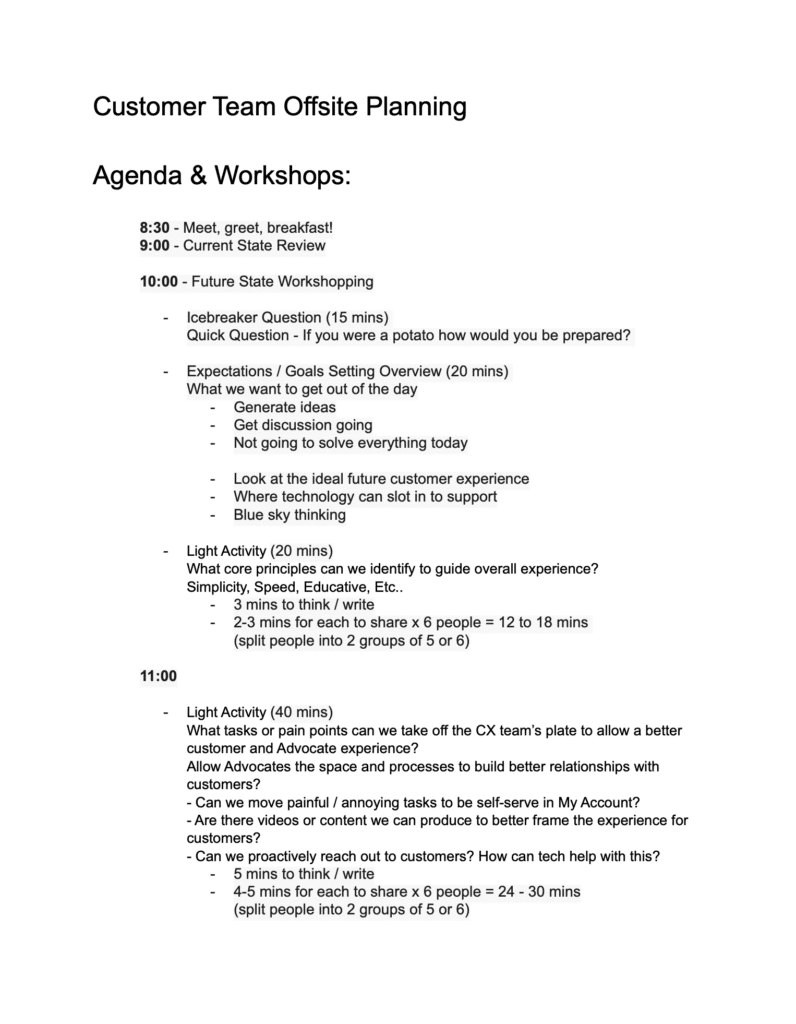
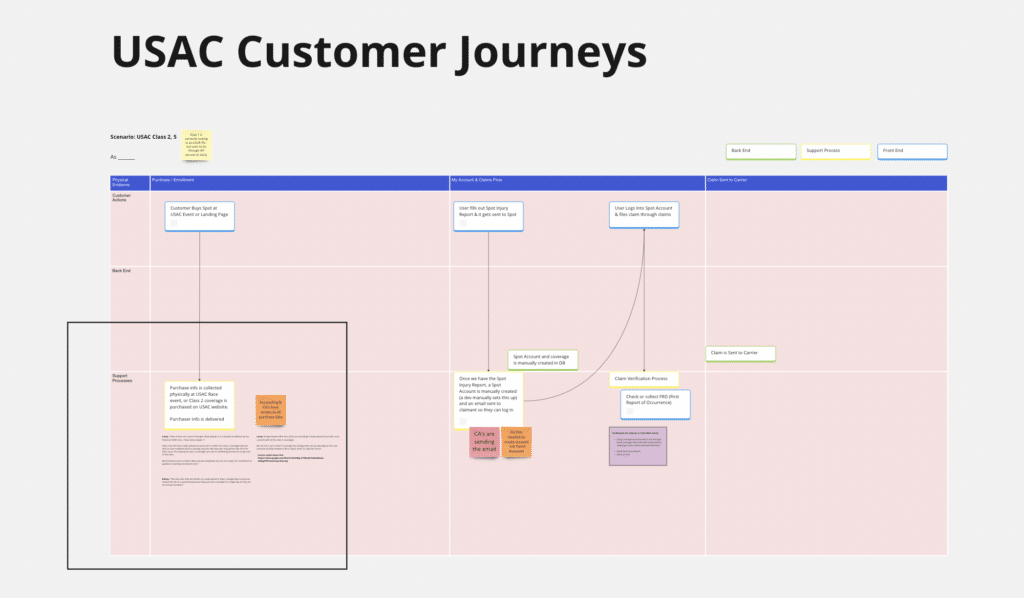
  • Documenting user journeys and process reviews with different teams at the company to uncover upgrade areas and pitch ideas.
  • Facilitating cross-department syncs
  • Keeping an eye on the sales pipeline and company strategy roadmap to know what kinds of projects will be coming next

View Section Below


UX Team Management:

  • Looking out for the UX team timelines, team workload and tasks, and overseeing UX outcomes

View Section Below


KIND WORDS
(TESTIMONIALS FROM THE TEAM)

Reflections & Learnings

A few reflections and learnings from my time at Spot Insurance.

View Section Below


Testimonials From The Team & Company

I’m a big believer that good collaboration is key to great project outcomes (and to having a great work experience). Recorded here are a few kind words from teammates, colleagues, and stakeholders I’ve had the good fortune to work with.

View Testimonials Page


Maintaining The Spot Design System
& Institutional Knowledge


MAINTAINING THE SPOT DESIGN SYSTEM

The Spot Design System was a living and growing resource, and became a shared ground between the Product Design and the Marketing teams, as well as a resource for Engineering.

We would come back to our design system when making wireframes, screens, or any other kind of brand documents. Keeping our components standardized and organized with states and variables allowed us to build screens quickly and efficiently while preserving brand consistency.

As much as possible when designing we tried to limit ourselves to existing components we already had in the system, but every once in a while a good case was made for a new component. In these situations, we would discuss as a design team, and approve additions to the system where needed.

The Spot Design System grew out of necessity once we reached a certain number of designers and started to have challenges with consistency across designs. We took advantage of a brand redesign moment to formally make our design system, starting with a set of goals and principles.

Incoprporateing new Figma variables

Watech Figma Series / Post on Design Systems

Adding New Components


MAINTAINING INSTITUTIONAL
& SYSTEM KNOWLEDGE

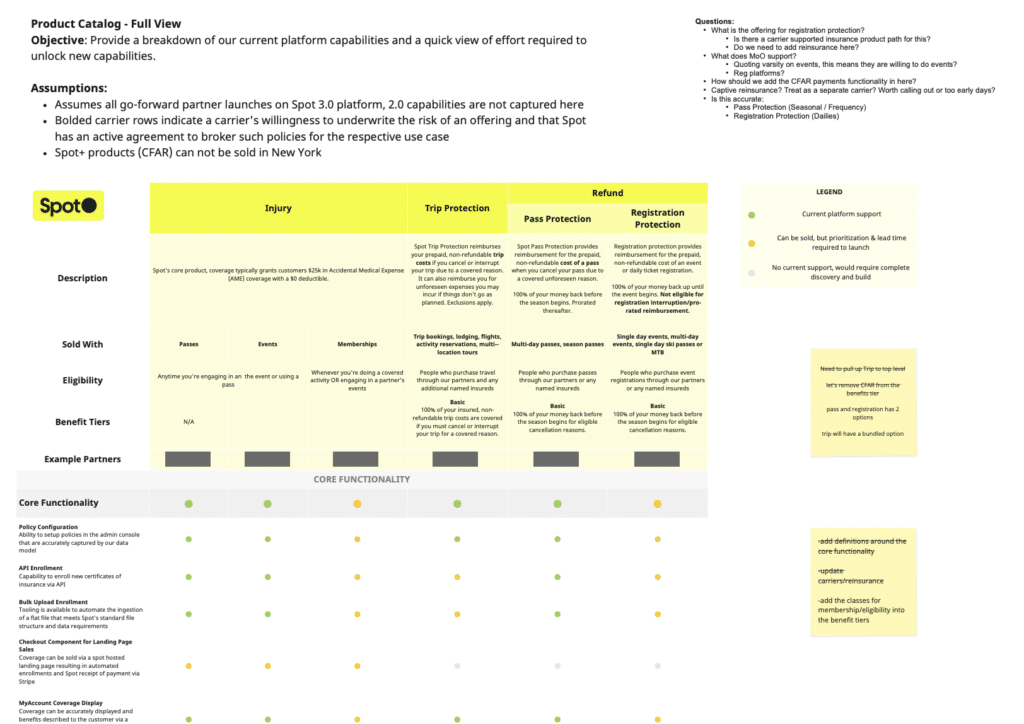
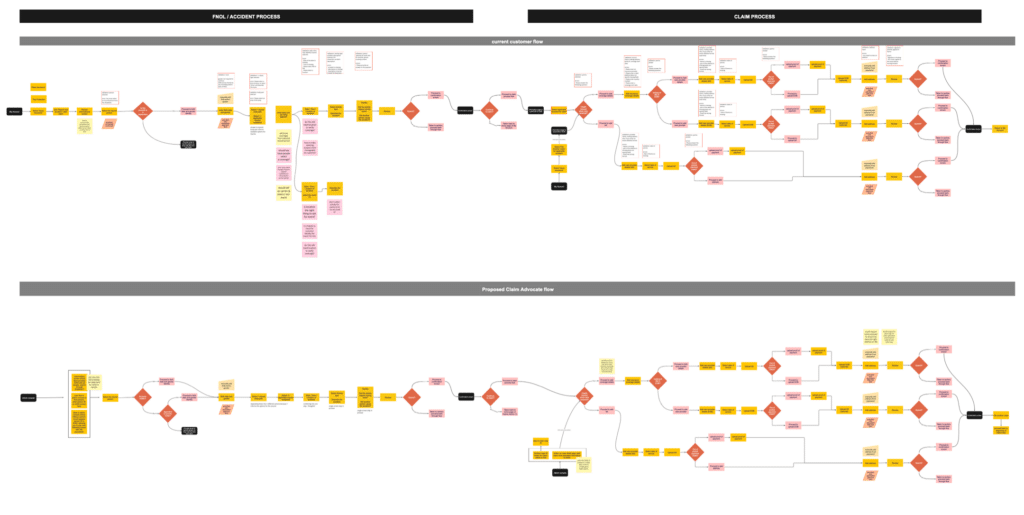
As we built different capabilities for the Spot platform and tools across the company, it was important to keep documented the features and insurance types our platform supported. We also wanted to keep a reference of why functional decisions were made the way they were on the platform.

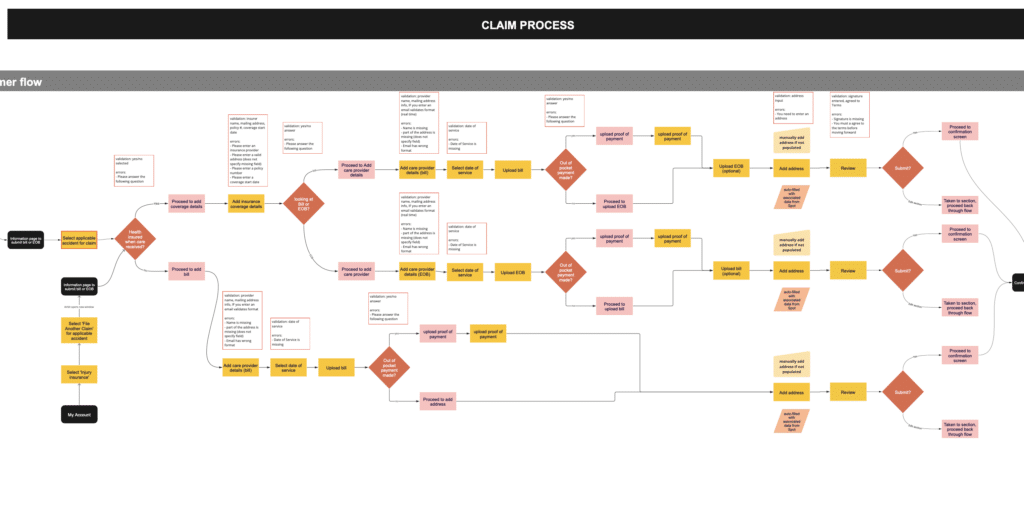
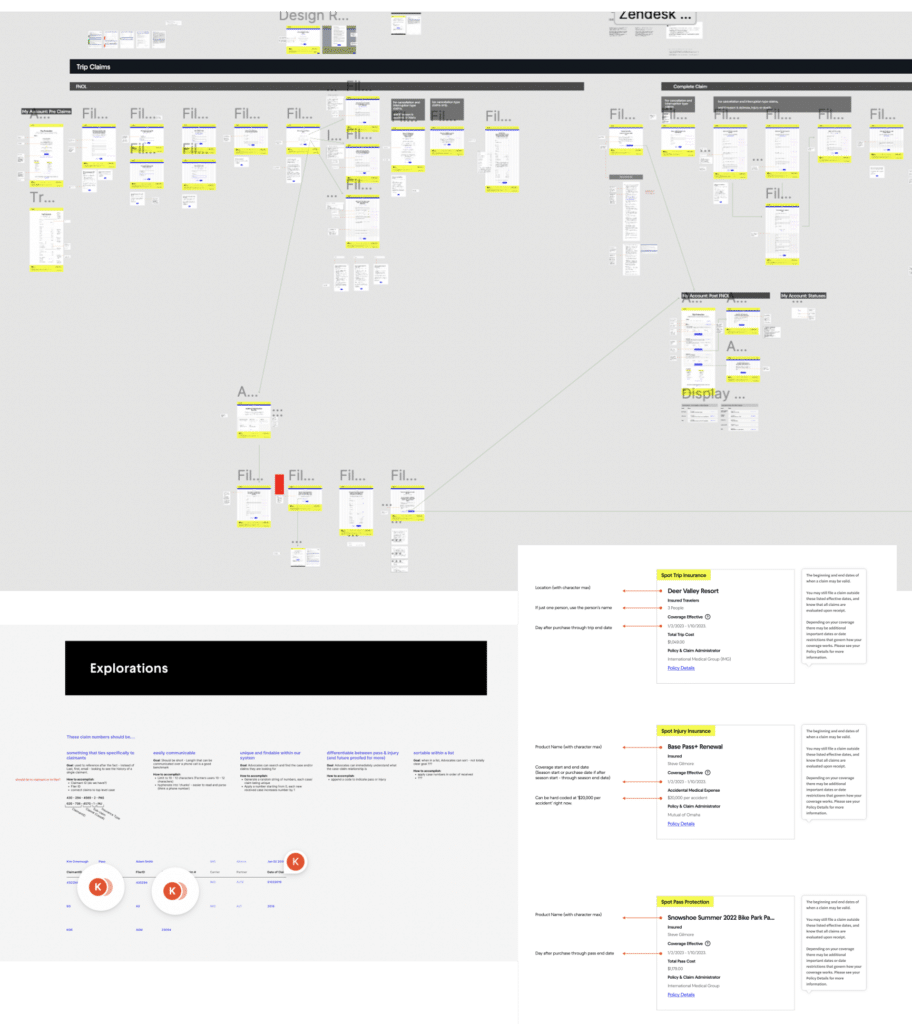
We needed to be able to communicate this quickly and easily with different teams and stakeholders, so we developed reference materials like a product catalog, and kept up to date flow charts of how certain claims flows were working.


Product Design & UX Work


PRODUCT DESIGN
& UX PROJECTS

The core of my role was in leading and working on UX projects at Spot.

In my role I was responsible for shaping and planning upcoming product design projects, and then working through the UX process to deliver final designs that would be implemented by the engineers.

Some of the steps I would outline and follow in the UX design process are:

Project Planning

  • Stakeholder involvement & communications planning
  • Timeline planning

Discovery

  • Scenario Mapping, User Story Mapping, and requirements reviews
  • Materials and data reviews

Design

  • Information Architecture and User Journeys
  • Wireframing and prototyping
  • Copywriting and reviews

Engineering Collaboration, and Supporting the Build

  • Collaborating with Engineering and participating in some rituals
  • Doing product review on Jira tickets related to the UX design
  • Prepping internal teams for roll out when needed

Usability Testing & Analyzing Post Launch

  • Usability Testing and making adjustments
  • Defining metrics and analytics to track over time

View the
Spot Pass Protection Claims
Case Study

View Case Study

PROJECT PLANNING, STAKEHOLDER INVOLVEMENT & COMMUNICATIONS PLANNING

New projects would often start with a deadline driven by a business need. From here, we would plan out the project, allocating time for kickoff, discovery, engineering set up, and then typically we would work in two week sprints once we got into the design phase.

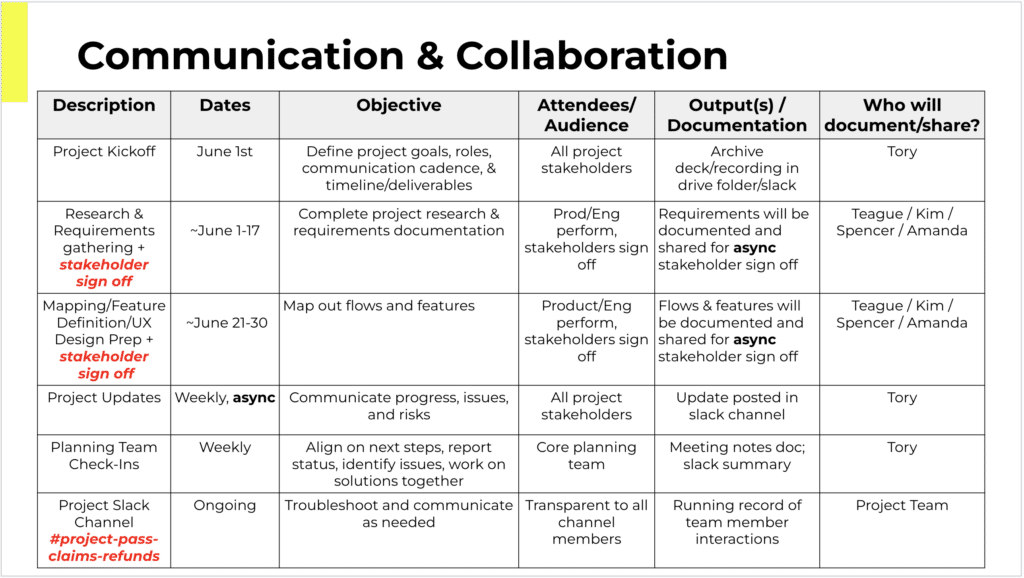
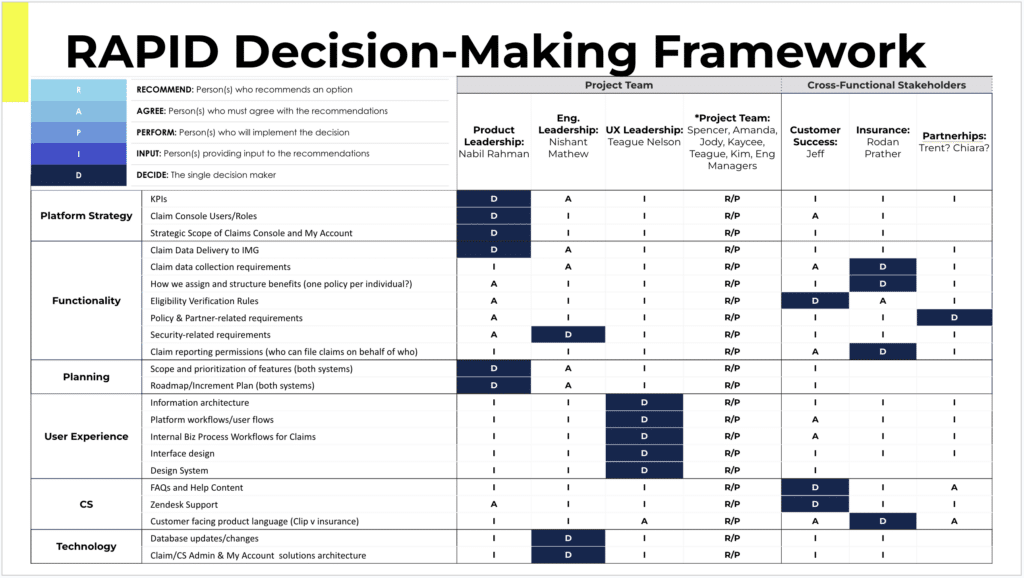
With so many teams and stakeholders interacting with the platform, and with insurance being such a regulated field, it was often important to identify who all the stakeholders were, and what the appropriate amount of decision making power each stakeholder should have. We sometimes used the RAPID framework for projects that had many stakeholders.

Throughout projects, we would hold check ins or share outs with different stakeholders, and reviews when feedback was required.


DISCOVERY / REQUIREMENTS & DATA REVIEW

In discovery it’s important to understand the confines and context of the project. To really understand what the feature being asked for is, and why it’s being asked for.

A large part of discovery was about gathering or reviewing the requirements. We would list out all the requirements and open questions we had as designers, then through discussions with stakeholders would narrow down on answers that became additional requirements. 

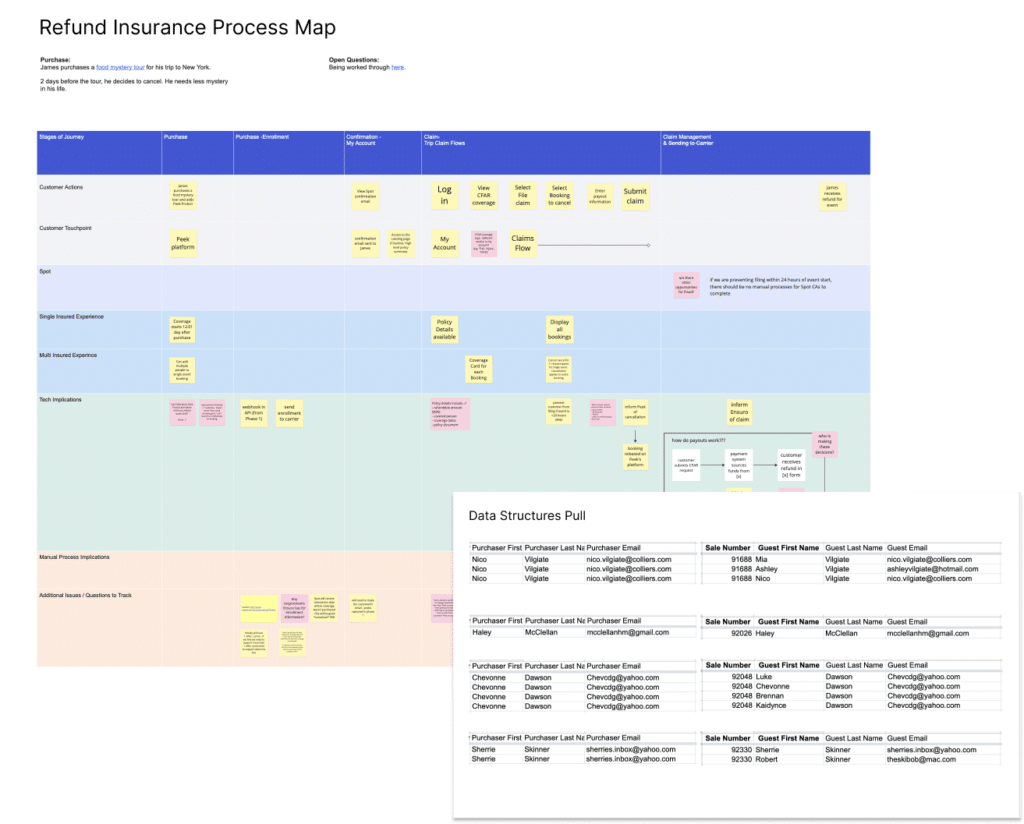
For new features, we would often work through a process mapping exercise where we (together with the right stakeholders) would walk through the expected user experience of a new feature or flow at a high level, and discuss the business processes and logic that the expected user experience would need to support it. This was a great way to uncover further requirements and spark discussion around things that hadn’t been considered previously.

Another big part of discovery was to pull and analyze what metrics or data we had to inform a design. This could be the percentage of current users behaving a certain way, or how many total users had more than one type of insurance with Spot, etc..


DESIGN & DESIGN ITERATION
(USER JOURNEYS & IA)

Once into design, we would often start with User Journey Mapping and IA models (sometimes using card sorting), in order to get the right steps in a flow defined and discuss with stakeholders the right model for we should consider structuring user actions. In insurance, there are ‘cases’, ‘claims’, ‘claimants’, ‘bills’, and ‘first notices of loss’ that all can relate to each other in different ways depending on how you want to structure them.


DESIGN & DESIGN ITERATION
(WIREFRAMES & SCREENS)

_____


ENGINEERING COLLABORATION & SUPPORTING THE BUILD PROCESS

_____


USABILITY TESTING & ANALYZING POST LAUNCH

_____


Forward Looking Planning & Integrating UX into Company Culture


COLLABORATING WITH PRODUCT MANAGERS TO SHAPE FUTURE PROJECT PITCHES

At Spot we used a framework called ‘Shape Up’ to pitch new projects every 6 weeks. Between pitched projects and an already established roadmap, the leadership team at the company would select which projects the Product team would to focus on next.

A project pitch document would outline the problem to solve, list what data there was to illustrate the urgency of the problem, and loosely define the contours of what a solution might look like. It also would suggested a time frame to allocate for the project.

Pitches were a way for the team actually doing the work to communicate what they thought needed to happen, and for project ideas to be loosely framed before getting into the work.

While pitch writing was largely the role of the Product Managers at Spot, as a UX leader I had a role in reviewing pitches, shaping pitches and solution outlines related to the product, and could write new pitches for projects I thought were necessary.


FACILITATING CROSS-DEPARTMENT SYNCS & DOCUMENTING USER JOURNEYS

As a UX team at Spot, we were responsible for the end-to-end experience of the brand and platform; from the moment a customer purchased Spot and enrolled in an insurance product, to filing a claim, to how those claims got managed.

Periodically we would have the opportunity to bring together different departments at Spot, and conduct syncs or workshops where we could walk through customer experiences, internal workflows, and review historical outcomes.

These were enlightening experiences both for the Product and UX team, and often for the other internal teams at Spot, as it allowed everyone to see from an end-to-end perspective how their part in the process affected other teams up or downstream in the flow.


UX Team Management


OVERSEEING UX TEAM TIMELINES, WORKLOADS, AND OUTCOMES

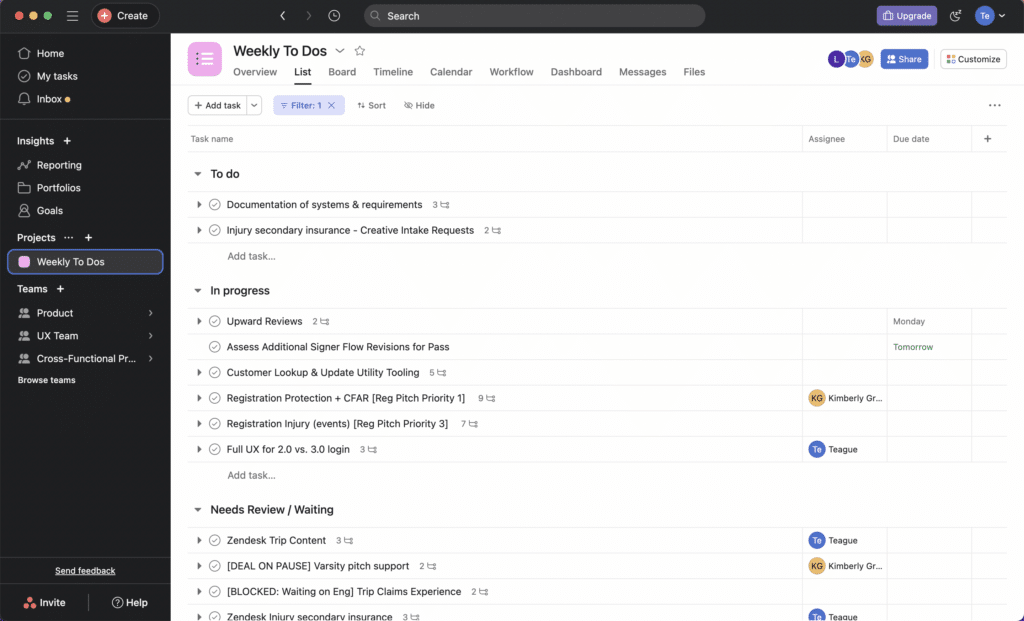
As the most Senior Product & UX Designer for Spot, I would lead a daily standup with the other UX designers and we would discuss what we were working on, what needed to happen next, and set timelines to achieve our work.

We maintained a UX team Asana board, and used the board for our standup meetings.

This daily check in was a valuable time to review workloads, potential risks to our tasks and projects, and to tag in others when reviews or syncs were needed between designers.


Kind Words
(Testimonials from the Team)


REFLECTIONS & LEARNINGS

_____


TESTIMONIALS FROM THE TEAM
& AROUND THE COMPANY

I’m a big believer that good collaboration is key to great project outcomes (and to having a great work experience).

Recorded here are testimonials and recommendations many of my teammates, colleagues, and Product Director wrote about me:

View Testimonials From the Team & Company


Ready for More?
View Another Project –


Client Dashboard & Enrollment

Company: Agreena

Designing the client carbon credit dashboard for Danish startup, Agreena. This allows farmers to estimate carbon credit potential.

Insurance Claims

Company: Spot Insurance

Launching a new product at Spot Insurance. Considering the customer facing and management aspects.


Insurance Claims


Company

Spot Insurance

My Role

Project Planning
UX Research
UX Design
UI Design
Usability Testing

Summary

UX Discovery and Design for a new Pass Protection product at Spot Insurance.

This project incorporated both the customer facing and management aspects of the new product rollout.

*** Note: Case Study needs to be updated to match: the case study Presentation here done to get Agreena Position: https://www.dropbox.com/scl/fo/mrym1cdcfugnx0ghzh9gl/h?rlkey=zgoc0y92c4k29n8yfn4bggvlh&dl=0

https://www.figma.com/design/mjzEdWRATIpgF5uqHtPoit/Teague-Nelson-Presentation-(Spot-Insurance)?node-id=151-2750&t=VeLcneadzHYm4UBb-1

Visit the Spot Insurance Website


PROBLEM STATEMENT

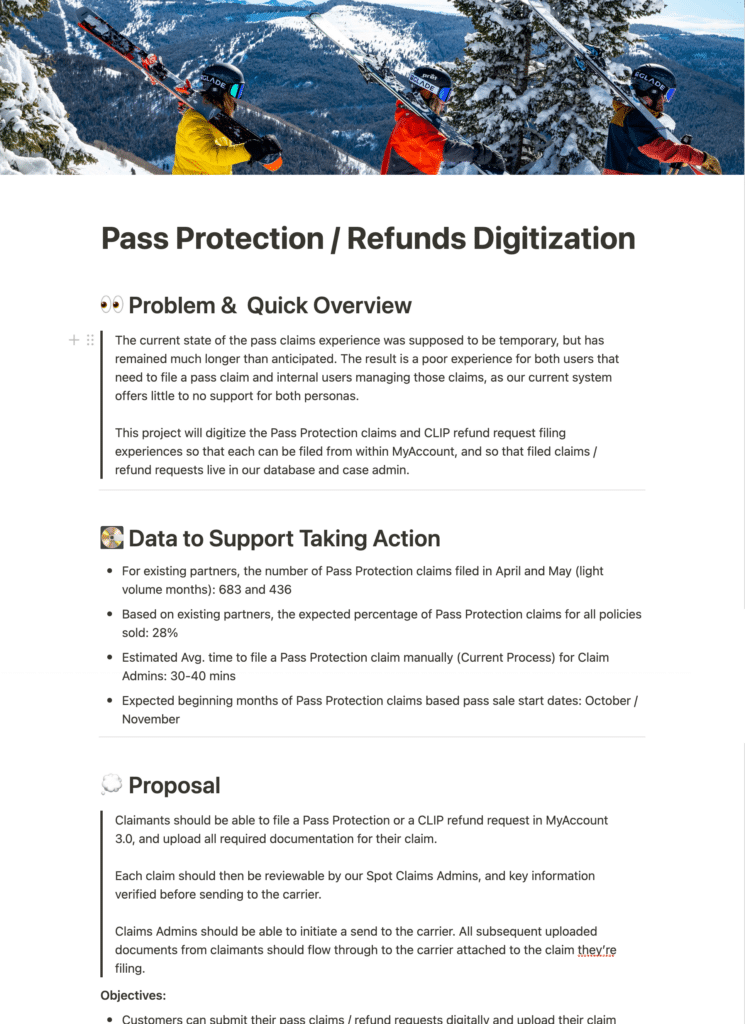
One of Spot’s main offerings is Pass Protection, which allow purchasers of big-ticket items like ski passes to get a percentage of the purchase back if they find they can no longer use the pass.

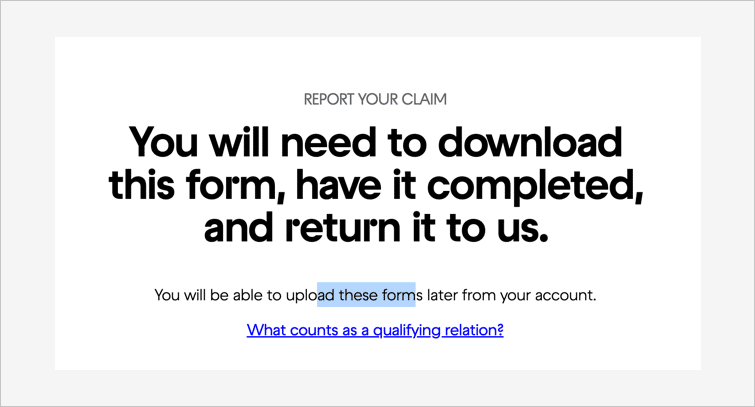
The initial claims experience was temporarily based on a generic claim PDF a filer would download and fill out, but the generality and non-digital nature of this process meant a poor experience for both users that needed to file a pass claim, and internal users managing those claims.

The objectives of this project were to digitize the Pass Protection claim experience so that claimants could file a claim within their Spot account, and internal administrators could review the claims and make a verification ruling before sending the complete claim packet on to our claim adjudication partner.


APPROACH

Project Pitch and Planning

User Research and Requirements Review

Competitive Analysis and Defining Principles

Process Mapping, Information Architecture, and User Journeys

Wireframing and Prototyping

Copywriting and Review Process

Engineering Collaboration, and Supporting the Build and Launch

Usability Testing & Assessing Design Impact


Project Pitch & Planning


‘SHAPE UP’ PROJECT PITCH

At Spot we used a framework called ‘Shape Up’ to pitch new projects that needed working on. Between pitched projects and an already established roadmap, the leadership team at the company would select which projects to green light for the product and engineering teams.

A project pitch document would outline the problem to solve, list what data there was to illustrate the urgency of the problem, and loosely define the contours of what a solution might look like. It also would suggest a timeframe to allocate for the project.

Collecting data for a project started from the very beginning when putting together a project pitch. We were getting a lot of customer care tickets related to filing Pass Protection claims,
Qual: Time to file, customer care tickets (& hurdles anecdotes)

Quant: Abandoned rate, Expected increase in amount, number of purchasers who act.
===

Notes:
– MVP / Enough to Fit an appetite

For this project, we knew we needed to digitize the Pass Protection Claims experience, and included some data that exposed the limitations of the current generic claim PDF, forecasted the future volume of claims we would receive, and based on when that volume would increase, set a proposed timeline of a month and a half for UX discovery and planning, and three months for the design and build.


PROJECT PLANNING, STAKEHOLDER INVOLVEMENT & COMMUNICATIONS PLANNING

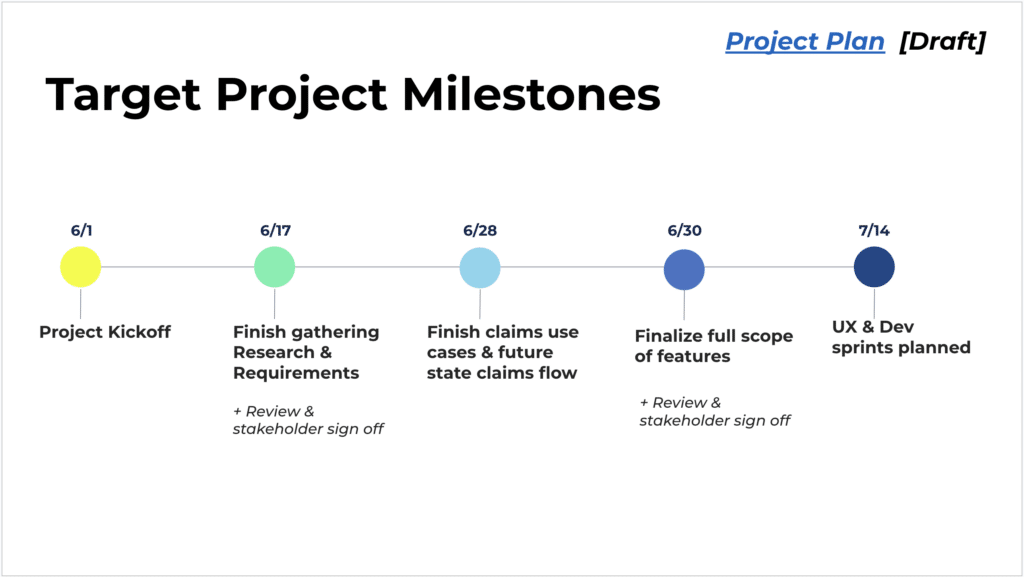
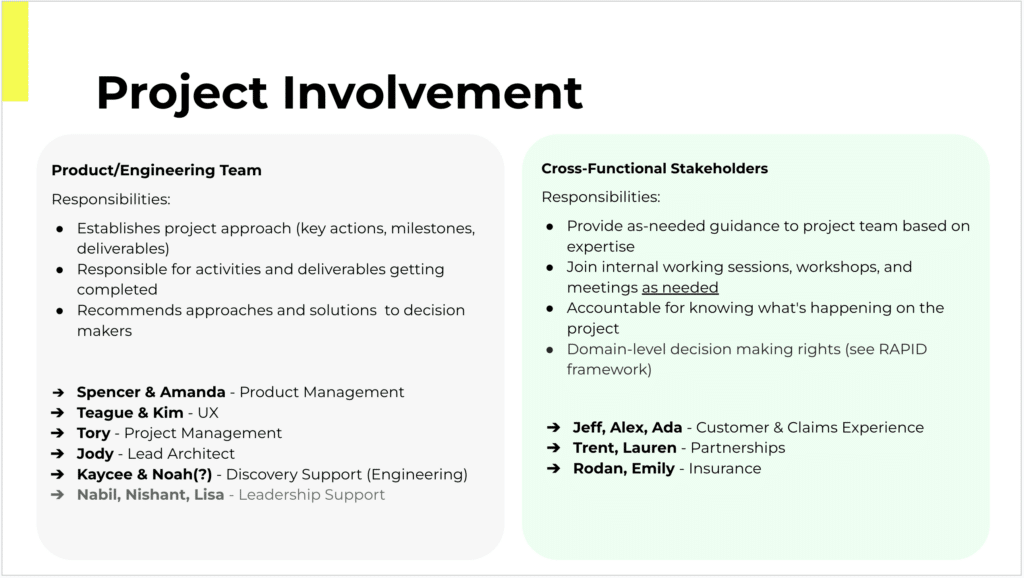
Once the project pitch was given a green light, a project plan was set up for the discovery phase of the project. This involved defining milestones for the project, identifying which stakeholders would be decision makers in the project, and outlining touchpoints to engage various teams and stakeholders.

The project planning was a collaboration between Project Management, Product Management, and UX, with details of the UX milestones and stakeholder involvement mostly left to the UX team to plan.


Discovery


USER RESEARCH AND
UNDERSTANDING CURRENT PROCESS

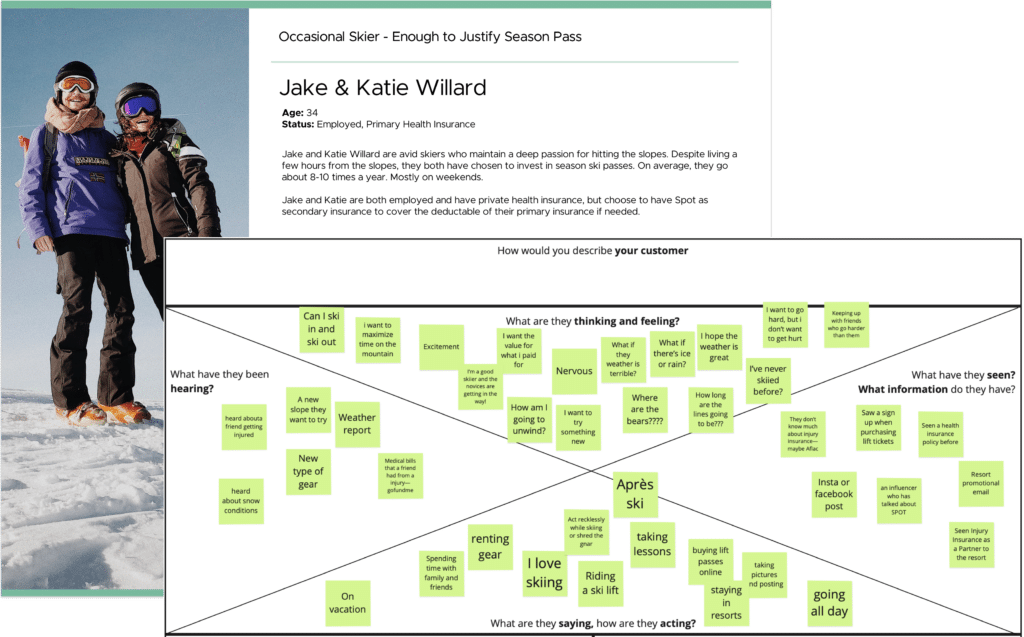
Discovery for the project started with a review of our personas at Spot, and filling in specific gaps in our understanding related to how our customers thought and felt about Pass Protection.

We uncovered when speaking with prior filers of Pass Protection that there were misunderstandings in how they thought Pass Protection would work when they purchased the product, and that there was a roller coaster of emotions most filers felt when they needed to actually use the Pass Protection product.

Most filers file because of a negative life reason, and then there are all these complicated insurance hoops to jump through which just adds to users’ frustrations.

In addition to gathering our customer’s context, we also talked to our internal Claim Advocates to understand more about their existing process of how they process Pass Protection claims. We did some shadowing/workshopping with them to really understand what it is they’re looking for when processing a claim.

  • Do Perosnas
  • Do Sentiment journey
  • Do User Interviews

!! Include Collaborative Team Section

  • Qual: ___


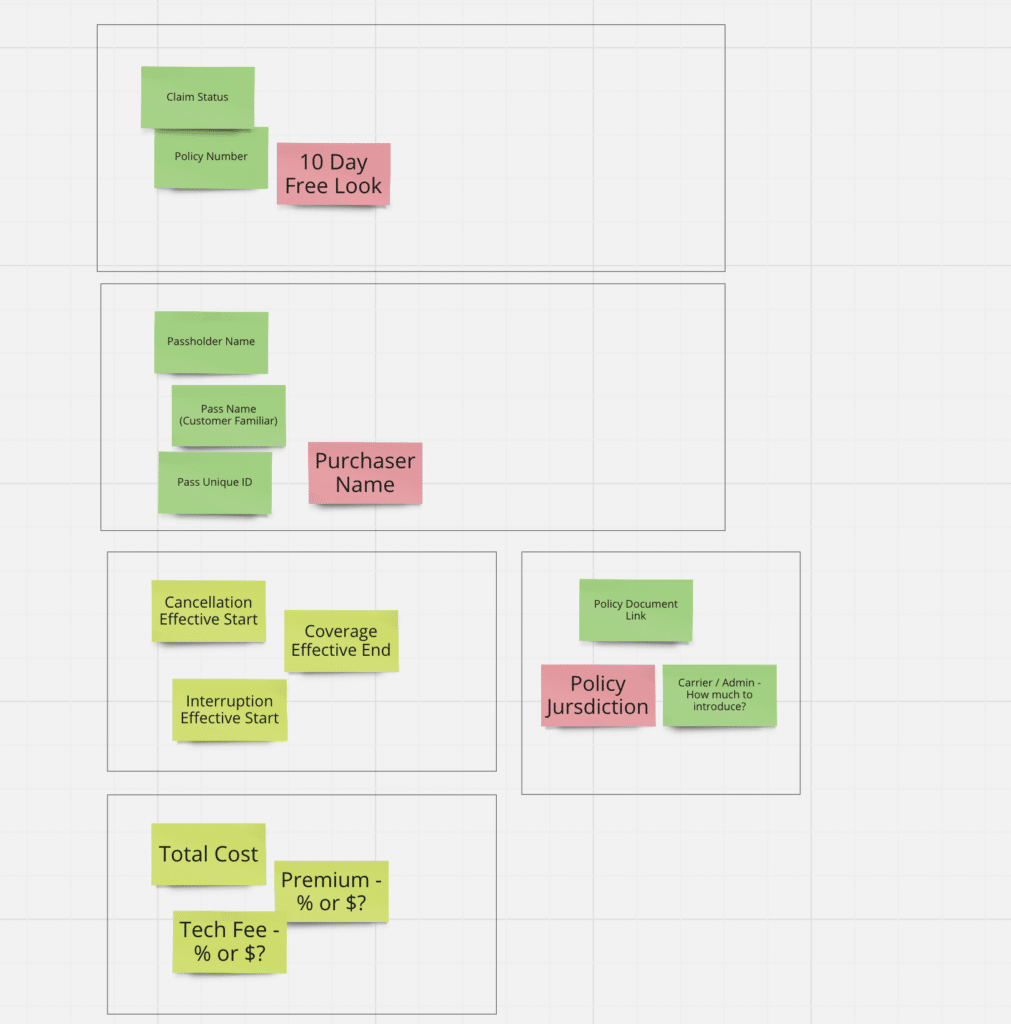
    // Internal understaninfn differences with existing products

    / Actual hard reqs avout verification , How want to position Spot?

    Discovery w/ Customer Advocates to understand how claims are currently being managed
  • =====
  • !! Do Visuals Personas and Research
  • Informs user journey mapping and current state process mapping
  • Gather business and insurance requirements from IMG for Insurance & Refund Plan claims
  • Informs documentation and review for alignment
  • Collaborative exercise to show how the process should work, taking into account all claims use cases 
  • Will visually communicate all features, people, processes, and tech involved
  • Determine required features for both the Claim Admin and My Account tools
  • Review all required features / flows for stakeholder alignment
  • Visual of features and user stories required to deliver the new Pass Claims experience 
  • Collaborative effort between Product, UX, and Engineering to write and prioritize stories

Main Findings from User Experiences

Discovery with Customer Advocates to Understand Current Process


REQUIREMENTS AND MATERIALS REVIEW

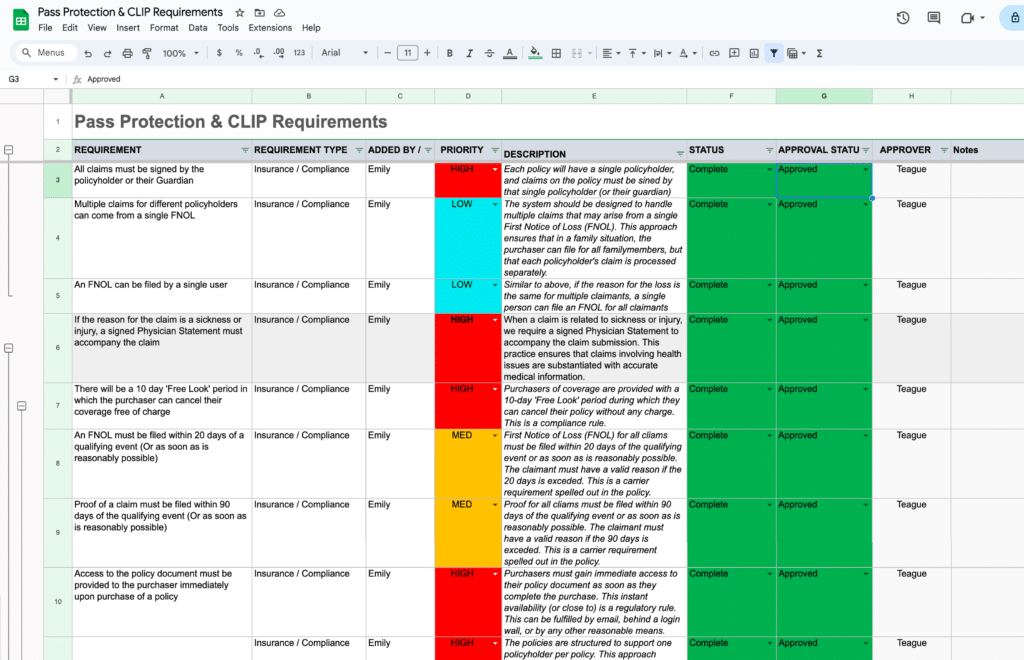
For a list of project requirements, the PMs had already started gathering an initial list of requirements with stakeholders into a centralized Project Requirements Document.

We then reviewed this list, formulated additional questions, sought to understand why specific requirements existed from our stakeholders, and had some further requirement discussions. The Project Requirements Document was a living and evolving document throughout the design process.

Along with project requirements, we also took a deep dive into the materials and data we had available to work with.

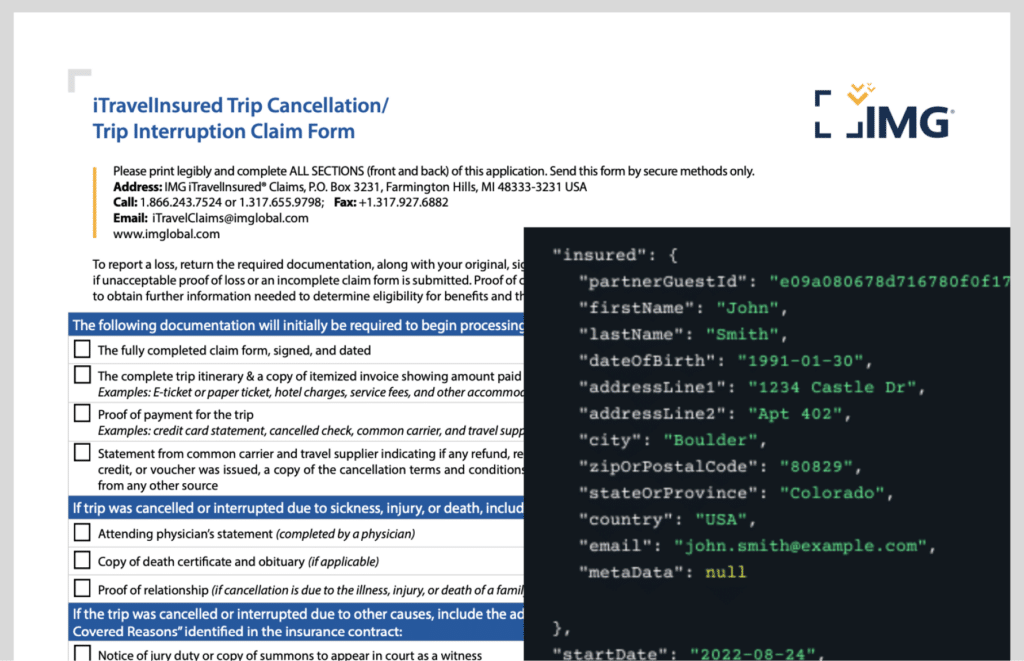
For this project, we had a set of data elements we knew we would receive from enrollment of new Pass Protection purchasers, and we knew from our insurance carrier partner what documents they typically requested during claim filing in order to adjudicate on a claim.

One big question we sought to answer by looking into the data was the breakdown of how many purchasers and claim filers filed claims as groups of people (as in a family filing a claim together), verses individuals filing a single claim.

  • Informs user journey mapping and current state process mapping
  • Gather business and insurance requirements from IMG for Insurance & Refund Plan claims
  • Informs documentation and review for alignment
  • Collaborative exercise to show how the process should work, taking into account all claims use cases 
  • Will visually communicate all features, people, processes, and tech involved
  • Determine required features for both the Claim Admin and My Account tools
  • Review all required features / flows for stakeholder alignment
  • Visual of features and user stories required to deliver the new Pass Claims experience 
  • Collaborative effort between Product, UX, and Engineering to write and prioritize stories

Business Requirements

Materials Review


COMPETITIVE ANALYSIS

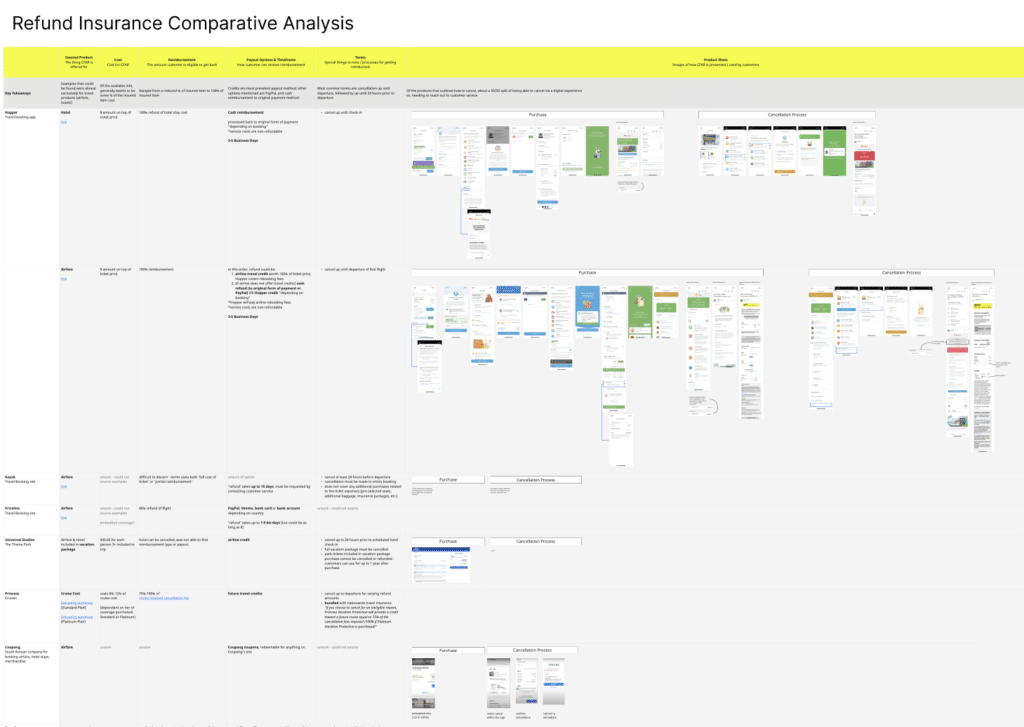
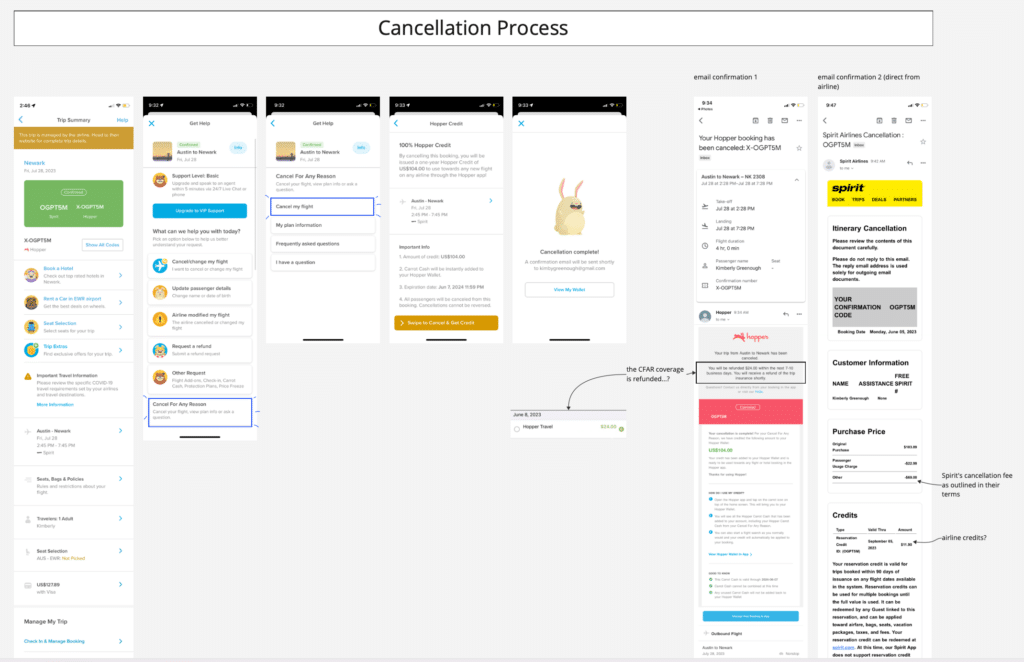
Concurrently with other discovery activities, we were looking around for other comparable experiences to how the Pass Protection claims process might work. We captured examples, flows, and made notes of how others had solved similar presentational challenges in dashboards and flows.

Because of the emotional ride most users are in when they come to file a claim, we took particular note of tone, language, and how others had sought to simplify and guide users through such a complex process.


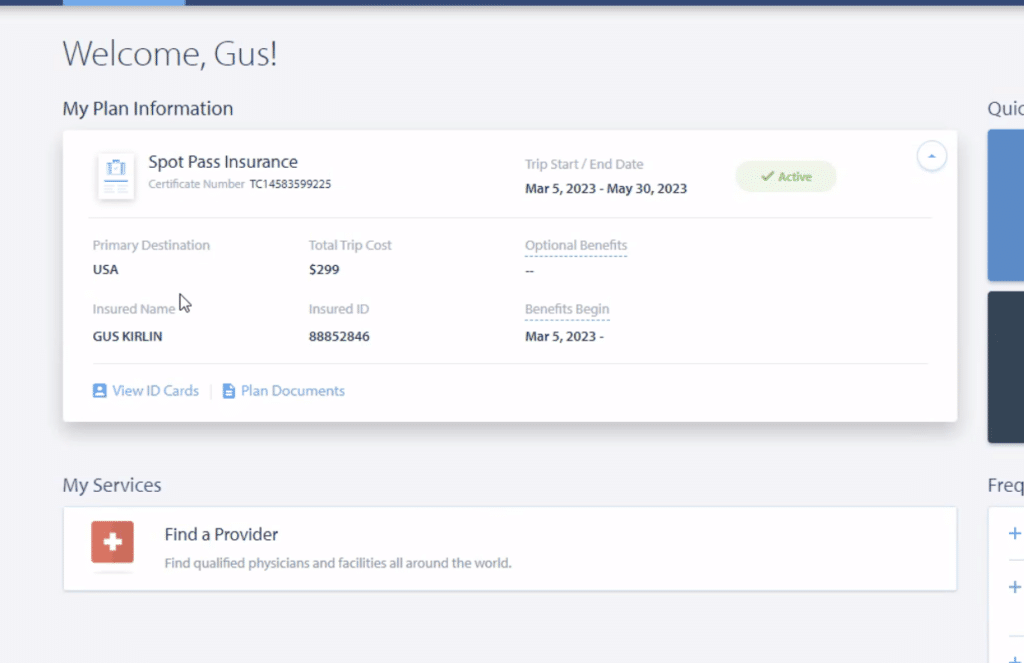
Carrier’s Insurance Dashboard

Hopper & Spirit Airlines Cancellation Process


DISCOVERY SYNTHESIS & PRINCIPLES

To internalize a lot of the insights we gained from discovery, and help turn these insights into guiding lights for our ideation and designs, we went about forming a few key design principles.

A lot of these principles were formed in response to the understanding gaps and emotional distress most filers felt when coming to file a claim. We wanted any design we came up with to be simple and clear, have help always available, and to position ourselves as advocates for the filers each step of the way.

Design principles like these are great for socialization with project stakeholders, and can serve to get teams aligned on what a good solution will look and feel like.


Process Mapping, Information Architecture (IA)
& User Journeys


SCENARIO & PROCESS MAPPING

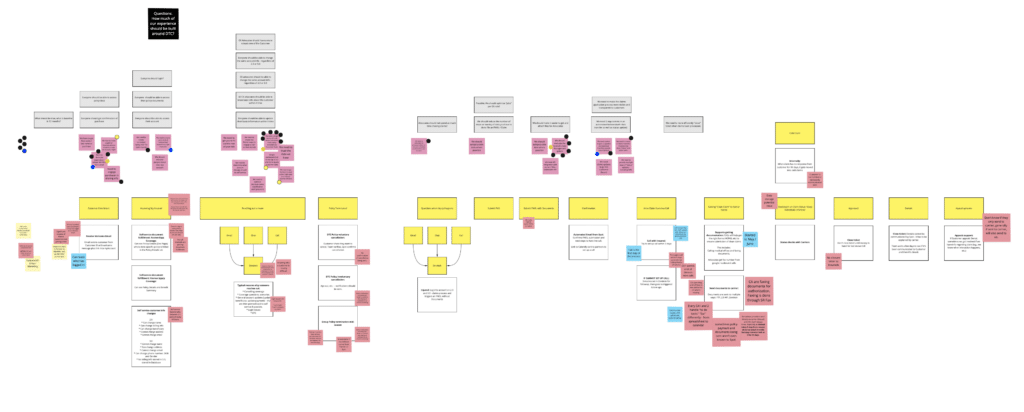
Our first team-wide cross-functional collaborative activity was to gather the Product and Engineering teams, along with select stakeholders, and walk through different user scenarios for how this product would likely be interacted with at Spot, from purchase through to successful claim.

As we mapped these scenarios out we identified what customer interactions with Spot would need to occur. At each step along the way we also discussed what technical processes or business processes needed to be in place to support the high level user experience.

This was a great way to uncover open questions, requirements to clarify, prompt data questions to ask a data analyst to pull, and to spark discussion and ideas around the high level user experience.

This collaborative process mapping served to align the teams and stakeholders from the beginning on the contours of the project, and what we would be building. It’s also a great framing exercise to picture realistically what level of user experience we could support within the project timeline.

Include:
User Feelings


INFORMATION ARCHITECTURE

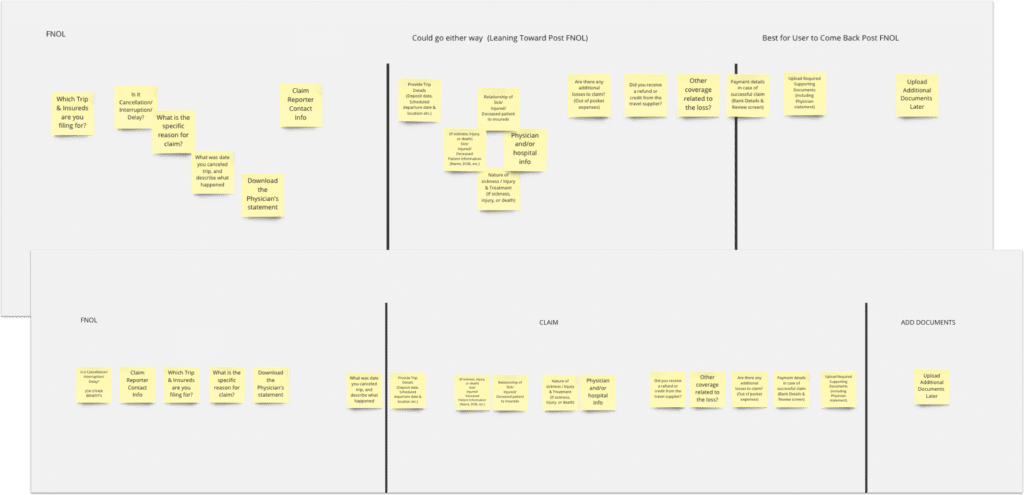
When getting into the design of how the claims flow itself would work I found sorting the steps of the flow, and the information we knew we needed to collect, onto ‘cards’ and laying out various arrangements let us see how best to logically prioritize the designs.

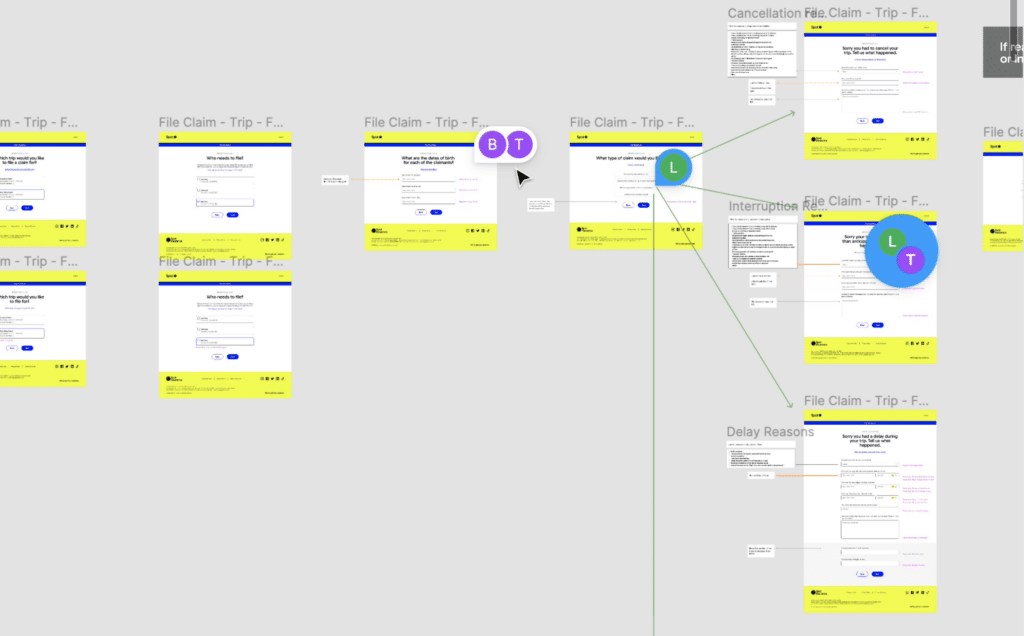
The claims flow was branched with conditional logic in various places, so rearranging the flow on ‘cards’ let us see that we could cleverly pose questions up front that would later inform the flow downstream.

We used similar card sorting exercises when planning out how to present details of the Pass Protection coverage to users, or give feedback about filed claims on the user’s account dashboard.

Qual:
Set of Needed questions to include = Constriant.
How to arrange in a way to reassure, educate up front hard concepts, backload uploading of docs

Arrange needed info first for details pages

WEn t Widee!


STRUCTURING THE FNOL, CASES, AND CLAIMS RELATIONSHIP

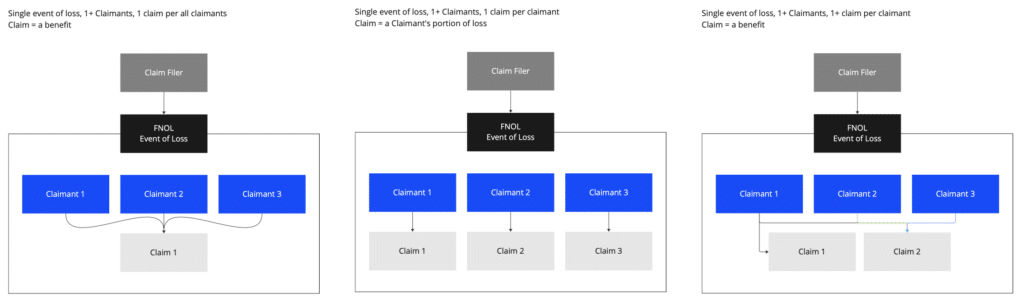
One element of the information architecture that’s worth highlighting was the need to clarify the relationship between the First Notice of Loss (FNOL), an insurance case, and what specifically counted as a claim.

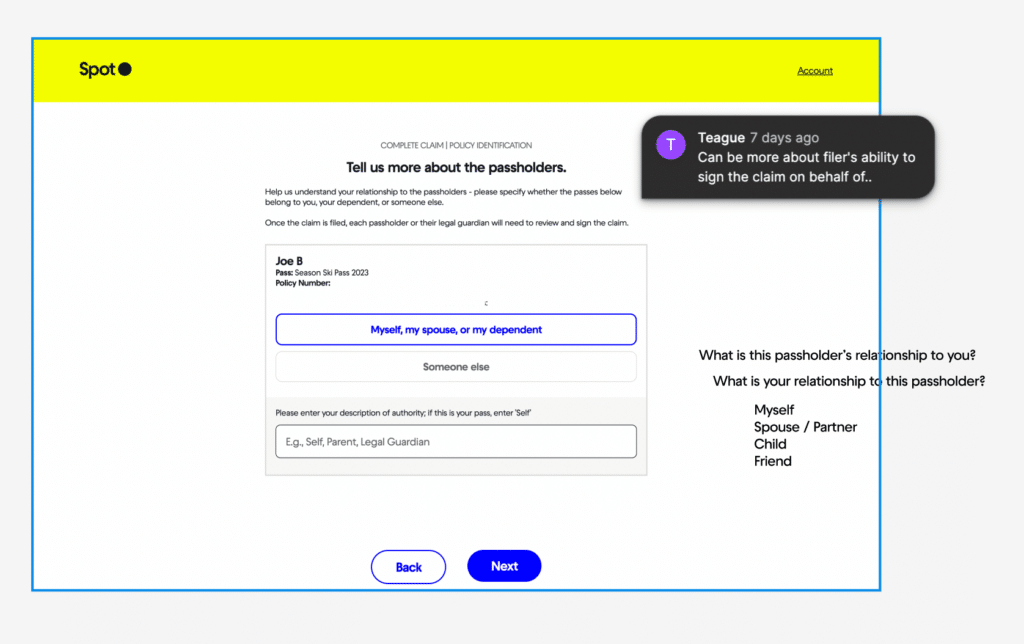
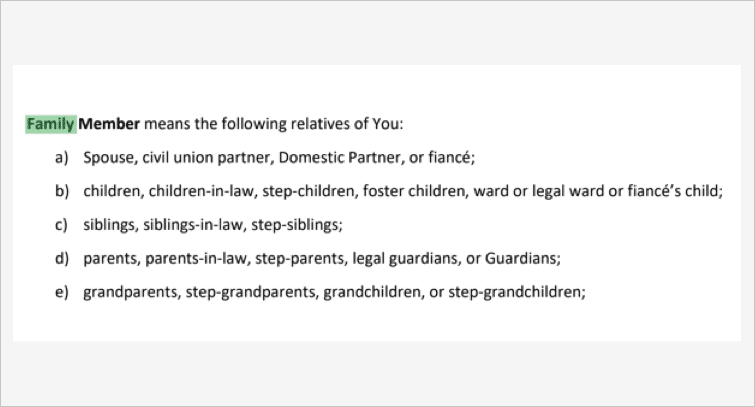
The design needed to handle multiple claims that may arise from a single person filing on behalf of a group of people (for example in a family), but the way our insurance carrier partner needed to intake the claims once we passed them off was structured as only a single claim per filer.

We needed to balance how we presented claims to the filer (end user), how our own Claims Administrators thought about grouping claims, and how our insurance carrier partner though about the relationship of claim filers to claims.

To probe these different mental models we mapped out the different groupings and prioritized a discussion amongst the relevant stakeholders to reconcile how our system would present claim groupings.

Qual: Went back to Users to understand their mental model

Talked to internal team, and partners


USER JOURNEY MAPPING

Proceeding from the card sorting exercises, we then went into user journey mapping, and were able to more concretely look at what screens needed to be created, and how decision points would function.

The user journey mapping incorporated the results of decisions that had been made up until this point, for instance the resolution of claim groupings mentioned in the previous step.

Qual: Becsaue o. fhow purchasesers work and knowing group dinamics, we made a decision on familiarity of gropus


Wireframing & Prototyping


WIREFRAMING & SCREEN DESIGN

Having done a lot of the planning up front, when we got into wireframing we already knew what information would need to be presented throughout the flow.

Wireframing the customer facing screens was mostly about deciding visually how best to present this information, and leading the claim filer through the flow in a comfortable, well communicated way.

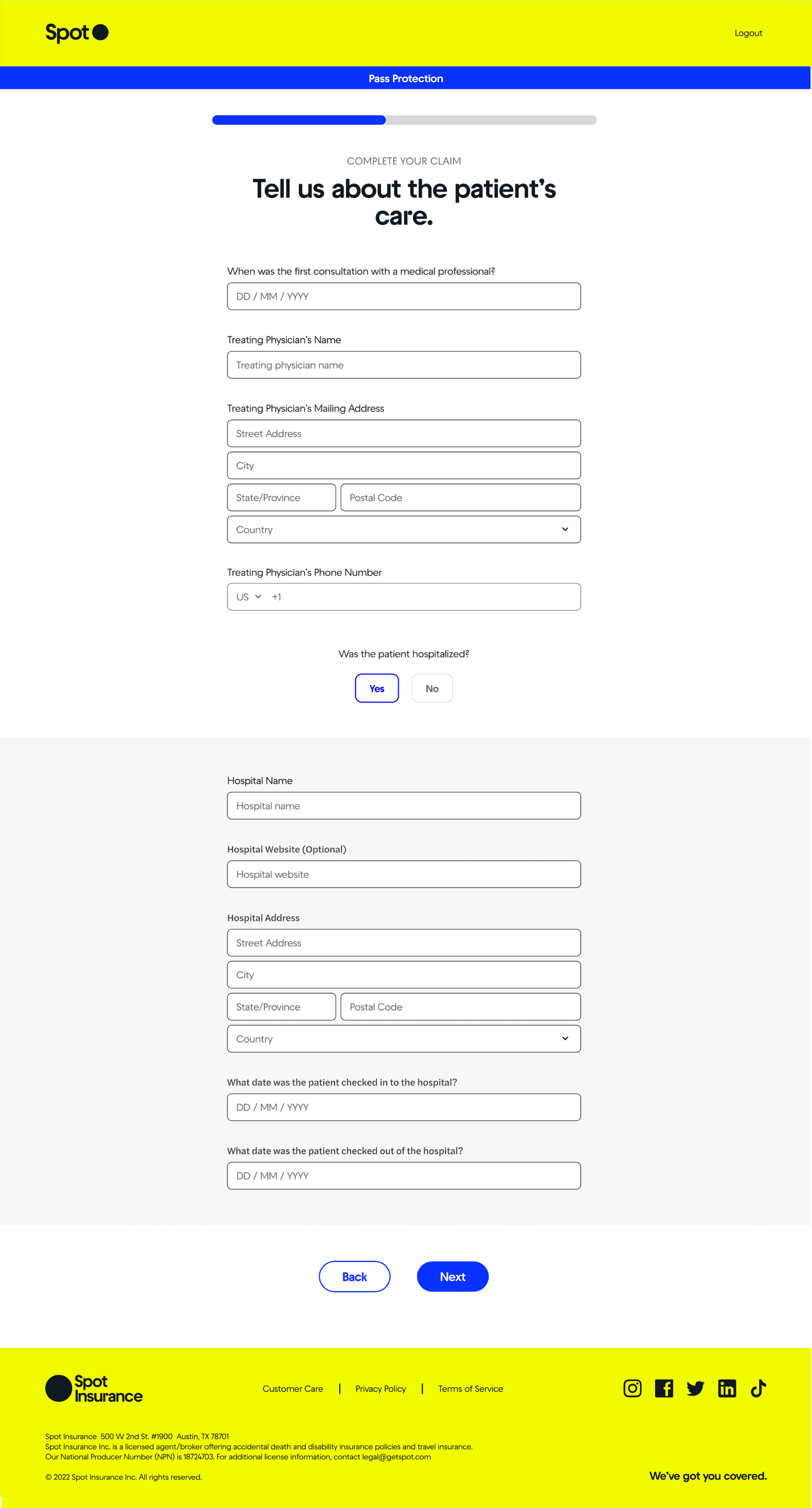
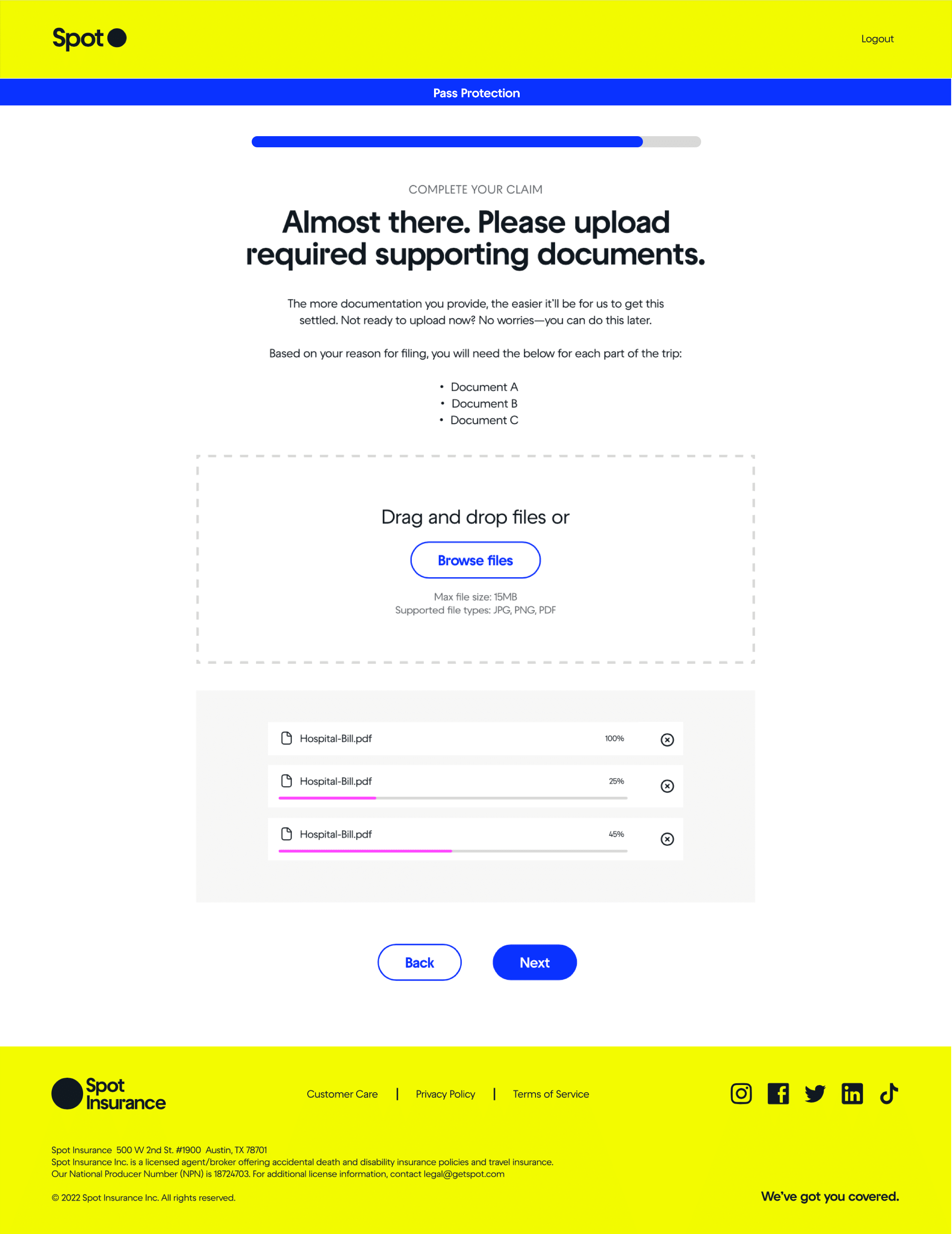
A lot of consideration went into how to help users understand what information they needed to provide, while keeping the screens as minimal and digestible as possible. We used contextual nudges where we could, conditionals question sets within screens, and a lot of iteration and emphasis was placed on the screen copy and microcopy to communicate clearly.

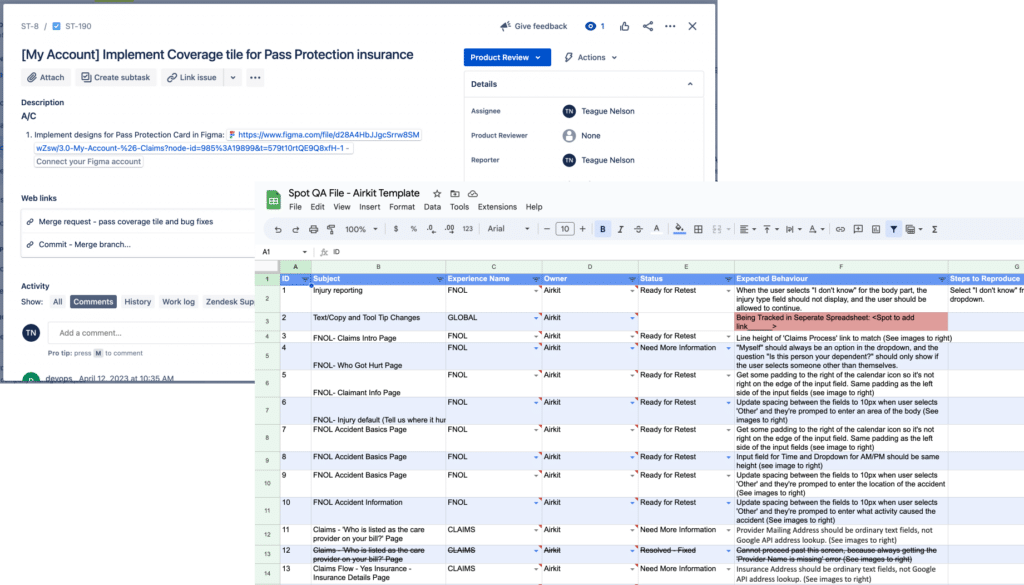
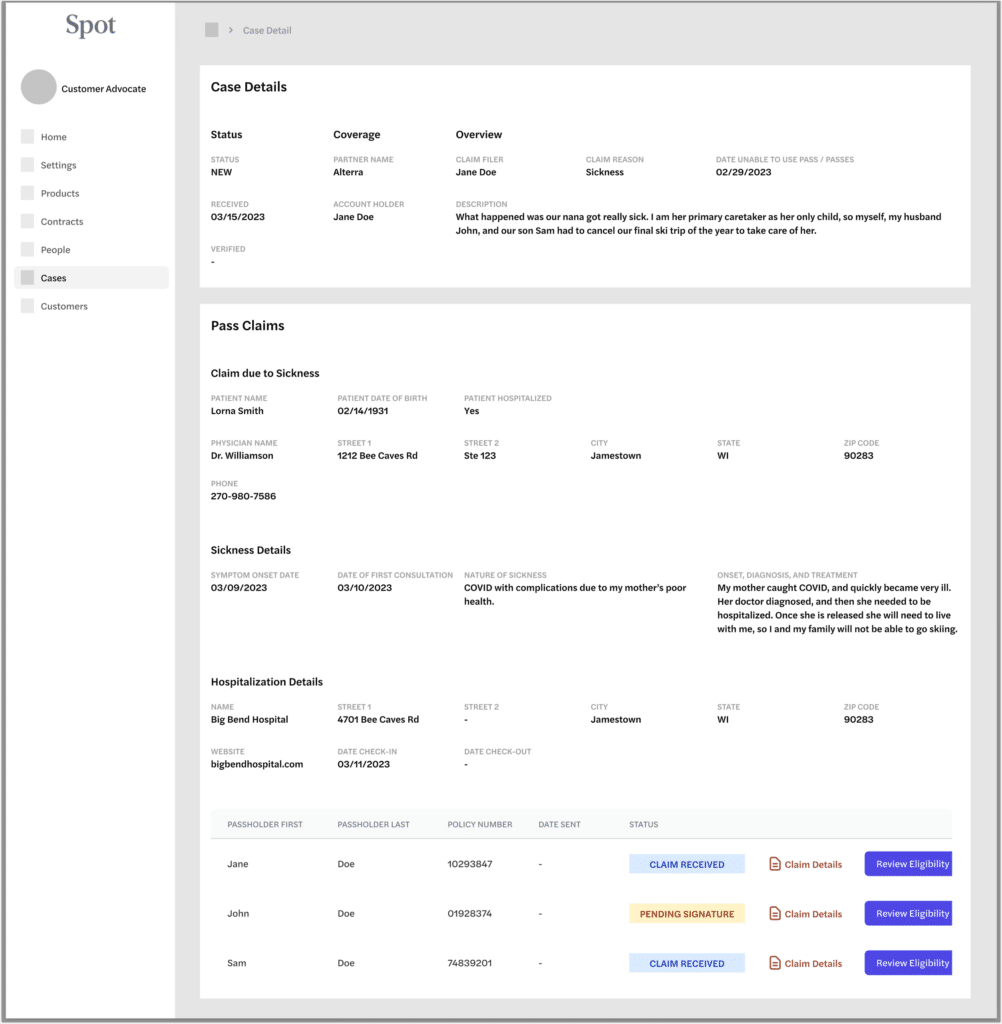
For the project we needed to consider both the customer facing, and management aspects of the claim flow. As we were working through the customer facing flow and dashboard, we were also wireframing how to best display their claim info on our claim administration dashboard for internal verification of claims.

Collabarive /


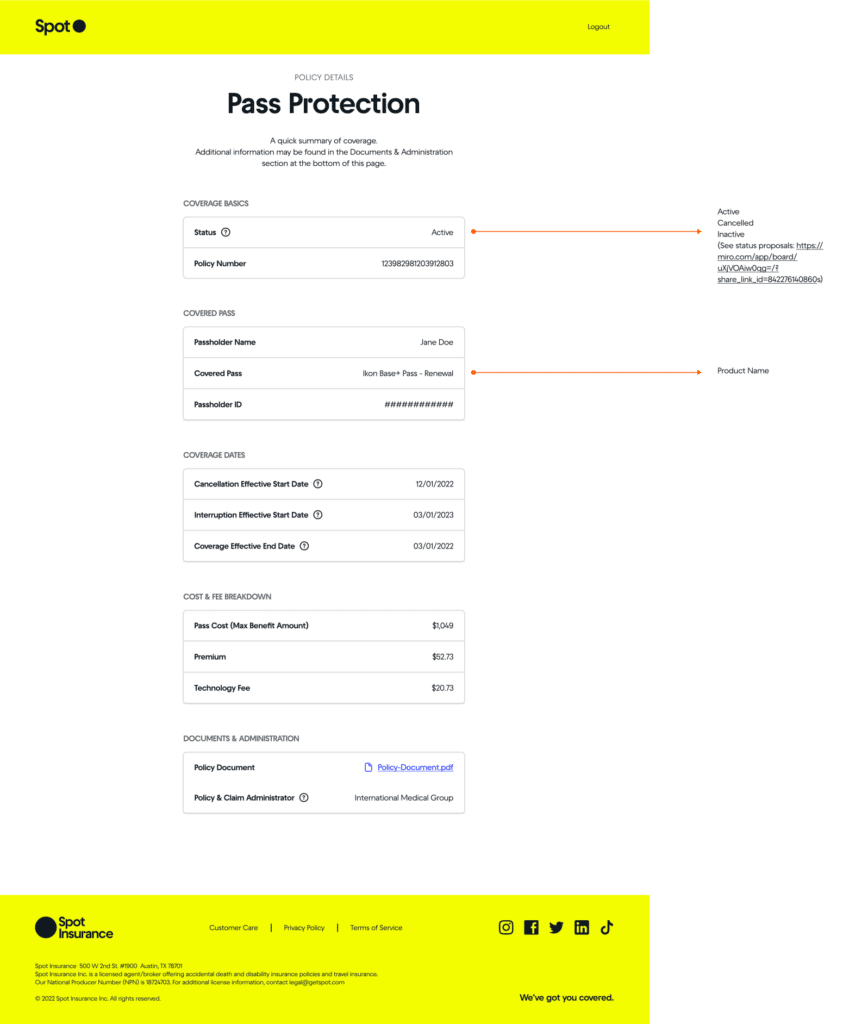
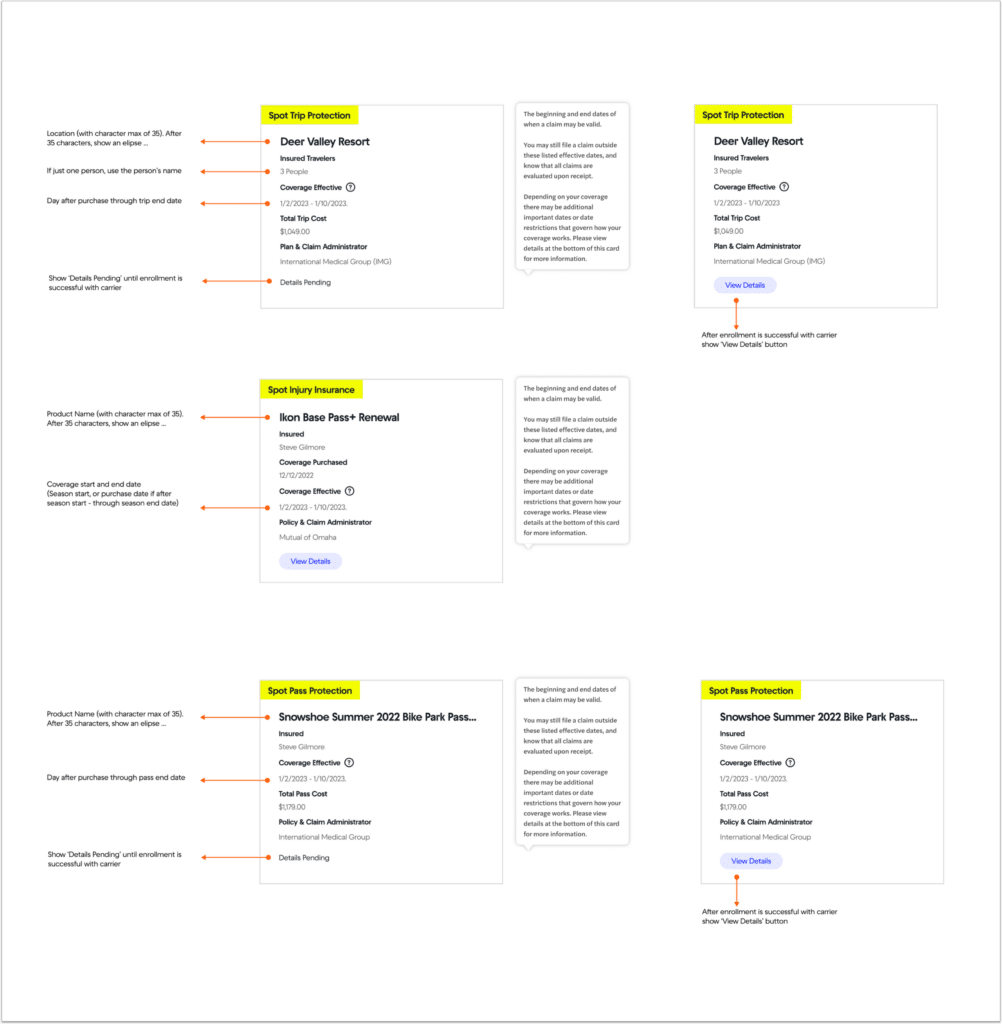
Standardizing Insurance Coverage Cards

Displaying Case and Claim Info for Internal Claim Admins

Wireframing the Customer Facing Claim Flow


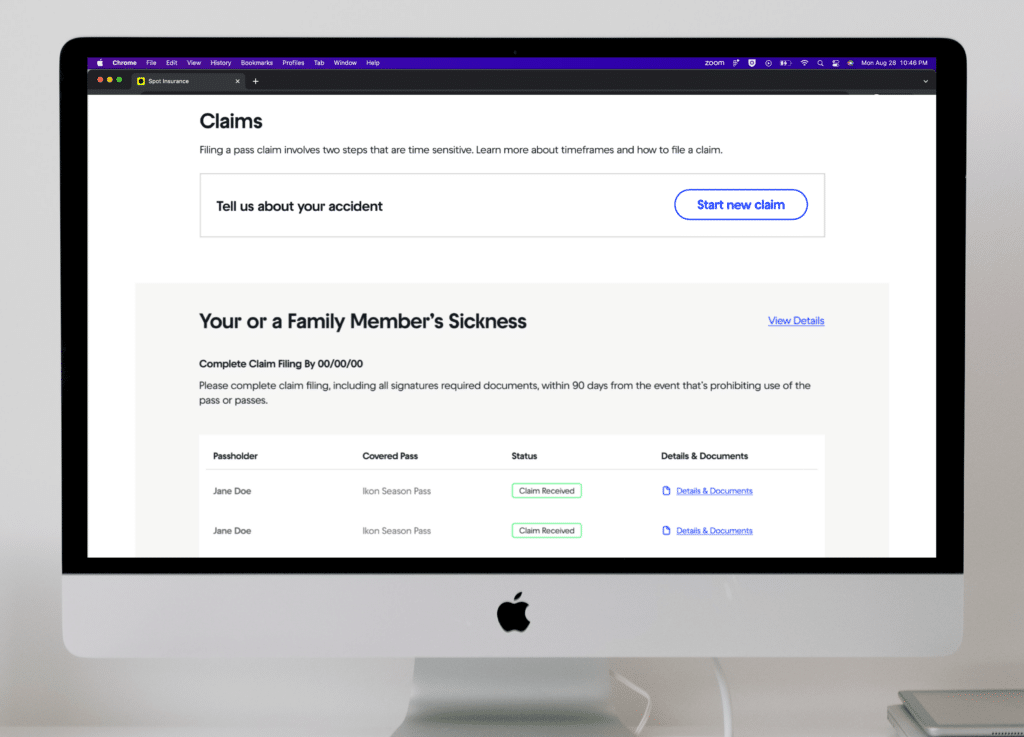
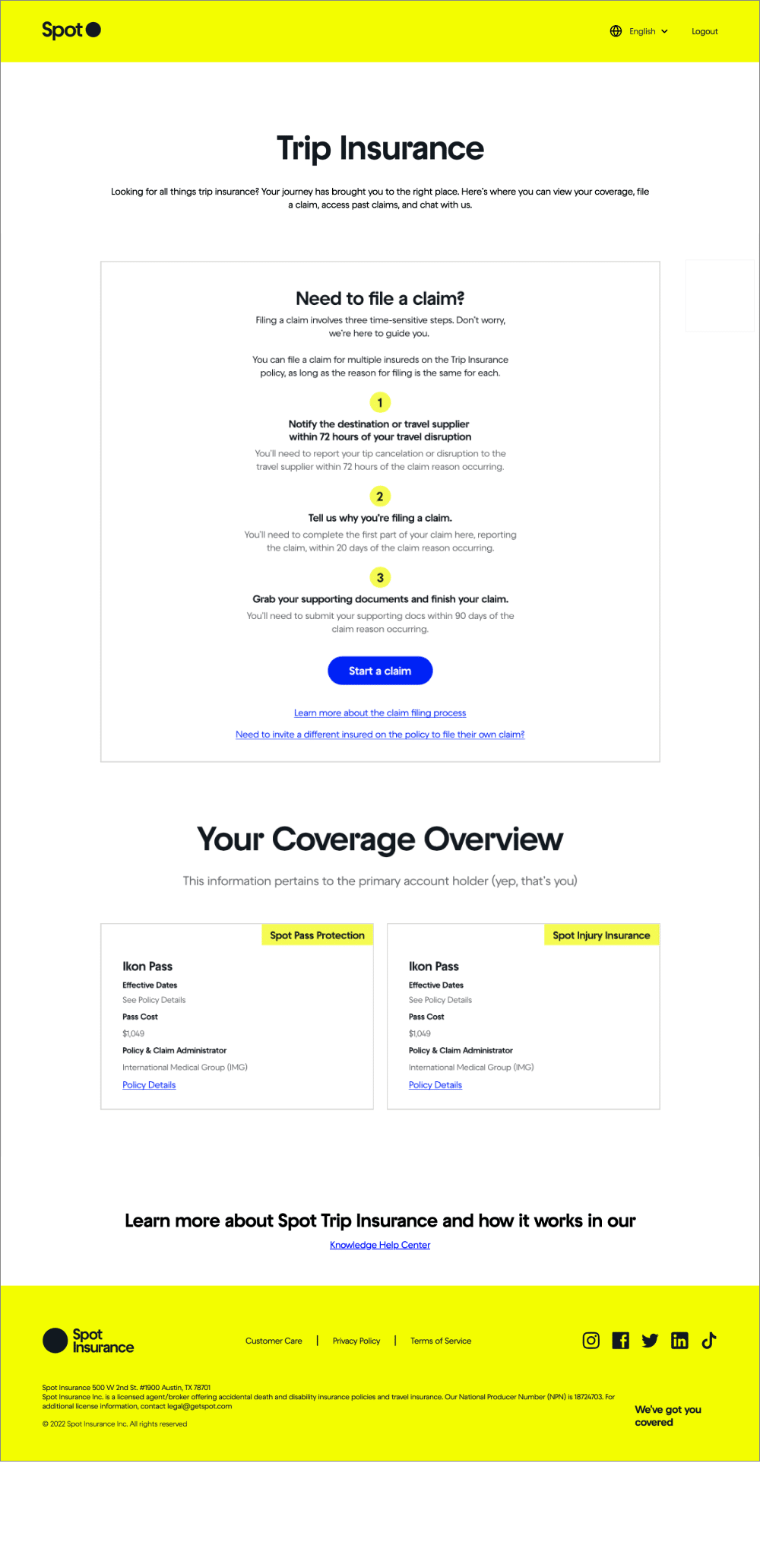
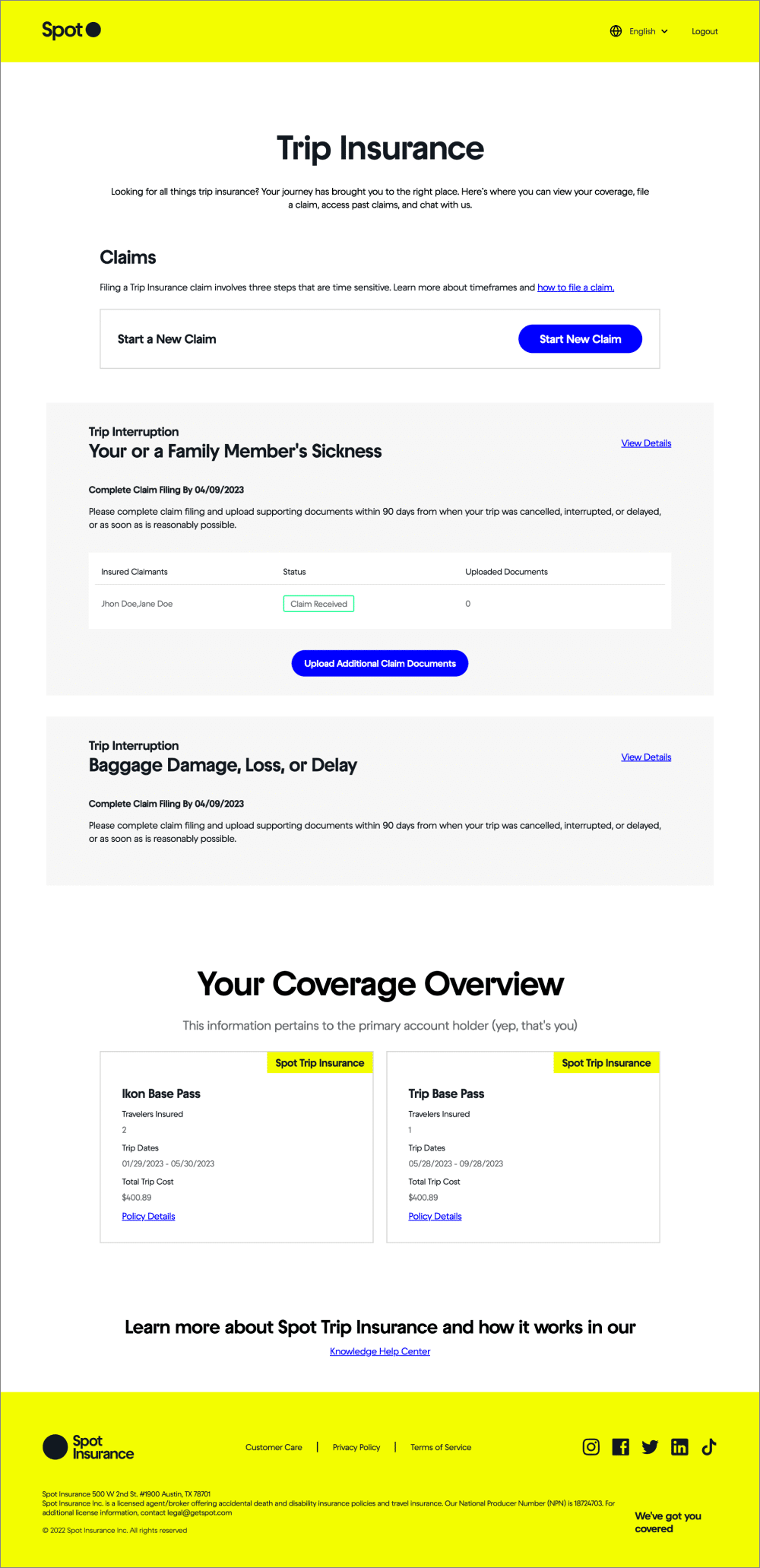
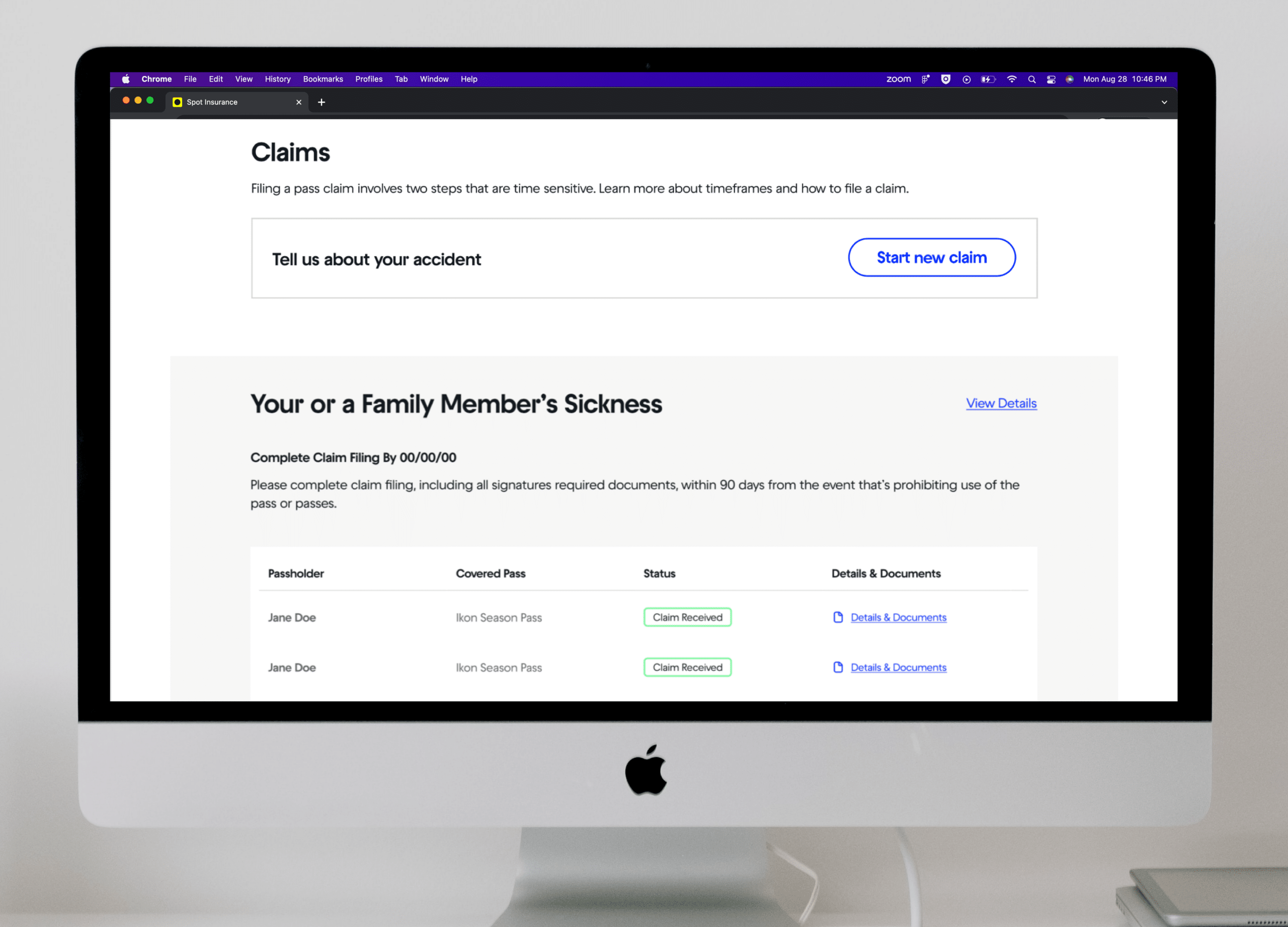
UI DESIGN & THE CUSTOMER’S CLAIM DASHBOARD

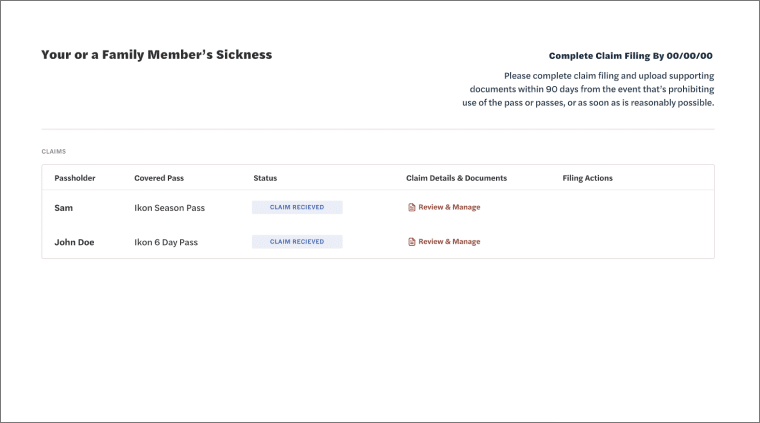
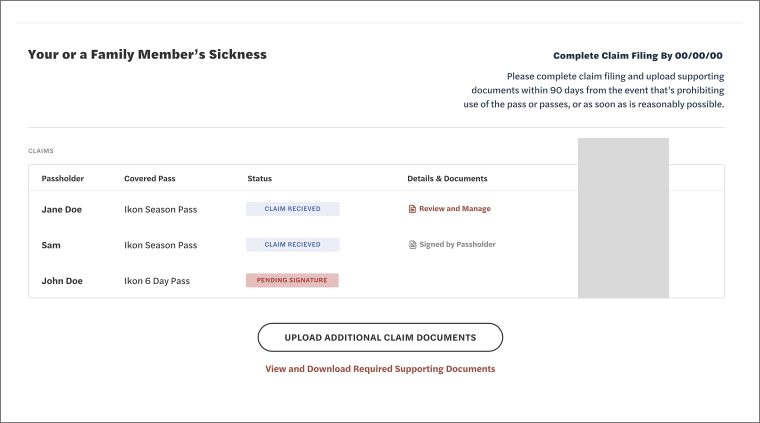
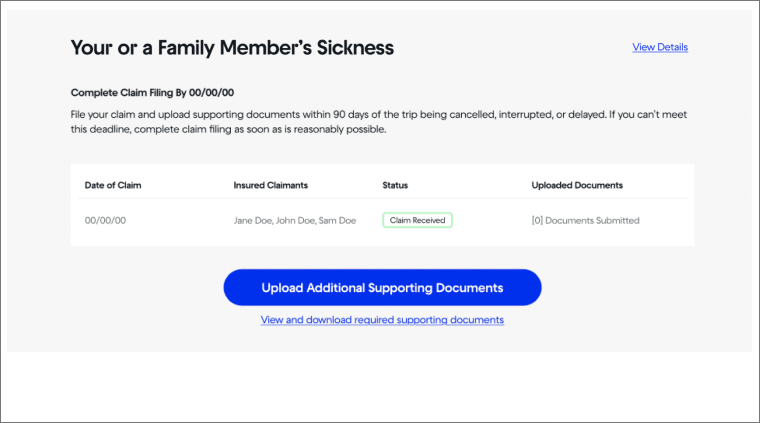
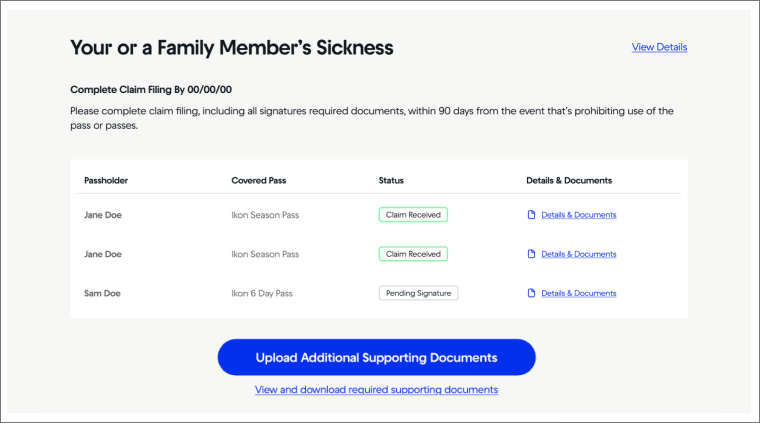
UI design and the detailed work of how to covey important information and affordances is often a very iterative process with improvements being designed and added over time. It’s about using visual hierarchy and the right UI elements to convey specific information in an ordered way to the user.

In this example, the customer’s claim dashboard, we designed this with a lot of the customer’s insights and uncertainties we heard from the discovery process in mind.

Filers were unsure about timelines and deadlines, so we added a ‘complete claim filing by’ date. Filers were unsure about what documents they needed to provide, so we added a specific link call out for this.

You can also see in these designs we were considering different ways to present if a group of people all filed together how might that look.


Iteration 1

Iteration 2

Iteration 3

Iteration 4


USING THE SPOT DESIGN SYSTEM

At Spot we maintained a Figma design system which made wireframeing and screen design constant, quick, and relatively easy to change around and work with.

I’ve written more about our work developing and maintaining the Spot Design System in my writeup on the UX Overview and My Role at Spot.


UX COPYWRITING & REVIEW PROCESS

Tone to calm, educate, keep simple, Direct

_____

Facutally Correct
Highly Precise
Compliant
Descriptive to take actions

Approachable and in brand voice.

Short is best.

Using – List of tone words


Copywriting Iteration and Notes

Copy needed to be precise and convey a lot of info

Copy needed to get the user to take complex actions


Engineering Collaboration
& Supporting the Build and Launch


ENGINEERING COLLABORATION & SUPPORT

Working with engineers for design handoff was a smooth process because they had been brought in throughout the discovery and design work.

The engineers had direct access to our Figma files, and I joined daily standup and other key ceremonies of the Engineering team to be available for comments, questions, and clarification.

The Engineers worked from a Jira board, and oftentimes I would be tagged in to QA specific elements.


PREPPING INTERNAL TEAMS FOR ROLL OUT

Key stakeholders at Spot that would be affected by the redesign had been consulted throughout the discovery and design process, but not the larger teams they represented.

Once designs were mostly completed and the project was into the build stage, I and the Product Manager worked on a team-wide walkthrough to demonstrate the new claims flow and management dashboard.

We also made sure to get the new flow and dashboard into the hands of the actual team as quickly as possible and had a light ‘UAT’ testing phase.


Usability Testing & Assessing Design Impact


USABILITY TESTING & DEFINING METRICS TO TRACK OVER TIME

Mind

_____


BUSINESS IMPACT & ASSESSING ORIGINAL GOALS

_____


Final Designs


FINAL DESIGNS

_____

====

HOW WORK WITH:
PM / Data / Content Writers / Engineering
My Role and Contribution

Return to answer Shapeup Qs

Fix Patient’s Care Placeholder Text Below.. (Sketch)

INTERNAL TOOLING – SEP CASE STUDY???


Ready for More?
View Another Project –


Data Management Platform

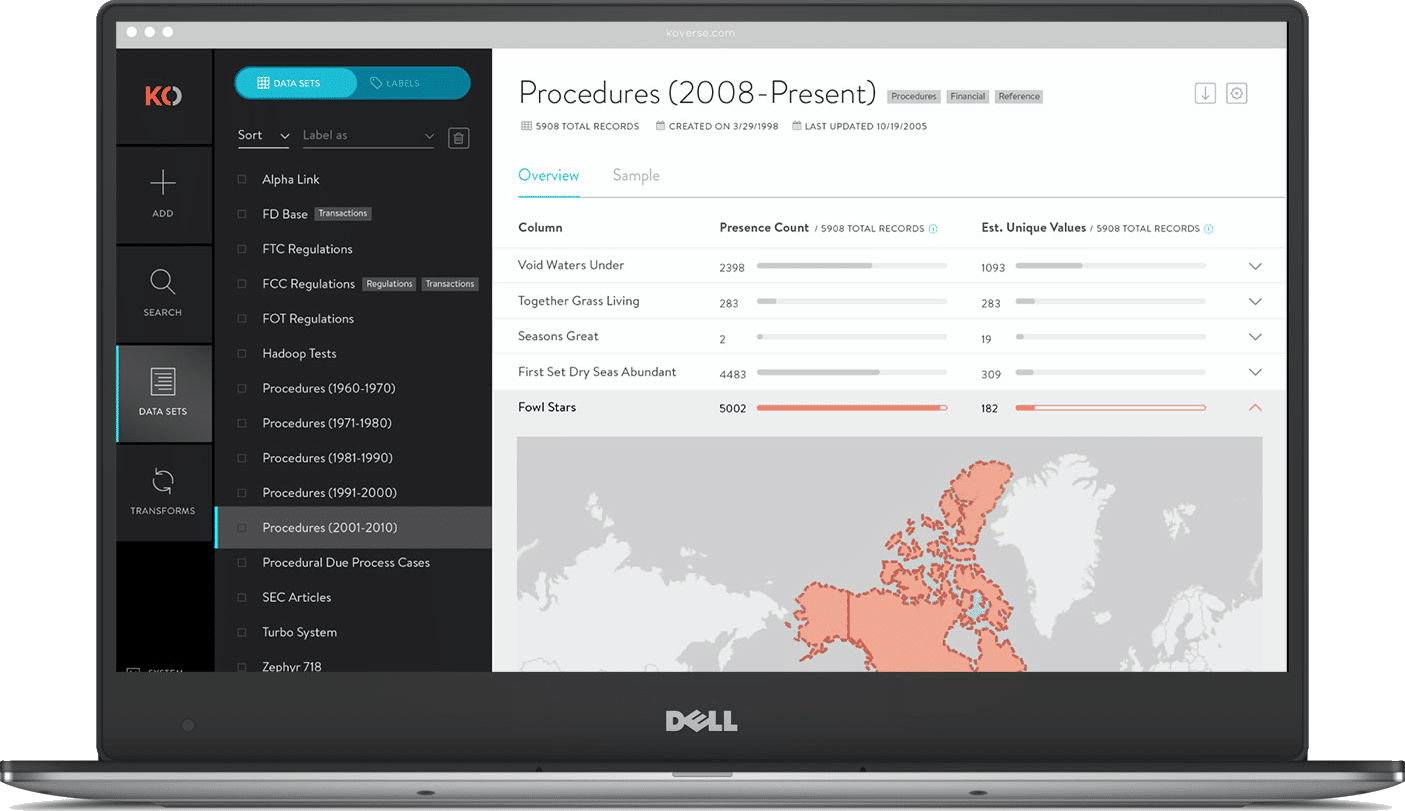
Client: Koverse

A tool used by Data Scientists for collecting, storing, and learning from big data.

ConnectedCare iOS App (Protected)

Client: Microsoft

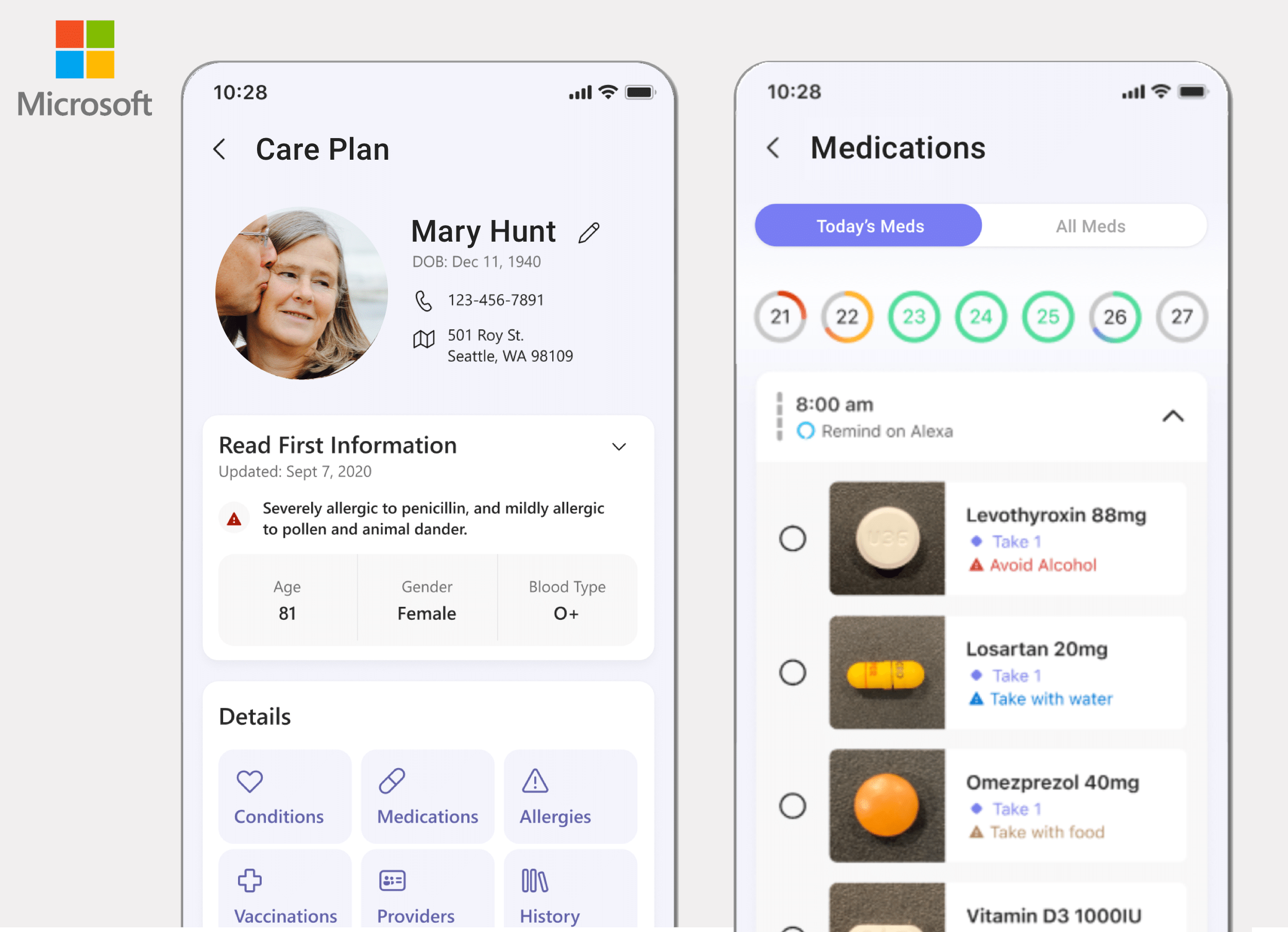
Microsoft’s ConnectedCare App is a summary of an individual’s health records organized into one place.


Data Management Platform


Client

Koverse (Data Solutions)

My Role

UX Research
UX Design

Summary

UX research and design was applied to re-think how a data management platform could be more intuitive for Data Scientists to use.

Visit the Koverse Website


PROBLEM STATEMENT

Koverse is a Seattle based platform used to manage, normalize, and interpret large and complex data sets.

The original platform was built in 2012 with a focus on the extract, transform, load (ETL) process of combining and normalizing data.

Over the years as new features were added on to the platform, they had been added on in a siloed or piecemeal fashion. This made the tool work for one-off tasks but was not very effective for an end-to-end data processing workflow. Koverse was looking to remedy this.


APPROACH

Assessing the Tool to Redesign

User Research, Personas & Journeys

Competitive Analysis

Information Architecture

UI Concepts & Ideation

Wire-framing & Prototyping

Usability Testing

Development


Assessing the Tool To Redesign


LEARNING ABOUT THE DATA PROCESS

Because the application addressed such a specific function for data scientists, we first had to learn how the tool worked, what it could do, and how it was useful in data scientists’ workflow.


The Original Design

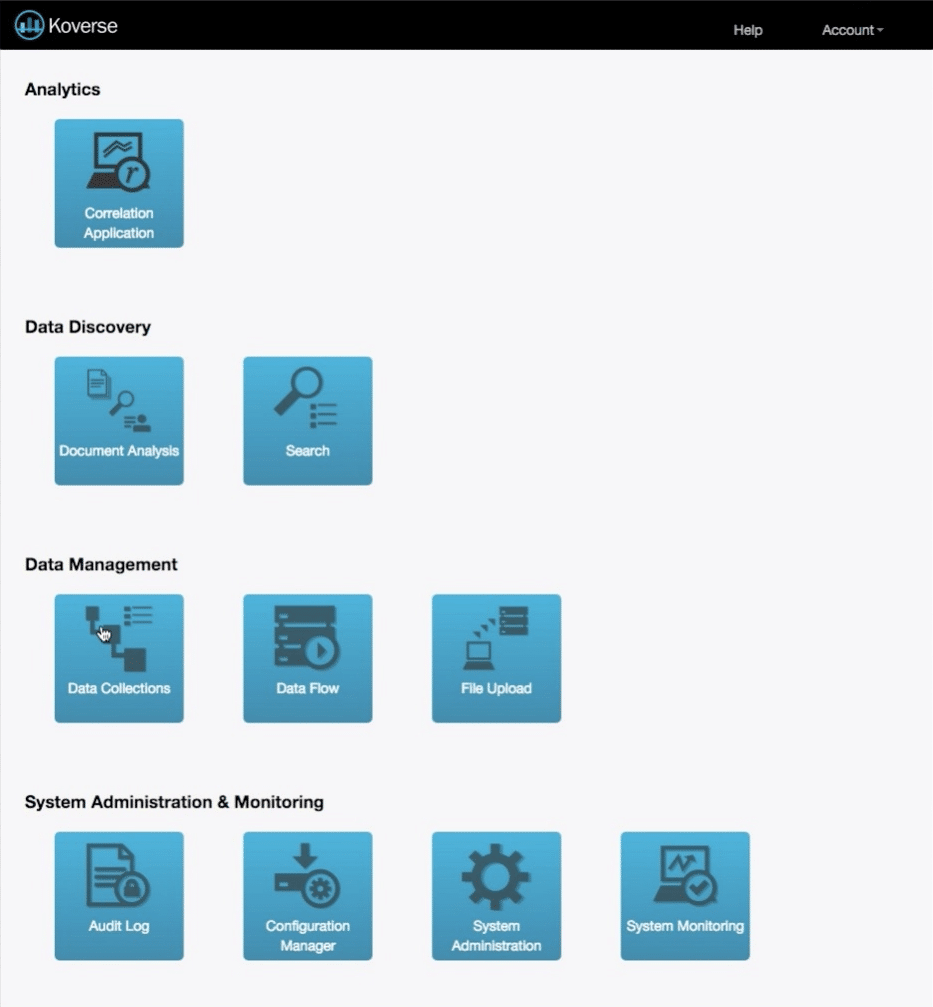
The dashboard when we began was broken out into individual tasks the application could do.

Each of these tasks is valuable to a Data Scientist’s workflow, but in the original design an end-to-end data processing workflow was difficult.

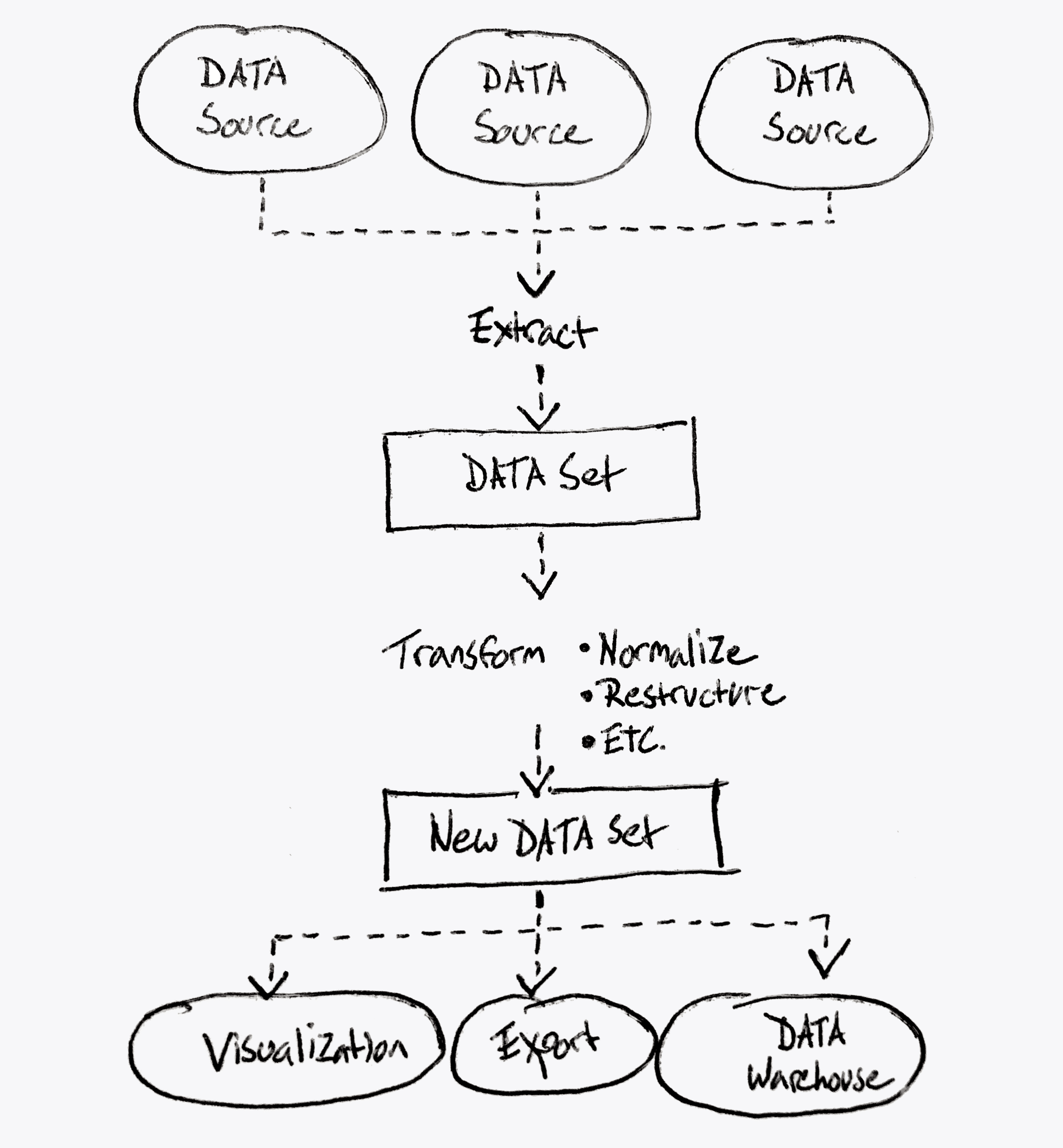
What Koverse Actually Does

This diagram represents more accurately what the platform could achieve.

Notice it’s a continuous data processing workflow from extracting data from the source down to transforming the data, and working with the data in a useful way.


User Research, Personas & Journeys


USER INTERVIEWS

Because none of us on the design team were data scientists ourselves, we needed to talk with data scientists to understand their mental models around processing data, and what workflows were more or less common to people in the processing stage.

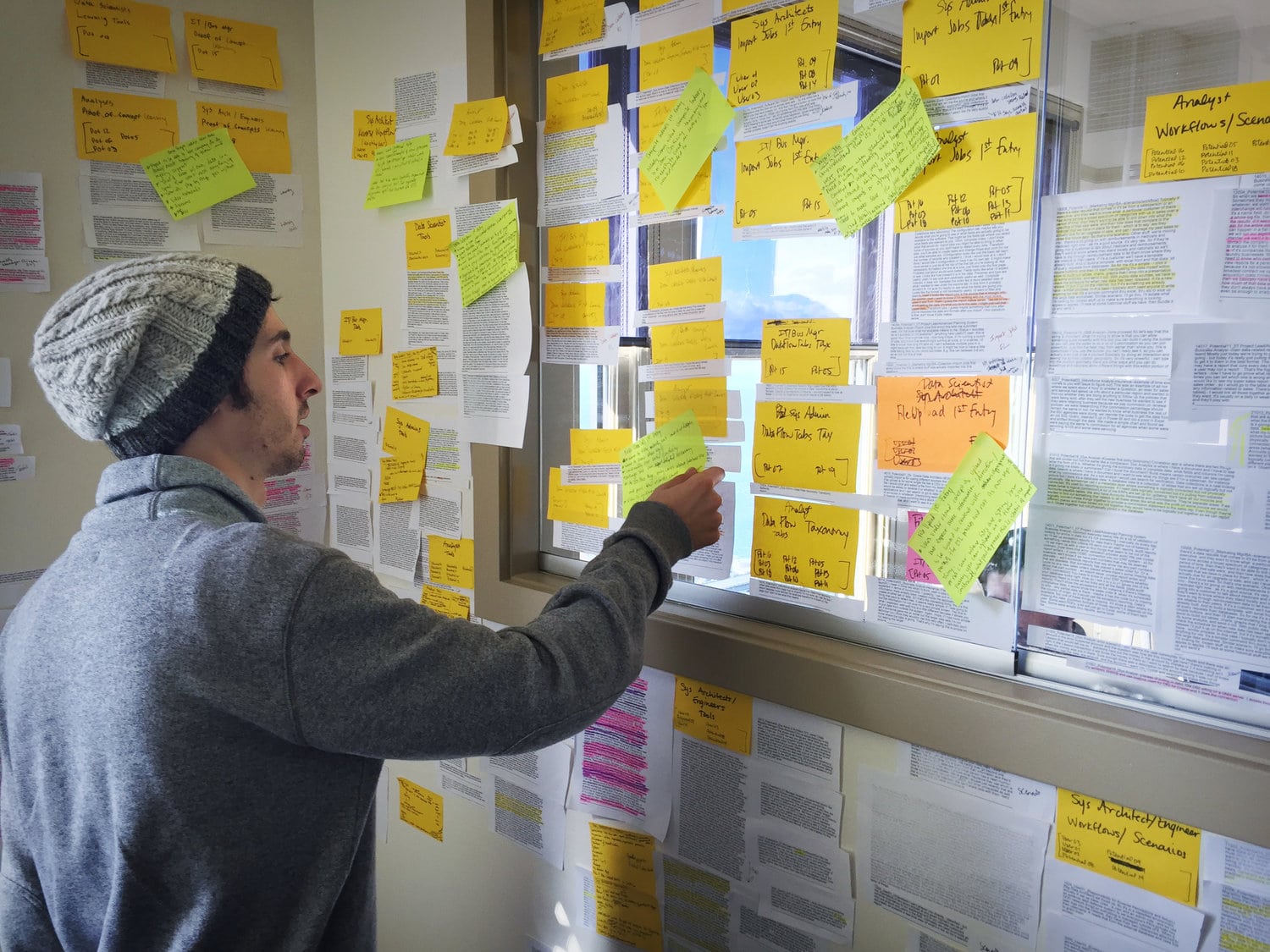
We spoke with 18 people with job titles ranging from Data Analyst to Business Managers, and then sorted what they told us into common groupings using affinity diagram sorting.


View Our
Research Materials

The Interview Screener, the Script, and the Findings Spreadsheet

View Documents

Research Materials

Affinity Diagram Sorting


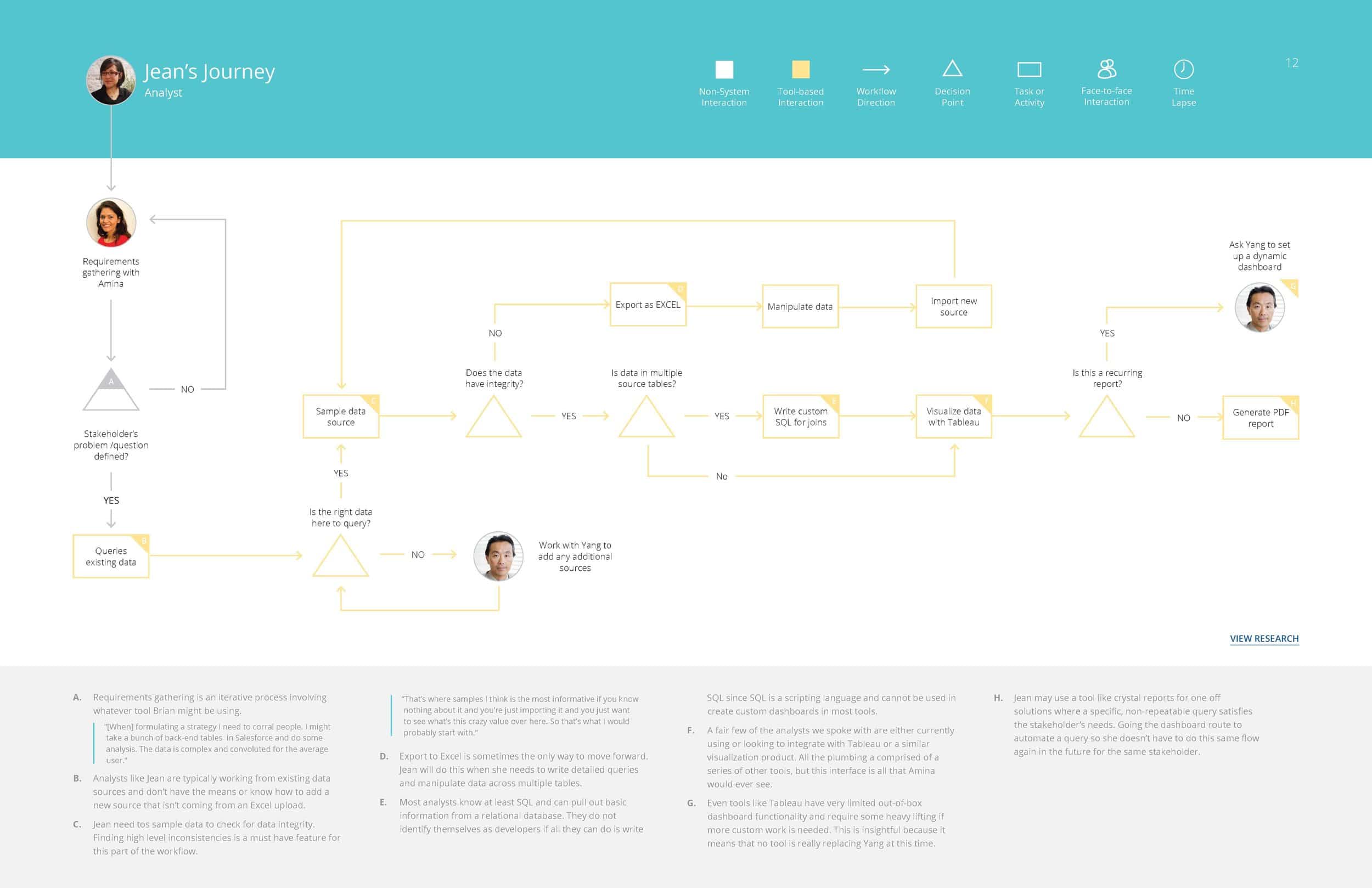
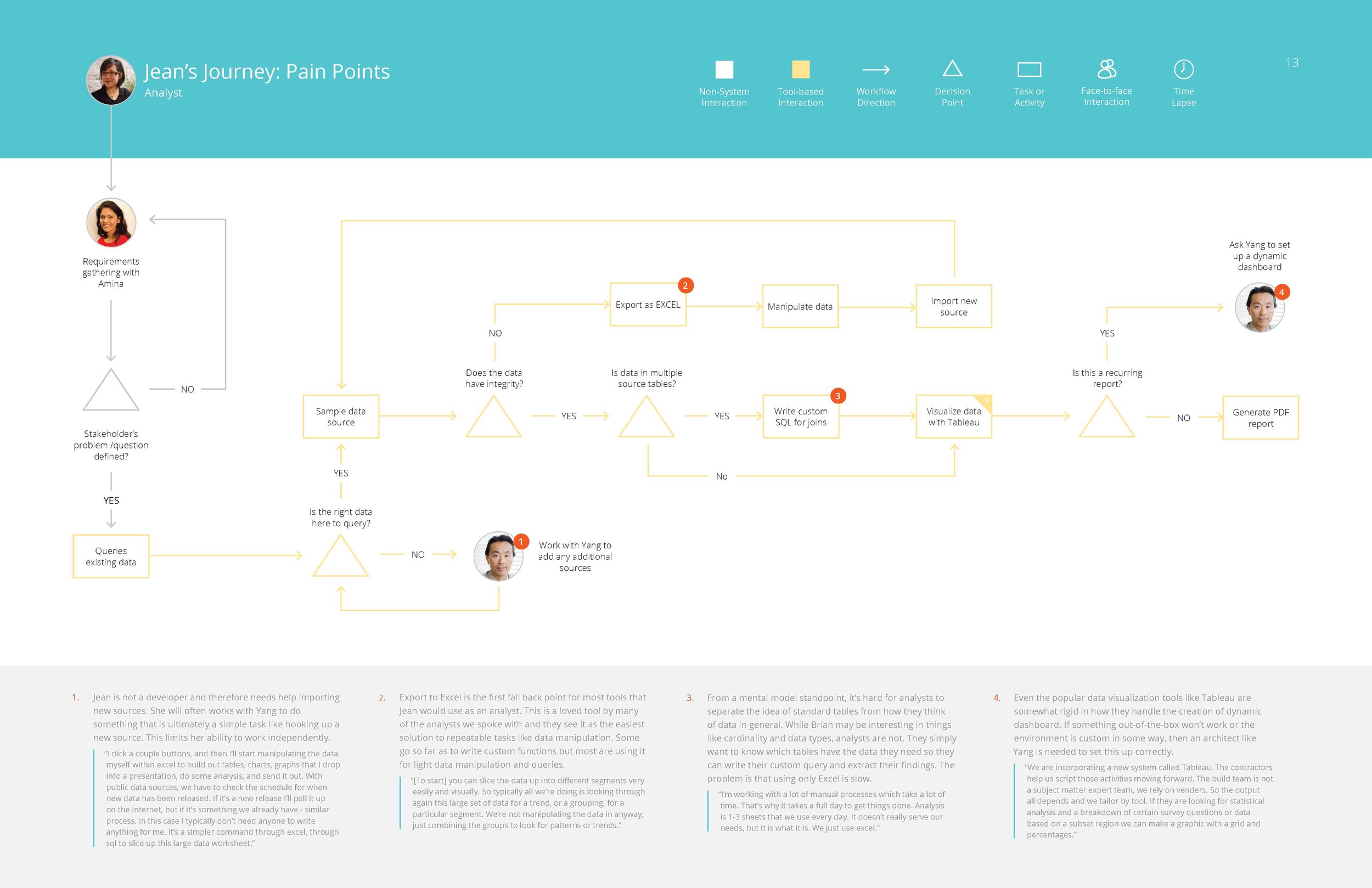
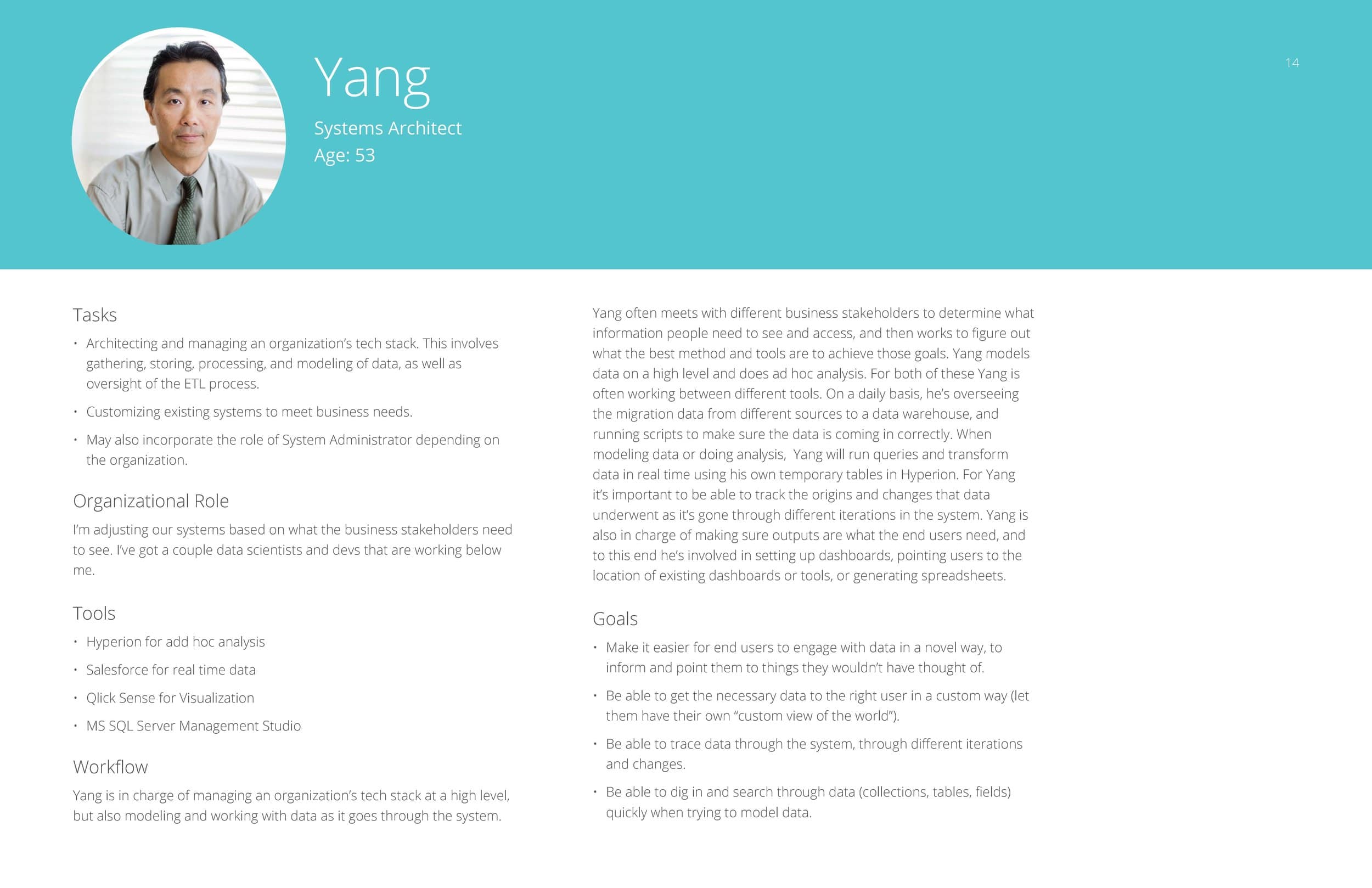
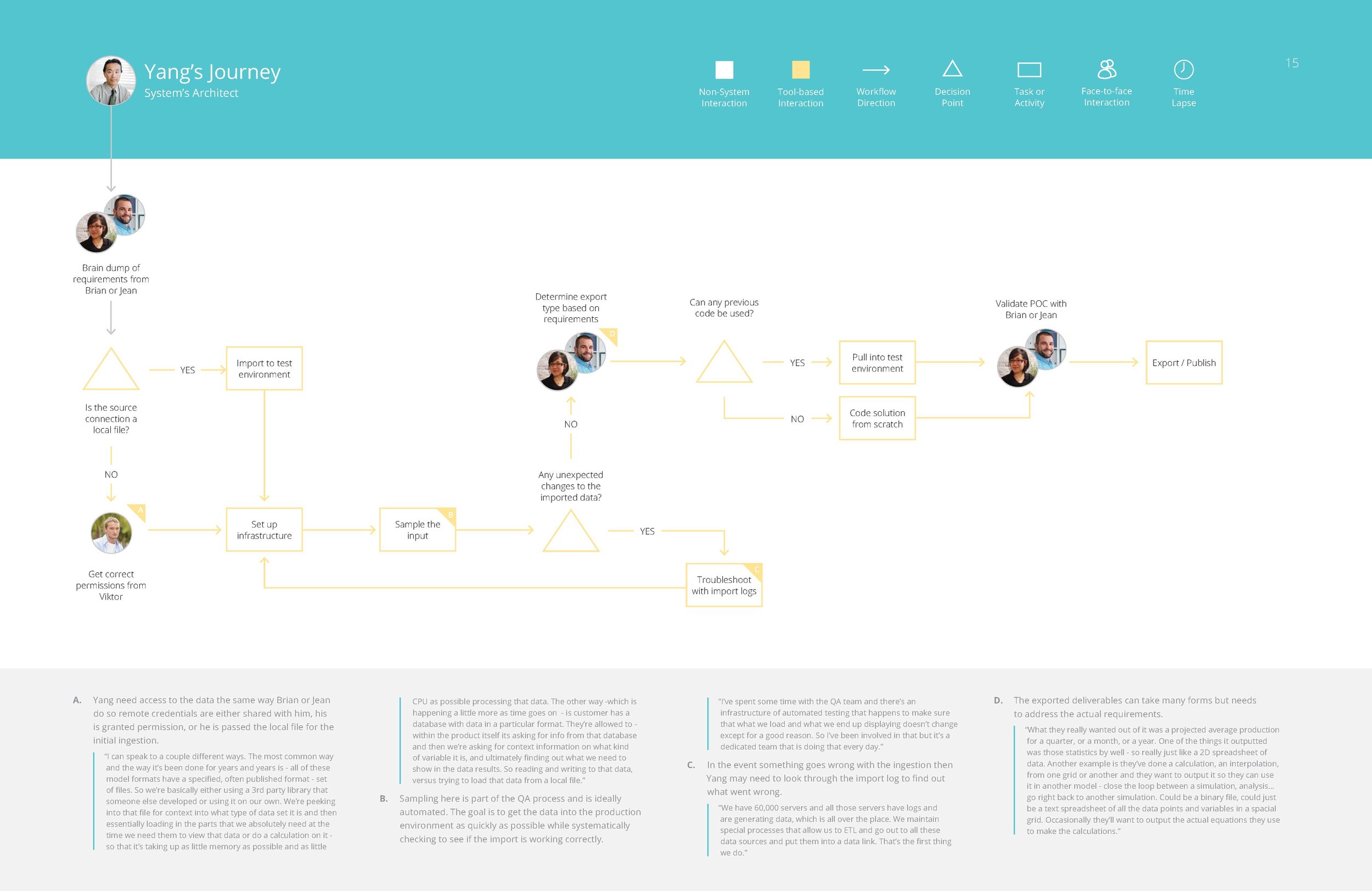
PERSONAS & JOURNEYS

The affinity diagram sorting allowed us to group common responses into themes, and to see how the people with different job titles and roles all thought collectively about the data processing part of their jobs.

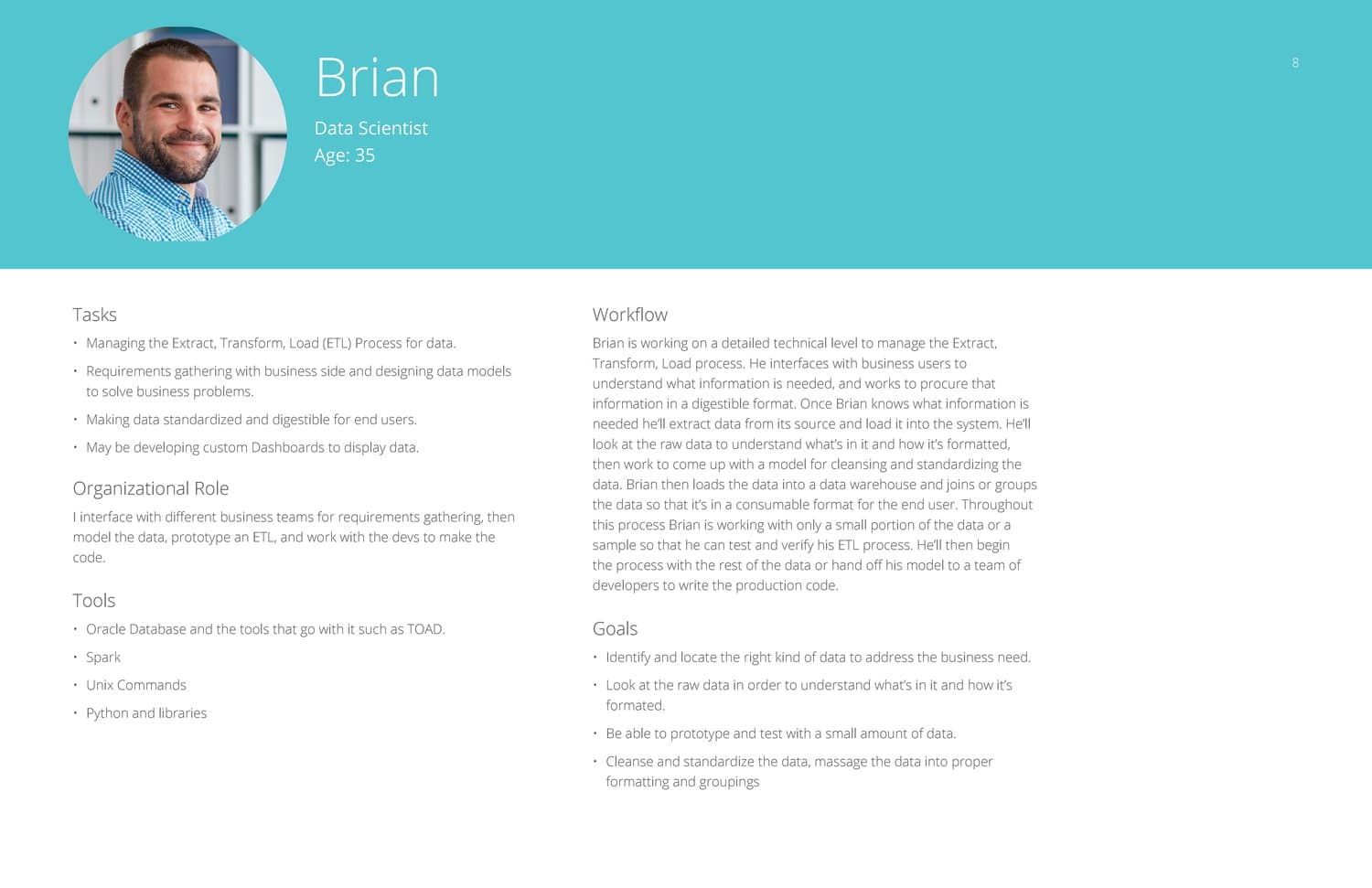
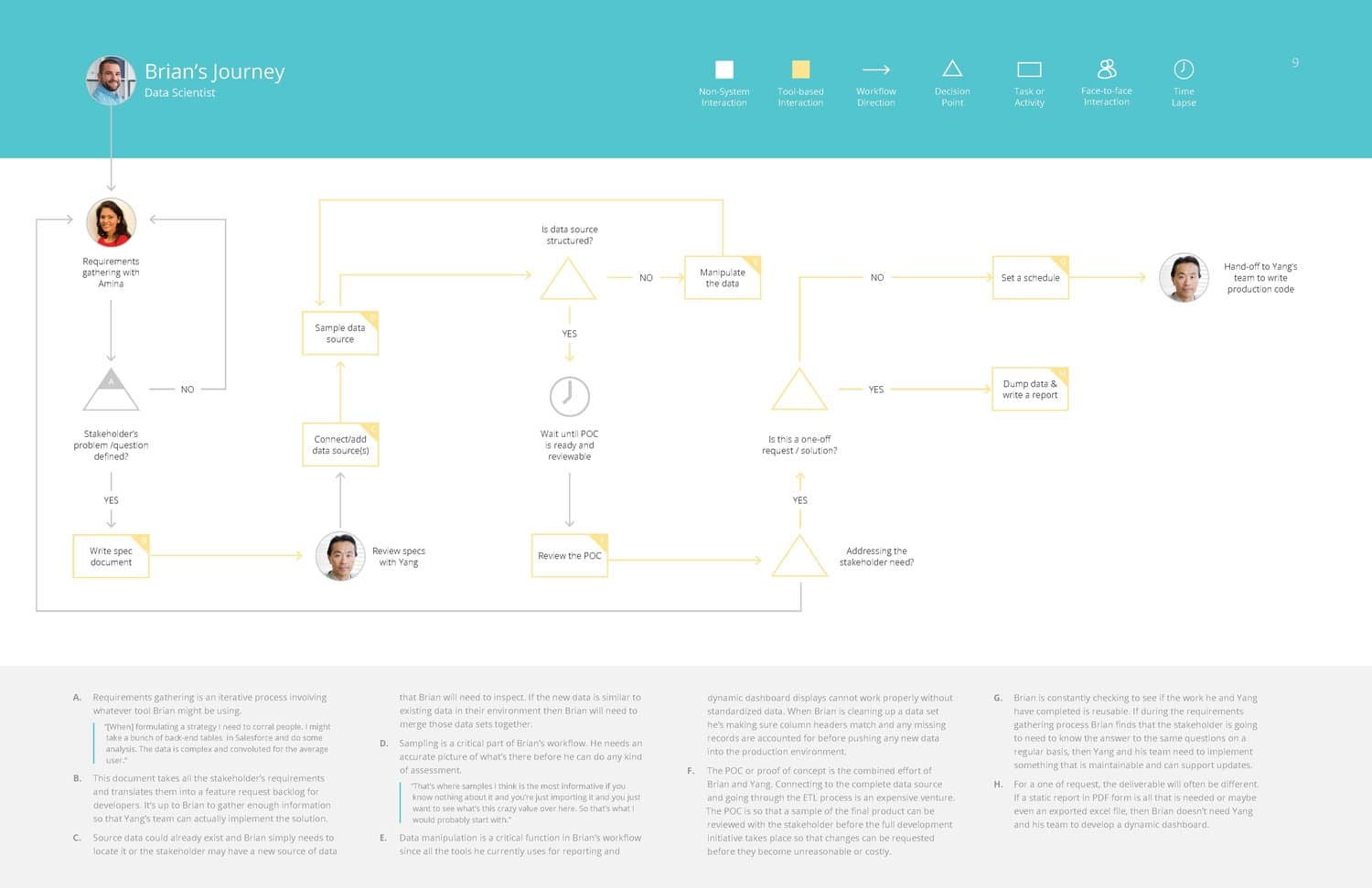
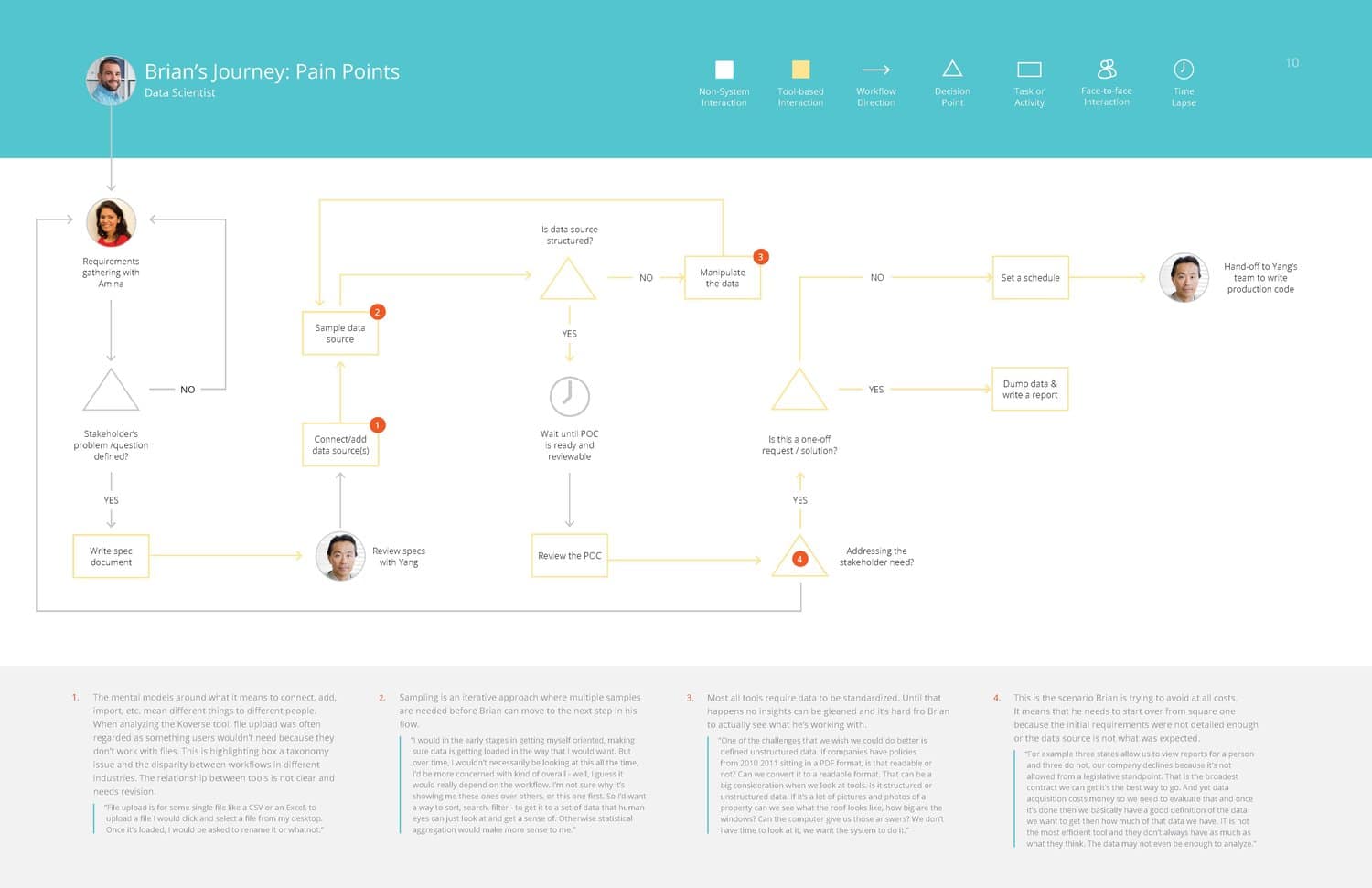
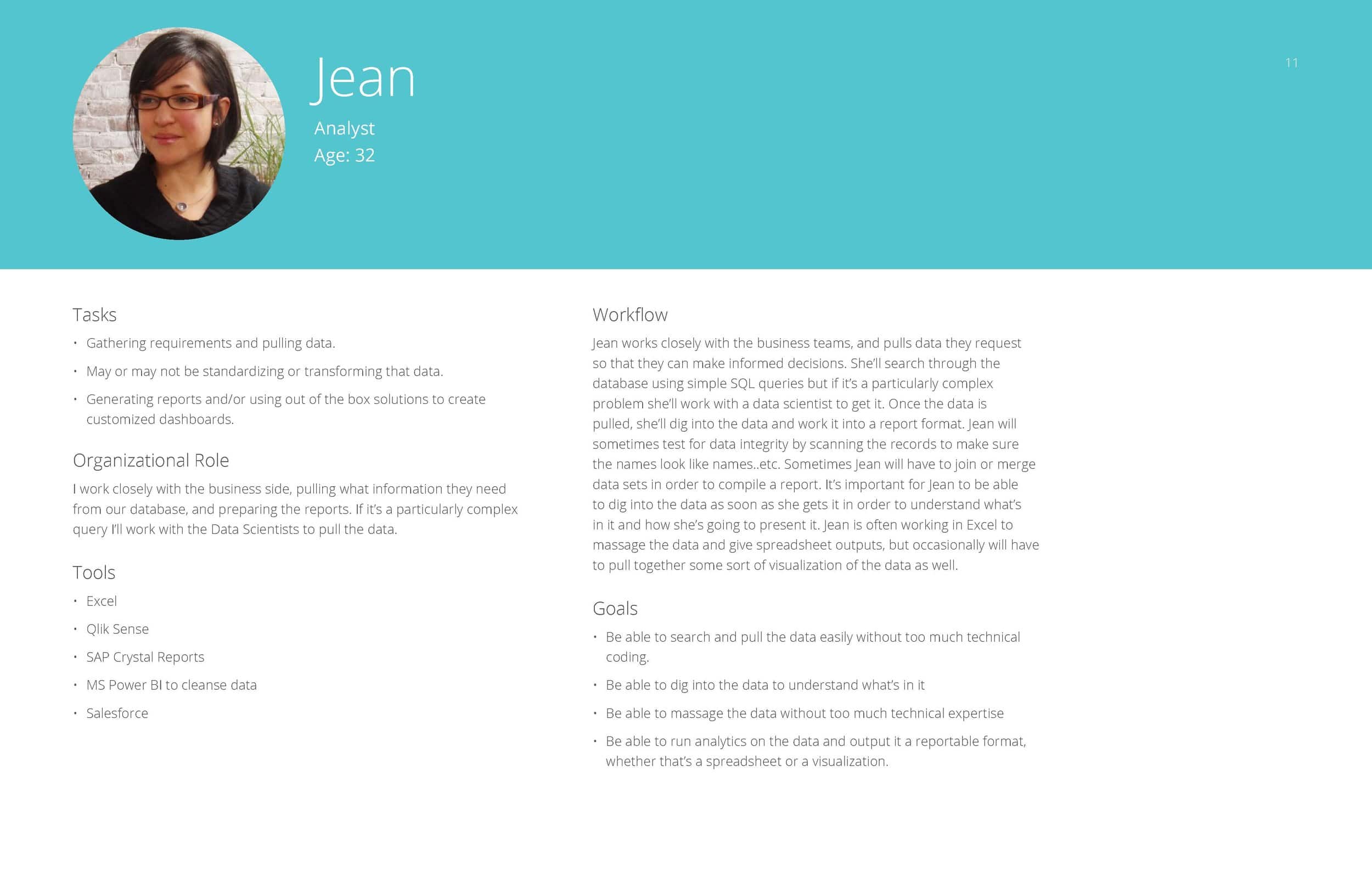
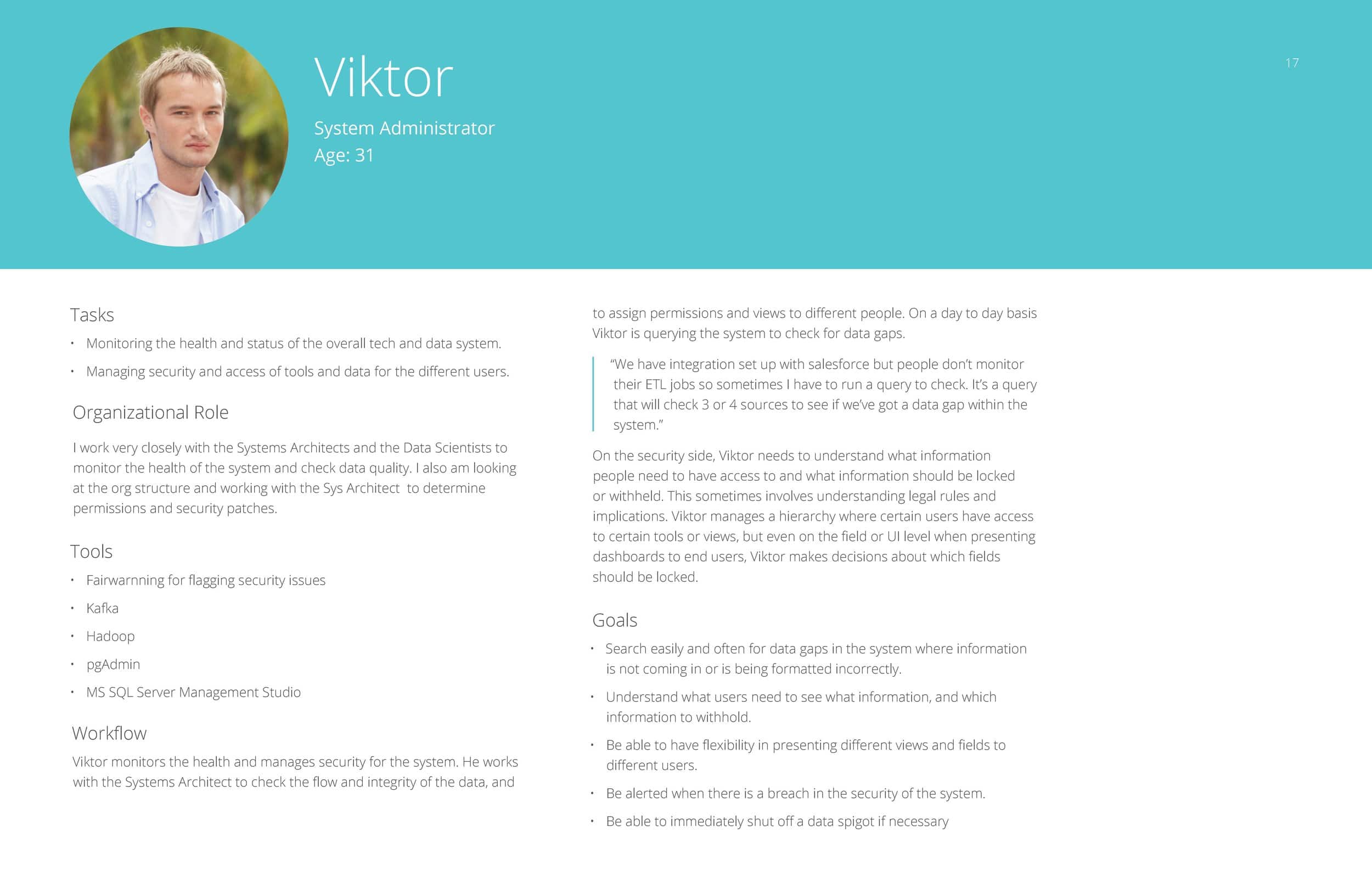
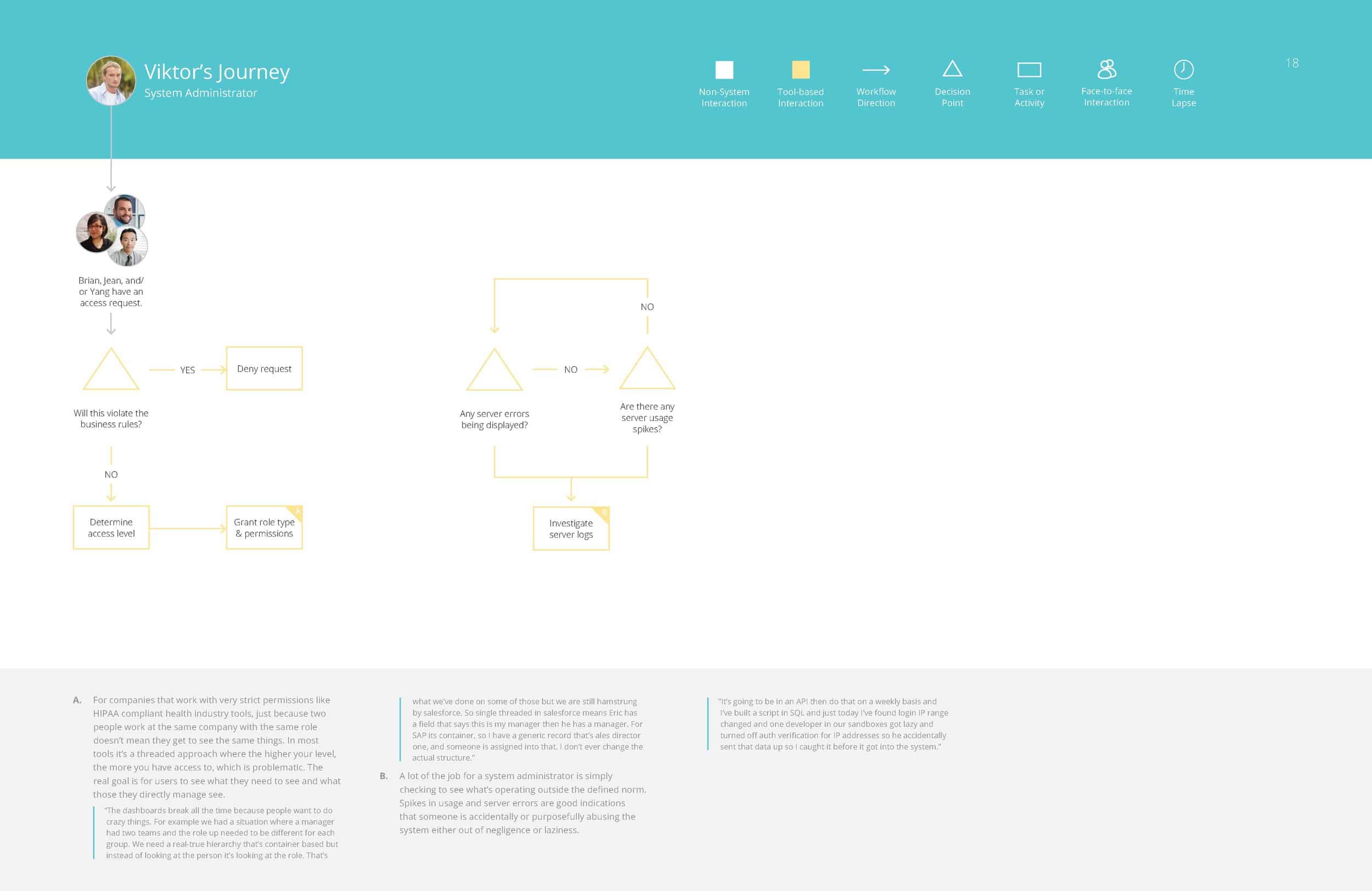
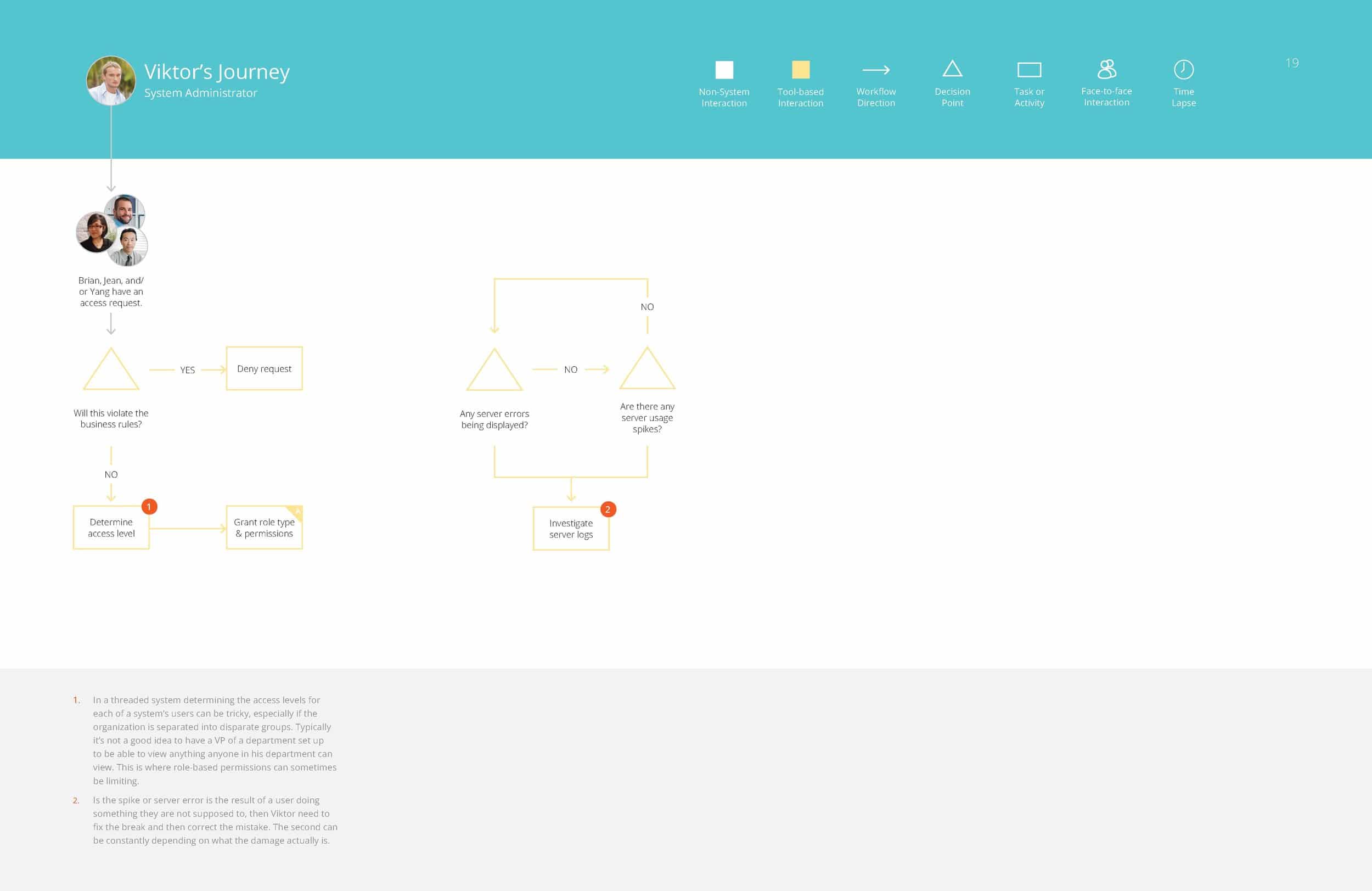
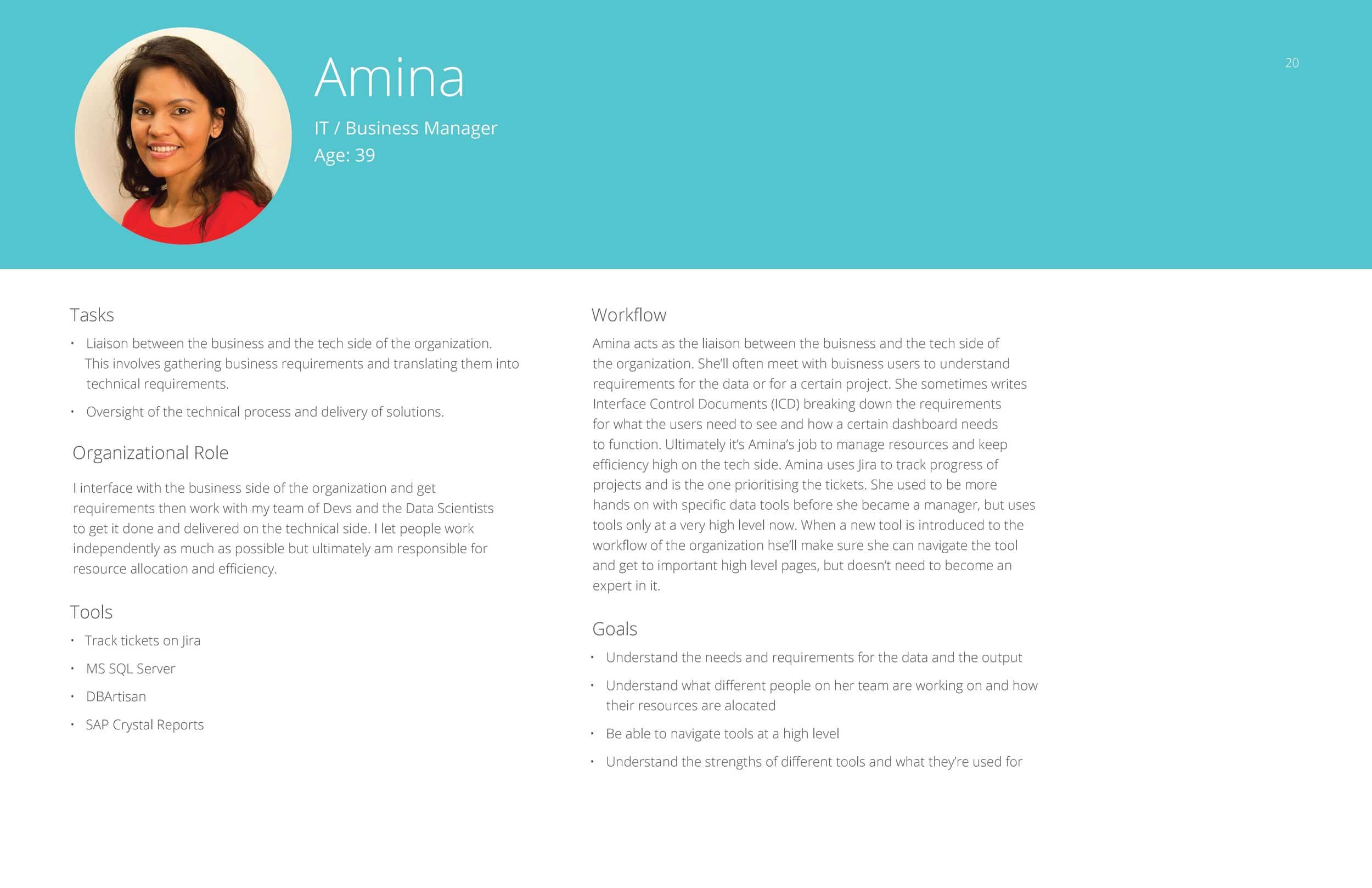
From these groupings of responses, and different workflows people had walked us through, we were able to assemble in depth personas for the different roles of people who would likely be interacting with this tool.


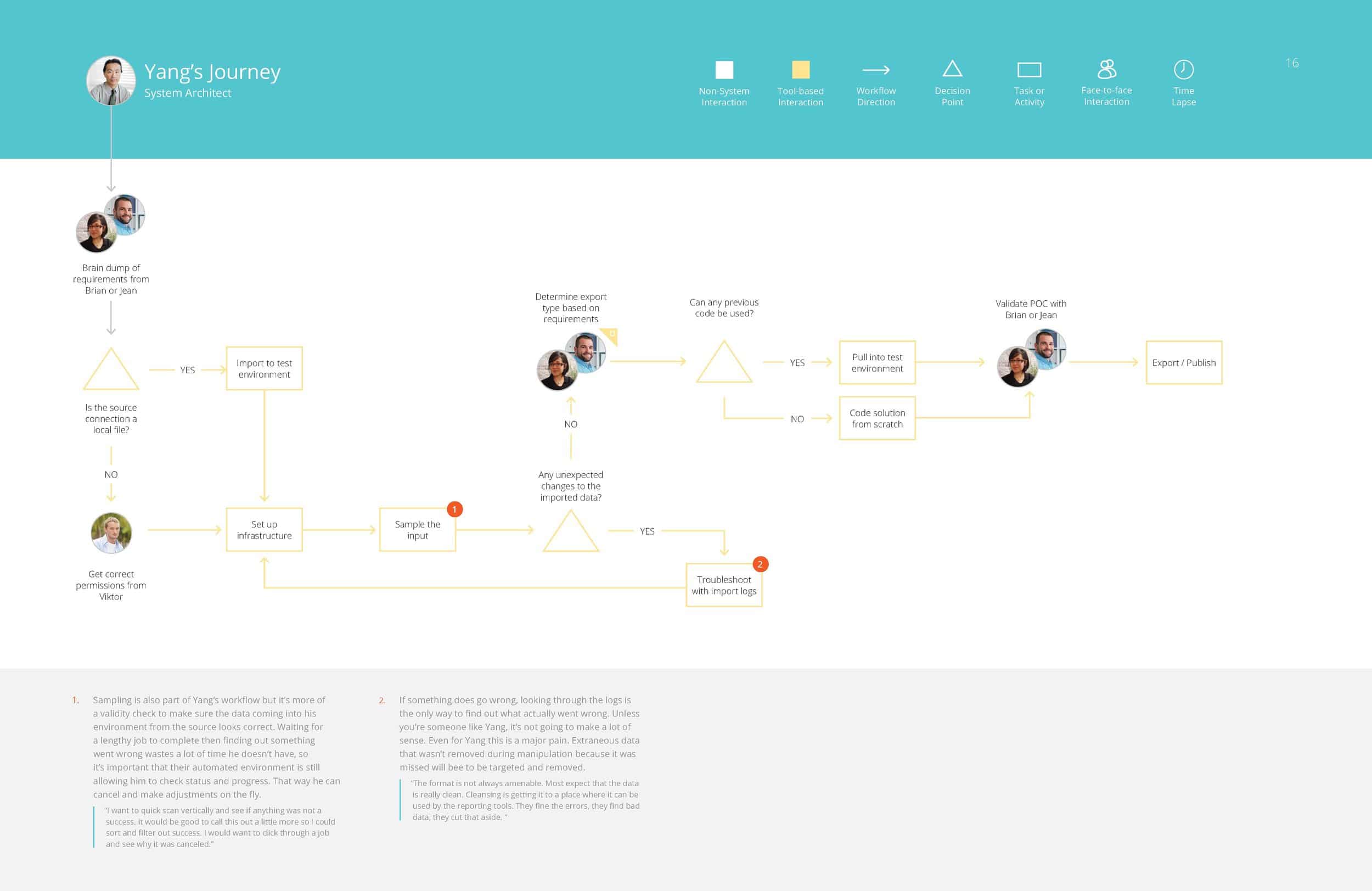
Brian – Data Scientist

Jean – Analyst

Yang – Systems Architect

Victor – Systems Administrator

Amina – IT / Business Manager


Competitive Analysis


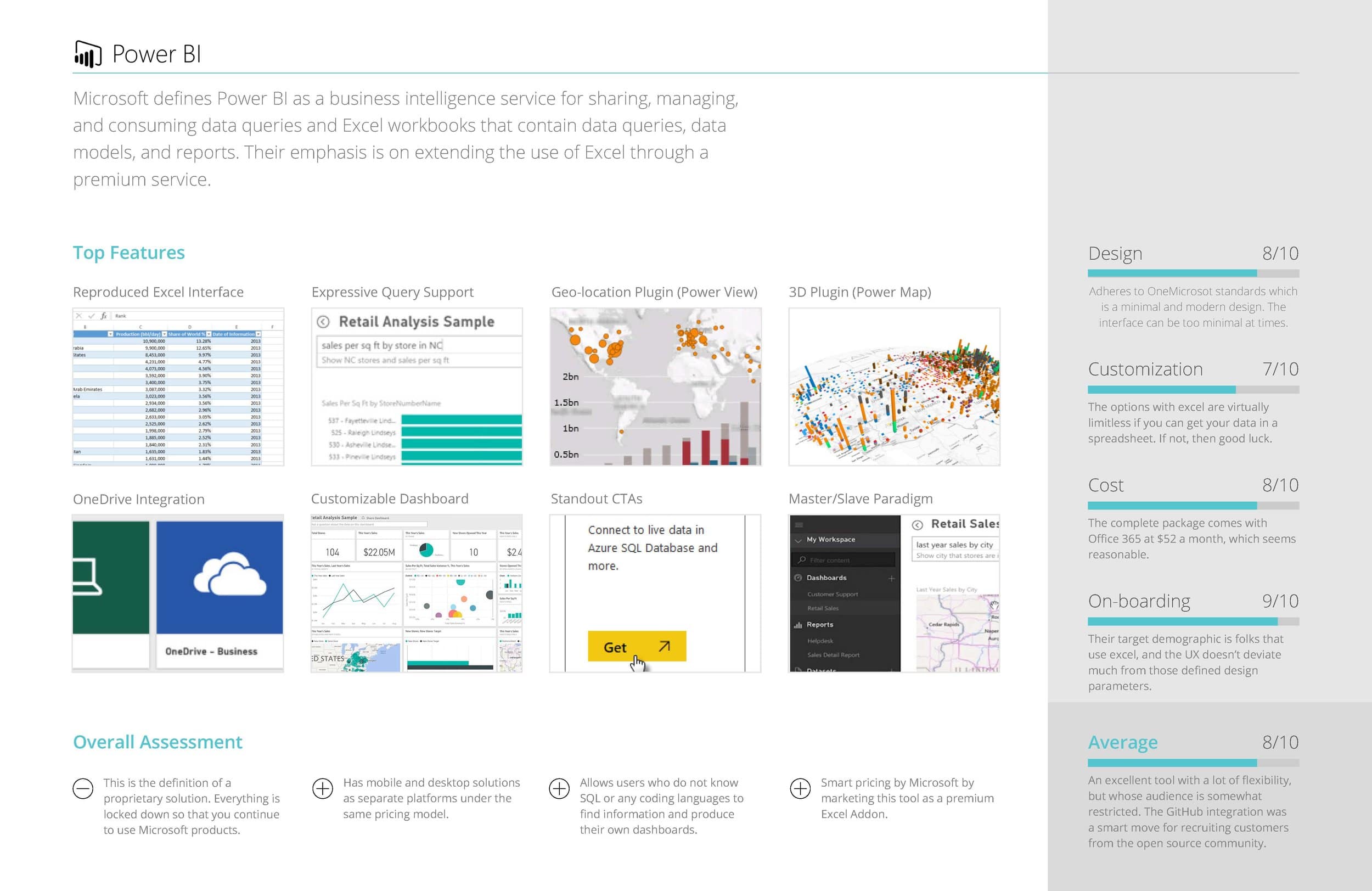
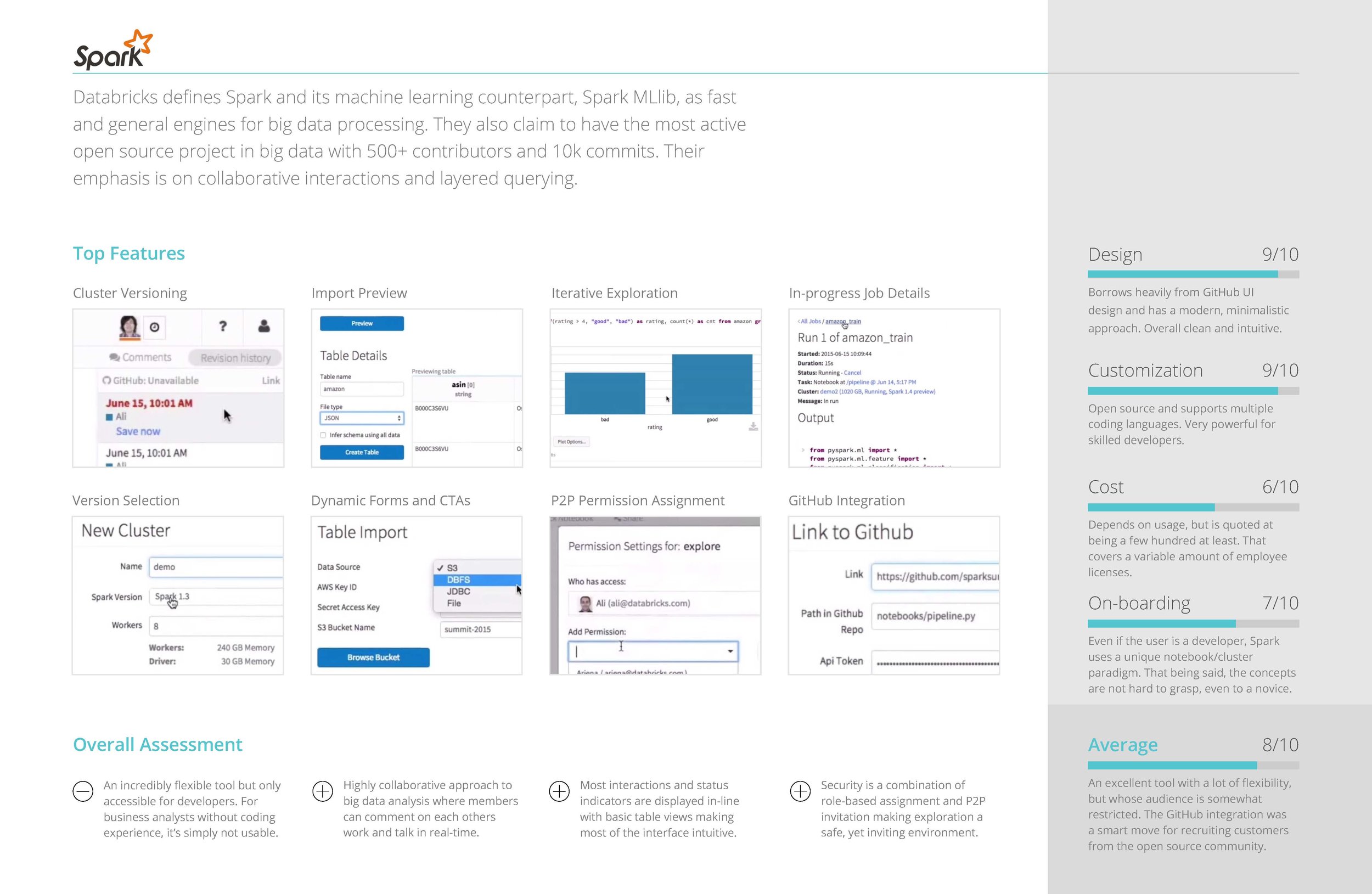
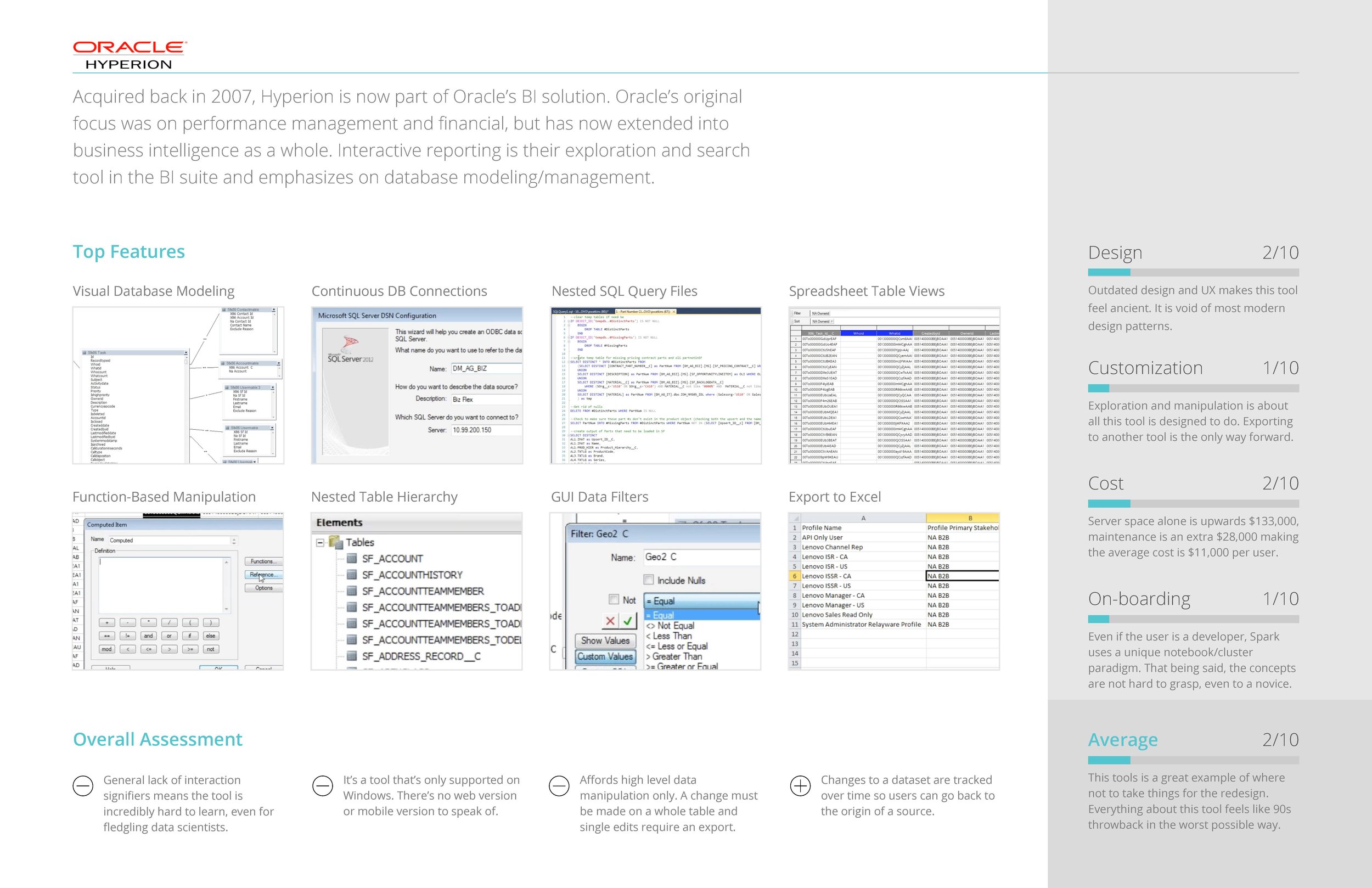
COMPETITIVE ANALYSIS OF SIMILAR TOOLS

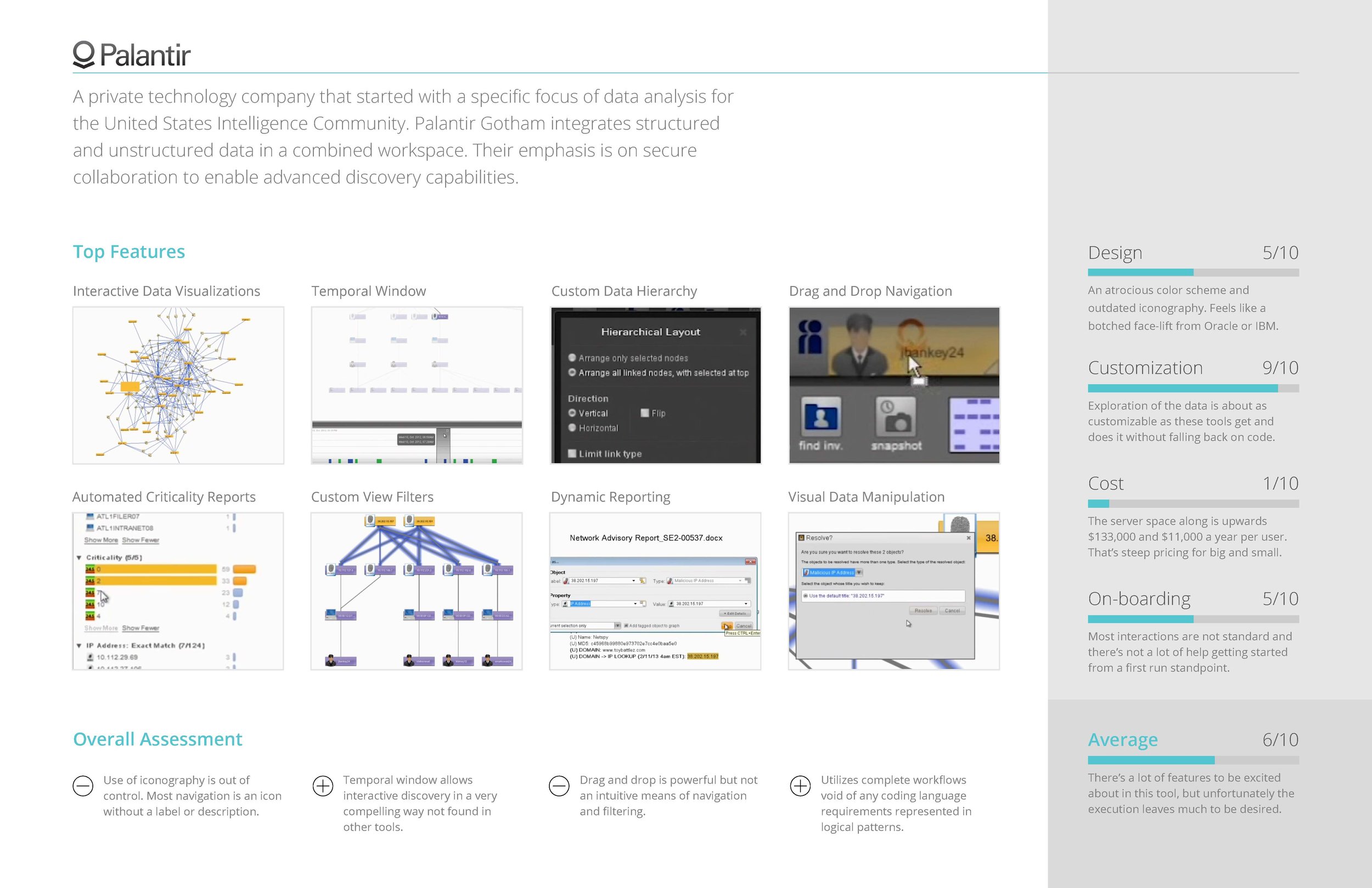
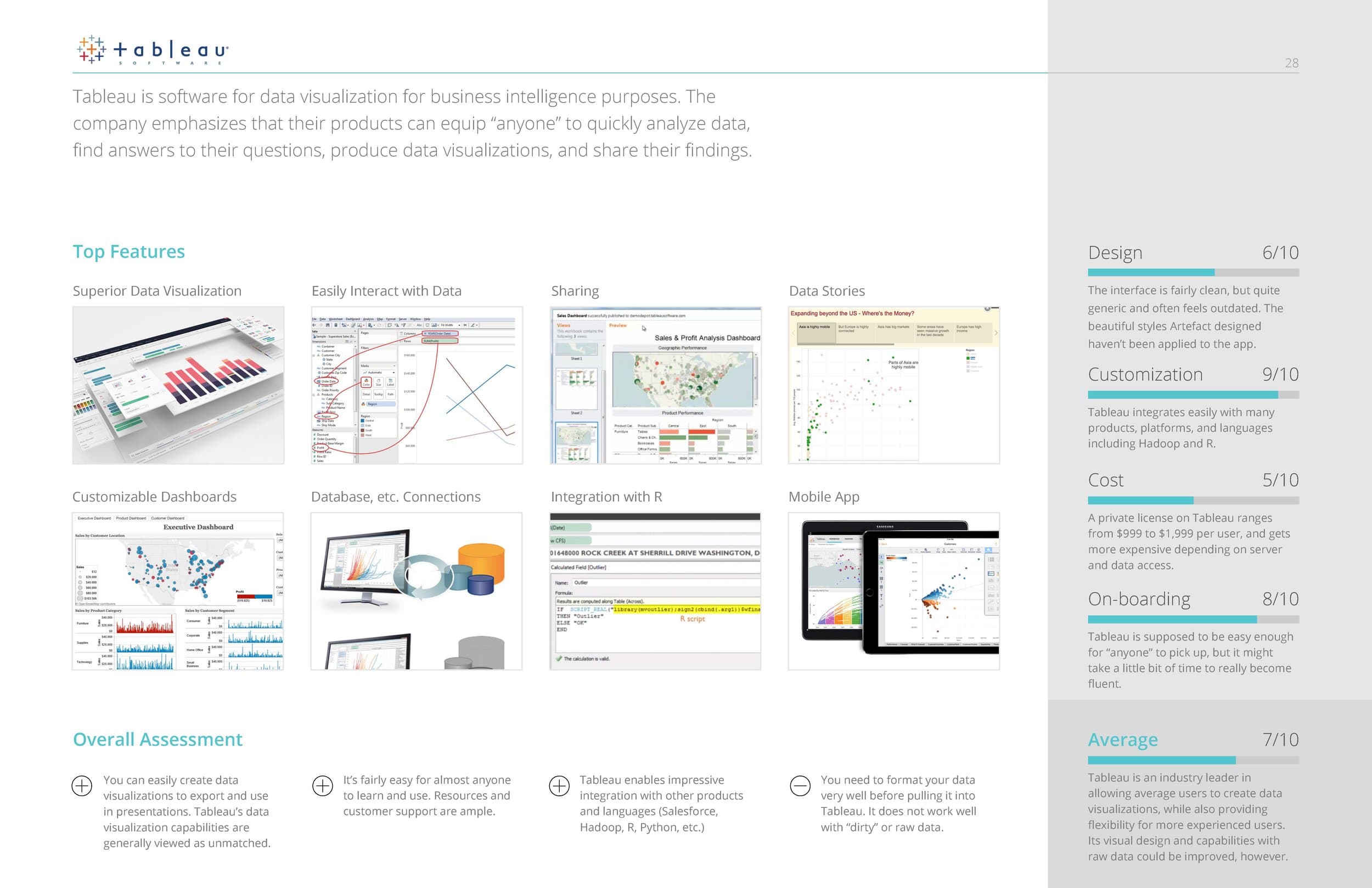
In addition to the information we gained from interviewing, we also found it enormously helpful to conduct a competitive analysis of similar big data tools that performed functions similar or complimentary to the tool we were redesigning.

Some of the questions we sought to answer were:

  • What are the most common features across all apps?
  • What UI paradigms are used the most?
  • How do they onboard users?
  • How customizable is the feature set?


Information Architecture / Flow Diagramming


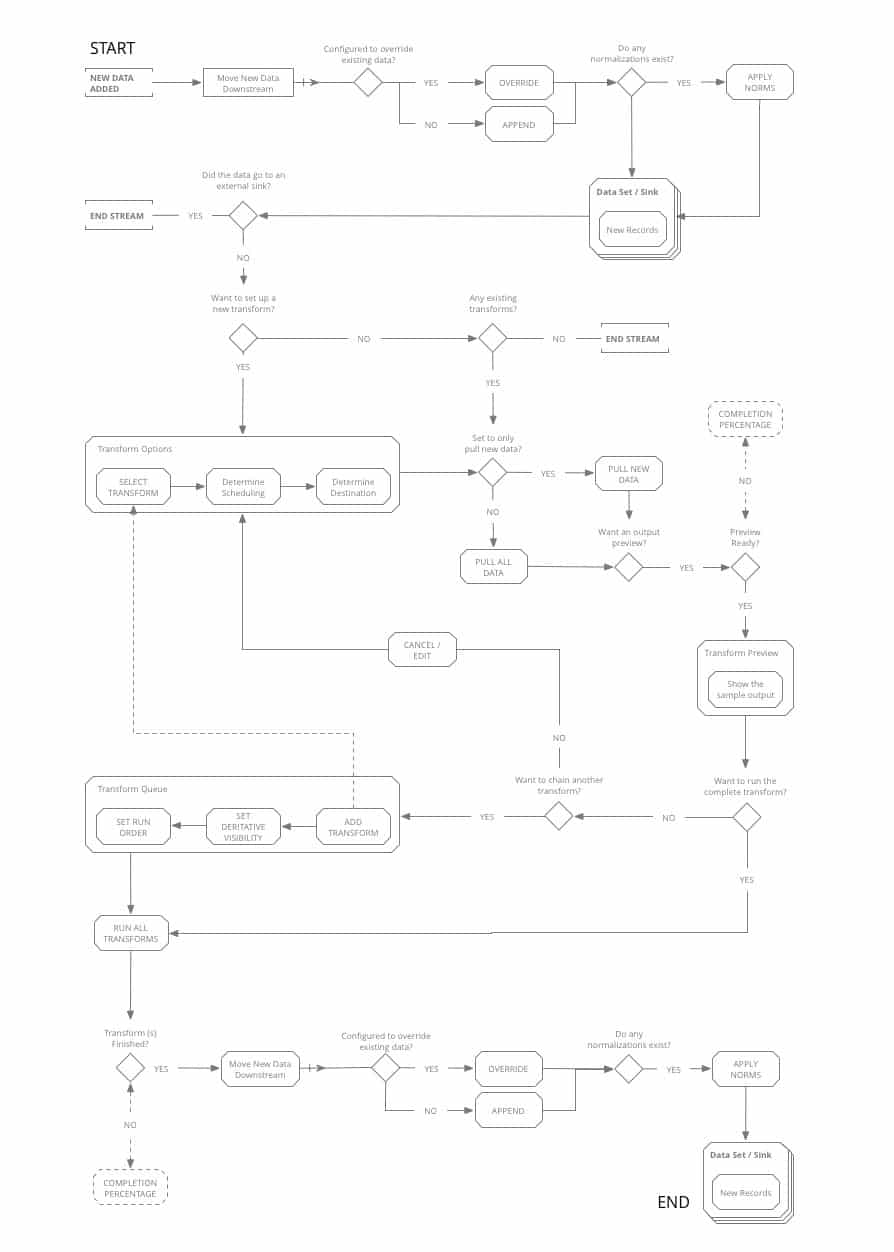
FLOW DIAGRAMS

Using our persona journeys and competitive analysis as guides, we set to work mapping out the workflows that would become the main paths the new tool would be designed around.

With a tool this complex, and solving for such a complex set of workflows, it was imperative to diagram out the functionality and the main goals the users would be trying to achieve before jumping into screen level design.


UI Concepts & Ideation


DASHBOARD ARRANGEMENT / FRAMEWORK

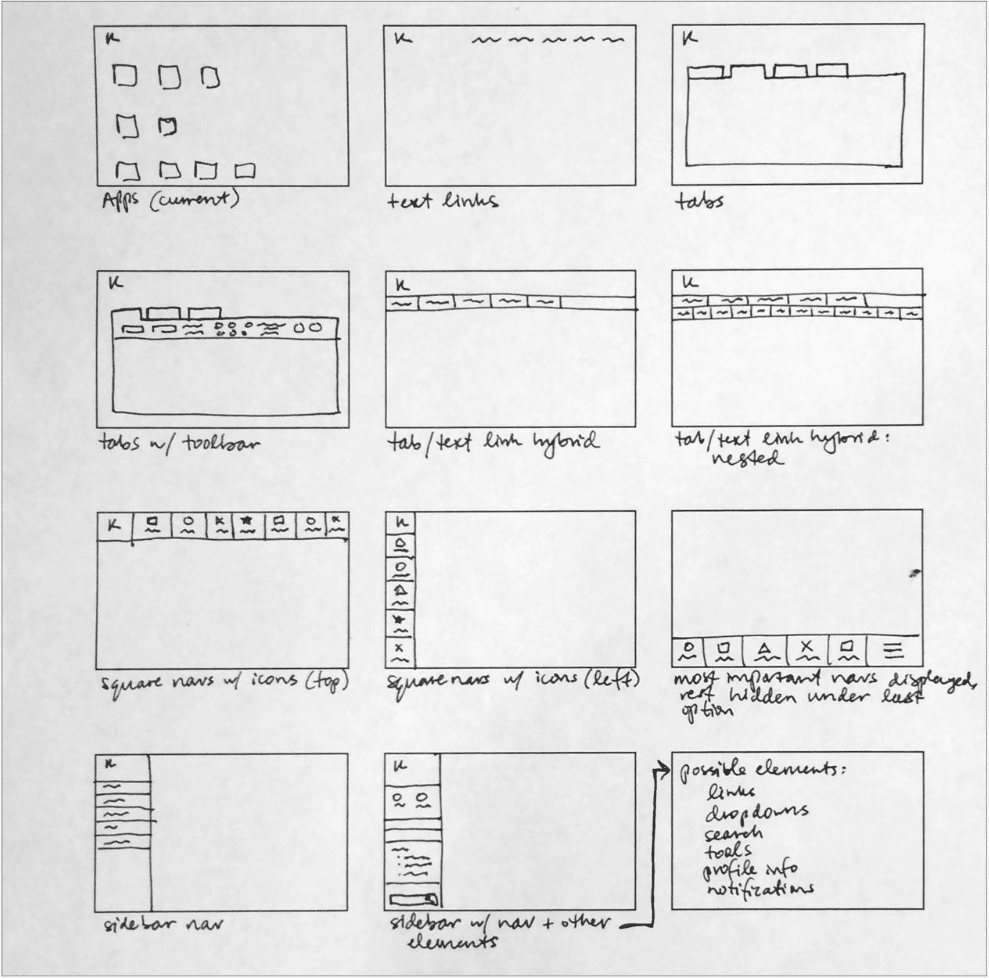
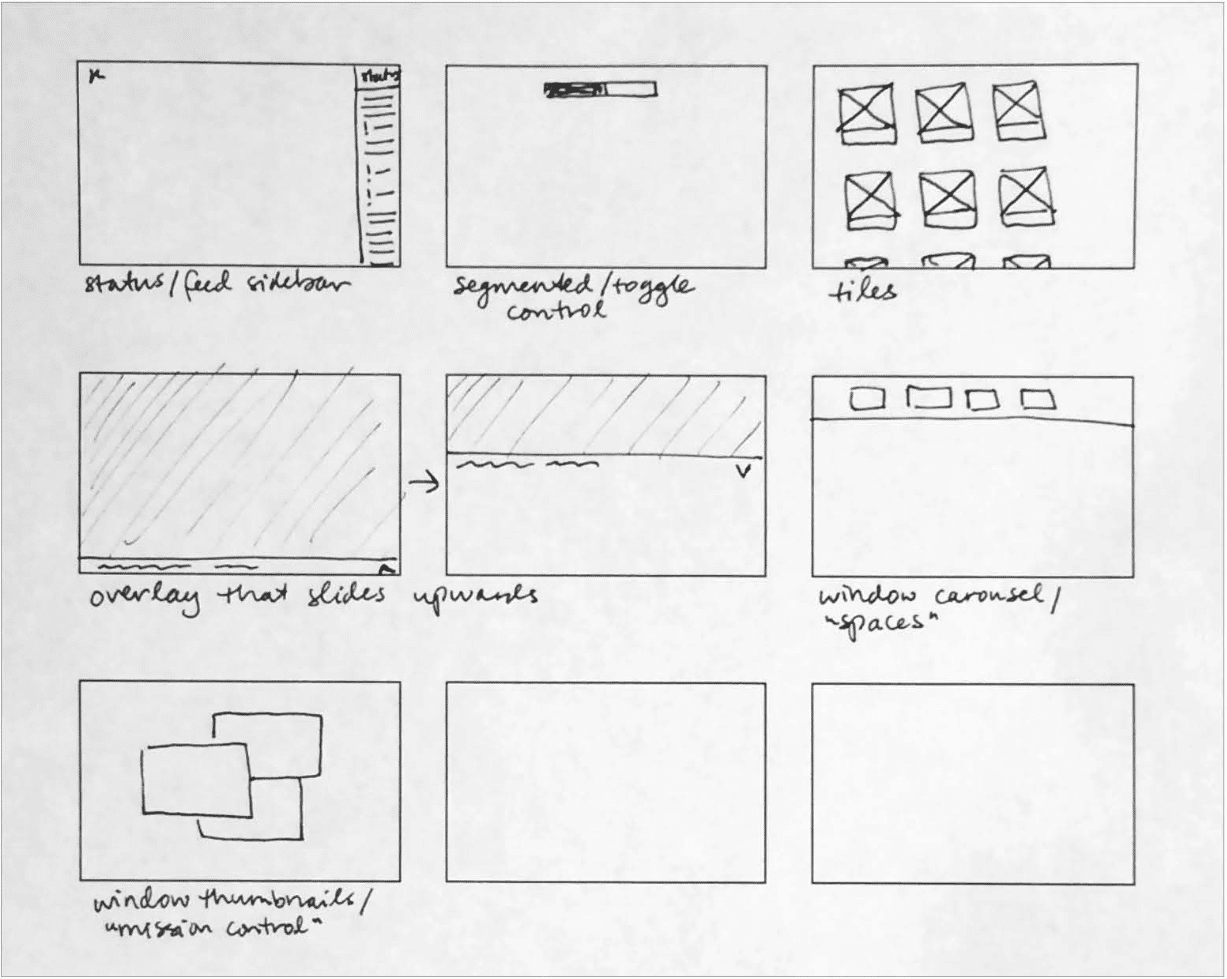
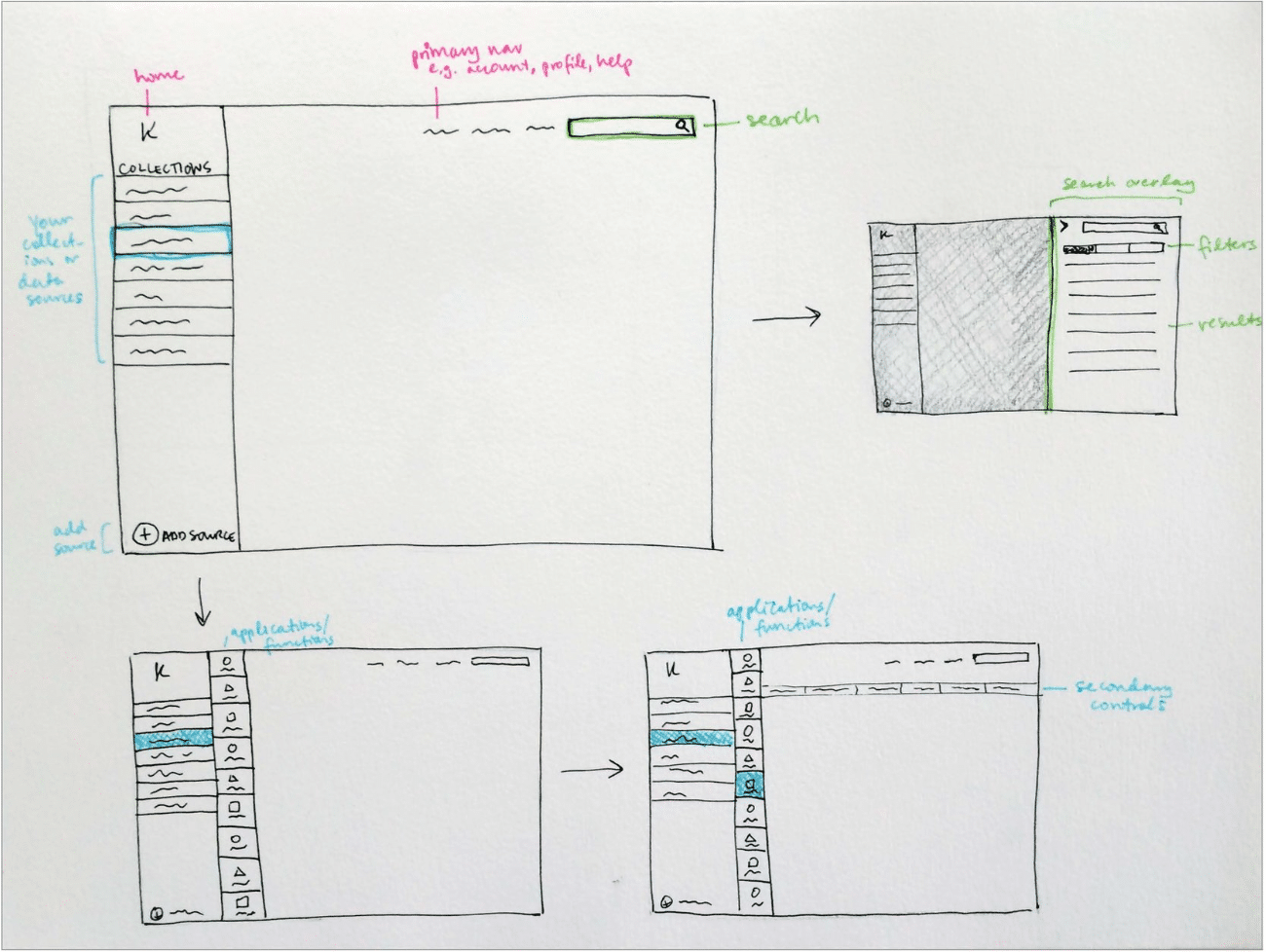
Armed with our diagrams of how the tool’s main workflows should function, we worked out screen level requirements for each stage of the data processing, and began ideating UI paradigms that would work to anchor the tool’s dashboard around an ever-present ‘menu’, while also facilitating a streamlined step-by-step data processing flow.


Wireframing & Prototyping


CONCEPTS & WIREFRAMING

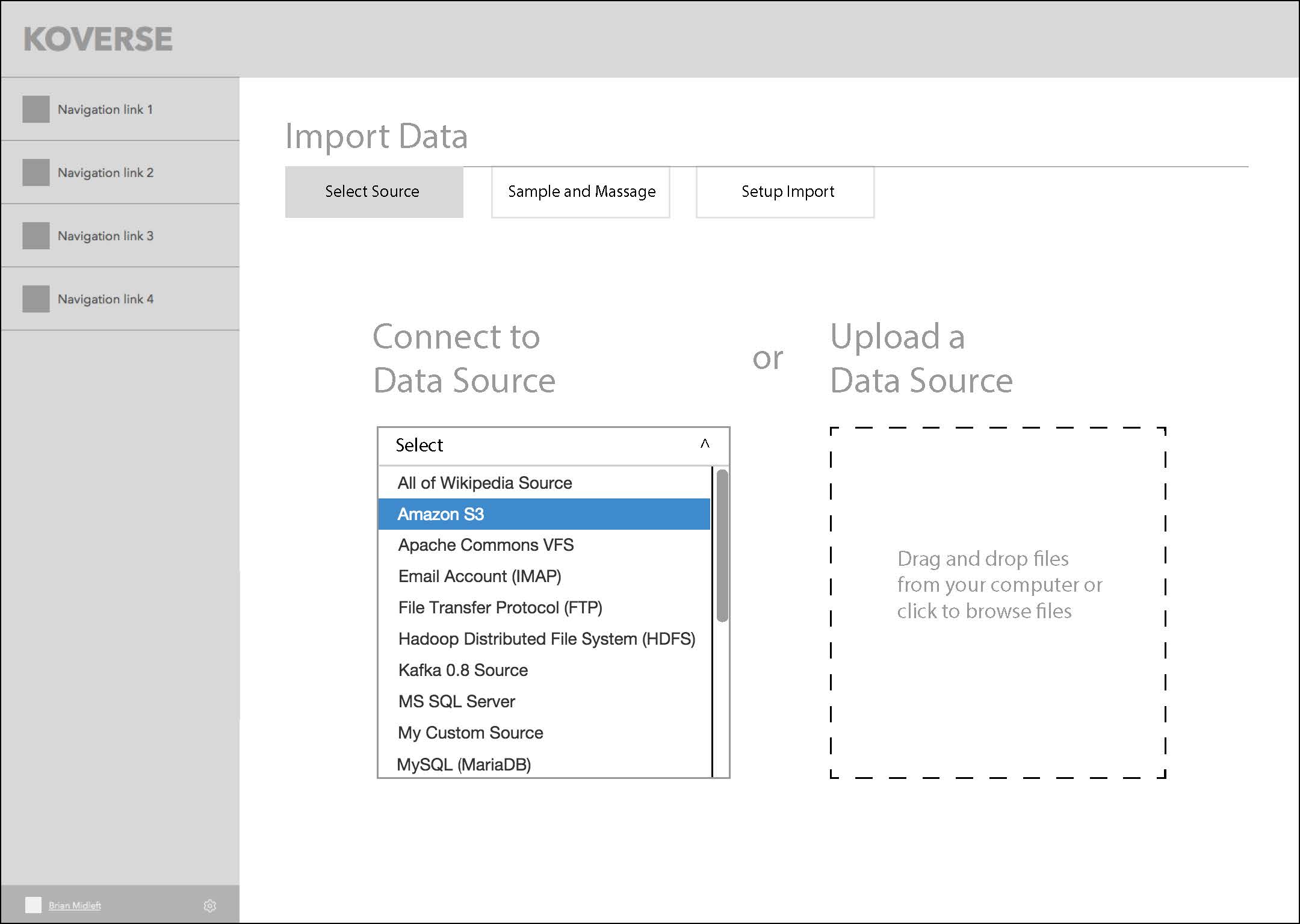
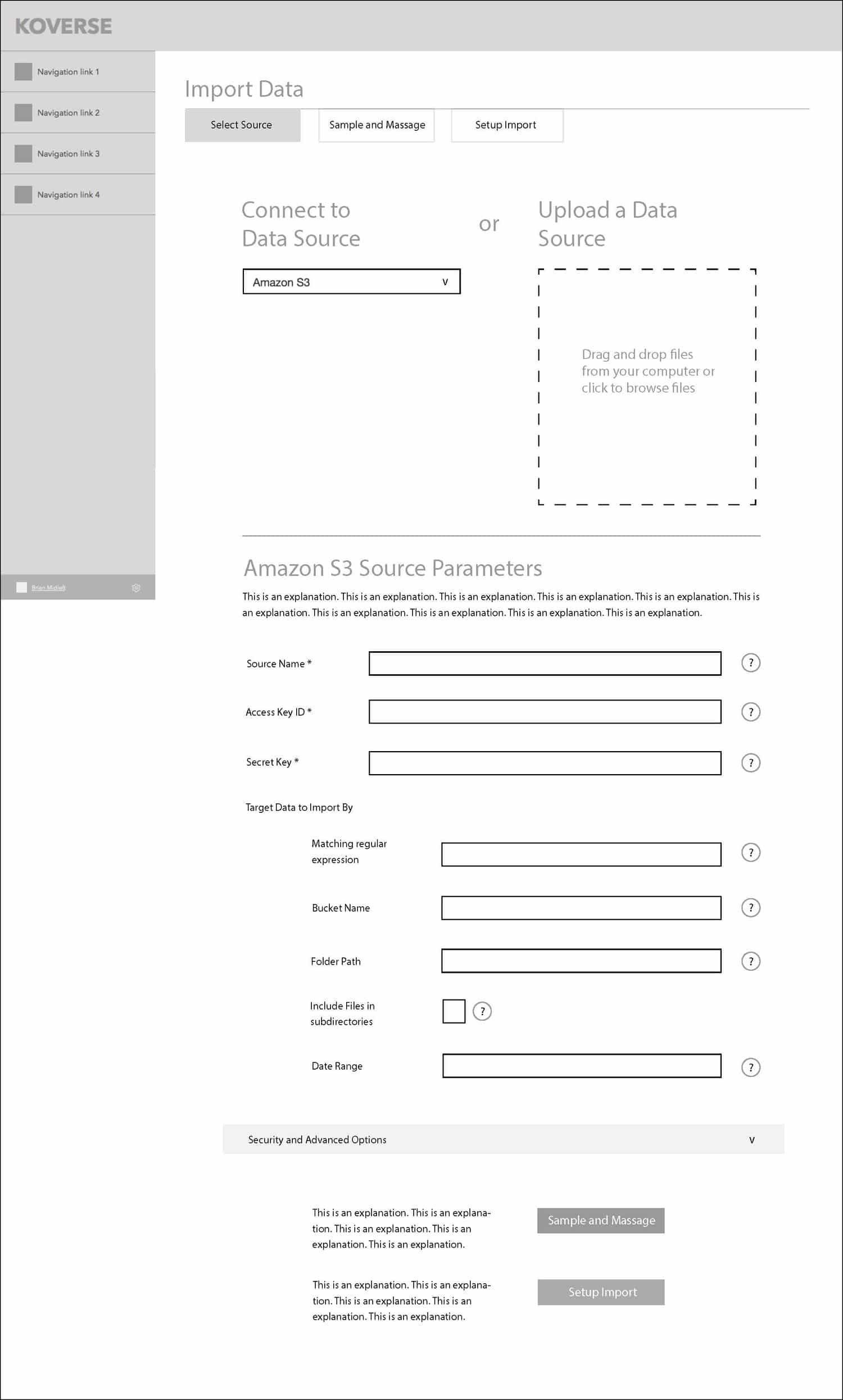
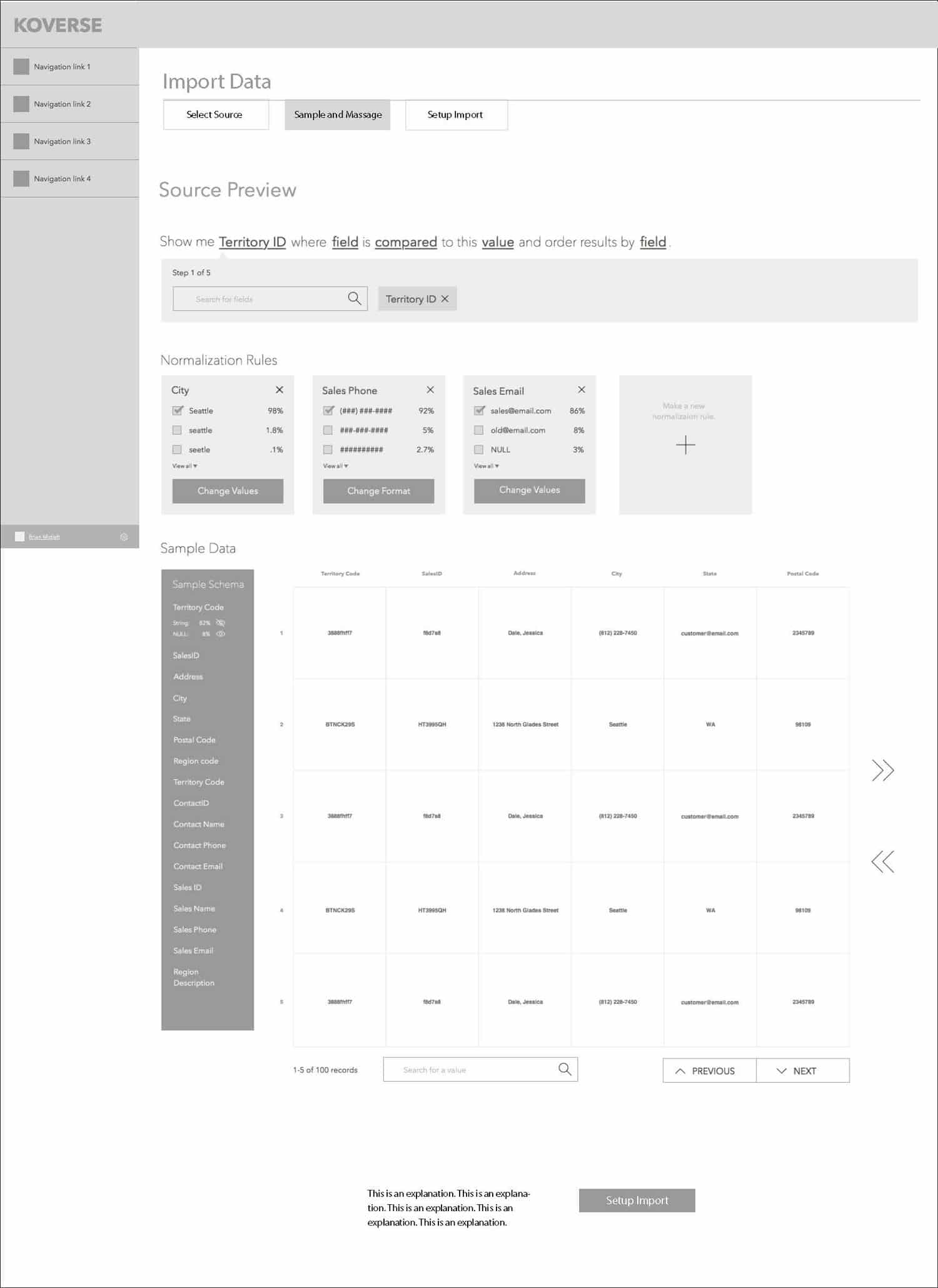
We settled on a left rail menu paradigm that would keep context continuity throughout the tool, and a main workspace where the user could go step by step through the data processing workflow.

This series of screens shows the concept of a three-step wizard flow for importing data into the platform.


GOING DEEPER WITH COMPLEX TRANSFORMS

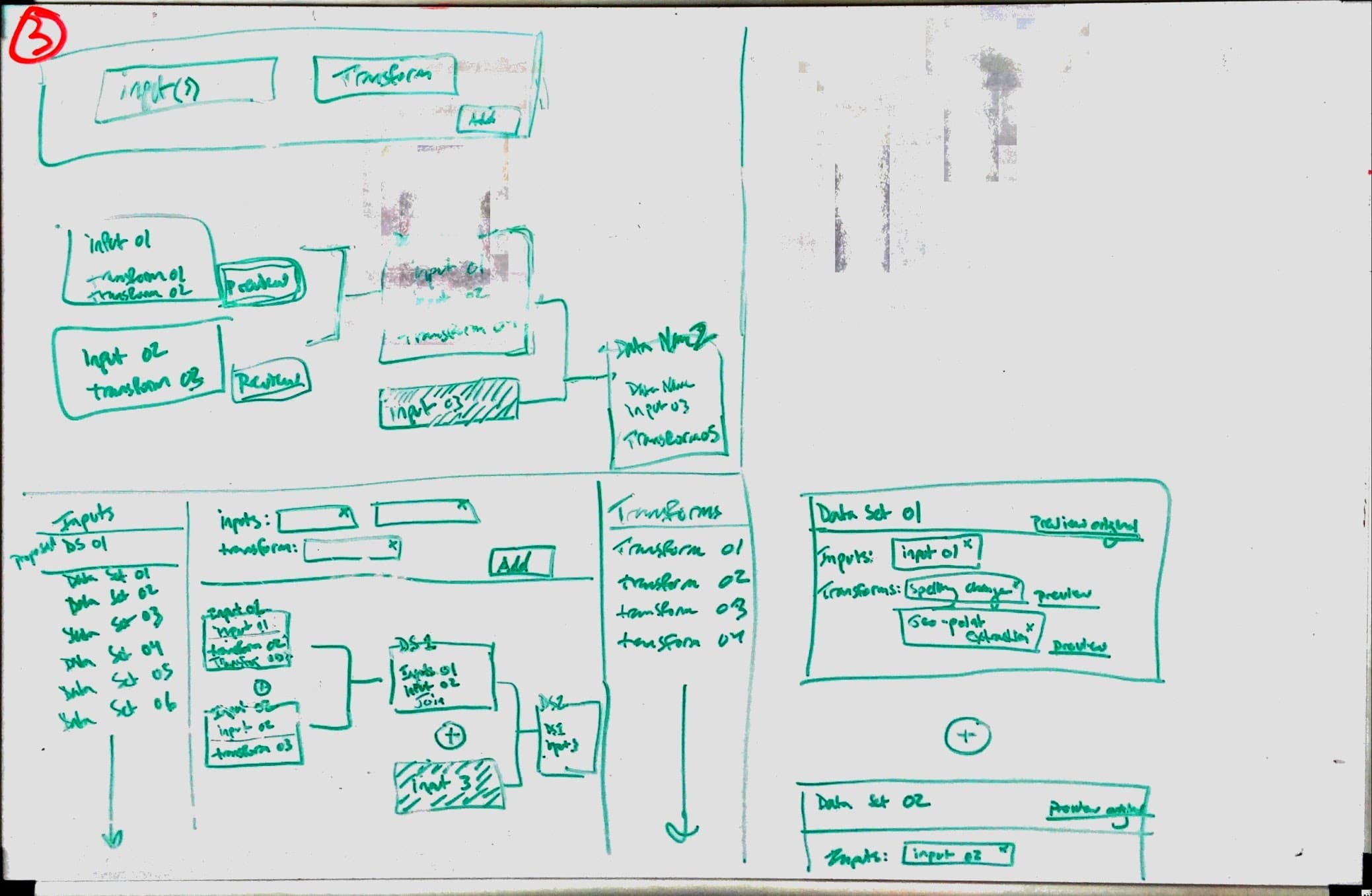
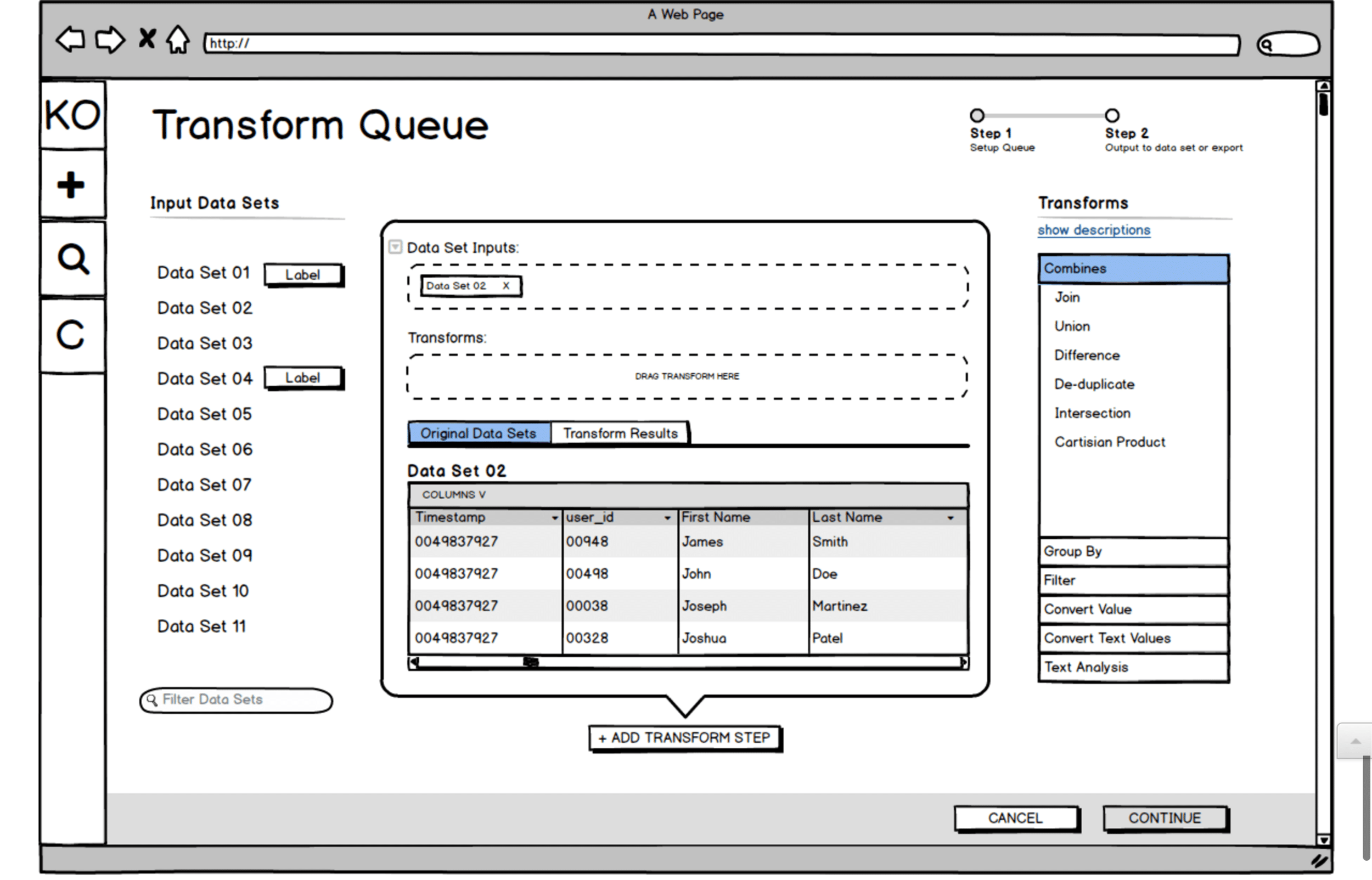
One of the big challenges with the Koverse interface is that the tool allows for transforms of the data (rules for how to systematically manipulate the data) to be chained together. These transforms could be selected from a list of common transforms, or written custom in Python.

With many data transforms in a row, the data flow becomes very complex to think about and control.

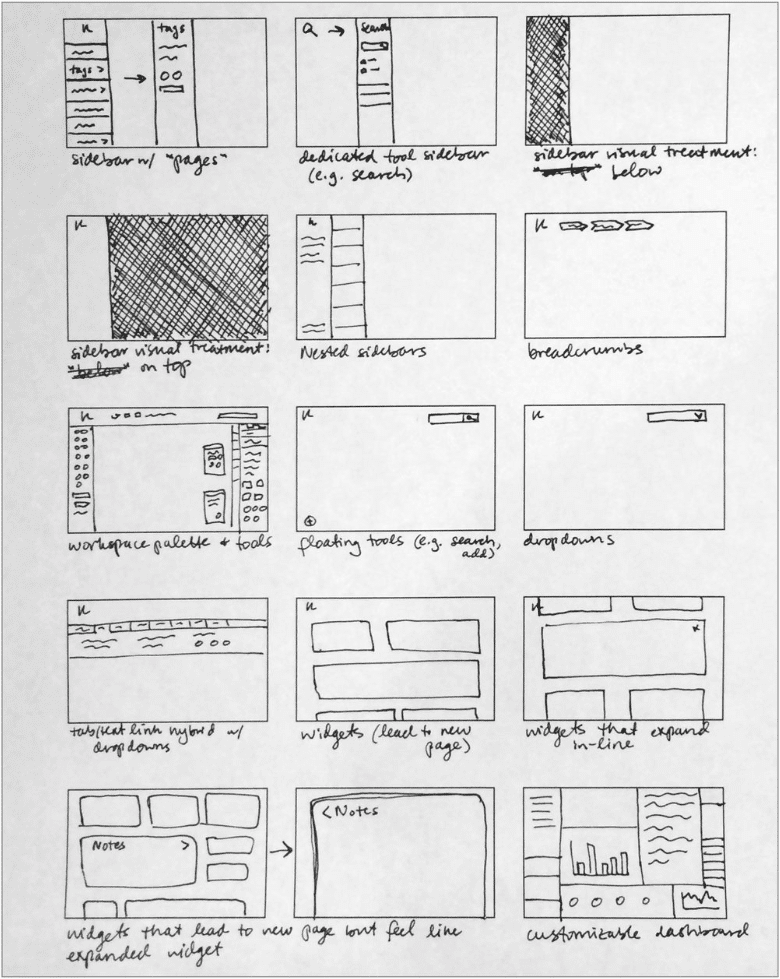
We did multiple rounds of sketching for the transform workflow, trying to make the experience intuitive and cut down on the vast cost of trial and error with large data sets. Here is one sketch and a Balsamiq wireframe exploring the interface we ultimately landed on for the design.


Usability Testing


USABILITY TESTING

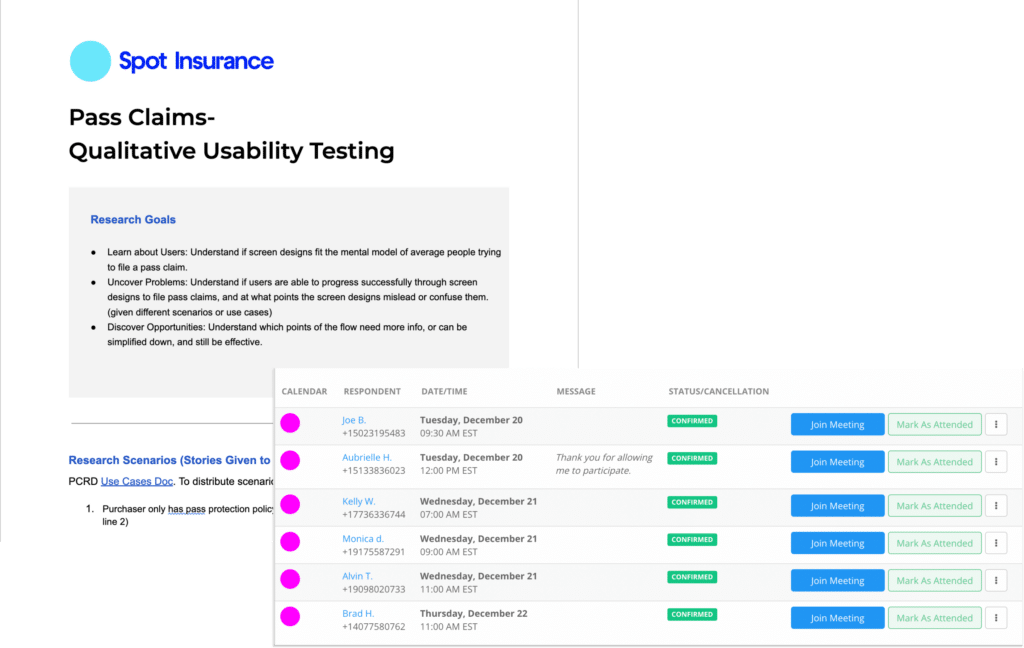
When our design prototypes were ready, we set up usability tests with people in Data Scientist and Analyst roles who fit the target of who would be using the tool.

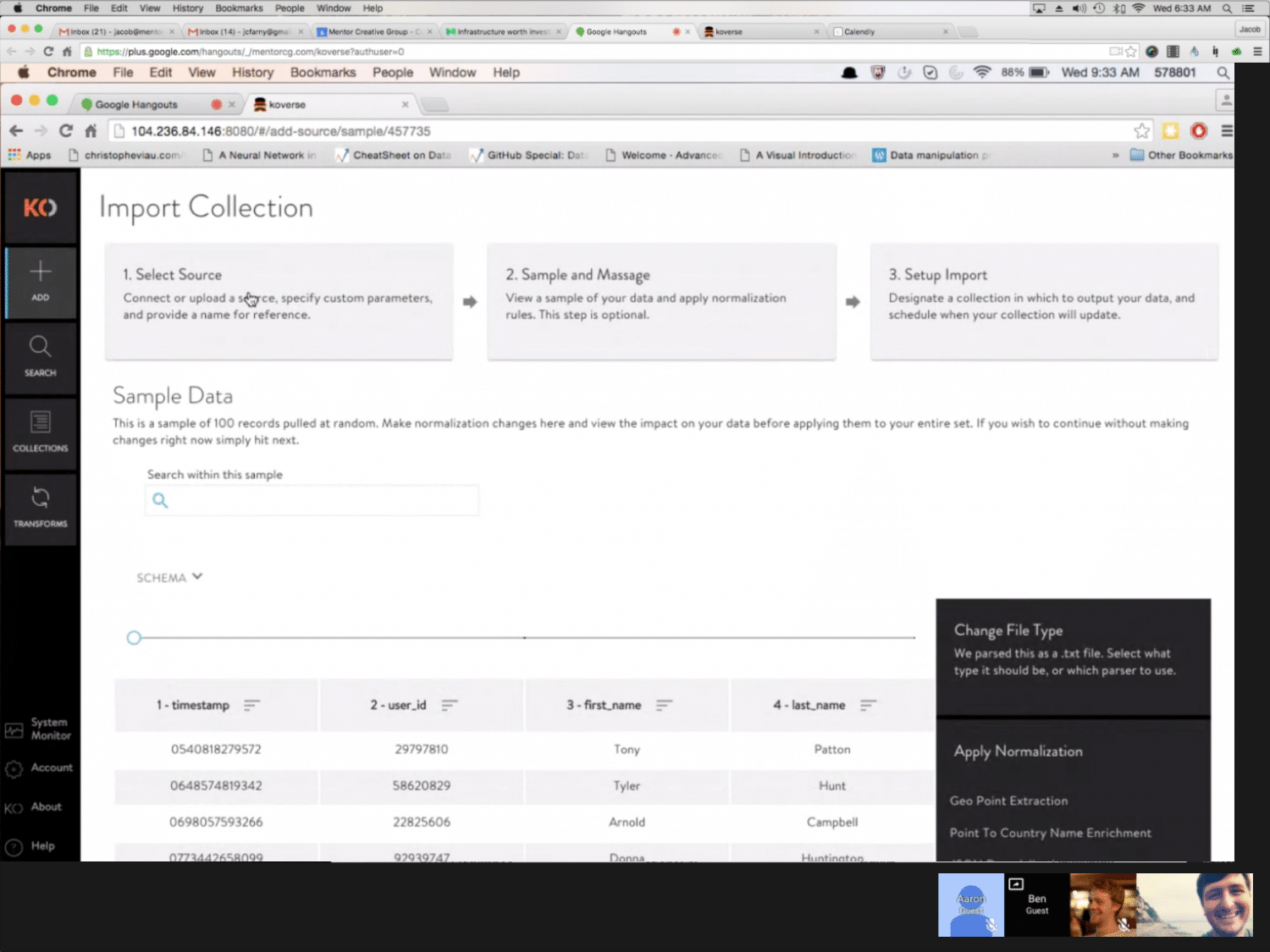
Because the Koverse stakeholders were interested in watching people use the tool as well, we took a page from Steve Krug’s Rocket Surgery Made Easy and created a ‘club house’ where observers could watch the tests remotely and make notes.

After the usability tests, issues where the participants didn’t understand something or were unsure of how to complete a task were marked down. From these issues, the design team then met and prioritized which issues to address first and how much time should go into redesigning certain elements or minor flows.

Testing Details

  • Established a bi-weekly cadence with five participants per round.
  • Scheduled participants using the Respondent.io online recruiting service.
  • Used a scenario-based method.
  • Created a “club house” for client observers.

View Our
Testing Resources

The Research Proposal, Study Kit, Findings, and Observation Worksheet

View Documents

Usability Testing Resources

Usability Testing Screenshot


Development


TO CODE

Once the core elements of the design were wireframed, we went into a more ‘sketch to code’ phase where the prototype was being built in code and running with dummy data.

The prototype was built with Angular JS Material, and we tried not to stray too far from the default components for the sake of time and efficiency. Working this way allowed us to finish each sprint we were working on with fully functional code that Koverse could then use or test further.

As the design and prototype was being worked out and built, the visual designer on the team was working on a parallel path to style the interface from a component standpoint and provide a comprehensive style guide as trailing documentation. 


Final Designs


****** This Section Needs to Be Reworded********

Final Designs

Koverse __________________________


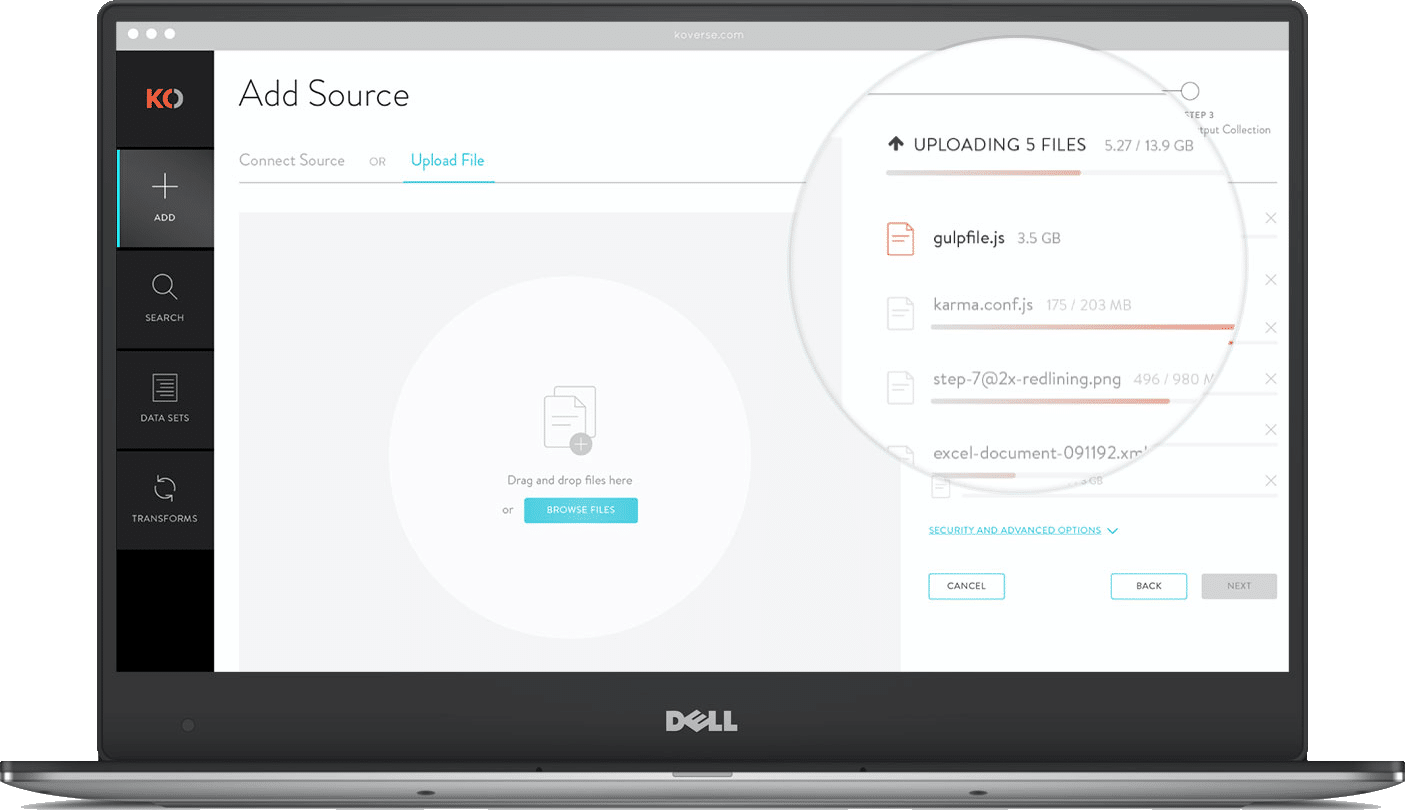
MULTI-FILE UPLOADER

For large data ingests it’s not uncommon for a user to upload hundreds of independent files from disparate sources. Instead of forcing users to go through the complete ETL process for each file independently, we allow batch uploads that can accommodate as many files as they want then apply light normalizations and store the data in a single data set.


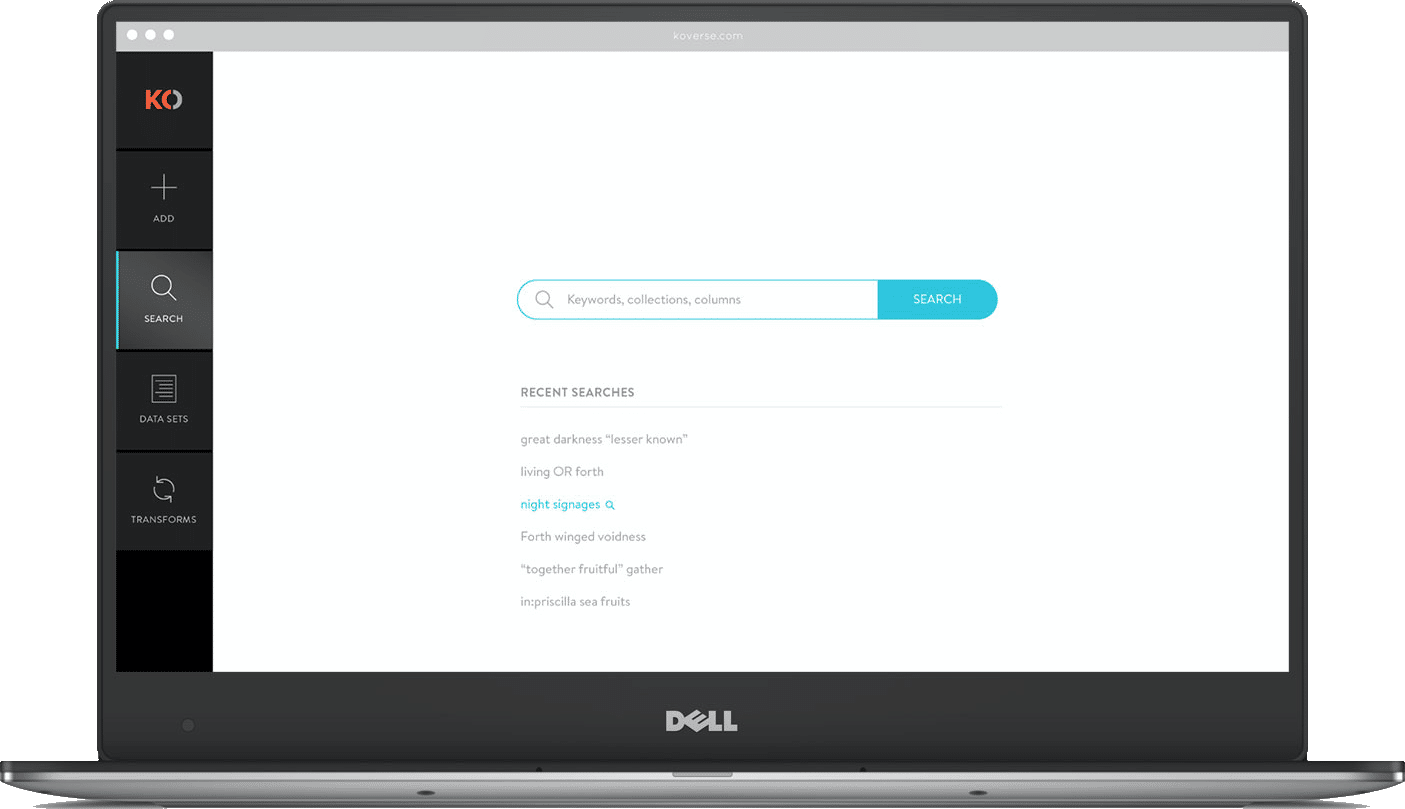
GLOBAL SEARCH

Other users of the system might be analysts who have little experience with the actual ETL process but want to perform keyword searches and run a query on the ingested data. Koverse’s search tool is build lucent syntax which is somewhere between common speech and SQL. For search results we show a sample schema making it easier to see if the data is applicable to the query they want to perform. 


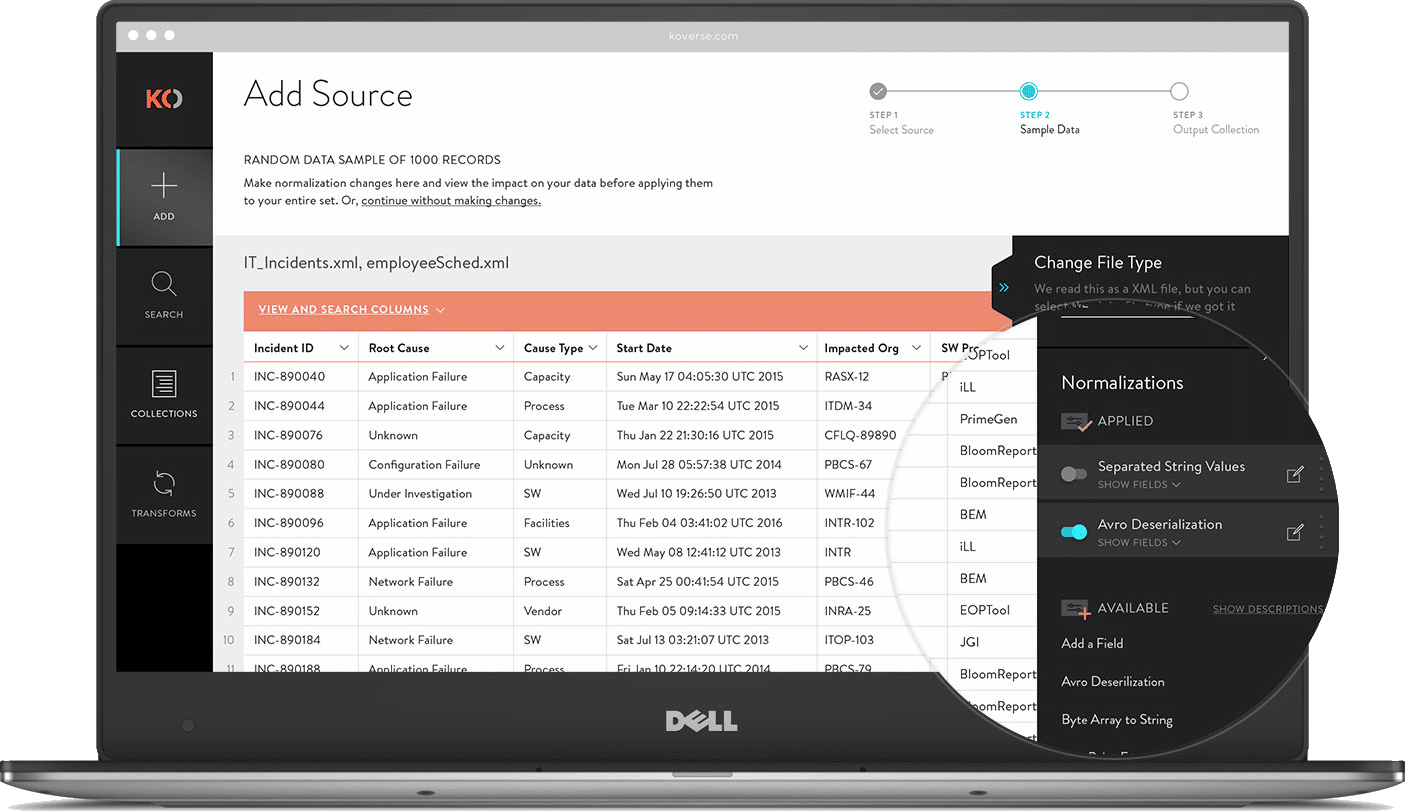
SAMPLE & NORMALIZE

After a source has been added, users can review a sample of the data. Large data sets can take hours to fully ingest then take even longer to normalize assuming the data is even workable. Including a sample during extraction allows users to see what’s coming in, apply a few normalizations to the sample, then start the full extraction with a better idea of the results.


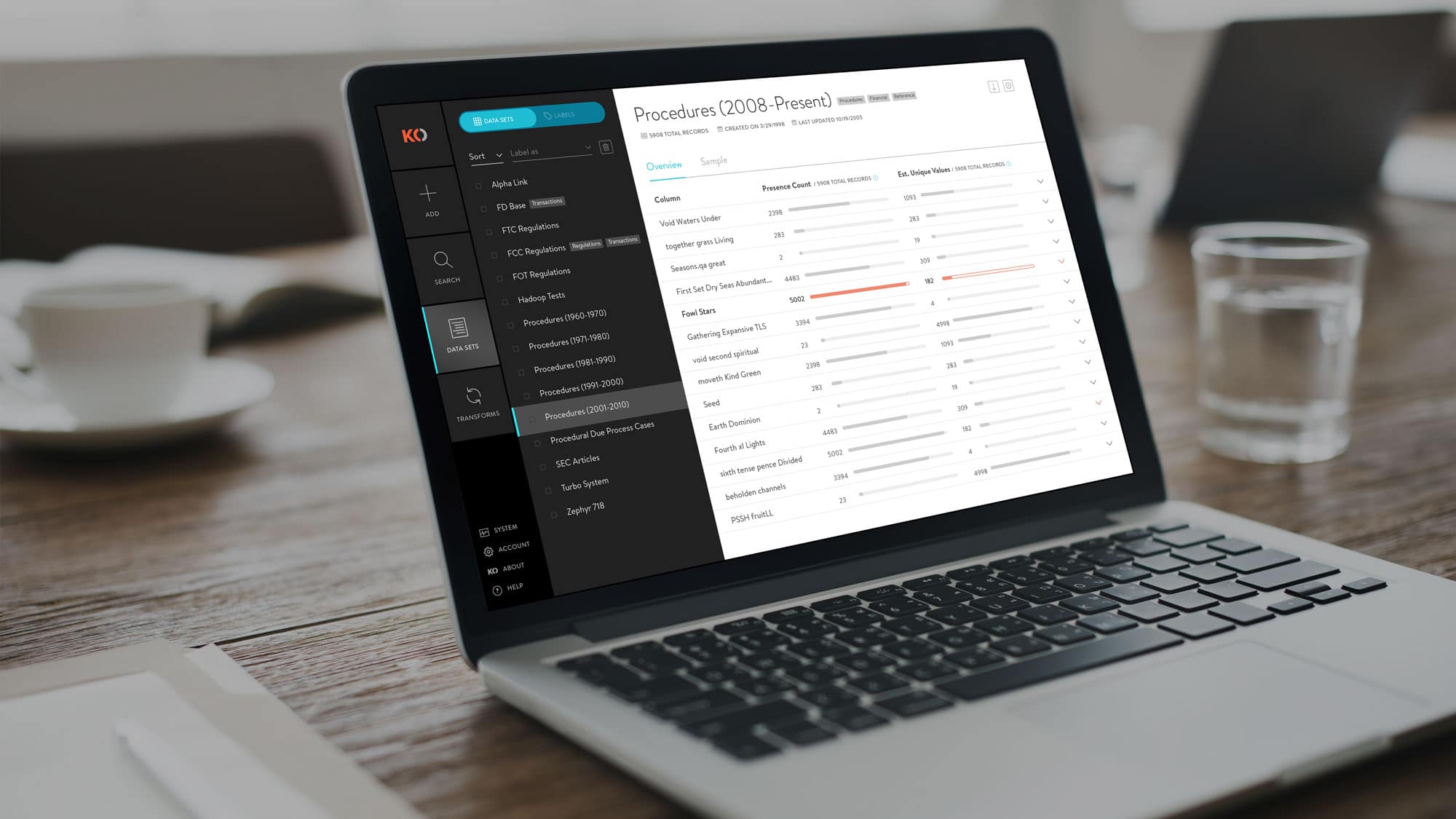
DATA SET OVERVIEW

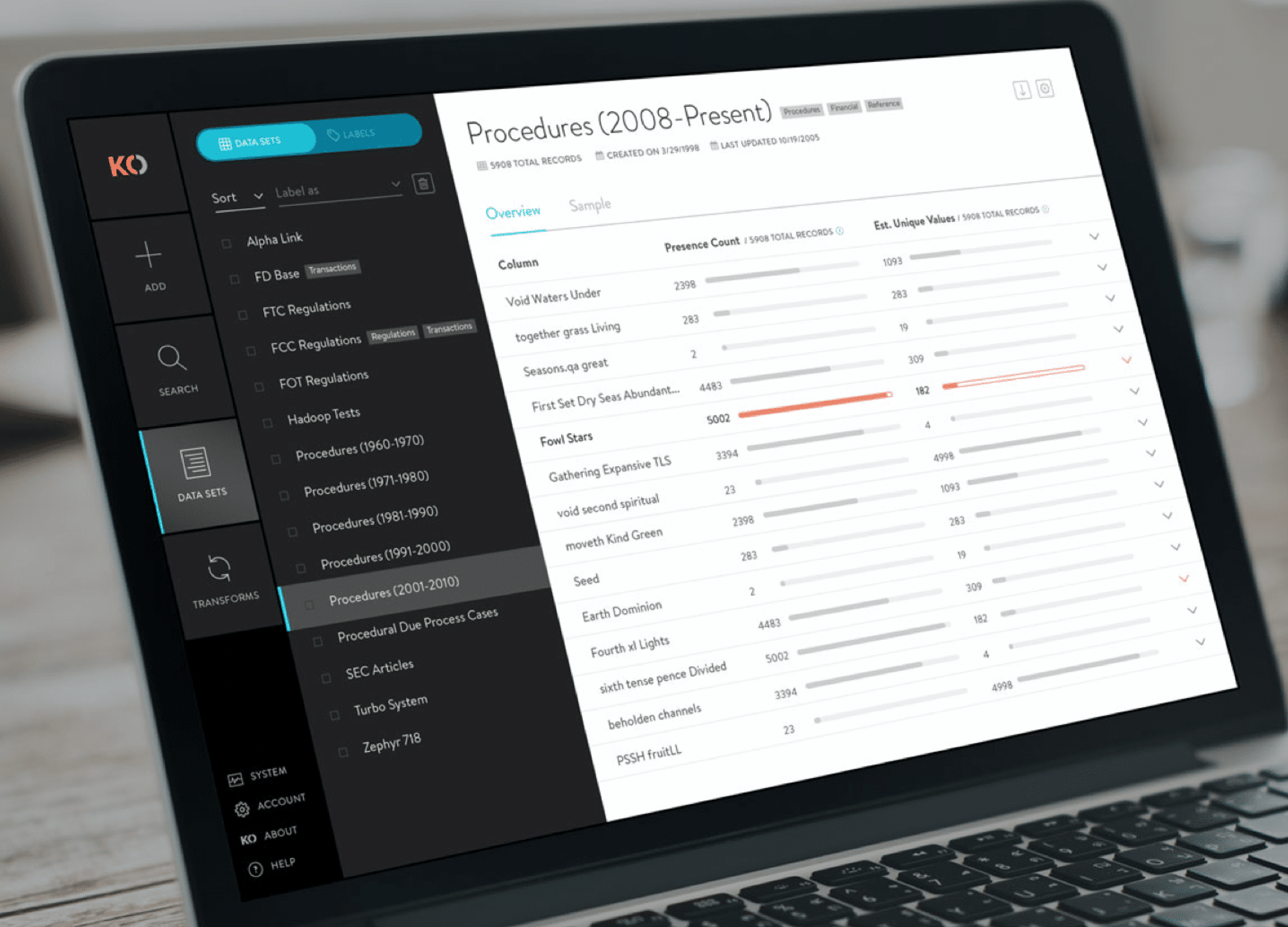
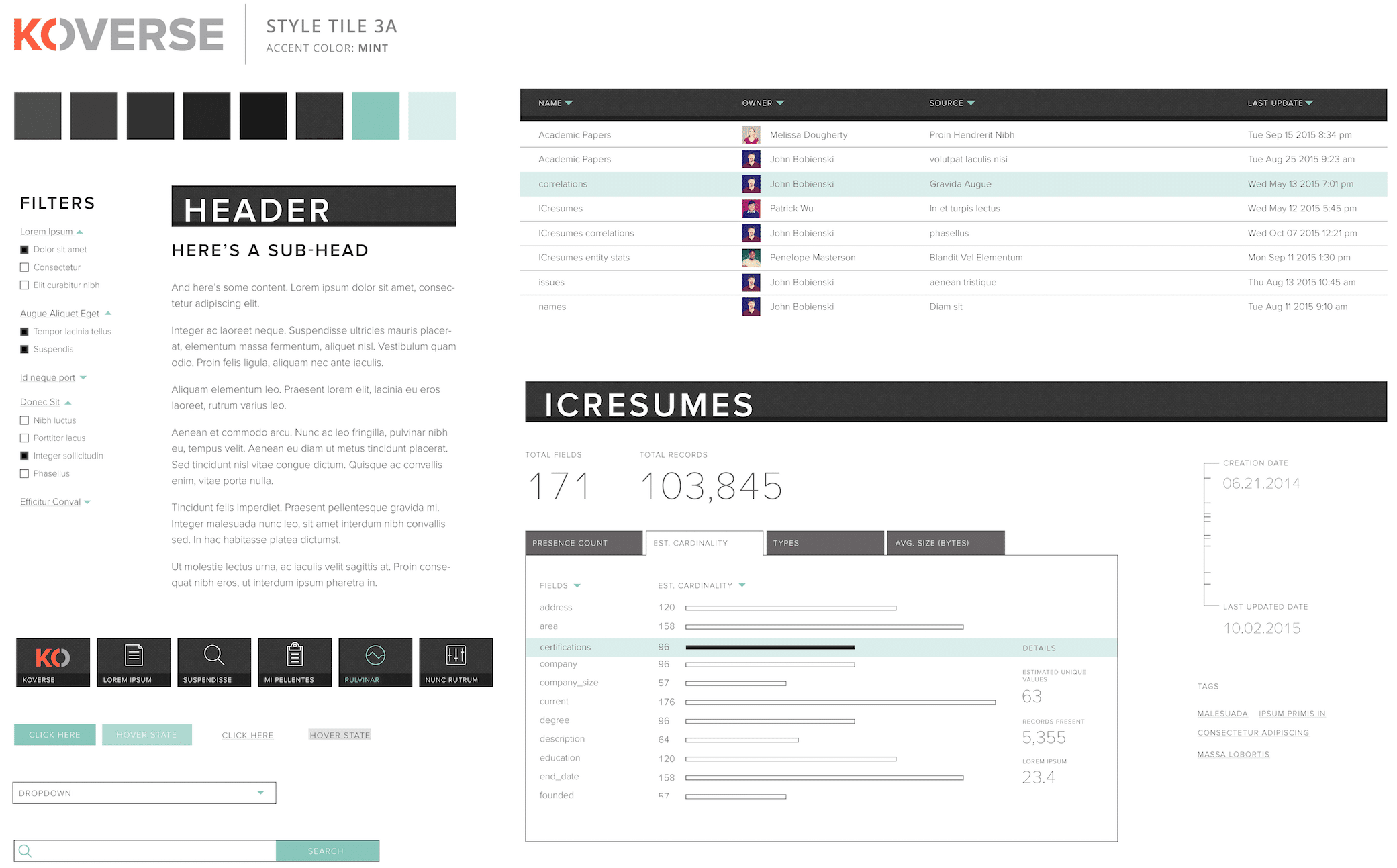
This added feature gives a high level snapshot of the underlying data in a particular data set. It shows useful statistics like presence count and estimated unique values which allow a data scientist to quickly ascertain if a particular column is a good indexing candidate. On the flip side, it can quickly show if a data set is void in a particular column which might warrant further exploration.


Ready for More?
View Another Project –


Website Design

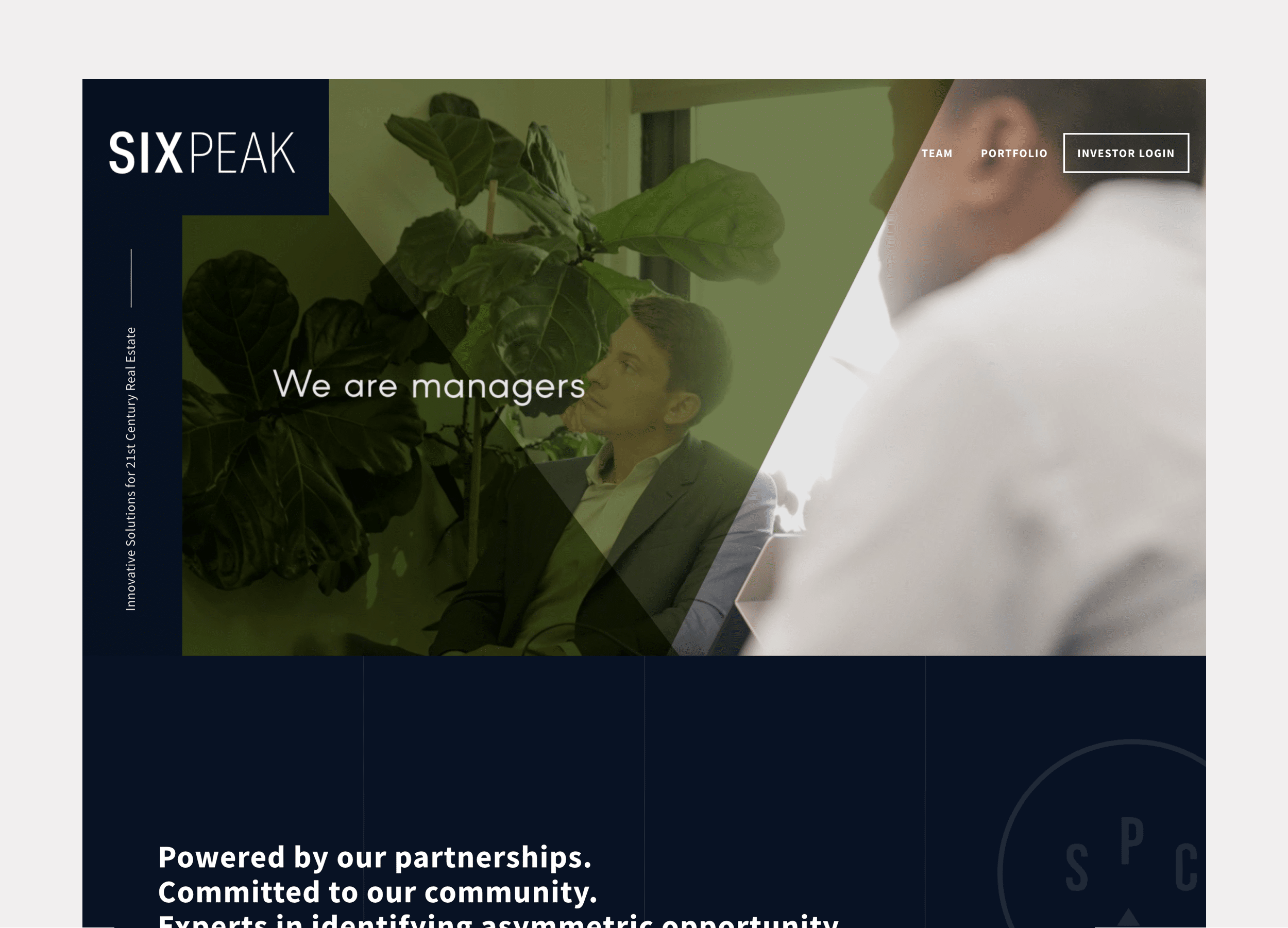
Client: Six Peak Capital

Website design for a real estate investment & development company focused on coliving.

Interactive Promotional Game

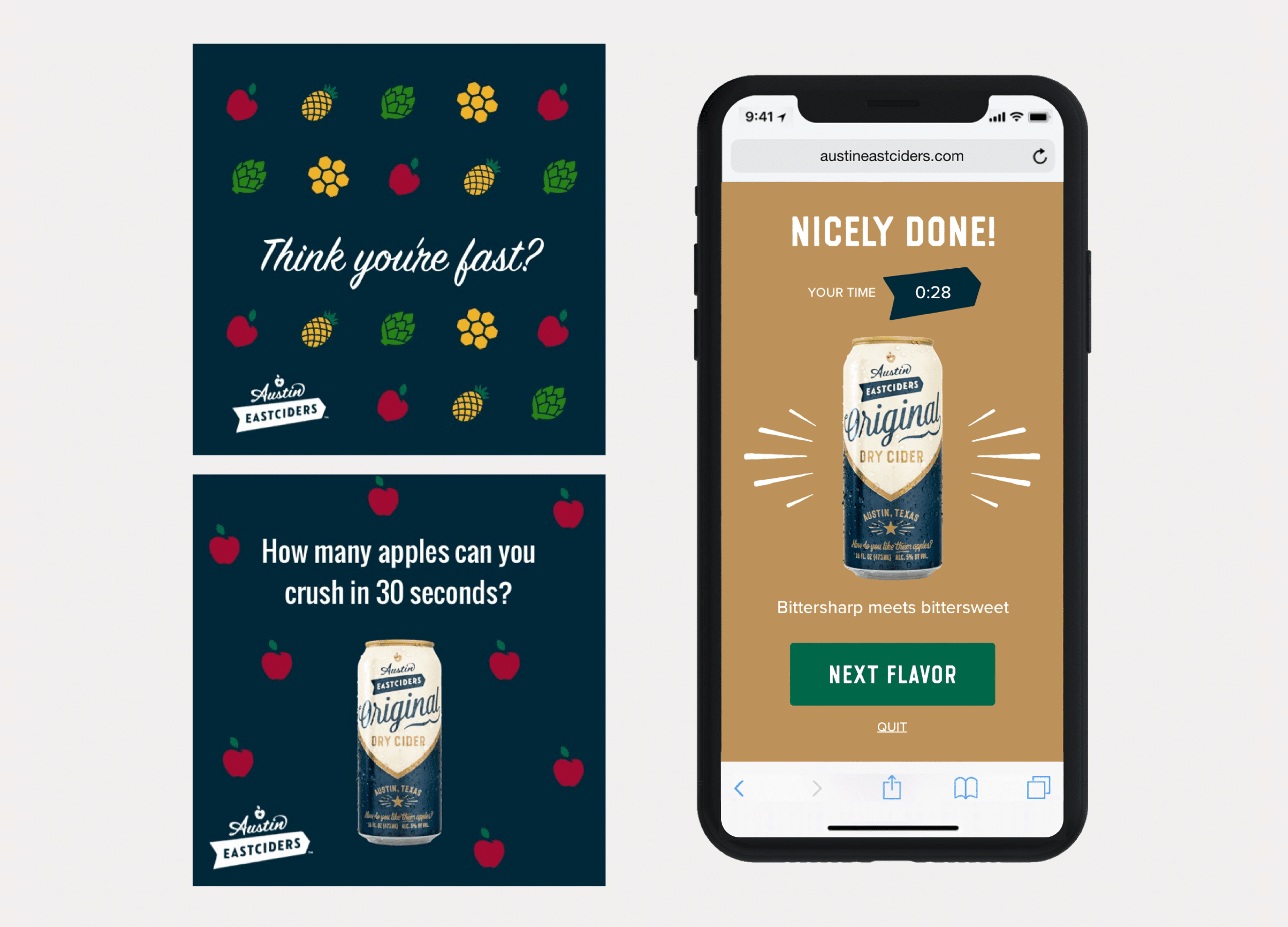
Client: Austin Eastciders

A mobile game distributed through social media and played in the browser. Designed to promote four different flavors fo hard cider.


  • Page 1
  • Page 2
  • Go to Next Page »

Copyright © 2026 Teague Nelson · All Rights Reserved
Designed, Coded, and Produced by Teague Nelson