• Skip to primary navigation
  • Skip to main content
Teague Nelson

Teague Nelson

UX Leadership & Design

  • About
  • Work
  • Process & Reflections
  • Testimonials
  • Contact

Non Featured

Data Management Platform


Client

Koverse (Data Solutions)

My Role

UX Research
UX Design

Summary

UX research and design was applied to re-think how a data management platform could be more intuitive for Data Scientists to use.

Visit the Koverse Website


PROBLEM STATEMENT

Koverse is a Seattle based platform used to manage, normalize, and interpret large and complex data sets.

The original platform was built in 2012 with a focus on the extract, transform, load (ETL) process of combining and normalizing data.

Over the years as new features were added on to the platform, they had been added on in a siloed or piecemeal fashion. This made the tool work for one-off tasks but was not very effective for an end-to-end data processing workflow. Koverse was looking to remedy this.


APPROACH

Assessing the Tool to Redesign

User Research, Personas & Journeys

Competitive Analysis

Information Architecture

UI Concepts & Ideation

Wire-framing & Prototyping

Usability Testing

Development


Assessing the Tool To Redesign


LEARNING ABOUT THE DATA PROCESS

Because the application addressed such a specific function for data scientists, we first had to learn how the tool worked, what it could do, and how it was useful in data scientists’ workflow.
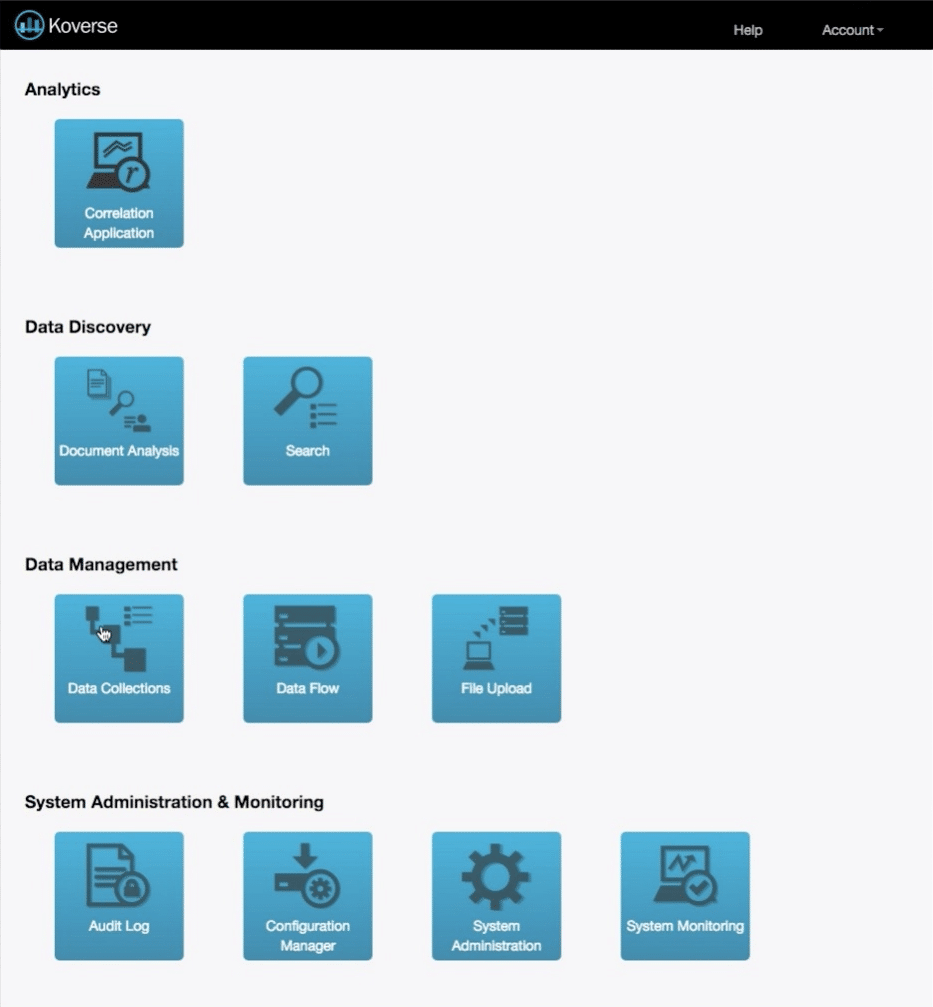

The Original Design

The dashboard when we began was broken out into individual tasks the application could do.

Each of these tasks is valuable to a Data Scientist’s workflow, but in the original design an end-to-end data processing workflow was difficult.
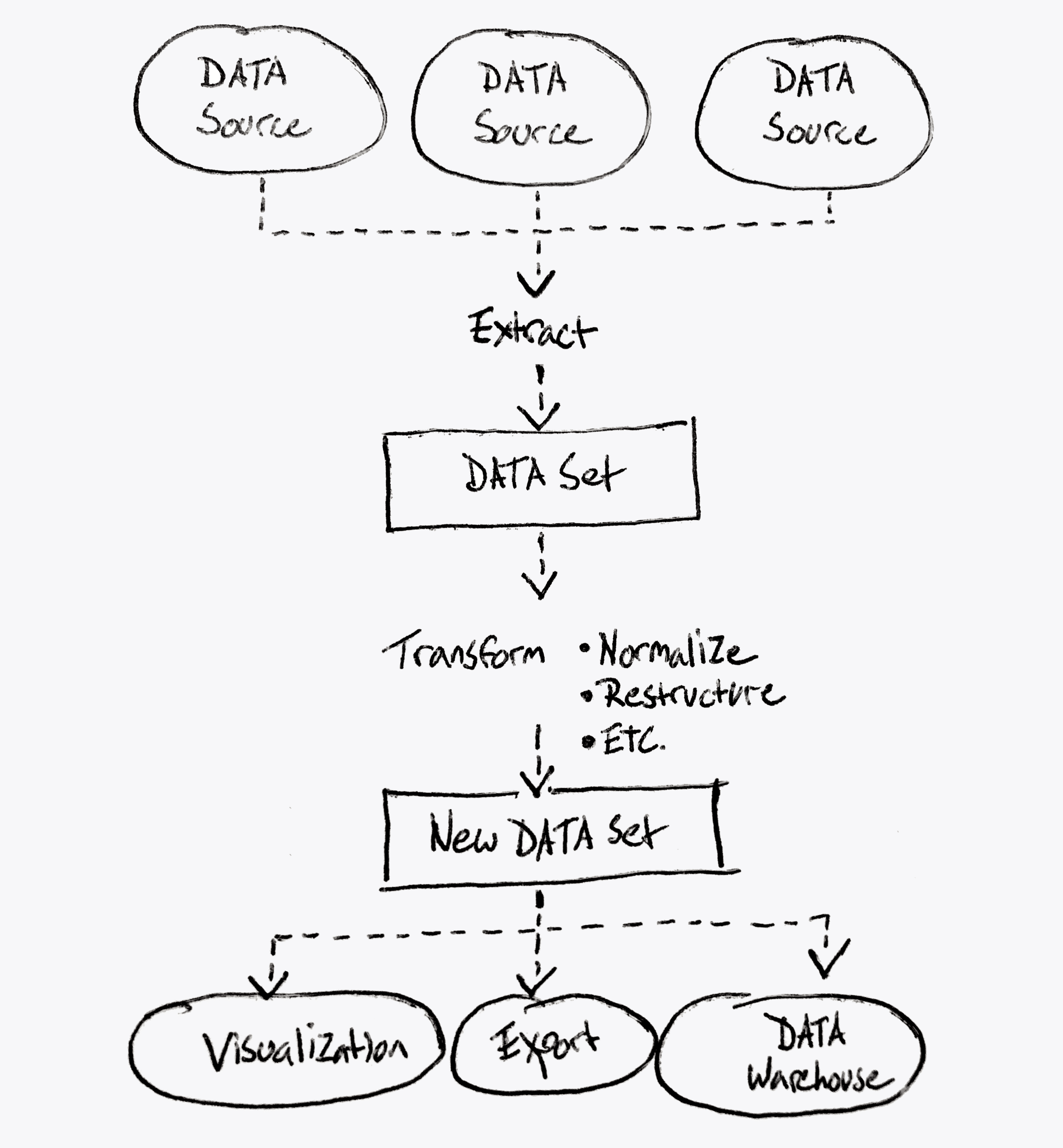
What Koverse Actually Does

This diagram represents more accurately what the platform could achieve.

Notice it’s a continuous data processing workflow from extracting data from the source down to transforming the data, and working with the data in a useful way.


User Research, Personas & Journeys


USER INTERVIEWS

Because none of us on the design team were data scientists ourselves, we needed to talk with data scientists to understand their mental models around processing data, and what workflows were more or less common to people in the processing stage.

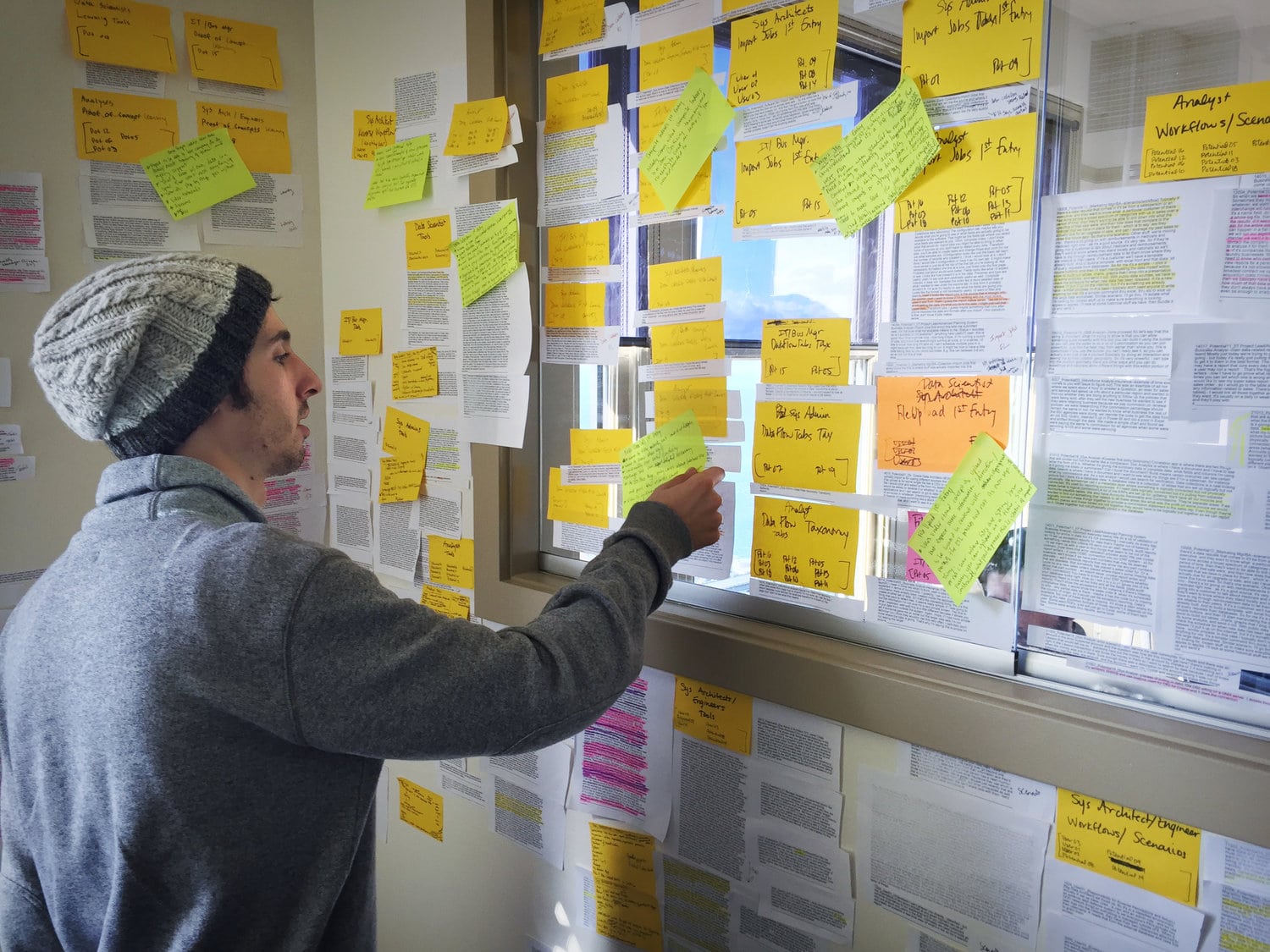
We spoke with 18 people with job titles ranging from Data Analyst to Business Managers, and then sorted what they told us into common groupings using affinity diagram sorting.


View Our
Research Materials

The Interview Screener, the Script, and the Findings Spreadsheet

View Documents

Research Materials

Affinity Diagram Sorting


PERSONAS & JOURNEYS

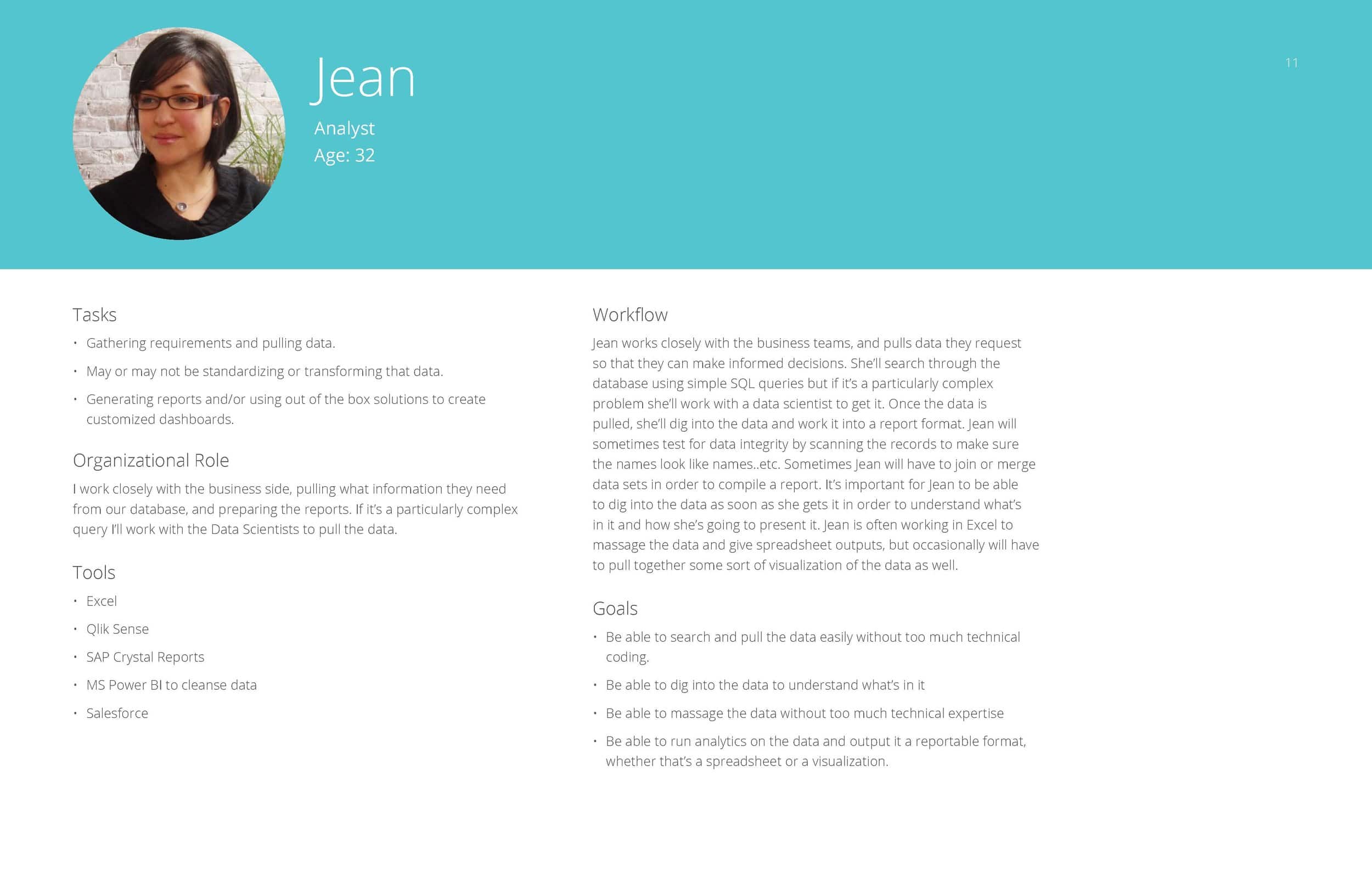
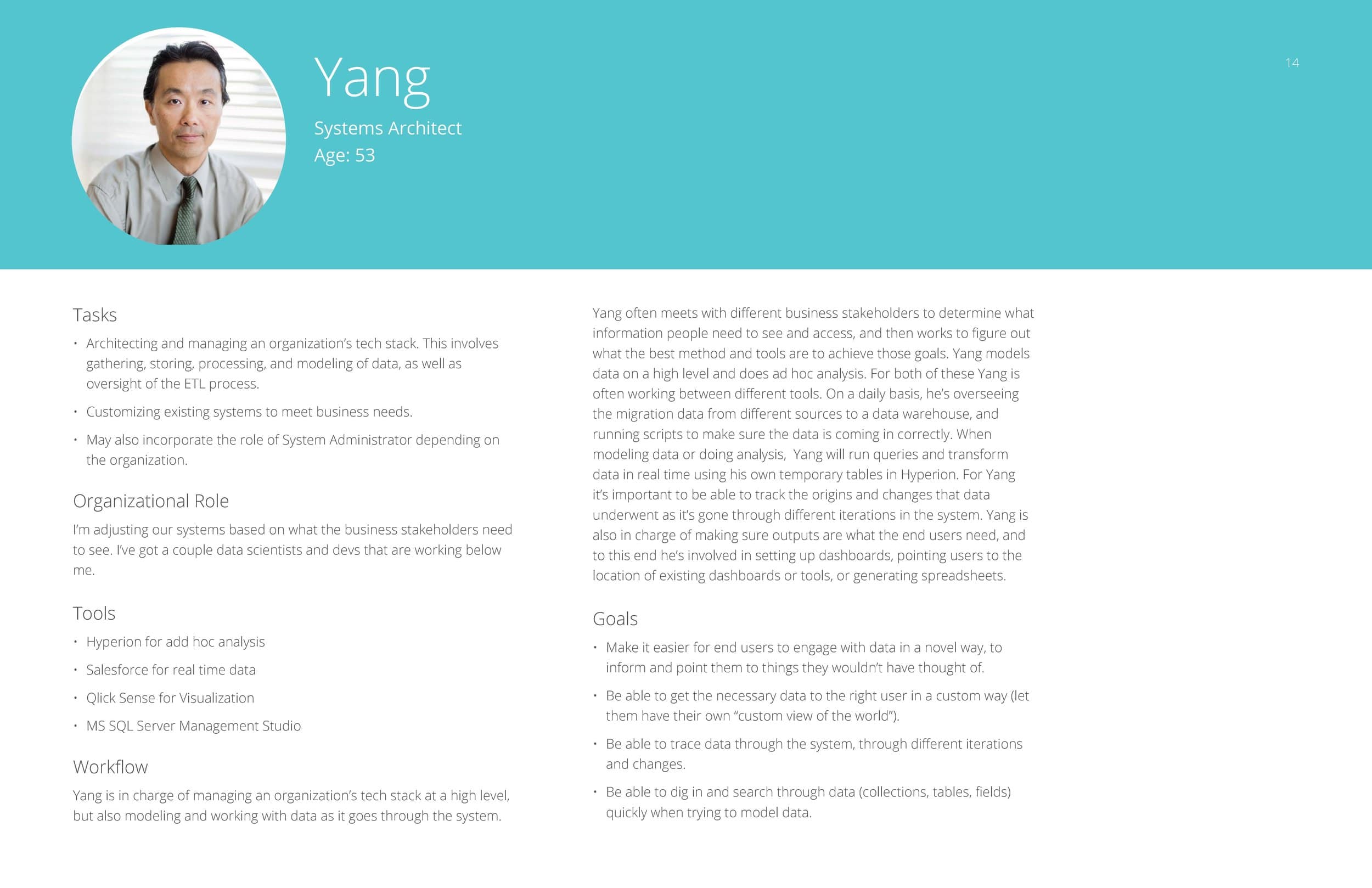
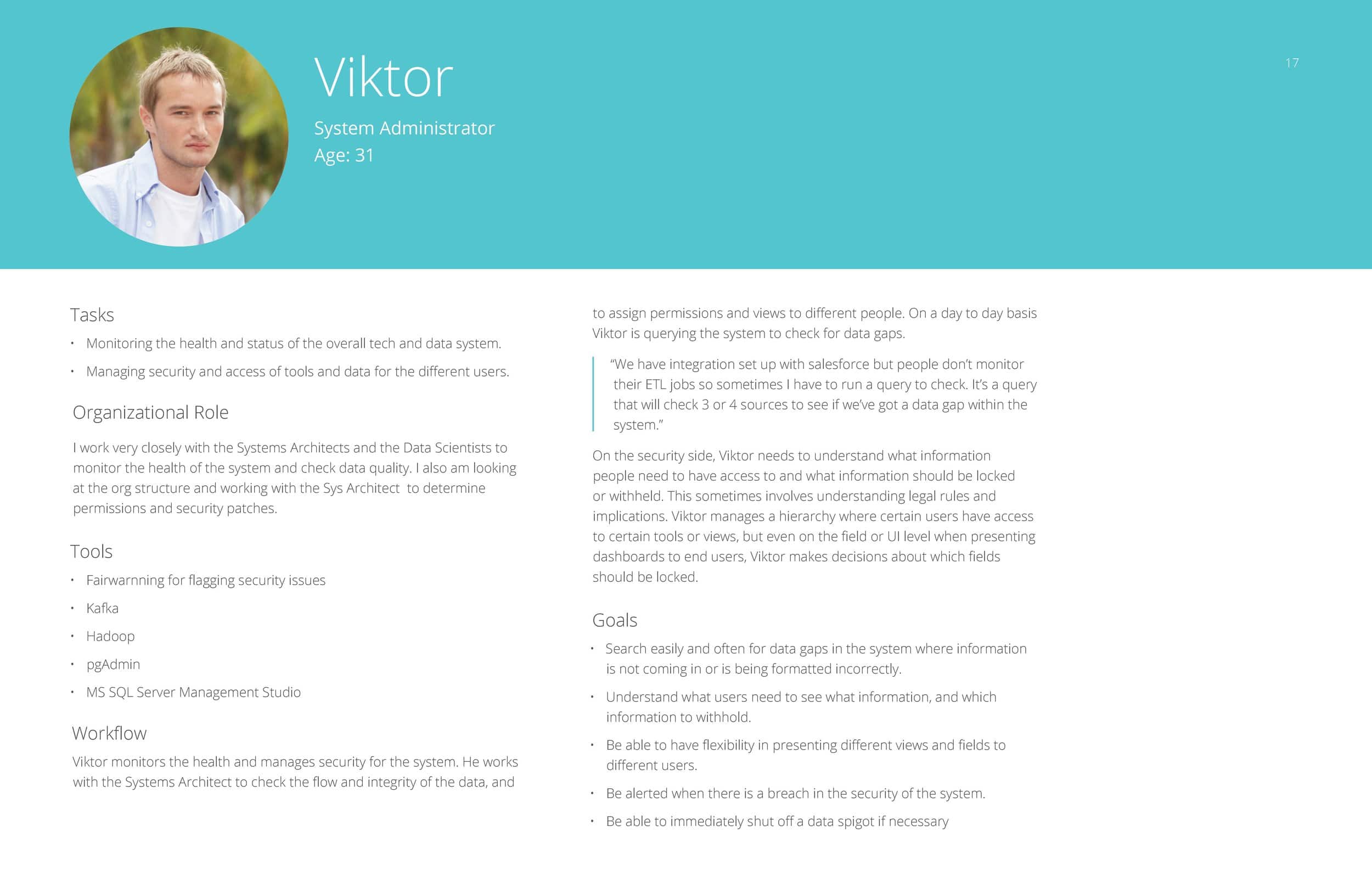
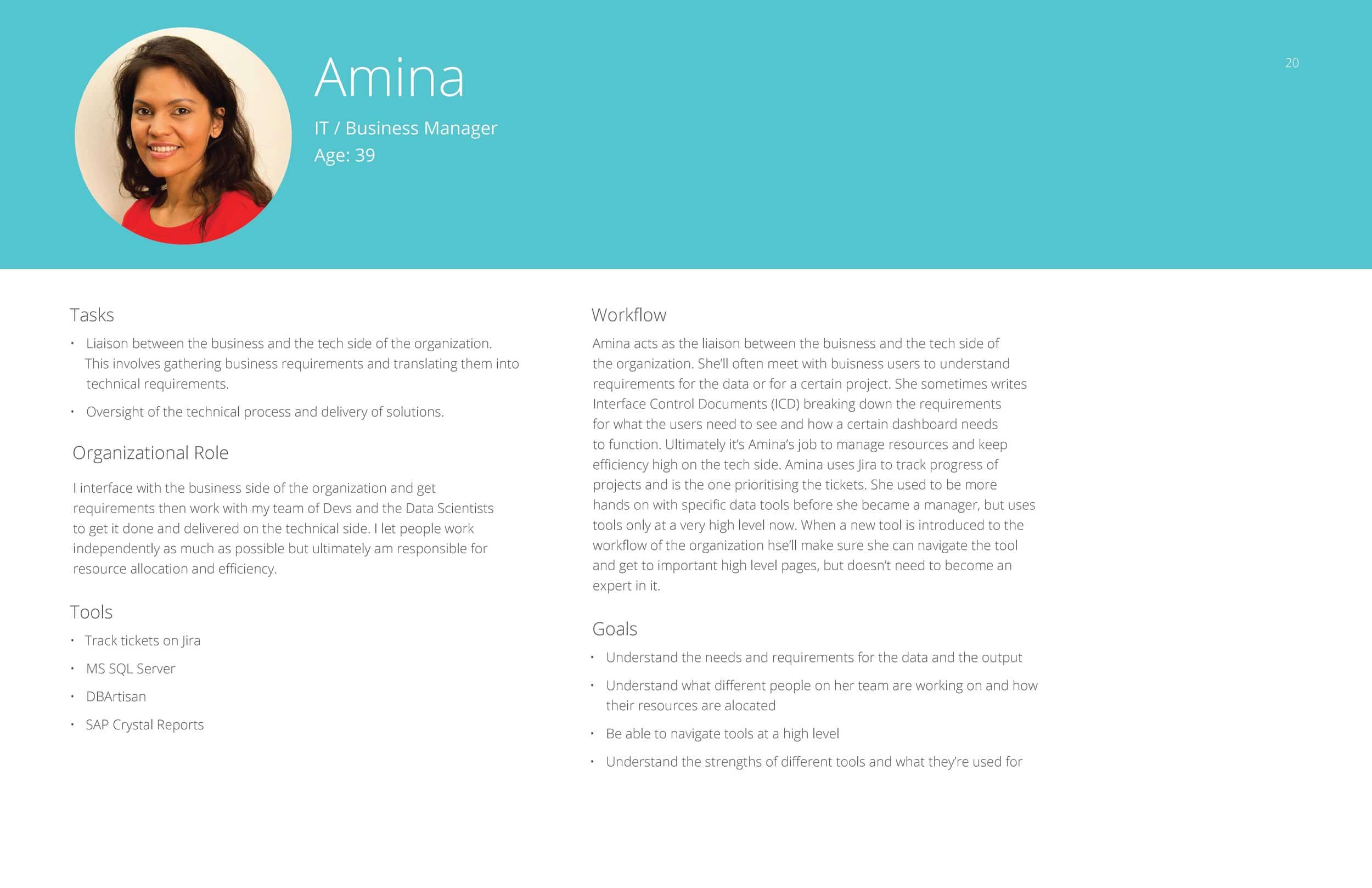
The affinity diagram sorting allowed us to group common responses into themes, and to see how the people with different job titles and roles all thought collectively about the data processing part of their jobs.

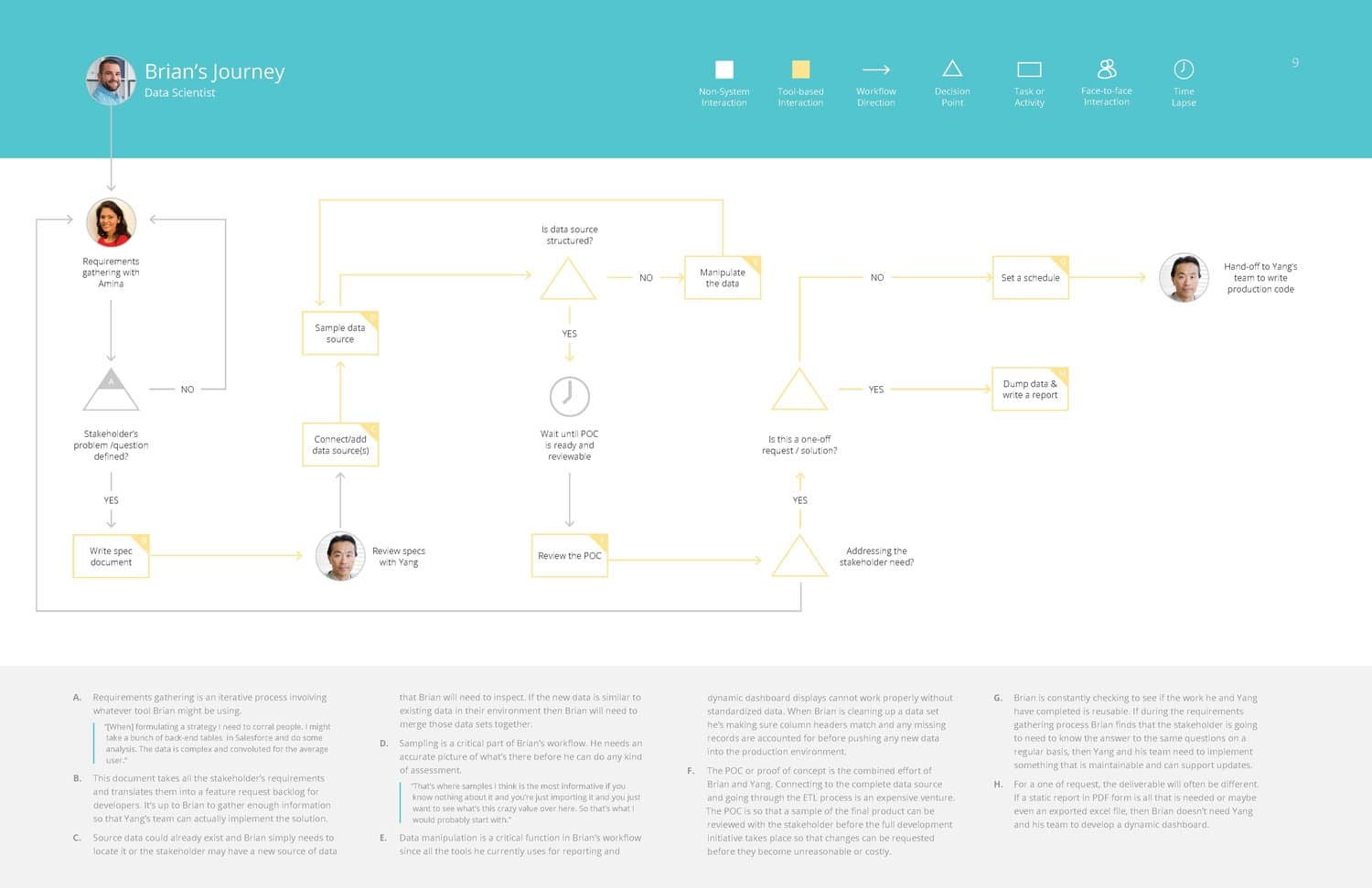
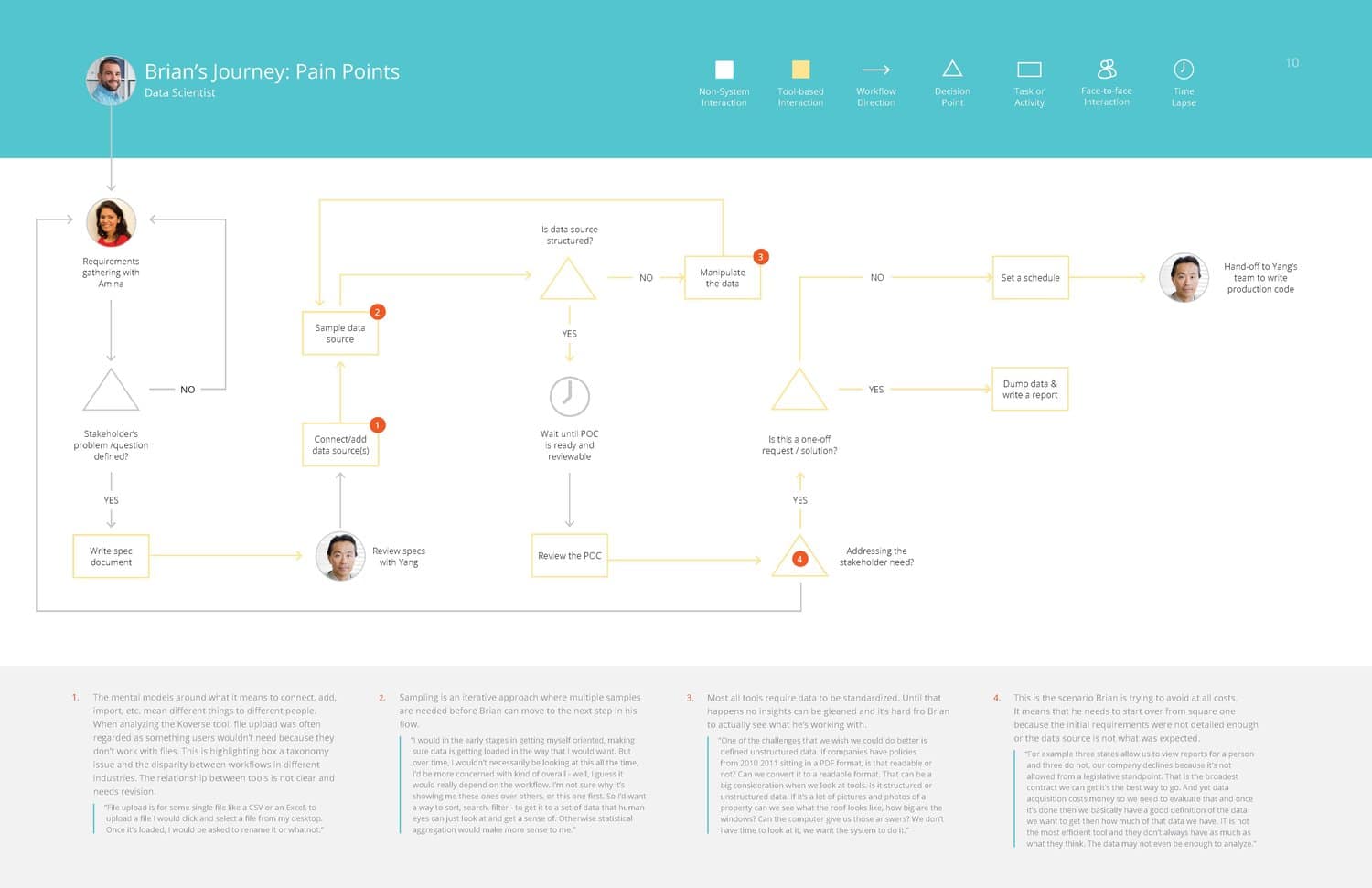
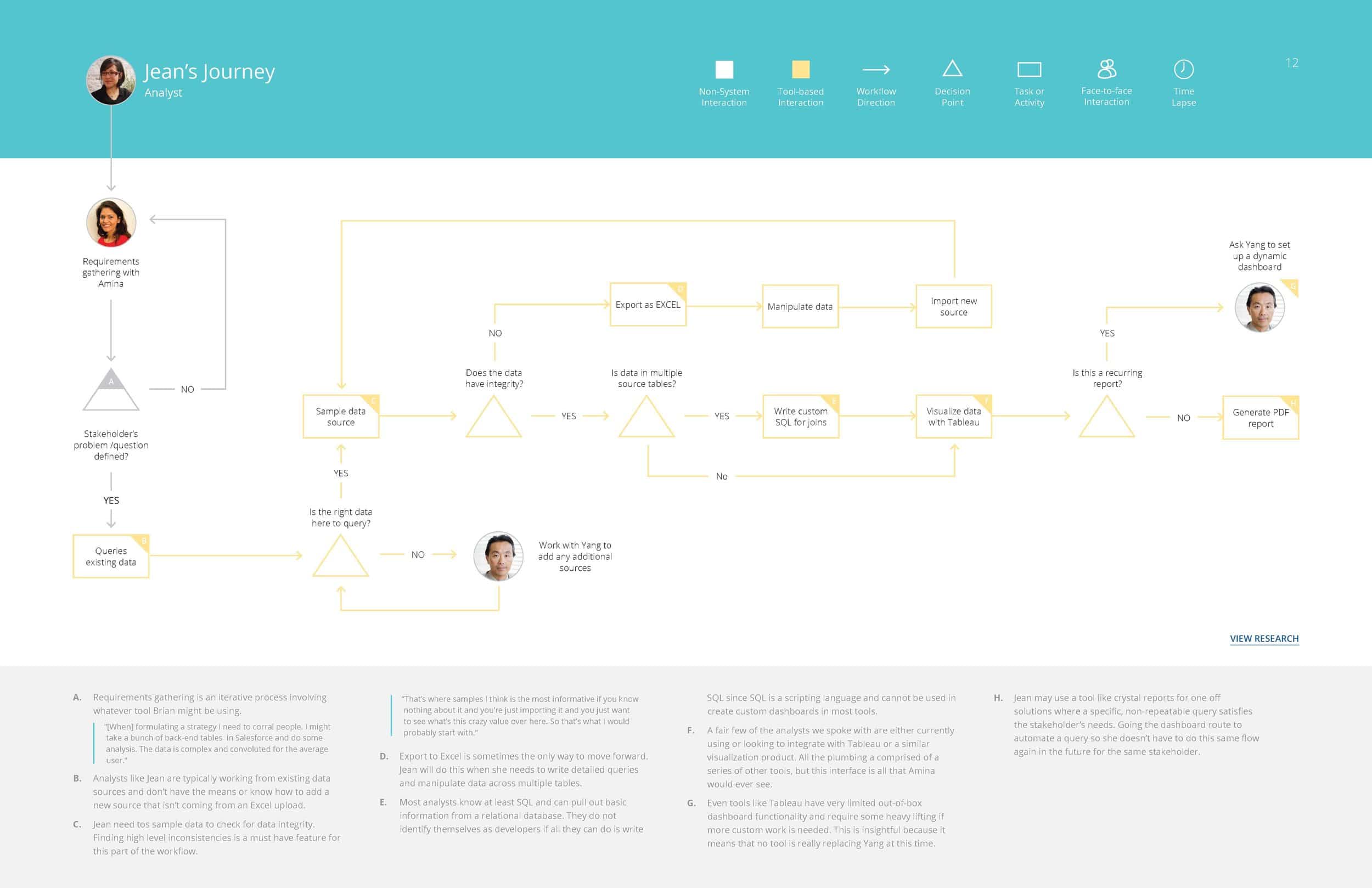
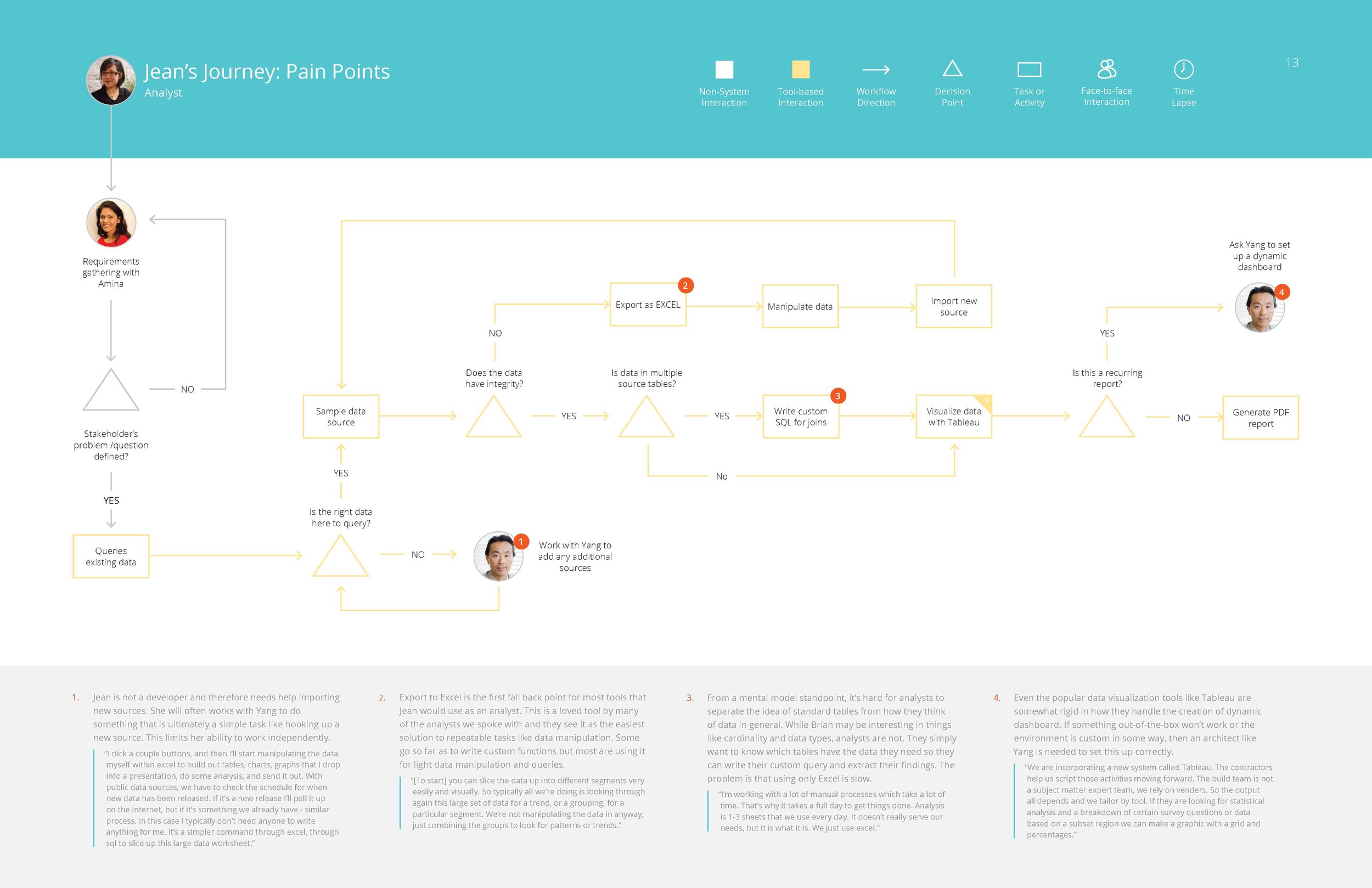
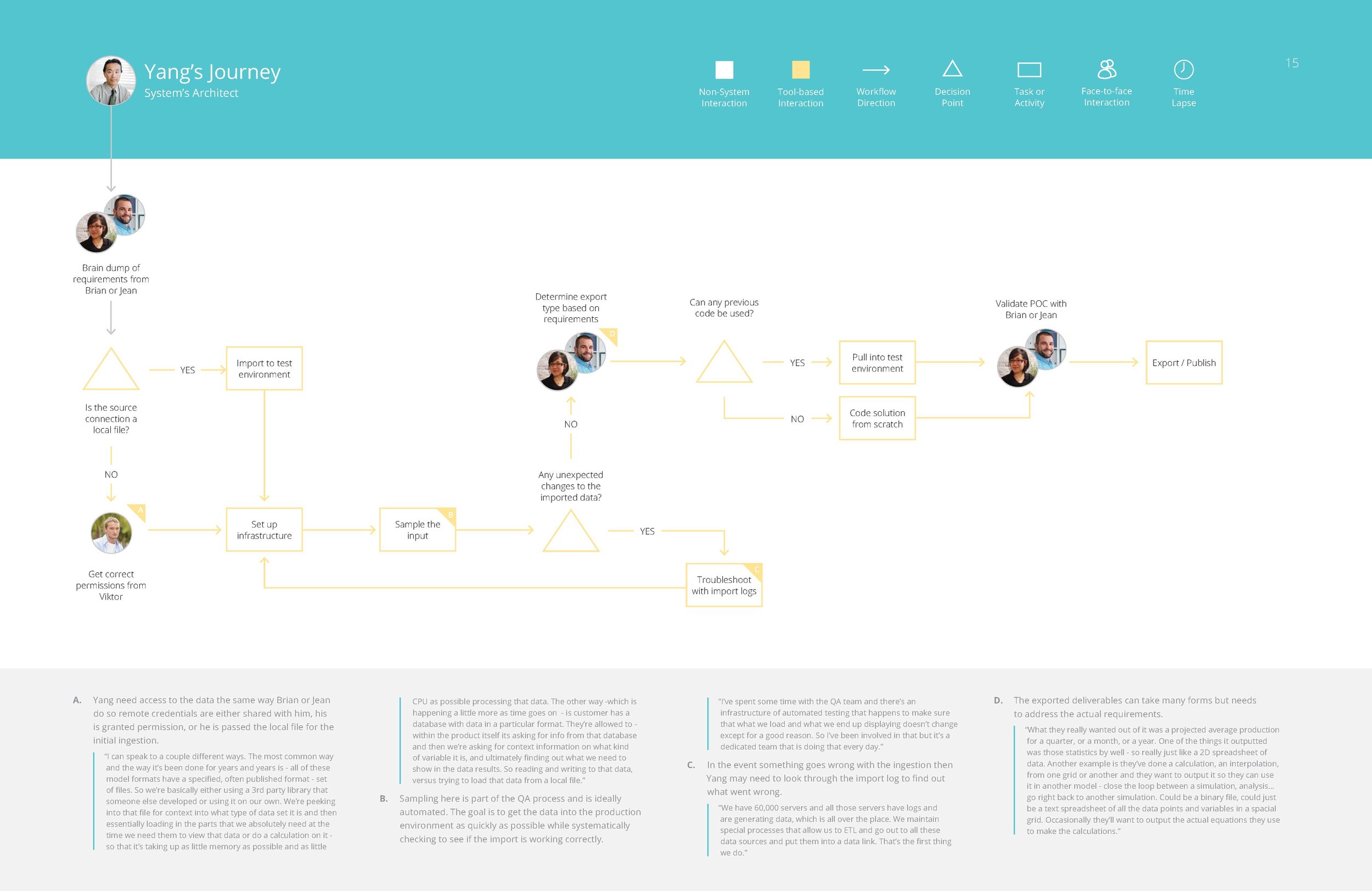
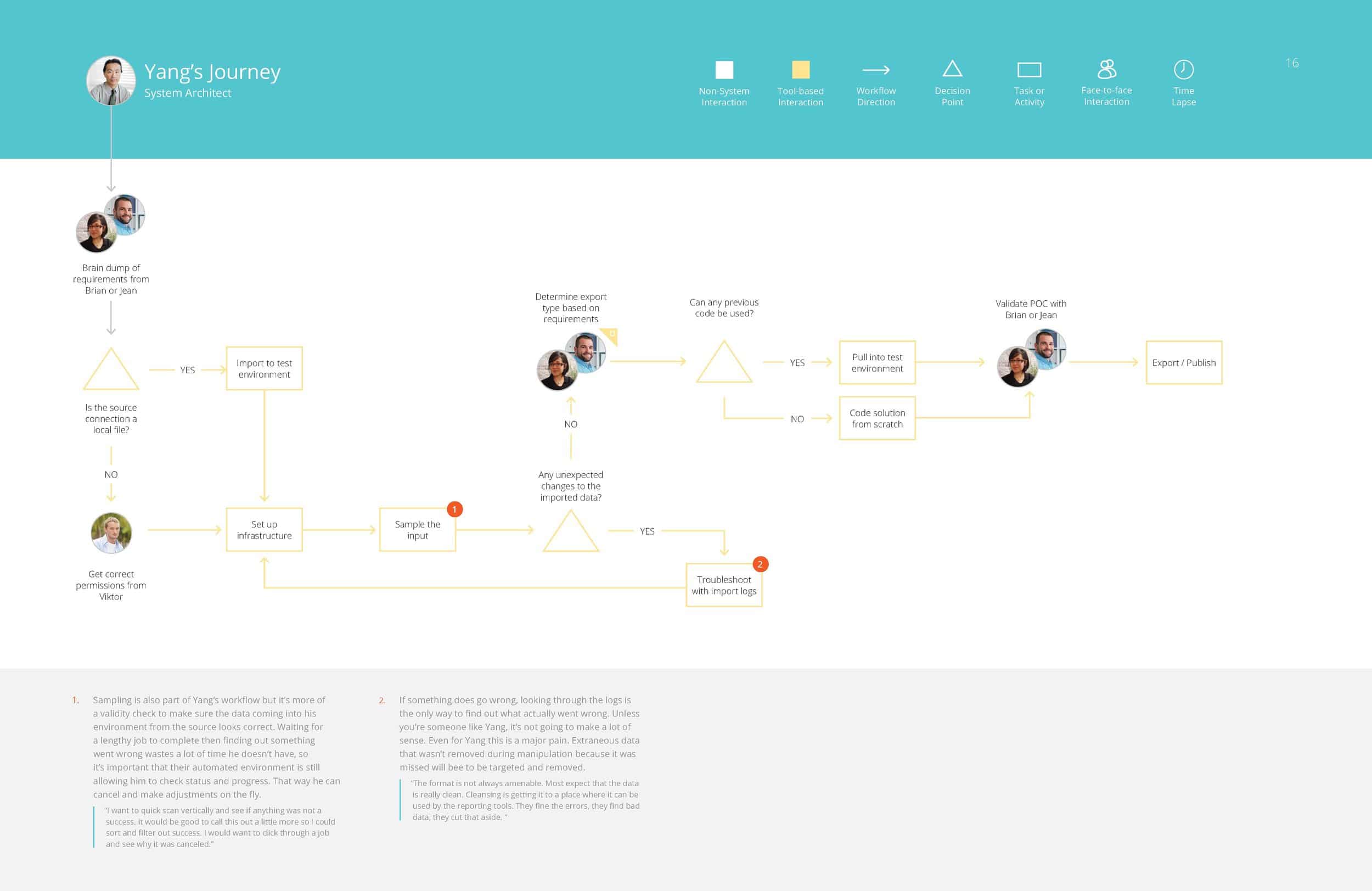
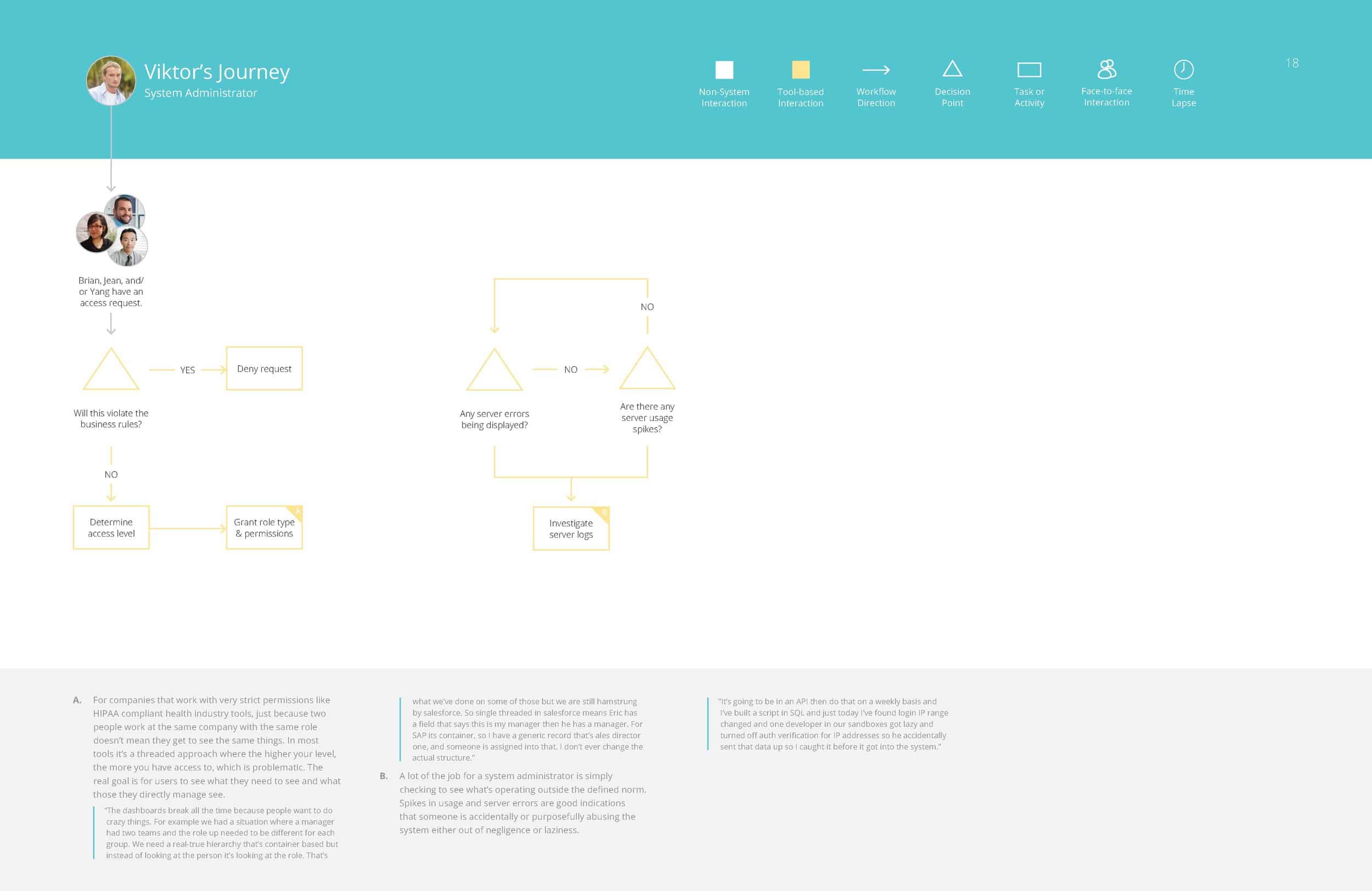
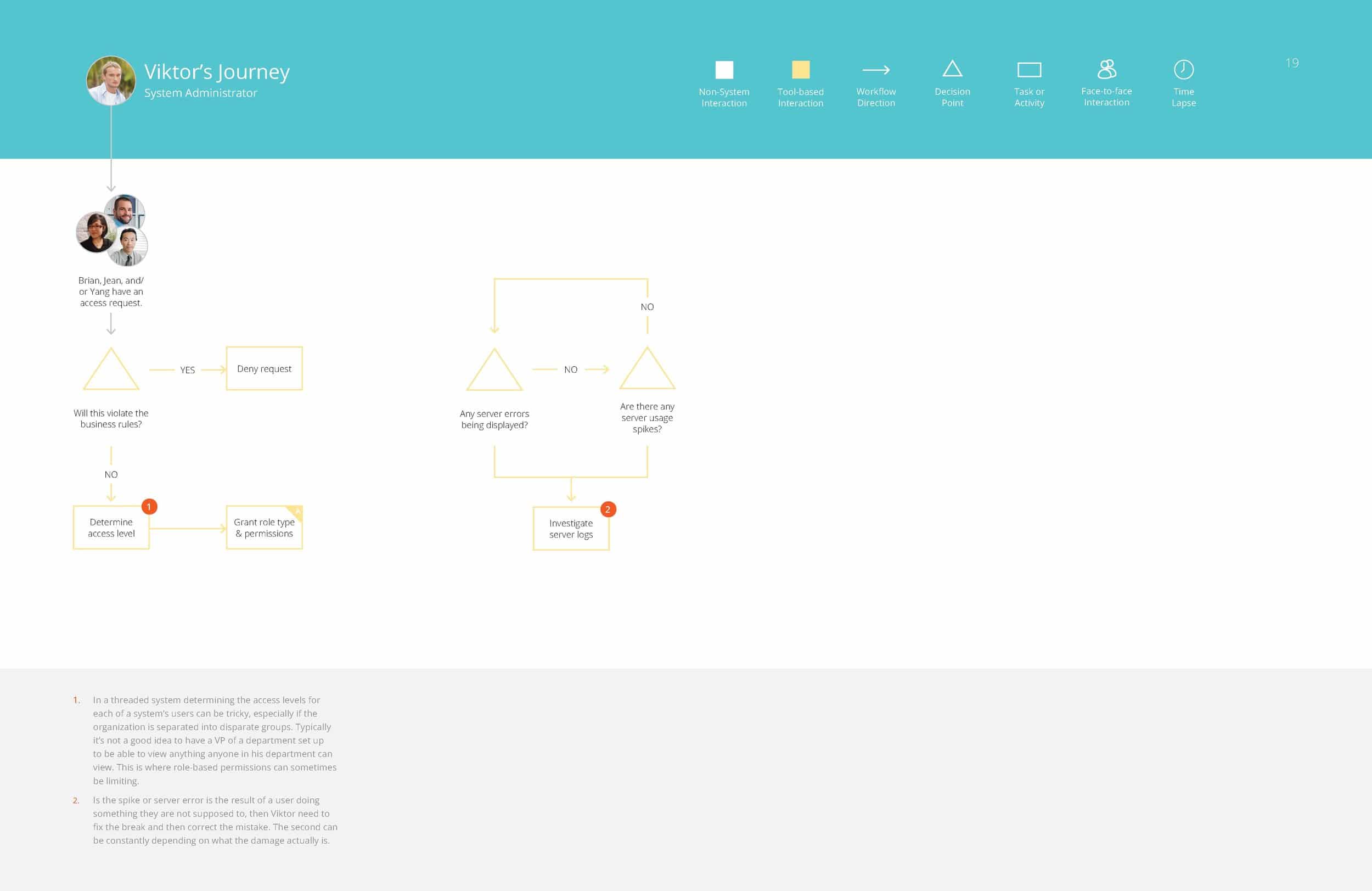
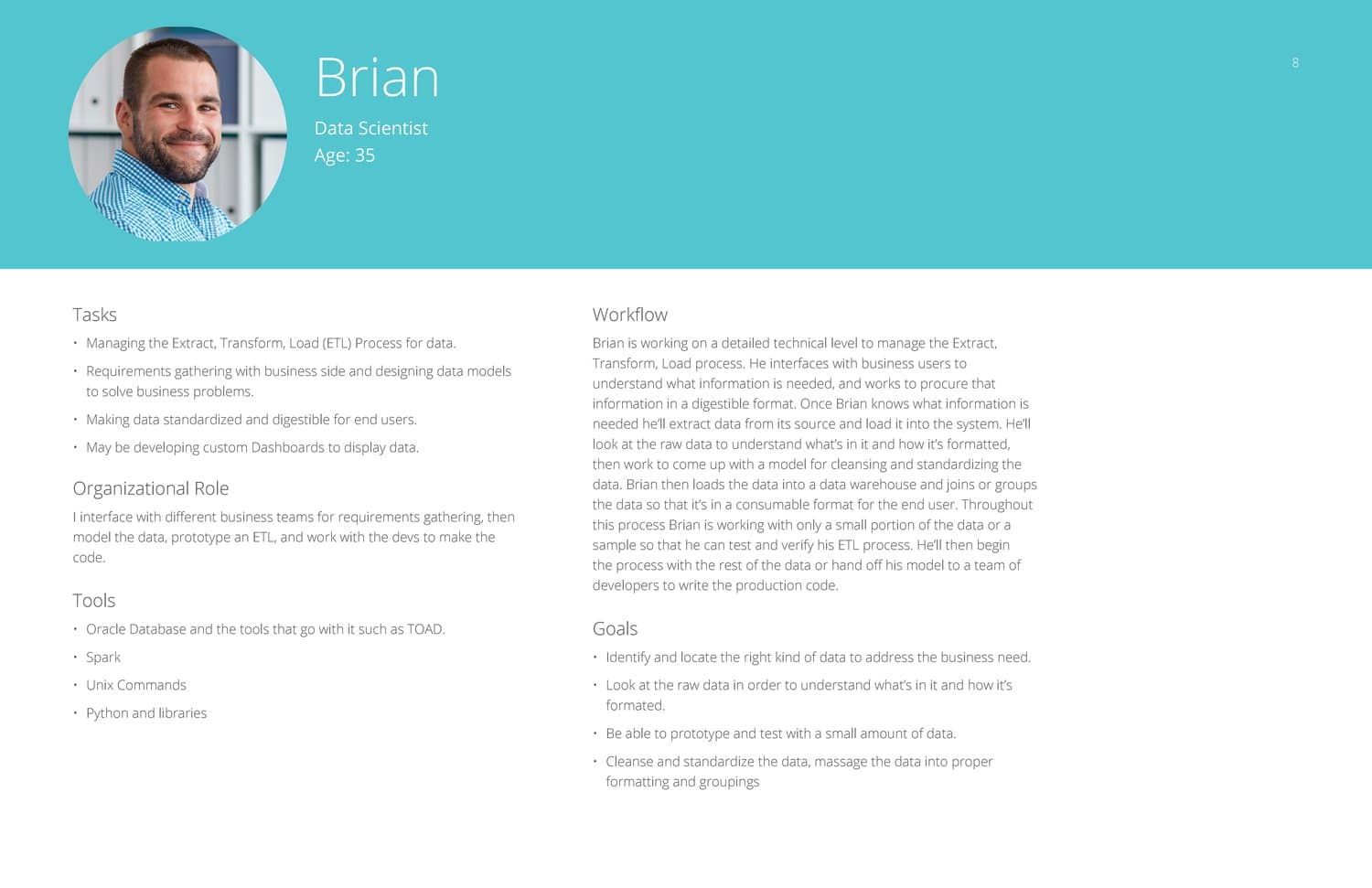
From these groupings of responses, and different workflows people had walked us through, we were able to assemble in depth personas for the different roles of people who would likely be interacting with this tool.


Brian – Data Scientist
Jean – Analyst
Yang – Systems Architect
Victor – Systems Administrator
Amina – IT / Business Manager


Competitive Analysis


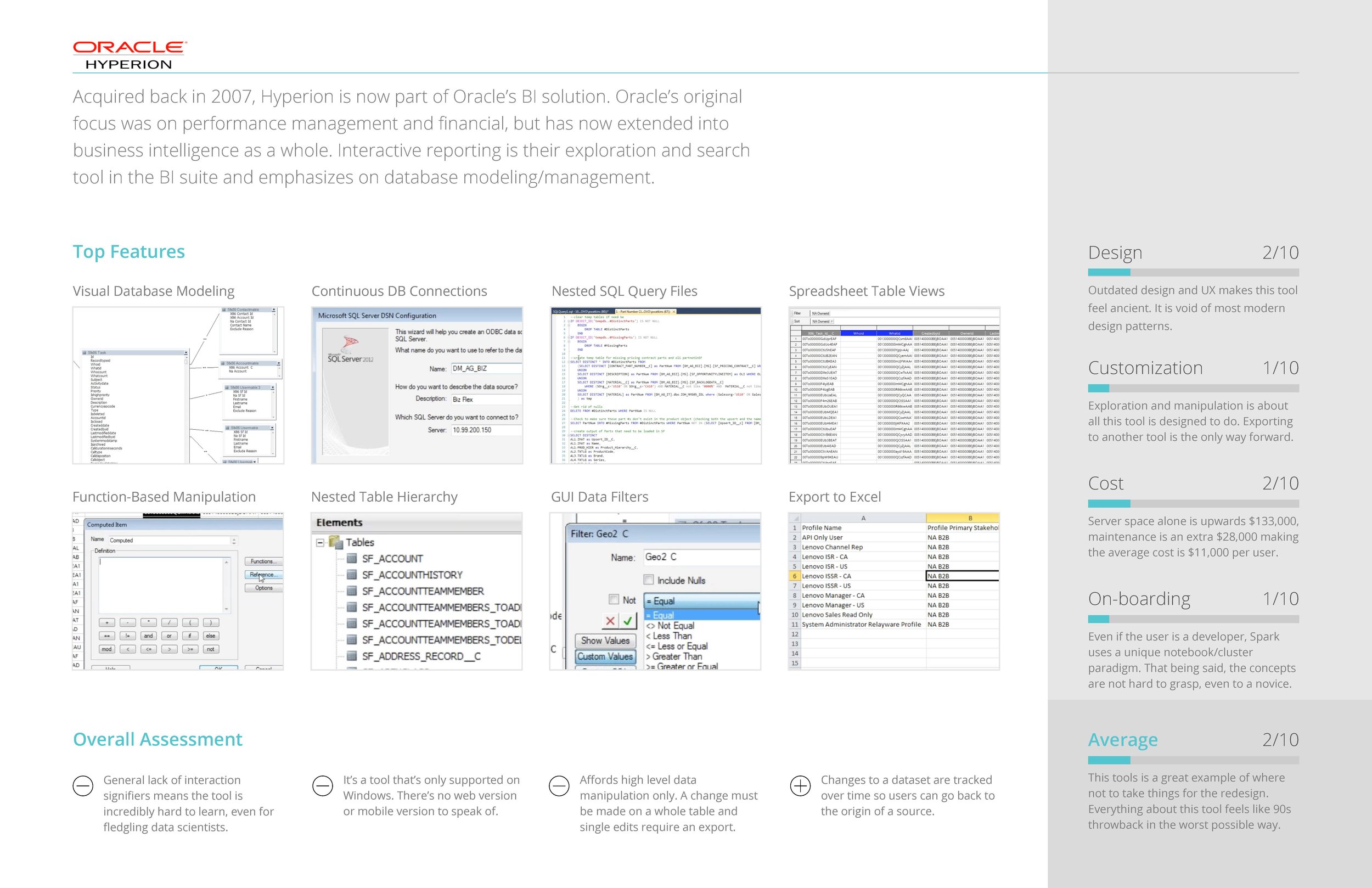
COMPETITIVE ANALYSIS OF SIMILAR TOOLS

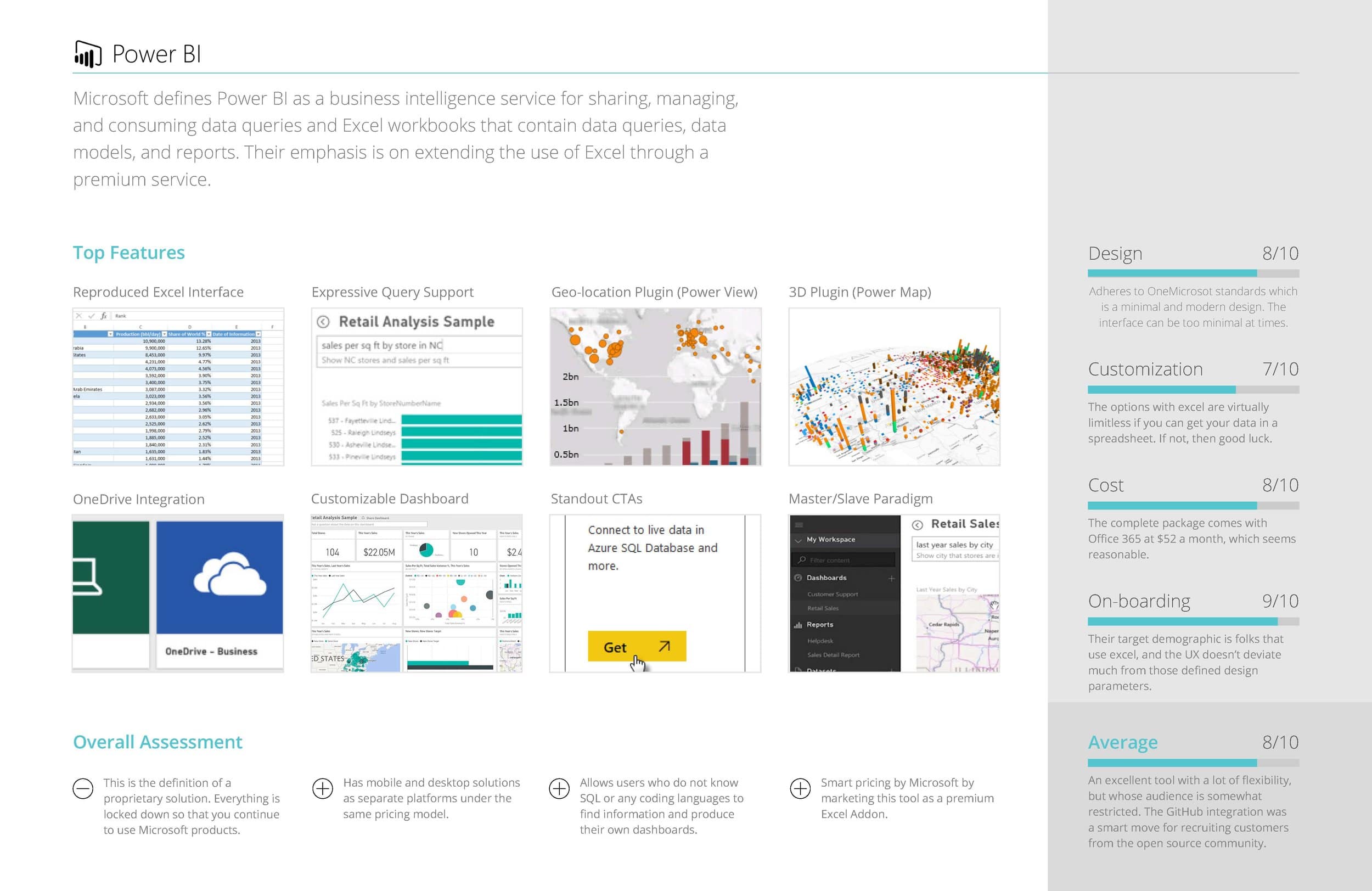
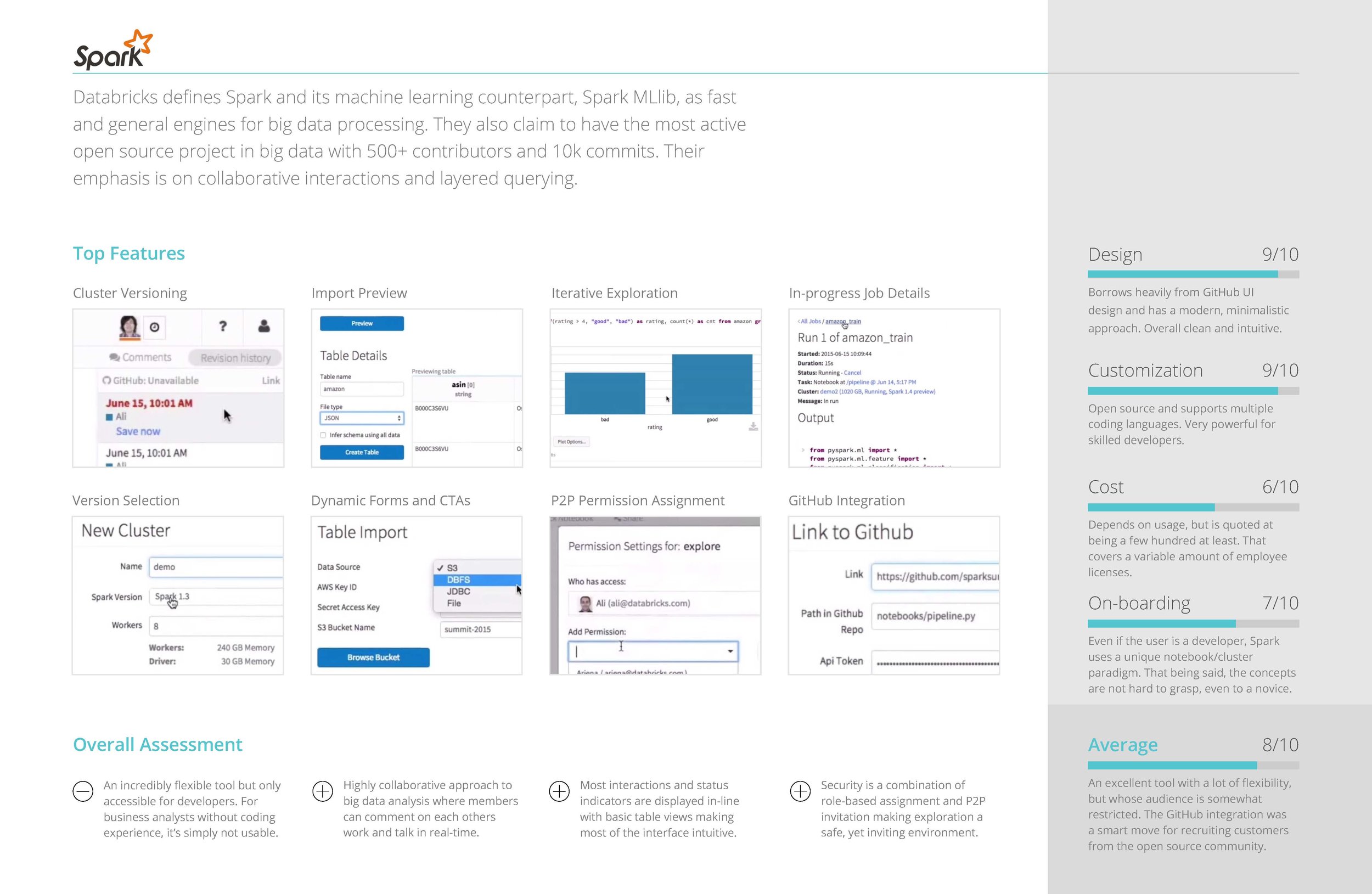
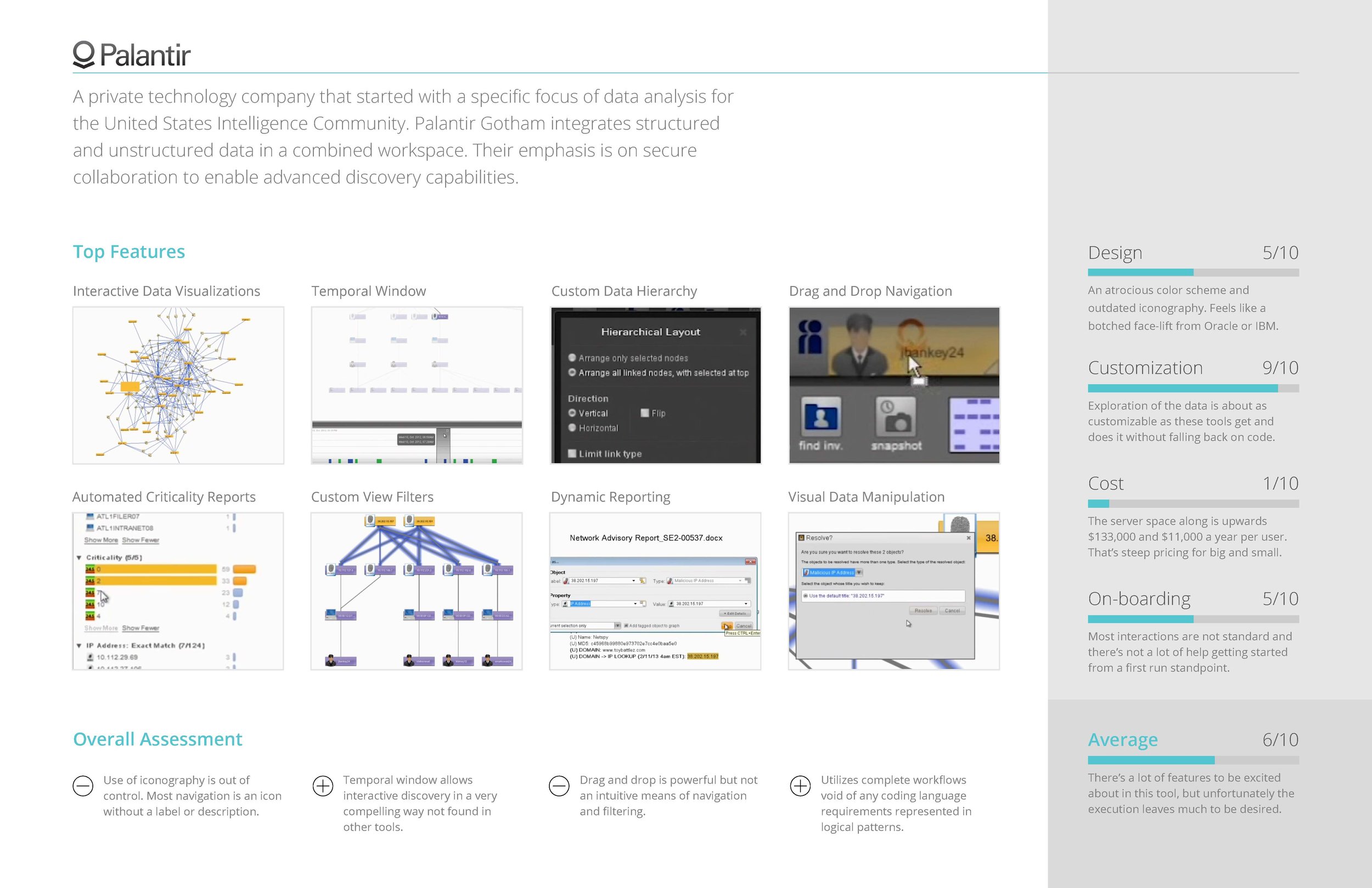
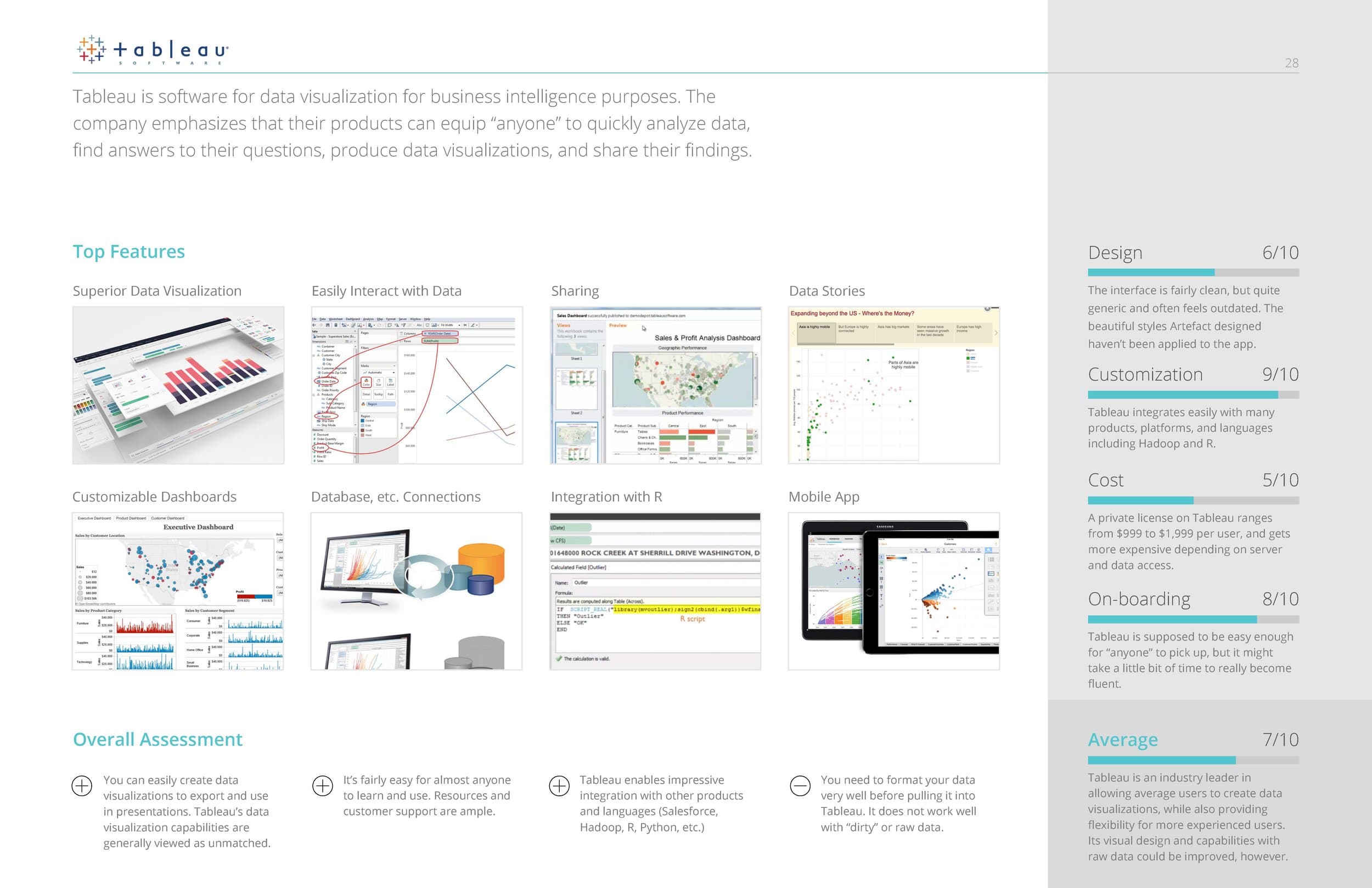
In addition to the information we gained from interviewing, we also found it enormously helpful to conduct a competitive analysis of similar big data tools that performed functions similar or complimentary to the tool we were redesigning.

Some of the questions we sought to answer were:

  • What are the most common features across all apps?
  • What UI paradigms are used the most?
  • How do they onboard users?
  • How customizable is the feature set?


Information Architecture / Flow Diagramming


FLOW DIAGRAMS

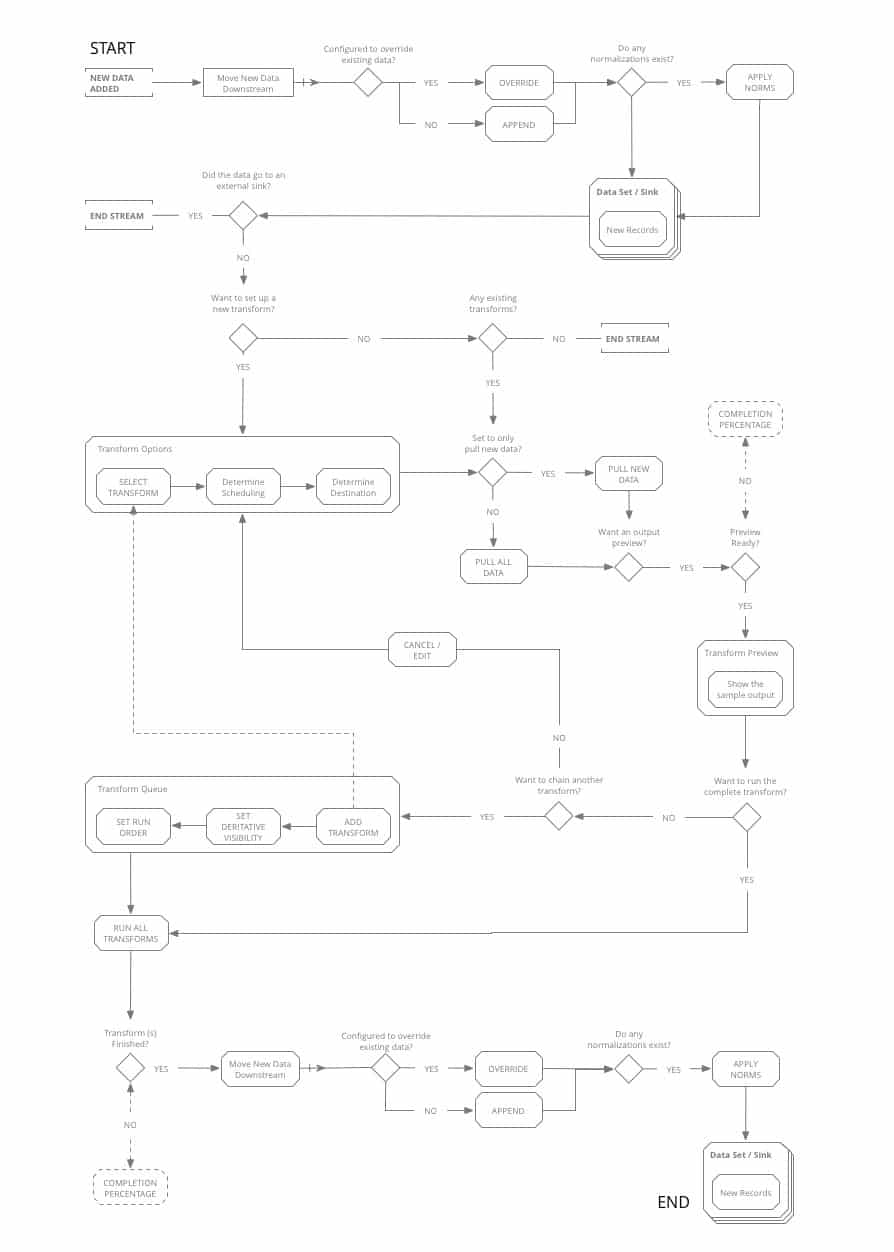
Using our persona journeys and competitive analysis as guides, we set to work mapping out the workflows that would become the main paths the new tool would be designed around.

With a tool this complex, and solving for such a complex set of workflows, it was imperative to diagram out the functionality and the main goals the users would be trying to achieve before jumping into screen level design.


UI Concepts & Ideation


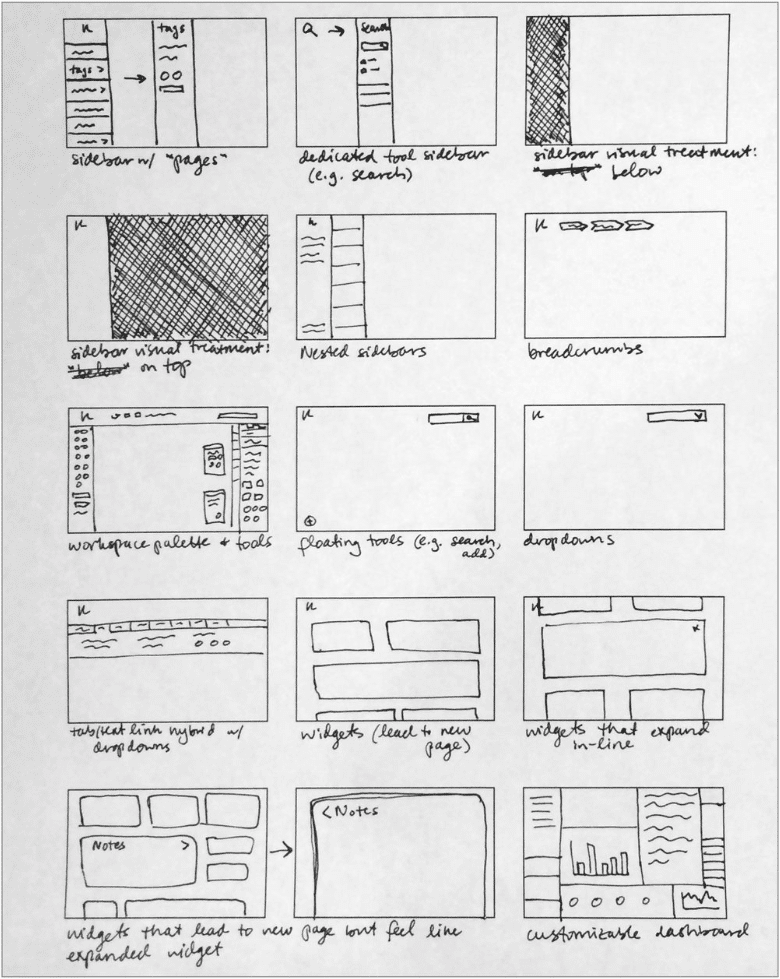
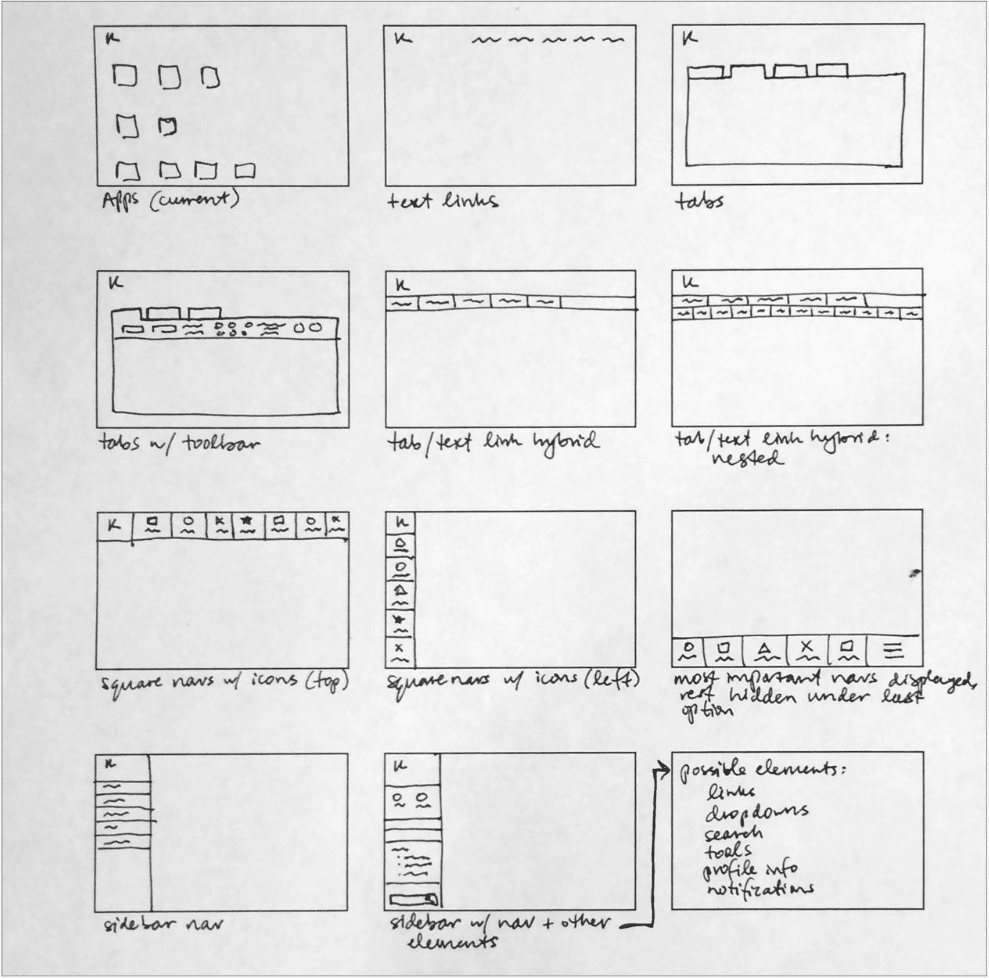
DASHBOARD ARRANGEMENT / FRAMEWORK

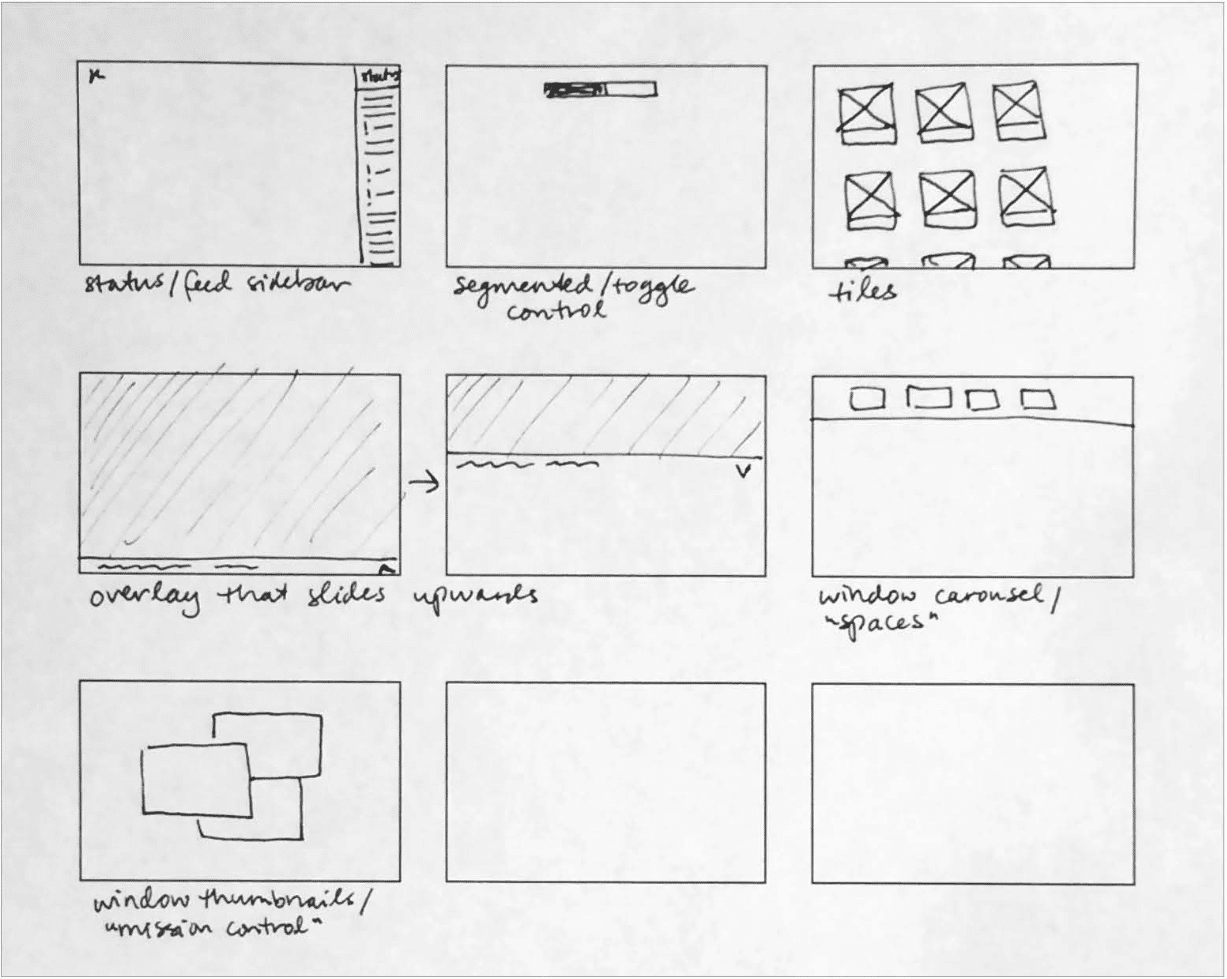
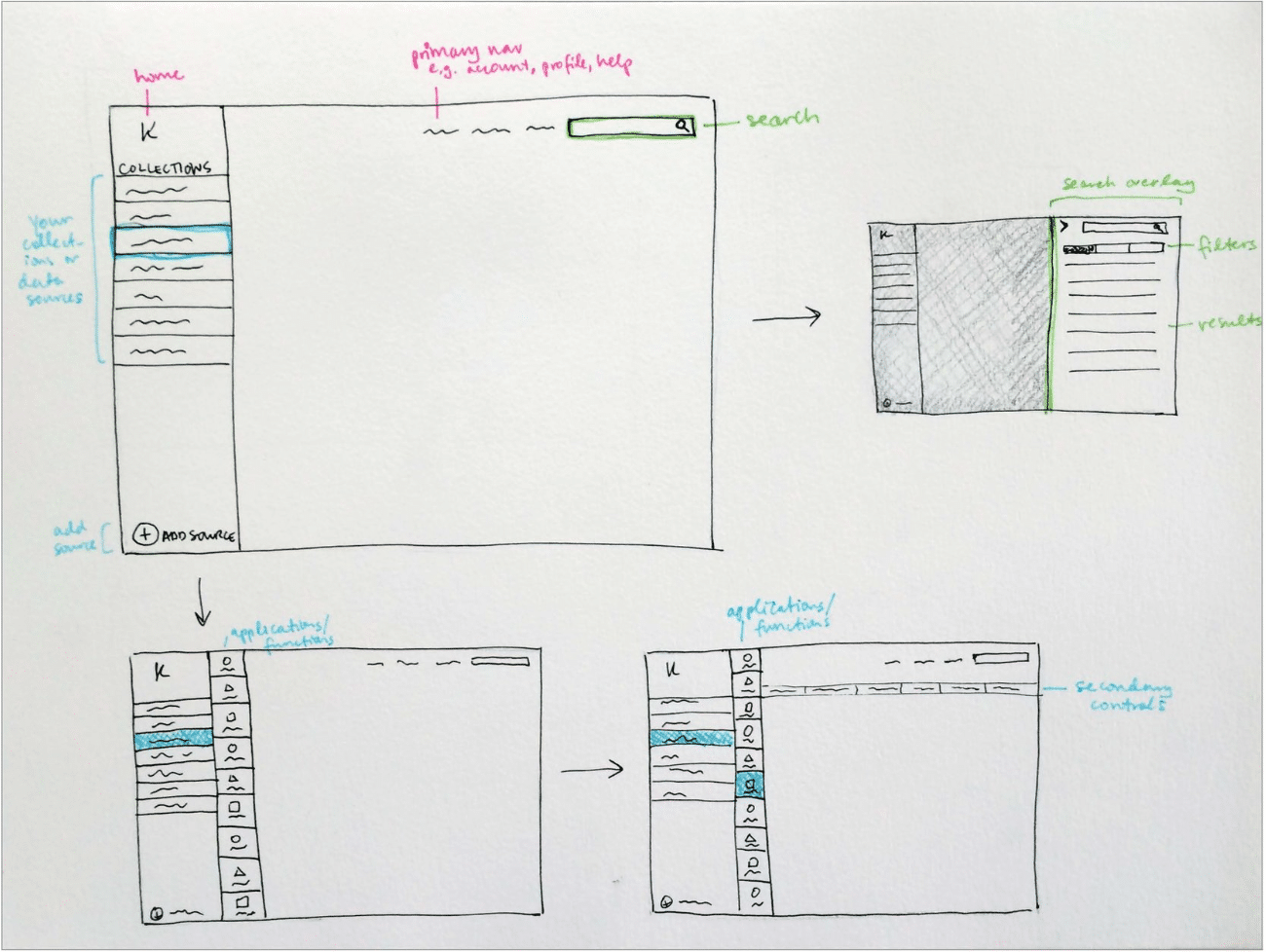
Armed with our diagrams of how the tool’s main workflows should function, we worked out screen level requirements for each stage of the data processing, and began ideating UI paradigms that would work to anchor the tool’s dashboard around an ever-present ‘menu’, while also facilitating a streamlined step-by-step data processing flow.
Wireframing & Prototyping


CONCEPTS & WIREFRAMING

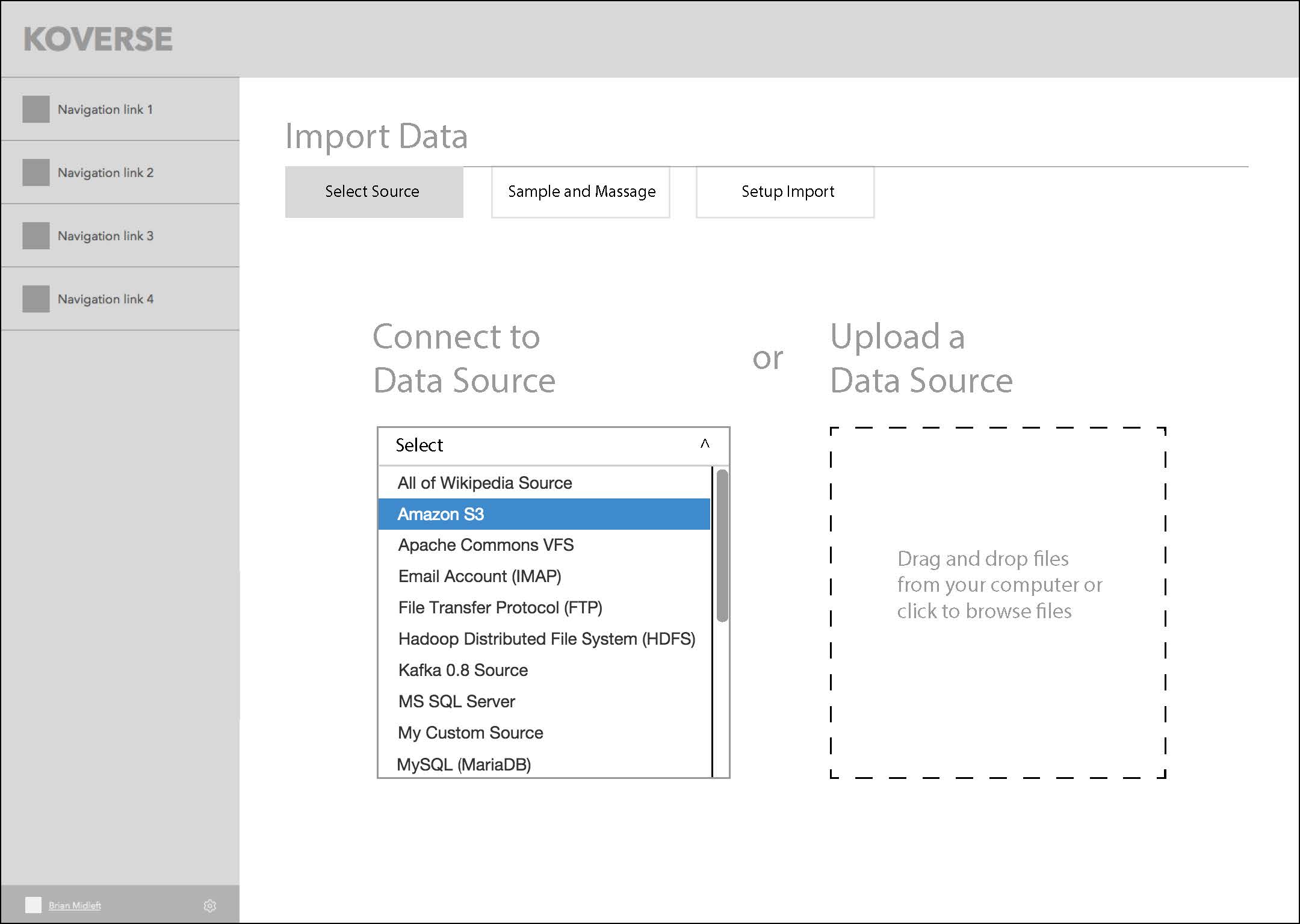
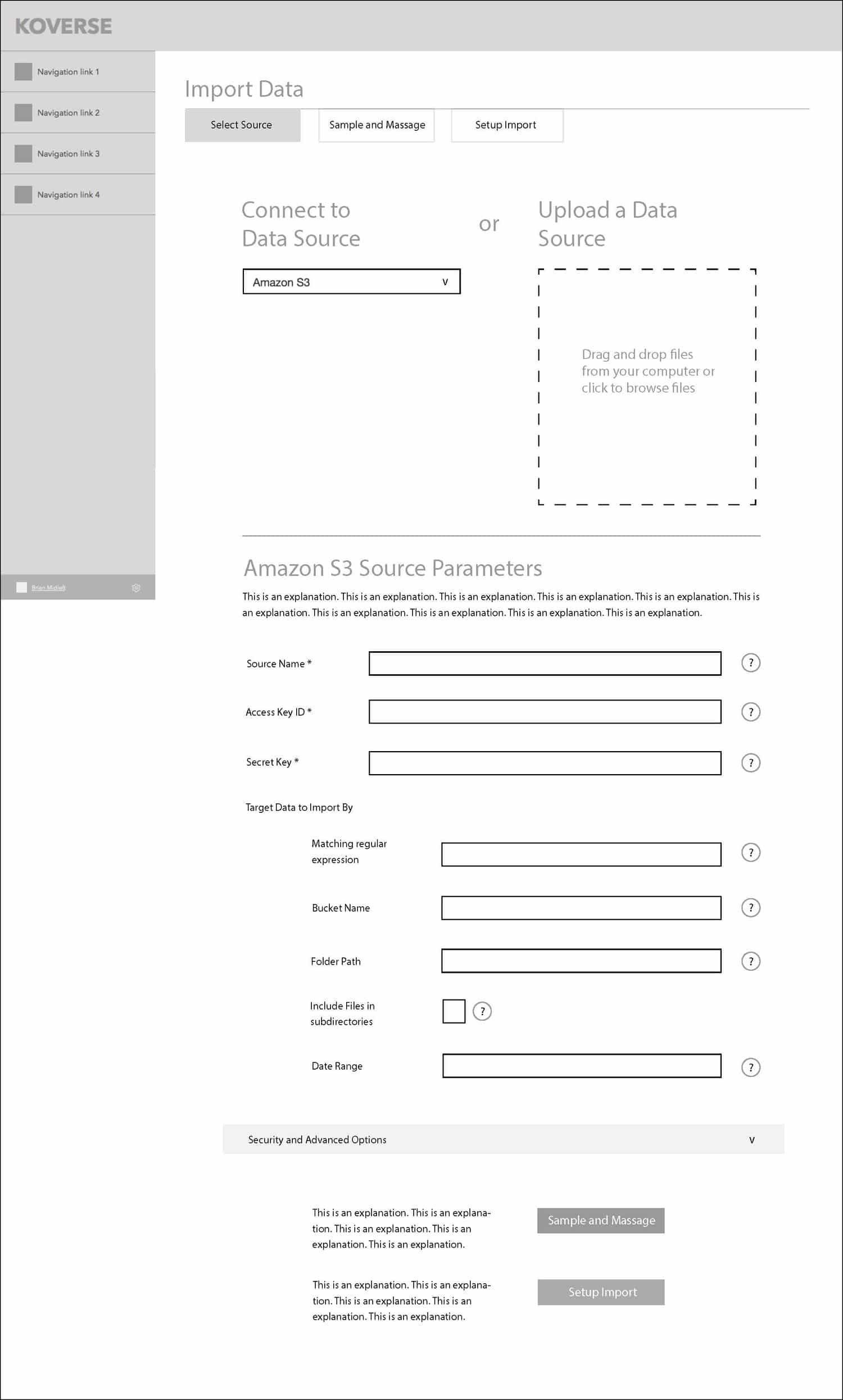
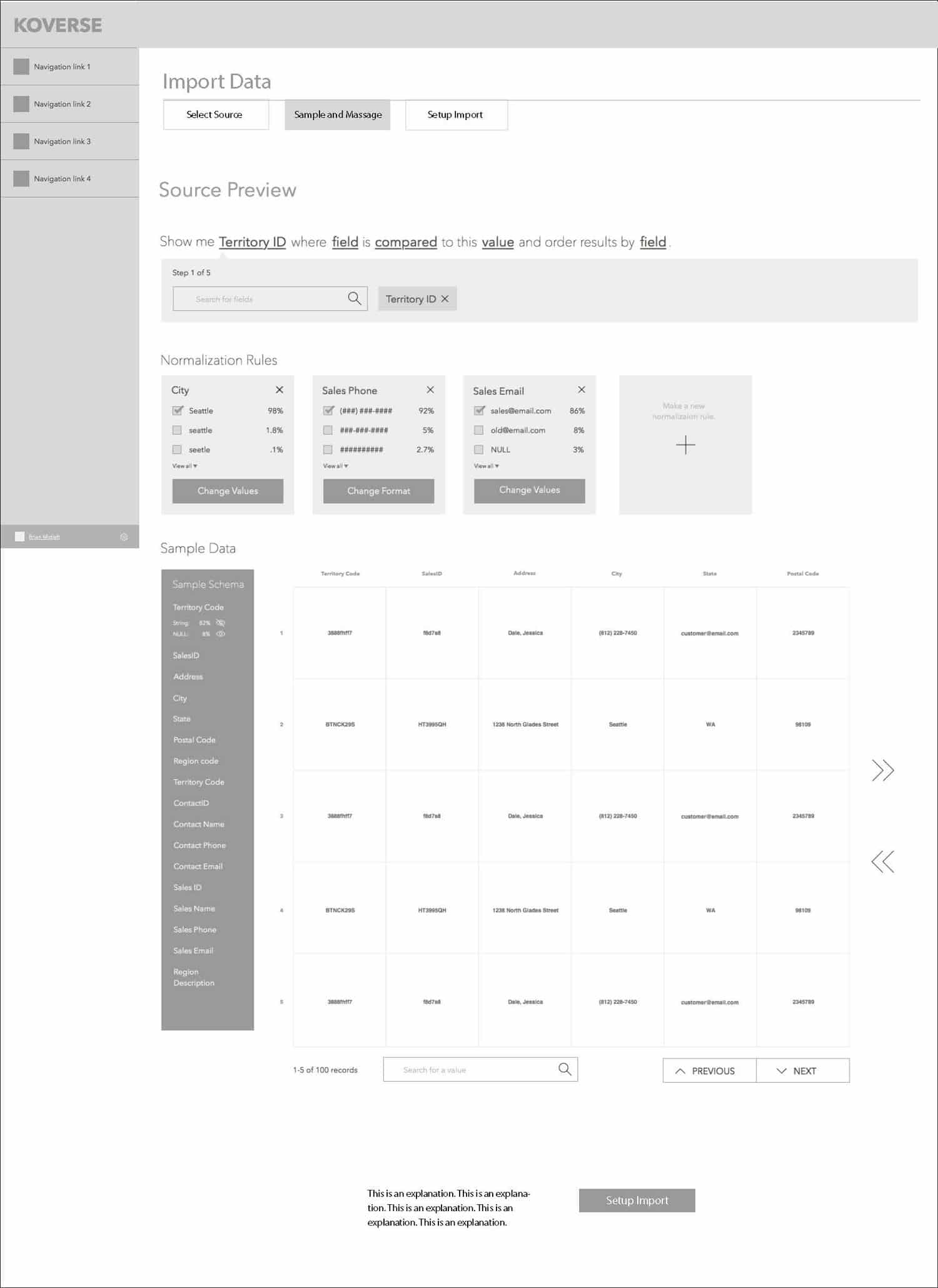
We settled on a left rail menu paradigm that would keep context continuity throughout the tool, and a main workspace where the user could go step by step through the data processing workflow.

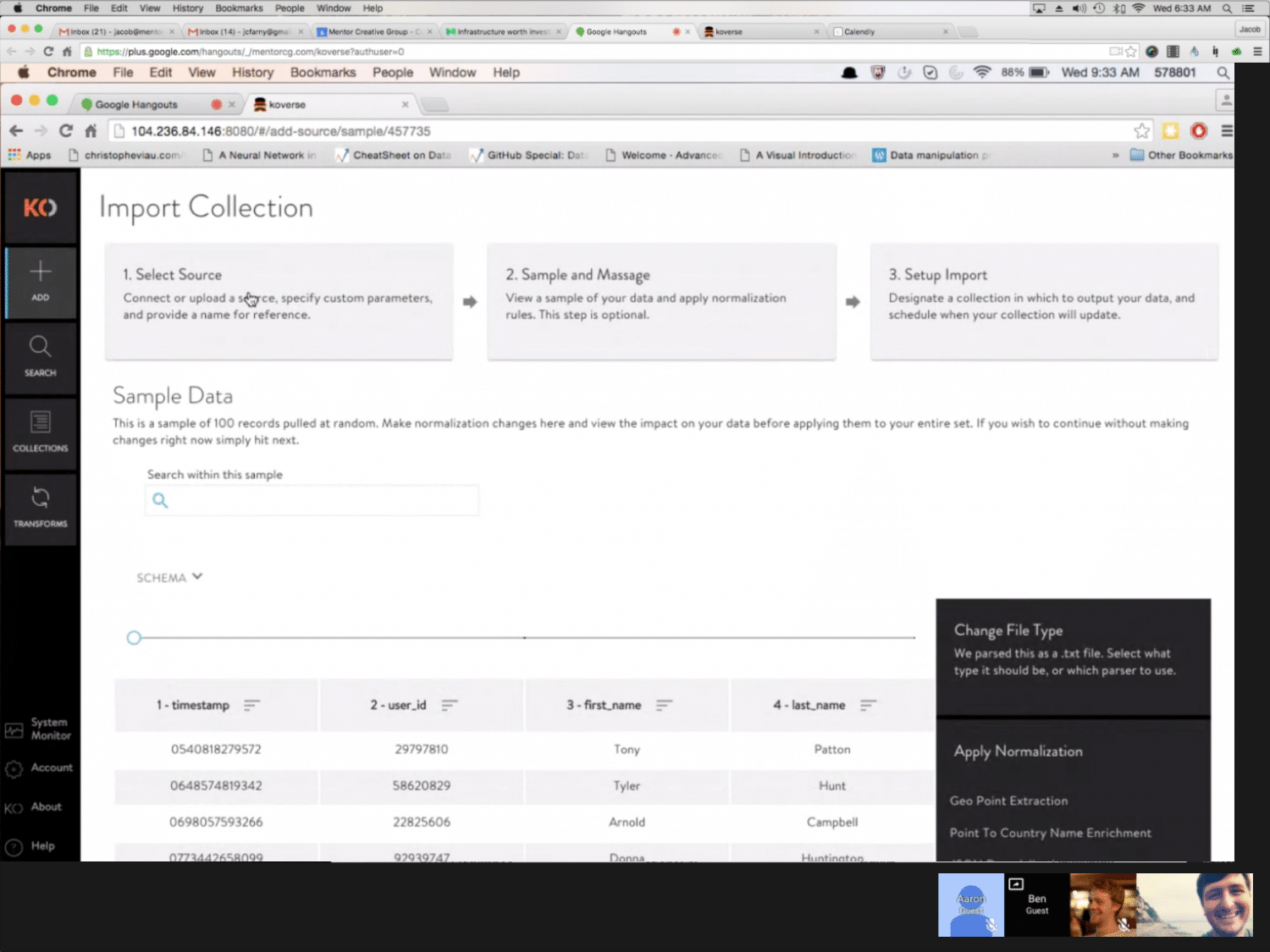
This series of screens shows the concept of a three-step wizard flow for importing data into the platform.
GOING DEEPER WITH COMPLEX TRANSFORMS

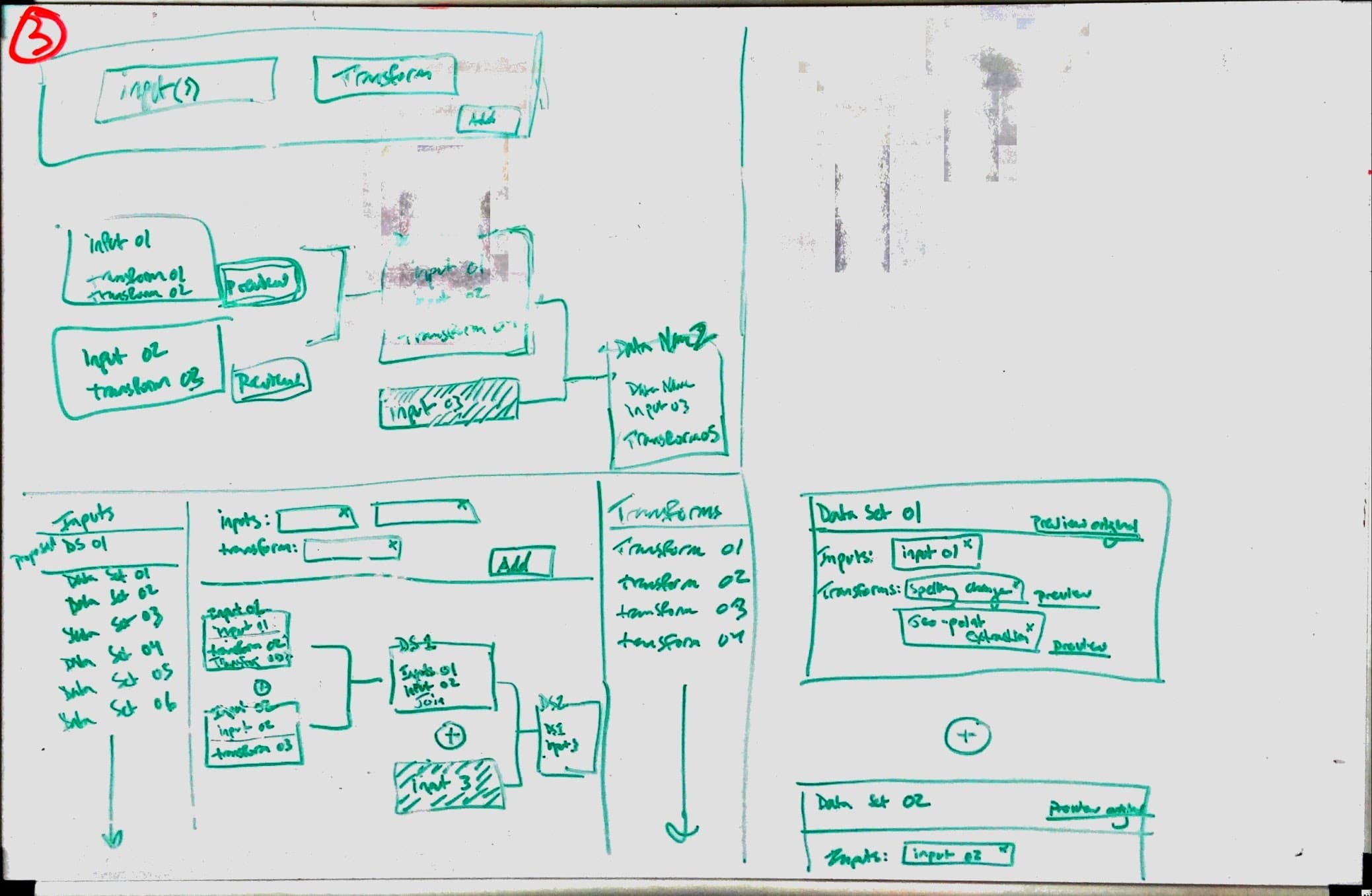
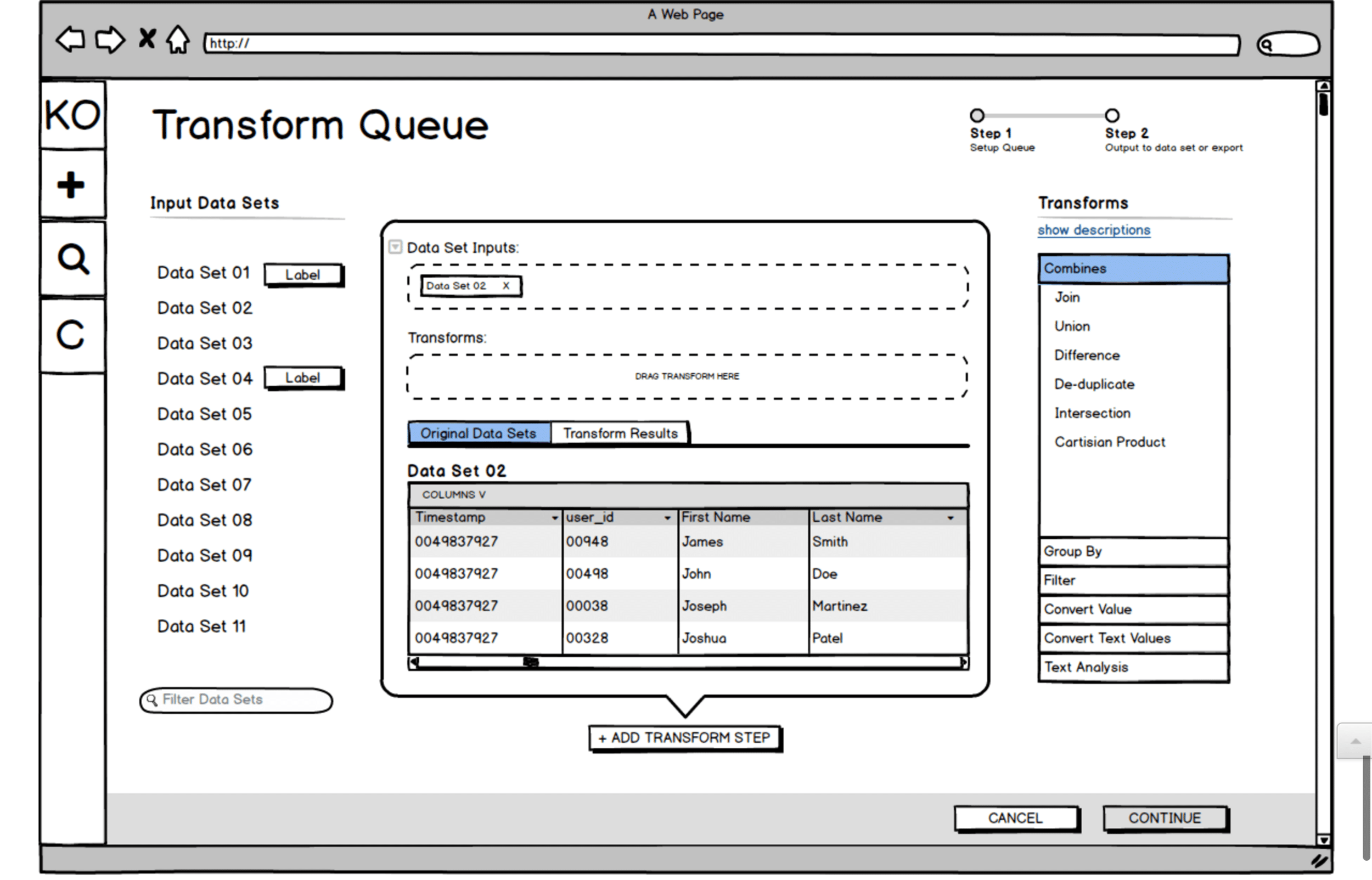
One of the big challenges with the Koverse interface is that the tool allows for transforms of the data (rules for how to systematically manipulate the data) to be chained together. These transforms could be selected from a list of common transforms, or written custom in Python.

With many data transforms in a row, the data flow becomes very complex to think about and control.

We did multiple rounds of sketching for the transform workflow, trying to make the experience intuitive and cut down on the vast cost of trial and error with large data sets. Here is one sketch and a Balsamiq wireframe exploring the interface we ultimately landed on for the design.


Usability Testing


USABILITY TESTING

When our design prototypes were ready, we set up usability tests with people in Data Scientist and Analyst roles who fit the target of who would be using the tool.

Because the Koverse stakeholders were interested in watching people use the tool as well, we took a page from Steve Krug’s Rocket Surgery Made Easy and created a ‘club house’ where observers could watch the tests remotely and make notes.

After the usability tests, issues where the participants didn’t understand something or were unsure of how to complete a task were marked down. From these issues, the design team then met and prioritized which issues to address first and how much time should go into redesigning certain elements or minor flows.

Testing Details

  • Established a bi-weekly cadence with five participants per round.
  • Scheduled participants using the Respondent.io online recruiting service.
  • Used a scenario-based method.
  • Created a “club house” for client observers.

View Our
Testing Resources

The Research Proposal, Study Kit, Findings, and Observation Worksheet

View Documents

Usability Testing Resources

Usability Testing Screenshot


Development


TO CODE

Once the core elements of the design were wireframed, we went into a more ‘sketch to code’ phase where the prototype was being built in code and running with dummy data.

The prototype was built with Angular JS Material, and we tried not to stray too far from the default components for the sake of time and efficiency. Working this way allowed us to finish each sprint we were working on with fully functional code that Koverse could then use or test further.

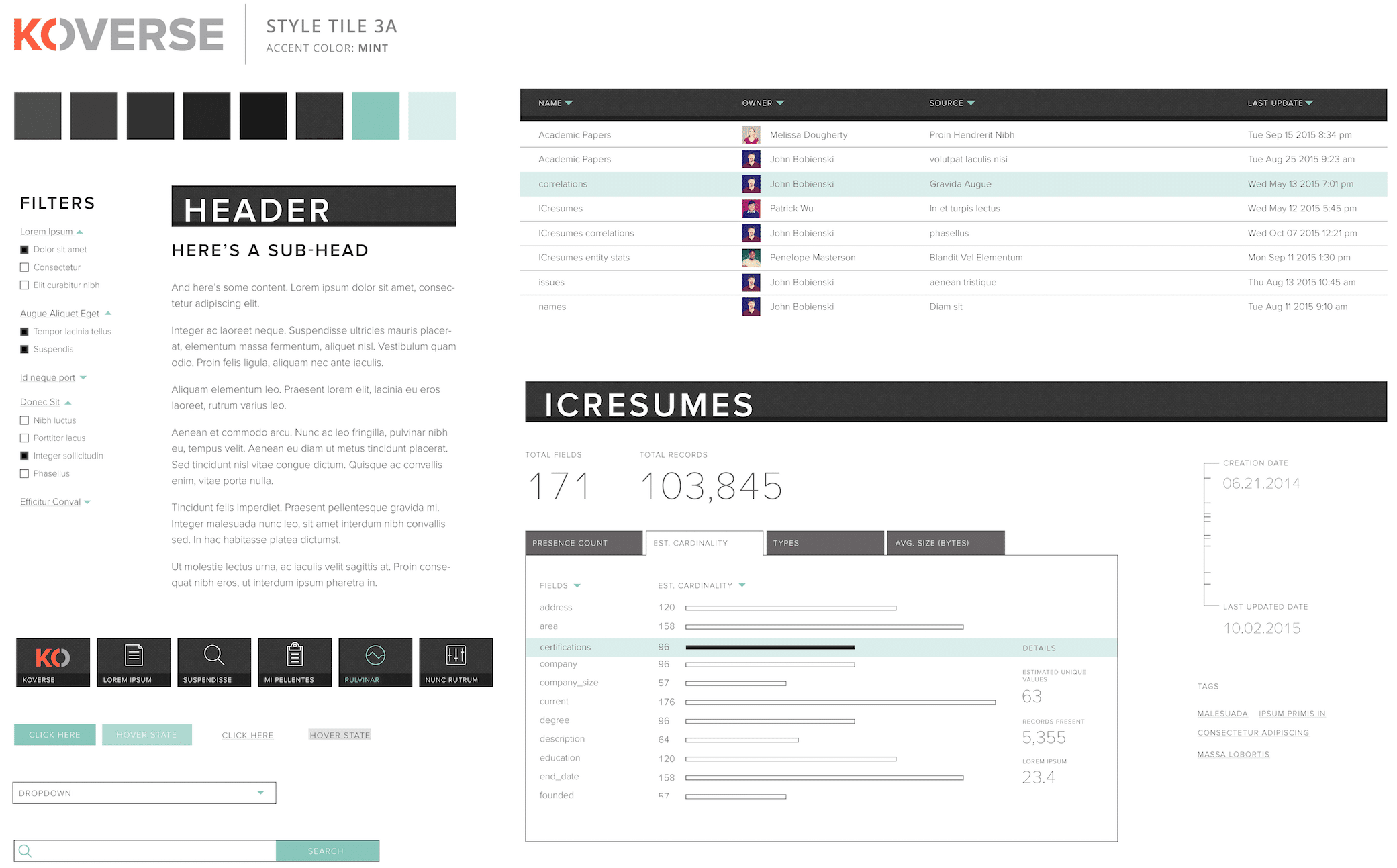
As the design and prototype was being worked out and built, the visual designer on the team was working on a parallel path to style the interface from a component standpoint and provide a comprehensive style guide as trailing documentation. 


Final Designs


****** This Section Needs to Be Reworded********

Final Designs

Koverse __________________________


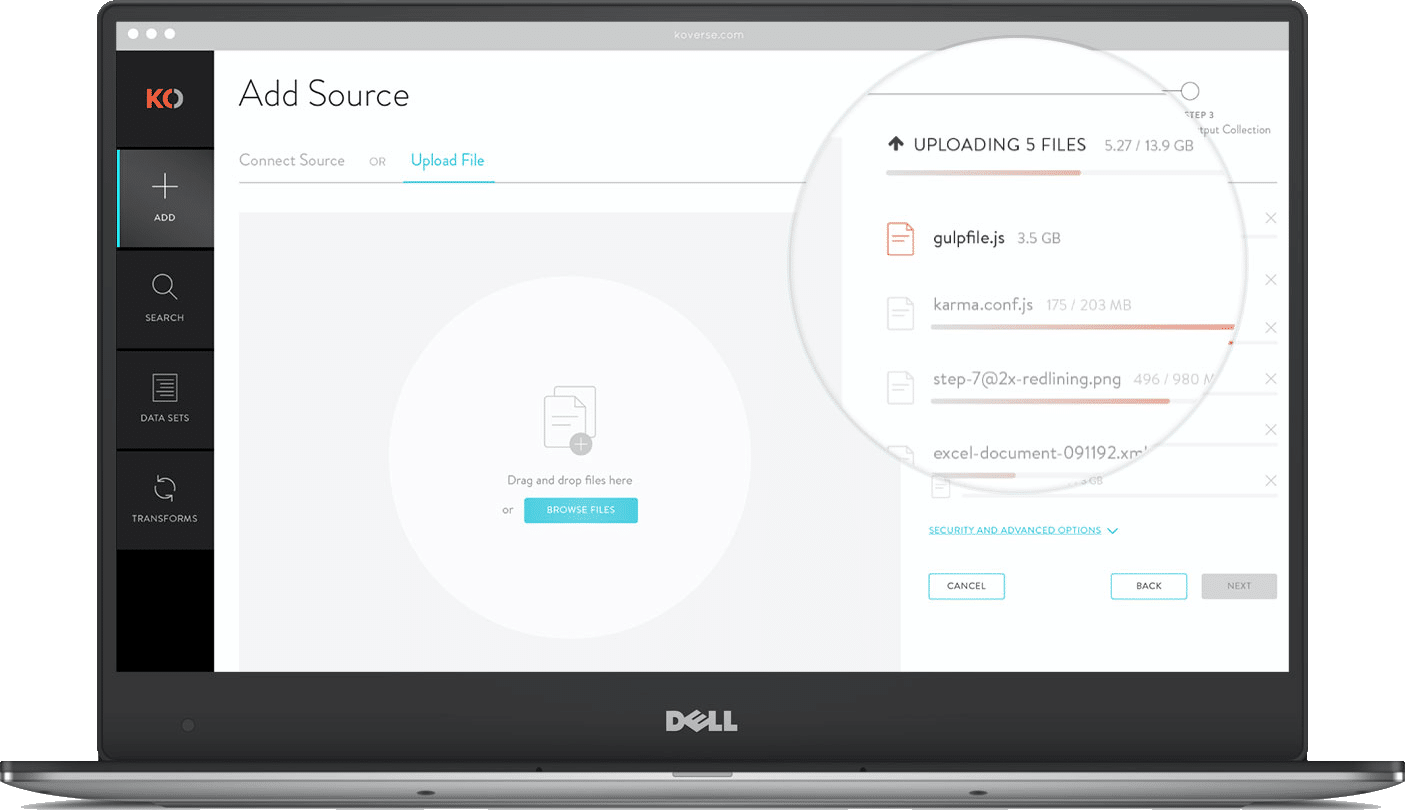
MULTI-FILE UPLOADER

For large data ingests it’s not uncommon for a user to upload hundreds of independent files from disparate sources. Instead of forcing users to go through the complete ETL process for each file independently, we allow batch uploads that can accommodate as many files as they want then apply light normalizations and store the data in a single data set.
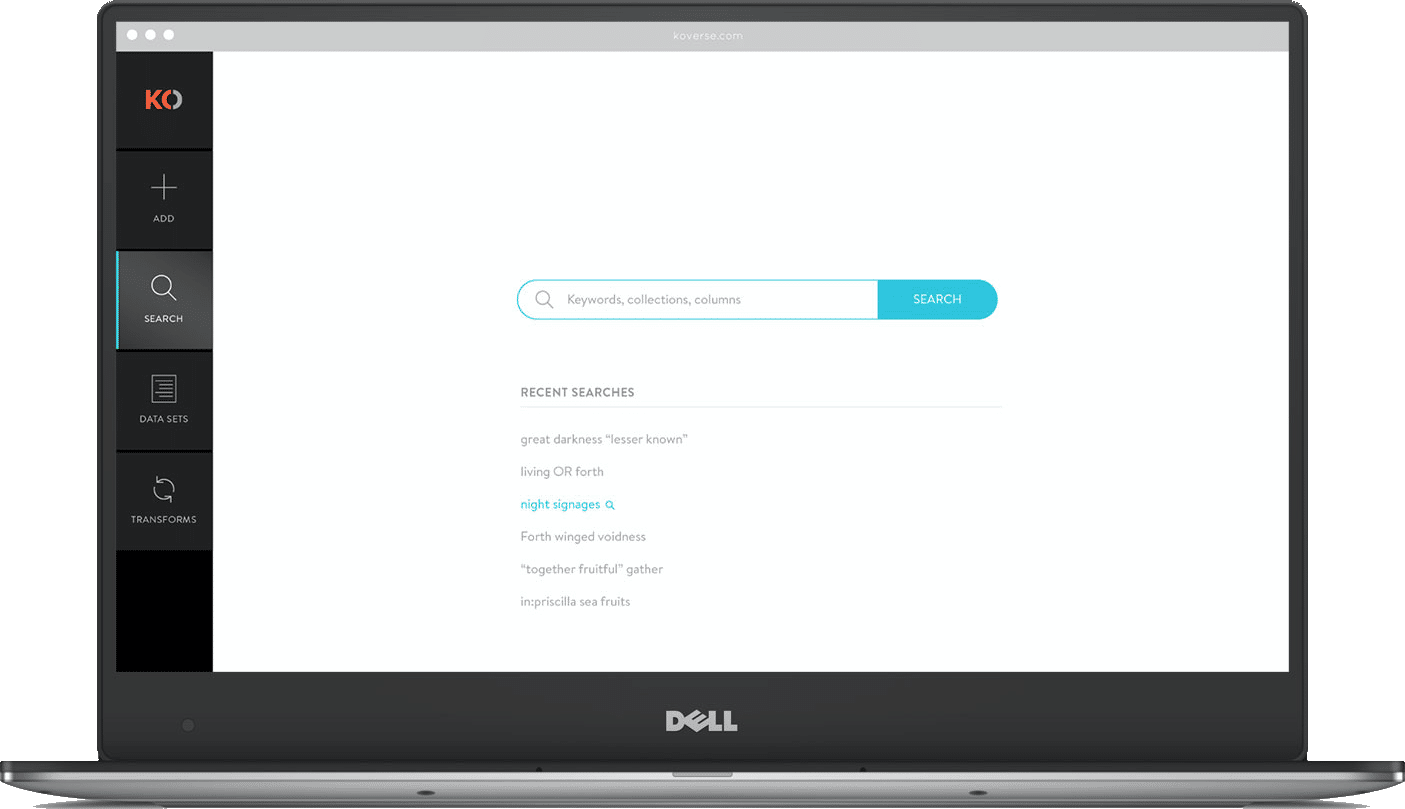
GLOBAL SEARCH

Other users of the system might be analysts who have little experience with the actual ETL process but want to perform keyword searches and run a query on the ingested data. Koverse’s search tool is build lucent syntax which is somewhere between common speech and SQL. For search results we show a sample schema making it easier to see if the data is applicable to the query they want to perform. 


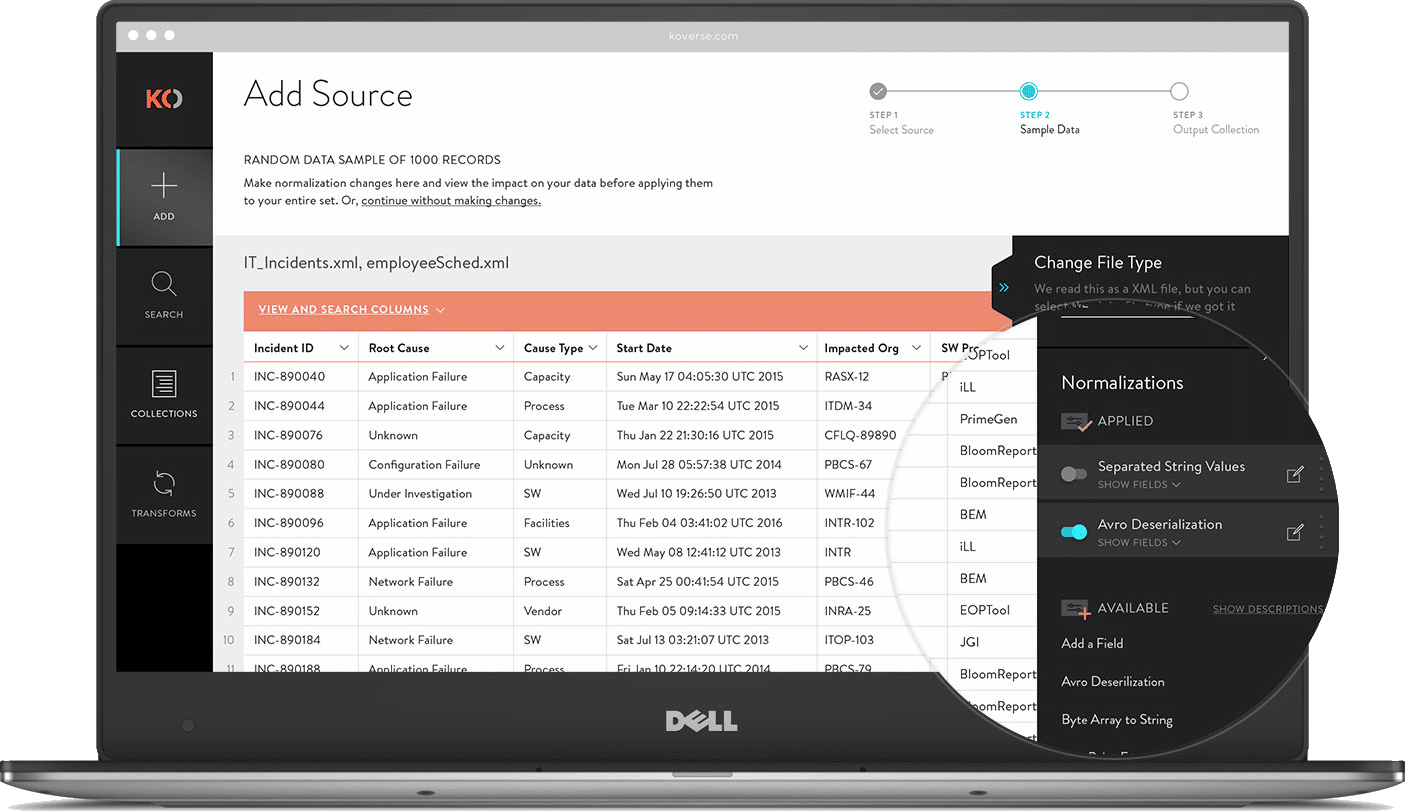
SAMPLE & NORMALIZE

After a source has been added, users can review a sample of the data. Large data sets can take hours to fully ingest then take even longer to normalize assuming the data is even workable. Including a sample during extraction allows users to see what’s coming in, apply a few normalizations to the sample, then start the full extraction with a better idea of the results.
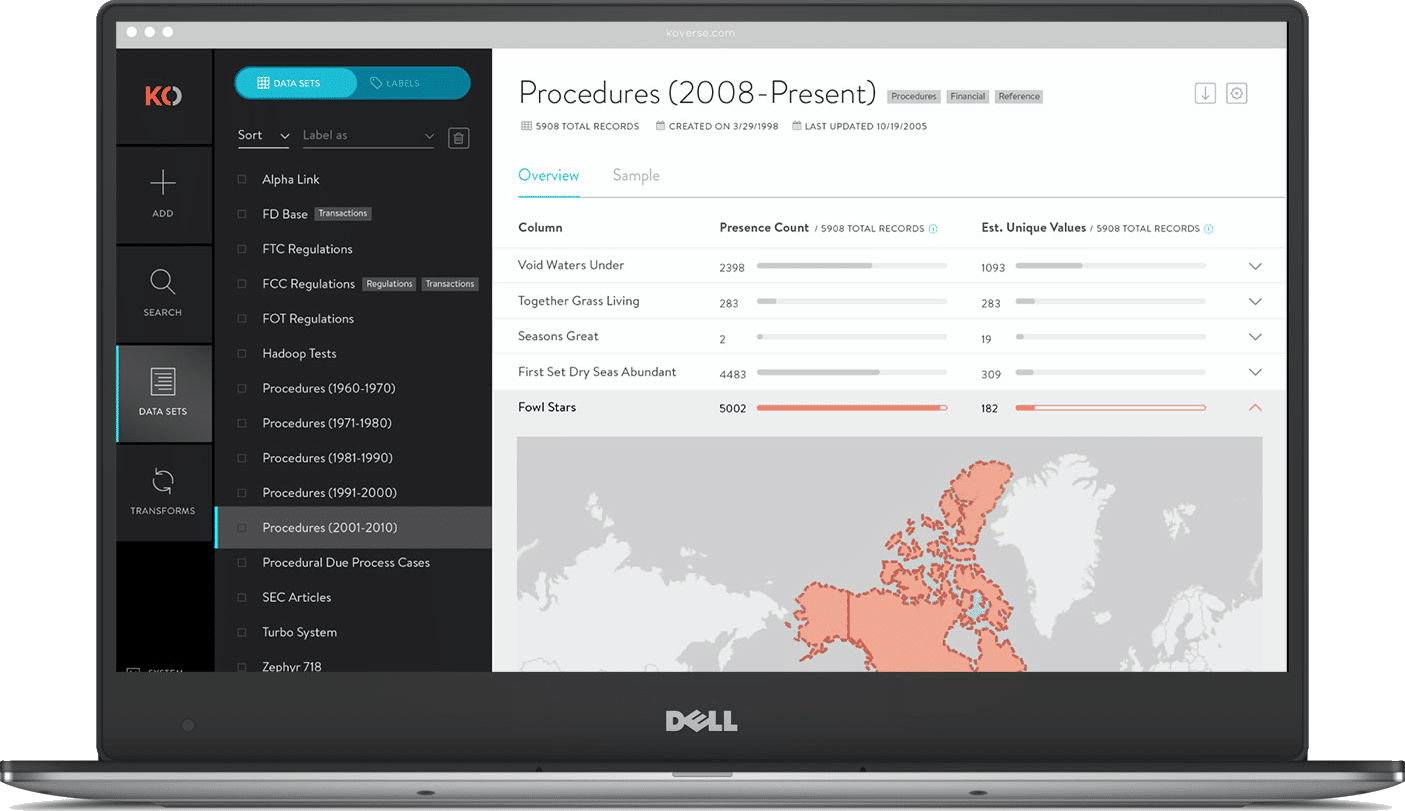
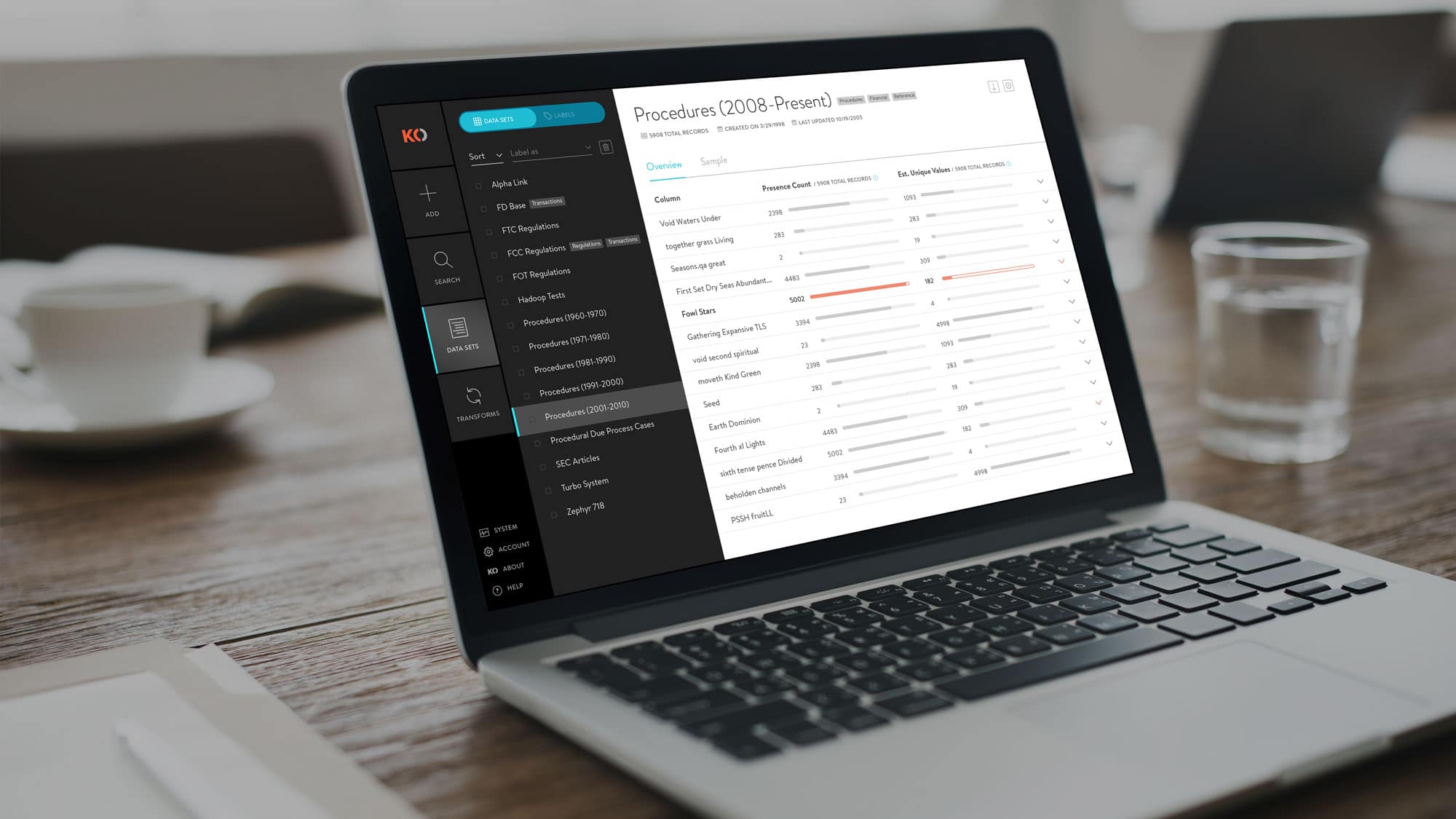
DATA SET OVERVIEW

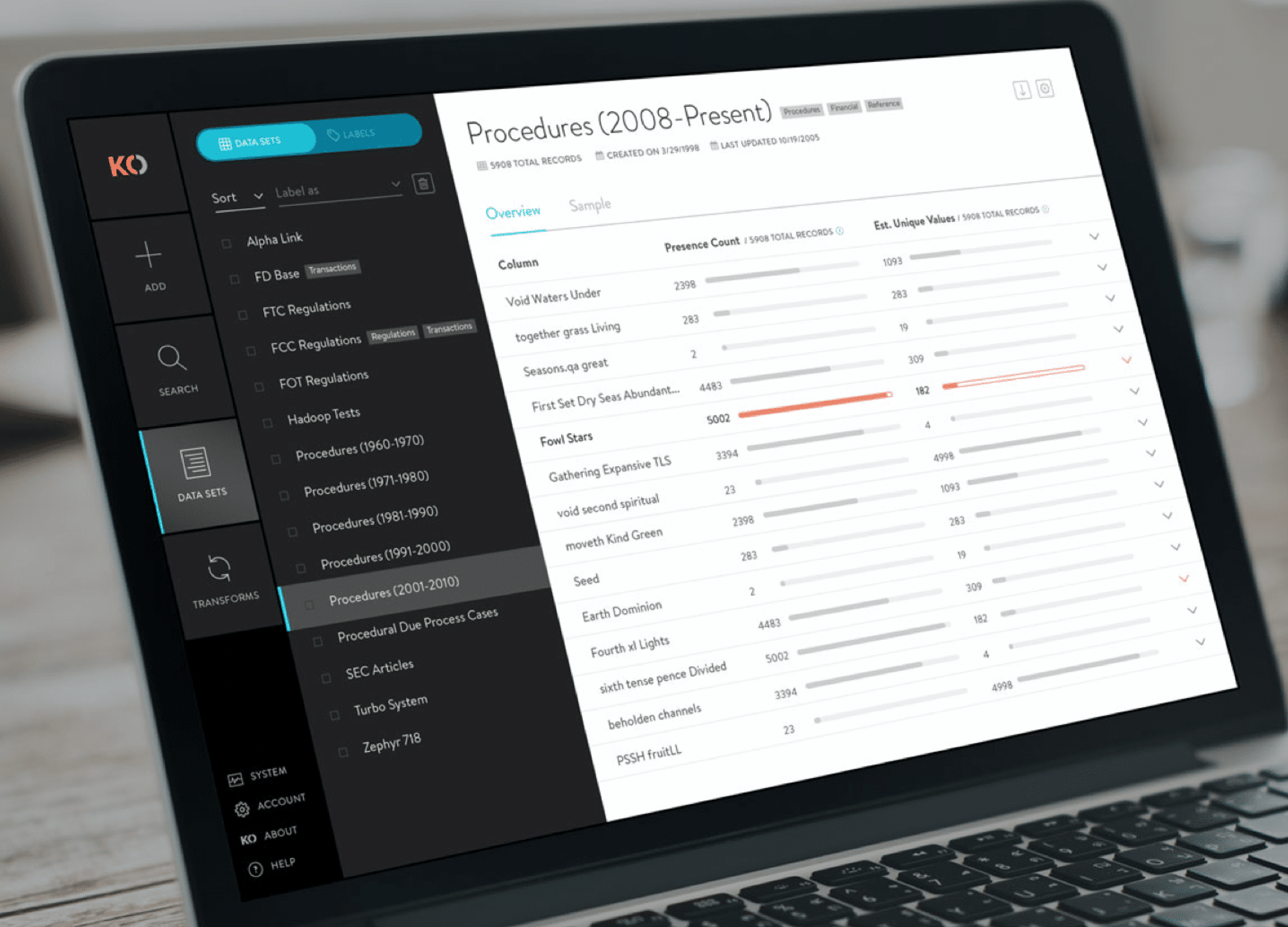
This added feature gives a high level snapshot of the underlying data in a particular data set. It shows useful statistics like presence count and estimated unique values which allow a data scientist to quickly ascertain if a particular column is a good indexing candidate. On the flip side, it can quickly show if a data set is void in a particular column which might warrant further exploration.


Ready for More?
View Another Project –

Website Design

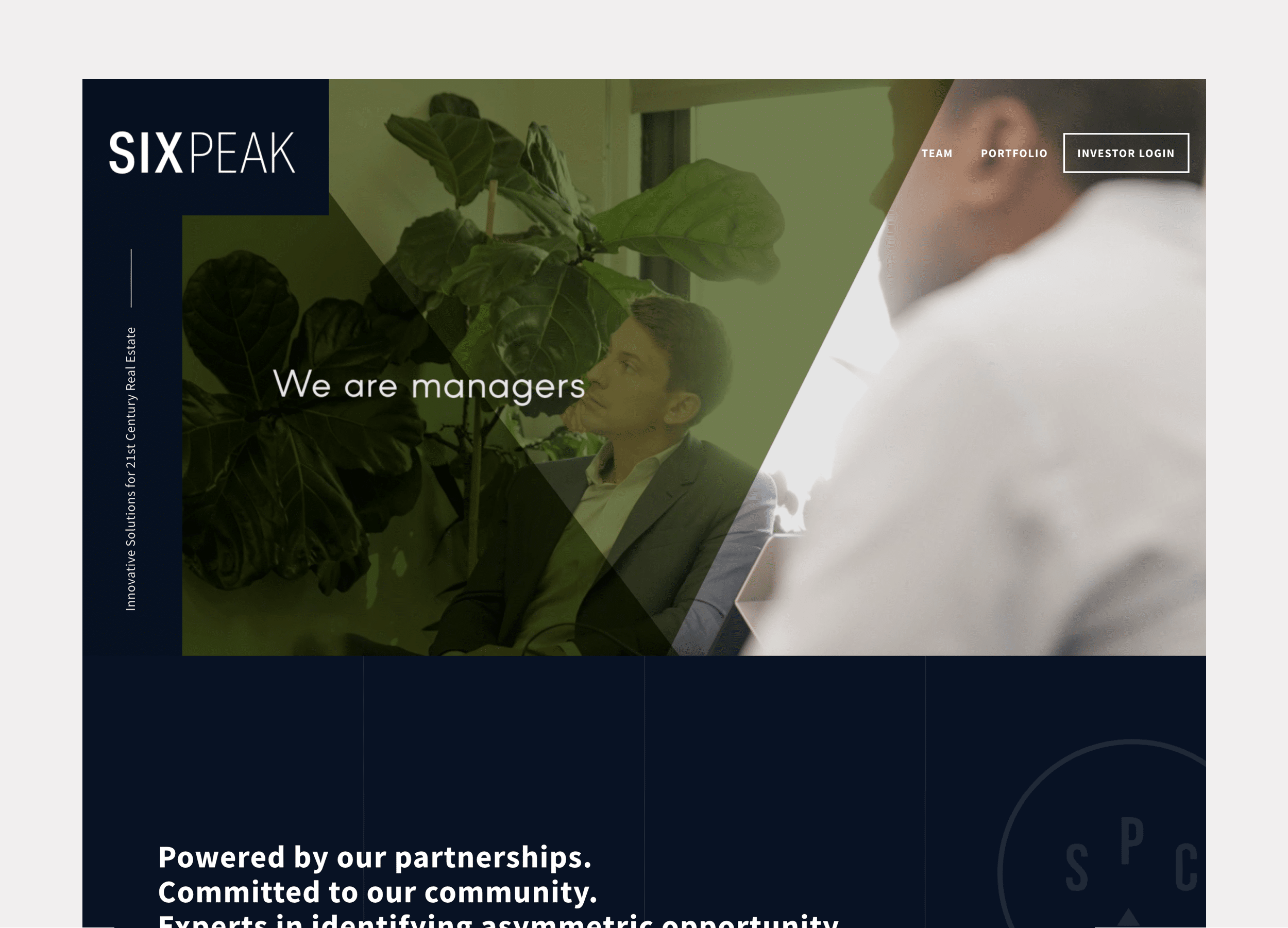
Client: Six Peak Capital

Website design for a real estate investment & development company focused on coliving.
Interactive Promotional Game

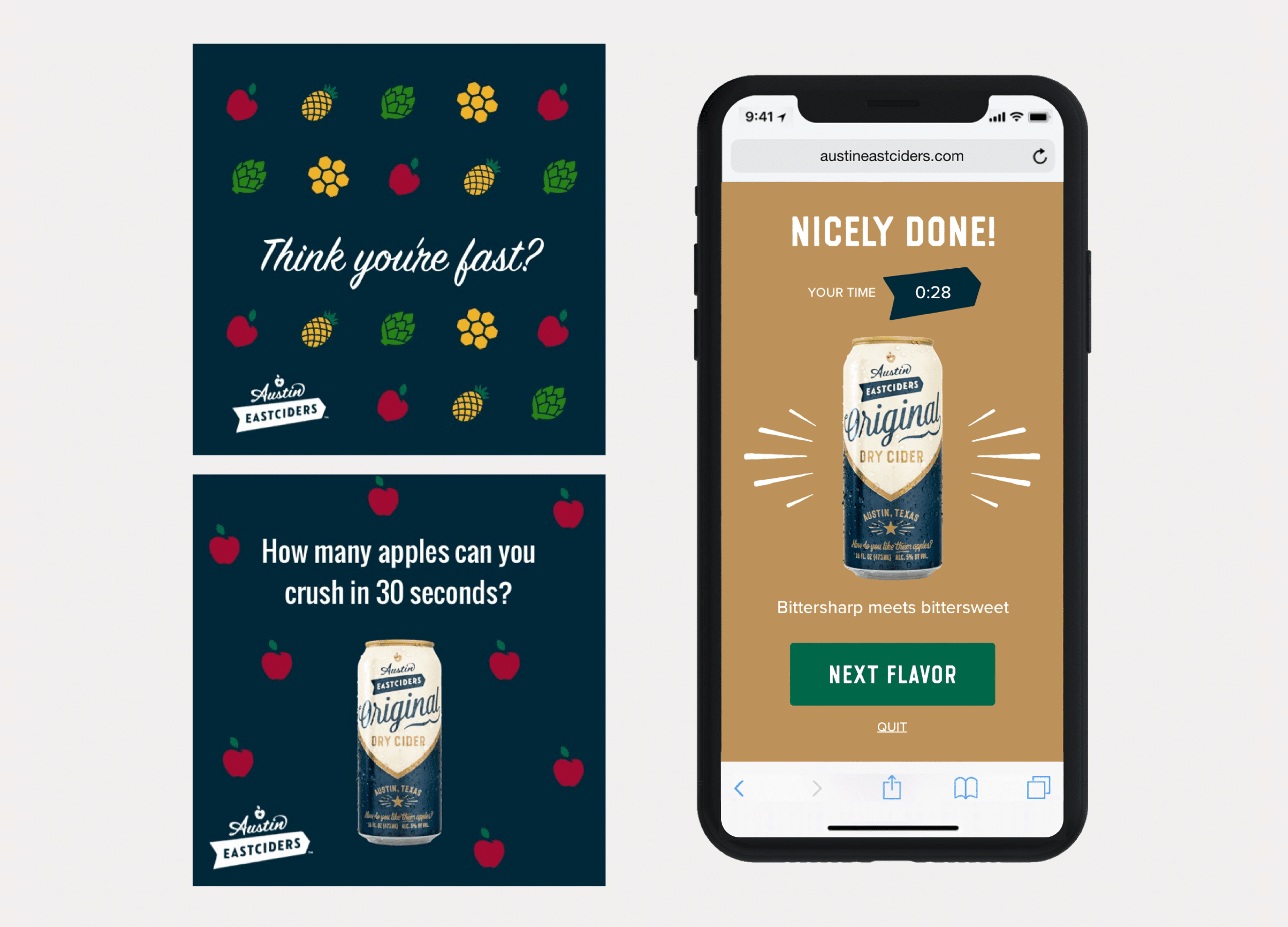
Client: Austin Eastciders

A mobile game distributed through social media and played in the browser. Designed to promote four different flavors fo hard cider.

ConnectedCare iOS App (Protected)

This content is password-protected. To view it, please enter the password below.

Website Design


Client

Six Peak Capital

My Role

Project Management
UX & Visual Design
WordPress Development

Summary

Website design for a real estate investment & development company focused on coliving

Visit the Six Peak Capital Website


PROBLEM STATEMENT

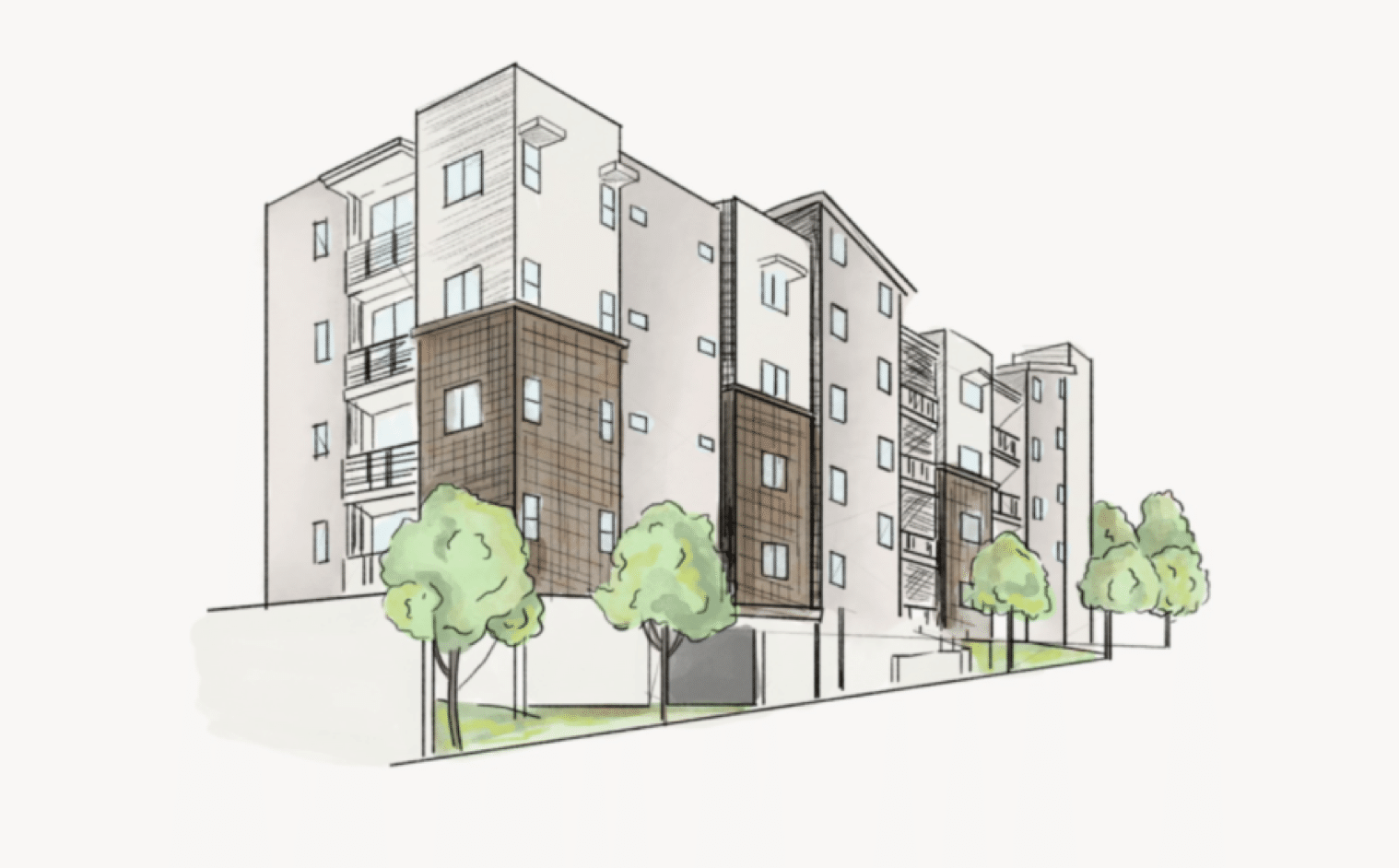
Six Peak Capital is a real estate investment & development company focused on the new idea of Coliving. Six Peak wanted a website that communicated and represented their vision to become an industry leader in this space. They wanted the website to show who they were, showcase their portfolio, and outline where they were going so they could raise investment and bring others along with them.


APPROACH

Discovery

Structure & Wireframe Design

Visual Design

Development

Ongoing Maintenance & Reporting


1. Discovery


GOALS, AUDIENCE & MESSAGE

The discovery phase is about uncovering the intended audience, who the message of the website will be crafted for, and how the message will be conveyed.

In this stage I kick off the project with the client by asking a standard set of questions and then discussing with them to dig in more.


Discovery Process

Discovery Intake Questionnaire and Discussion Starter

View Documents


2. Structure & Wireframe Design


SITEMAPS, WIREFRAMES & CONTENT

After getting aligned on the goals, audience, and messaging of the project, the next step I take is to map things out with a sitemap (how the website’s navigation and page structure will be), and then to think about what content will fill out each of the pages.

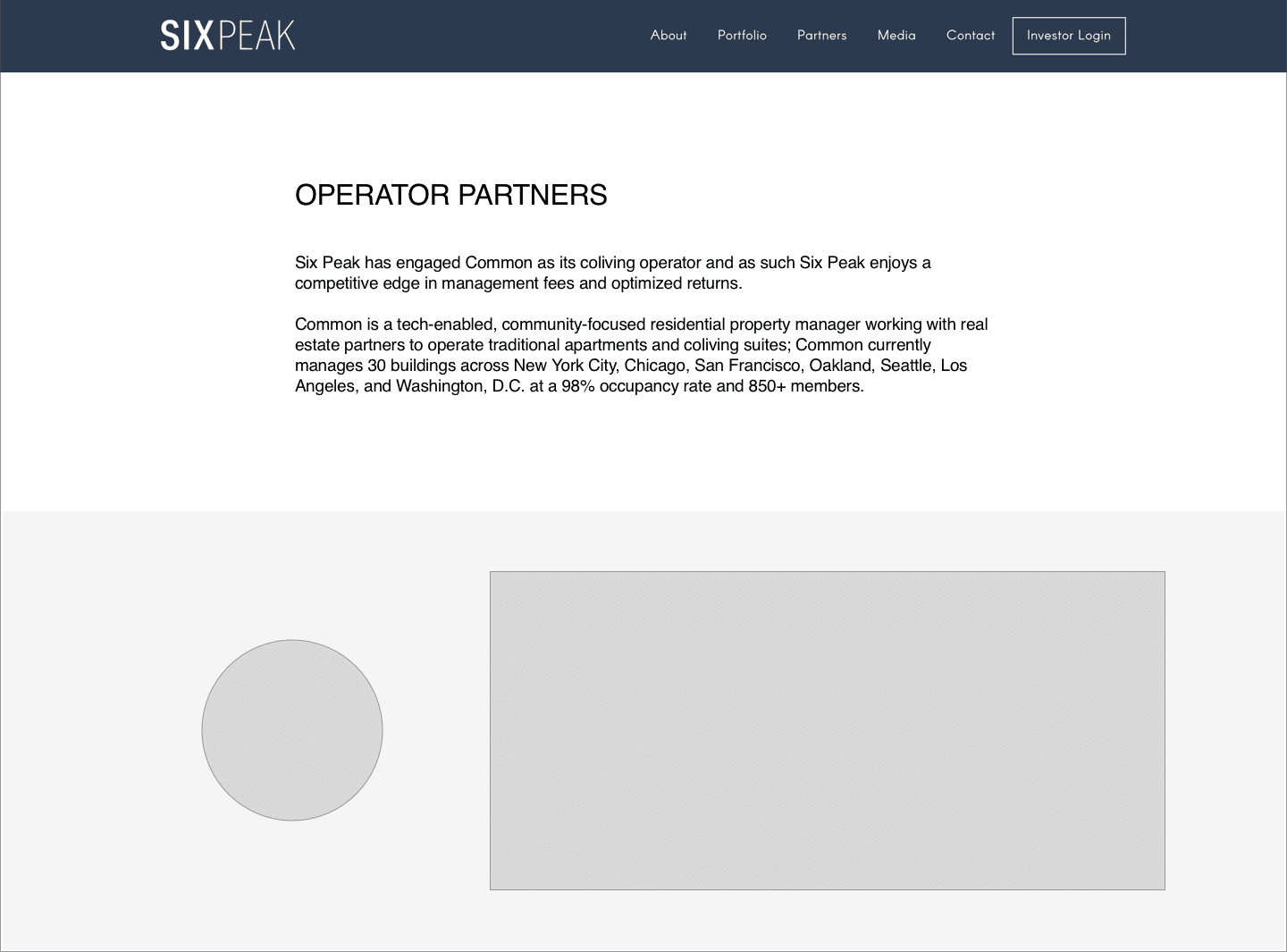
After a sitemap is generally agreed upon, I block out each of the pages quickly and loosely with placeholder images and text content. This step helps clarify if all the content that’s needed is actually present, and laid out in a compelling way before I start investing time with visual design.


3. Visual Design


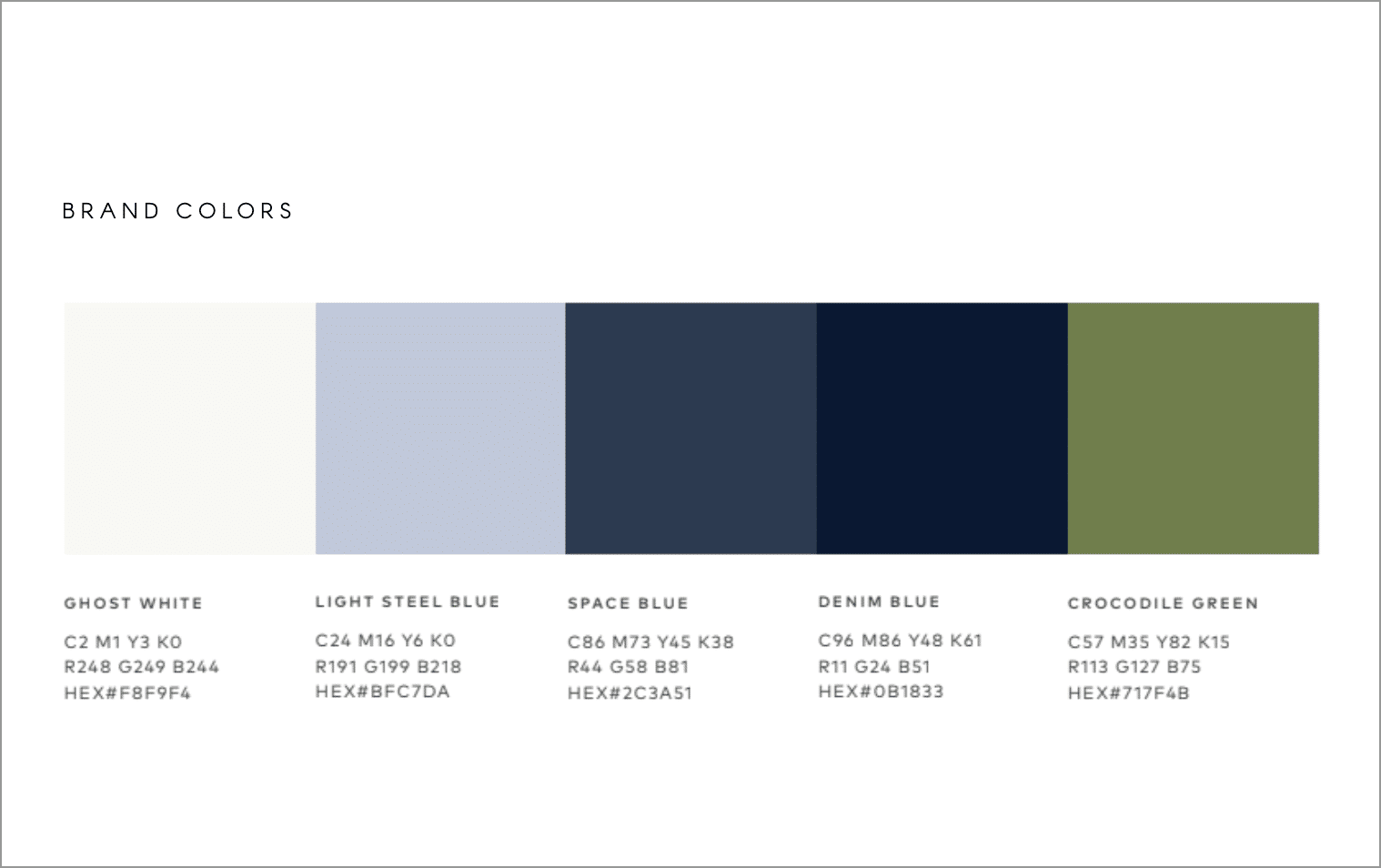
Colors, Fonts & Images

Only after the structure and content of the website is loosely set do I start overlaying visual design elements to make the website’s look and feel come to life.

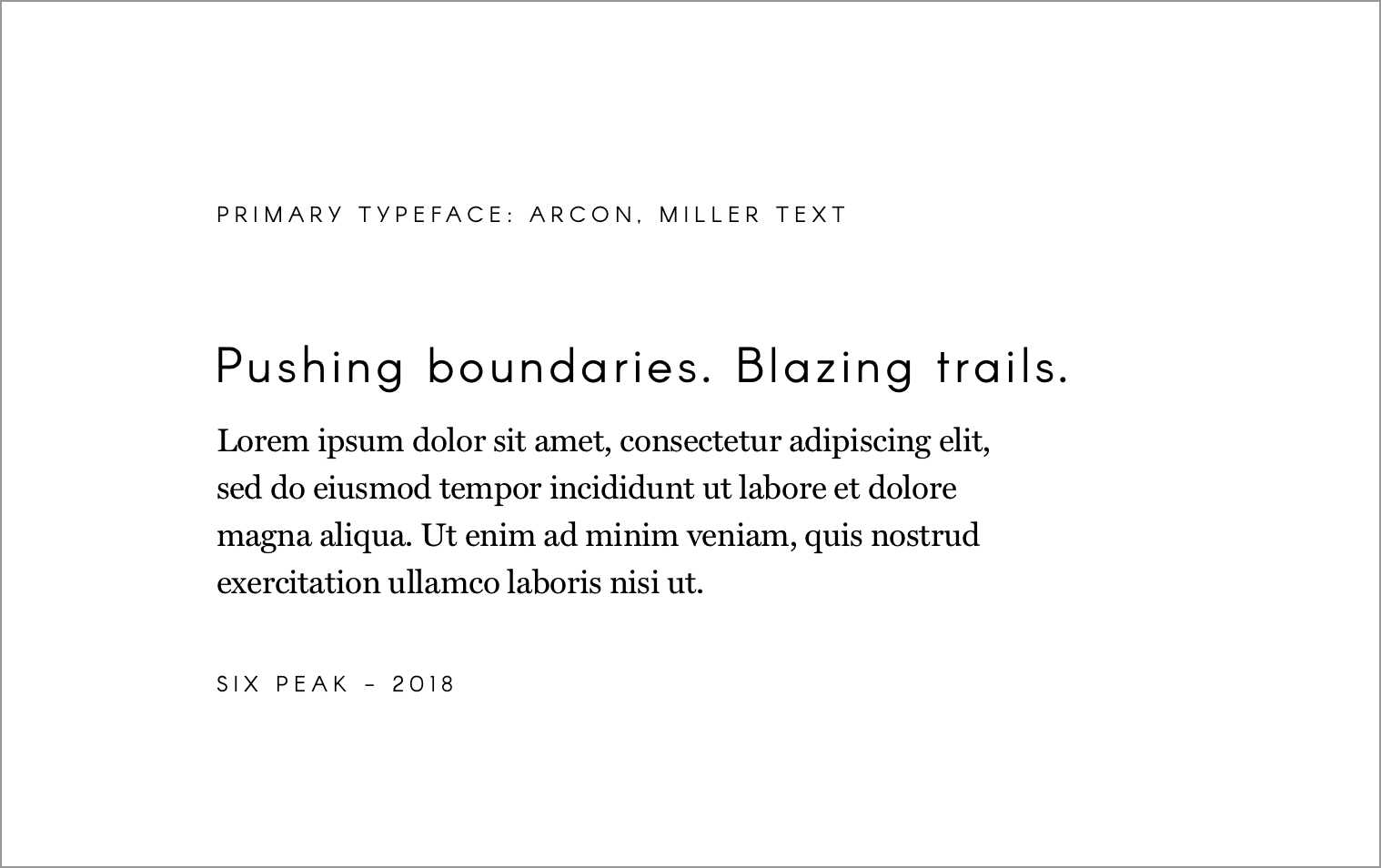
From a blocked out website to one with consistent colors, fonts and images is where the magic happens and clients start to really recognize the website as their own.


4. Development


WORDPRESS DEVELOPMENT

For each of the White Fern websites I do the WordPress development myself.

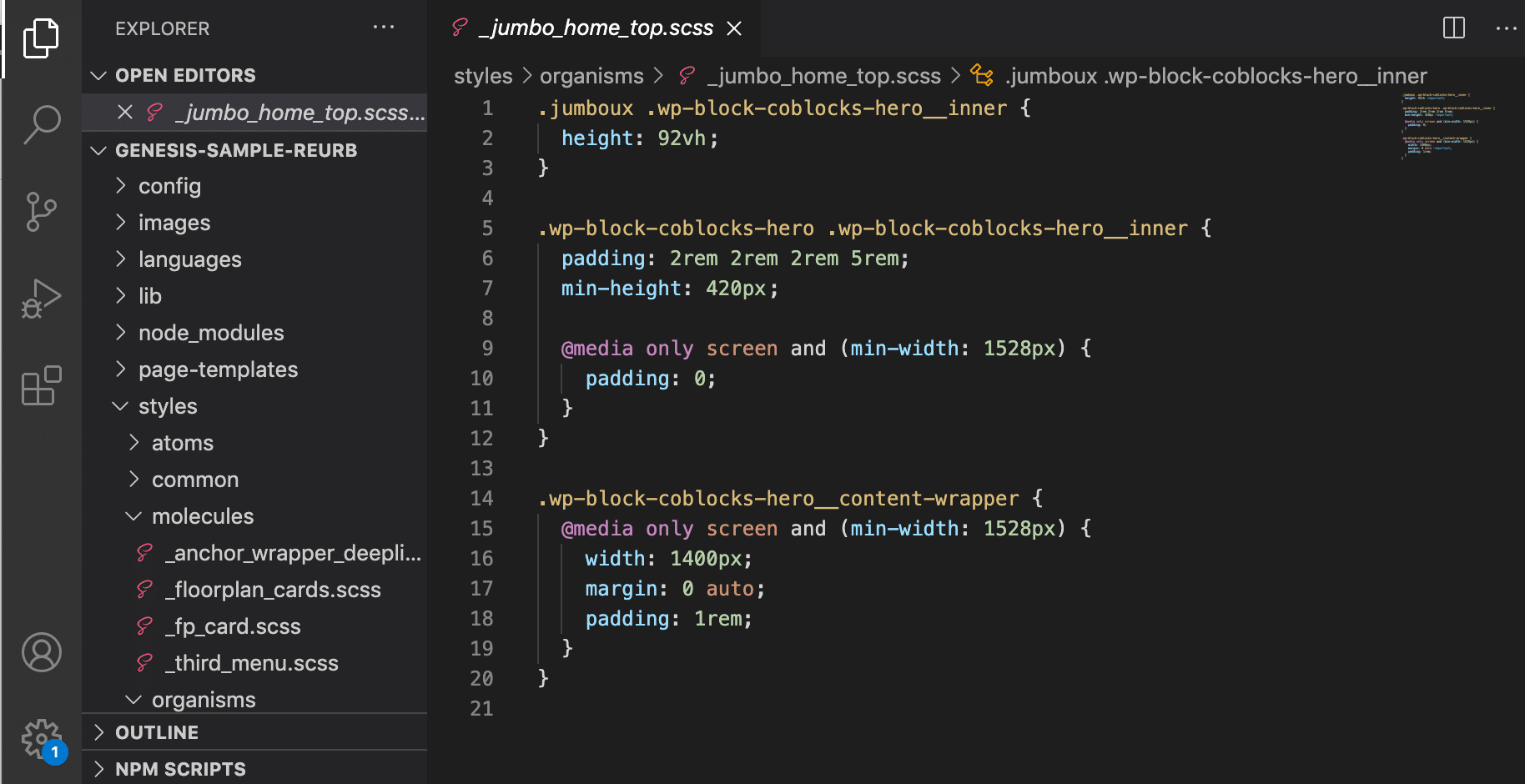
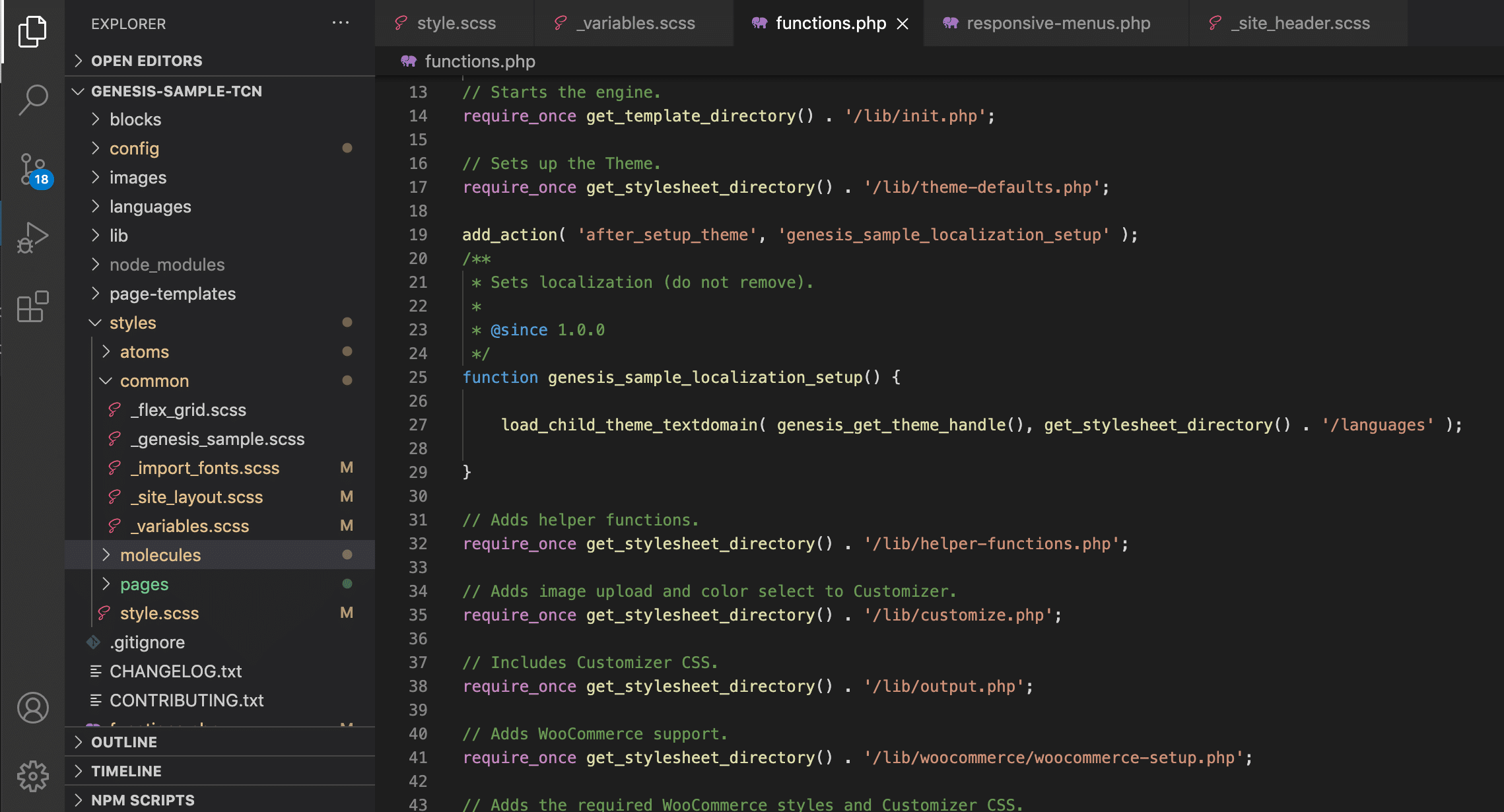
I have a base framework I’ve structured to start each project, and use the Genesis Framework as an easy way to get a lot of heavy lifting out of the way.

For styling I use SASS as an abstracted styling language to compile down to CSS. I like to structure each element atomically as much as possible to keep my styling files organized.


5. Ongoing Maintenance & Reporting


STAYING UP TO DATE & REPORTING

Generally after finishing a website project, I like to offer the clients a support and maintenance package to take care of their site, keeping it up to date and fixing anything if something goes wrong.

I also build in standard with any website I do analytics so that both I and client can track and see how people are using the website and if it’s behaving as it should to get people to the content they need.


Ready for More?
View Another Project –


Website Design

Client: Steyn Group

Website design for a global family office with investments spread between the US and Europe.

Interactive Promotional Game

Client: Austin Eastciders

A mobile game distributed through social media and played in the browser. Designed to promote four different flavors fo hard cider.

Interactive Promotional Game


Client

Austin Eastciders

My Role

Project Concepting
UX Design

Summary

A mobile game distributed through social media and played in the browser. Designed to promote four different flavors fo hard cider.
Visit the Austin Eastciders Website


PROBLEM STATEMENT

Austin Eastciders is a hard cider beverage company in Austin, TX.

They wanted to produce something simple but fun that would be interactive on a mobile device to centerpiece a social media campaign and promote four new flavors of cider they were introducing.


APPROACH

Assessing The Context of the Project

Assessing The Market Audience & Brand Feel

Story Planning

Game Concepting

Screen Level Design Ideation

Wireframes & Prototyping

Marketing / Social Covers

To Code


Previous Work & Project Context


A REPEAT CLIENT

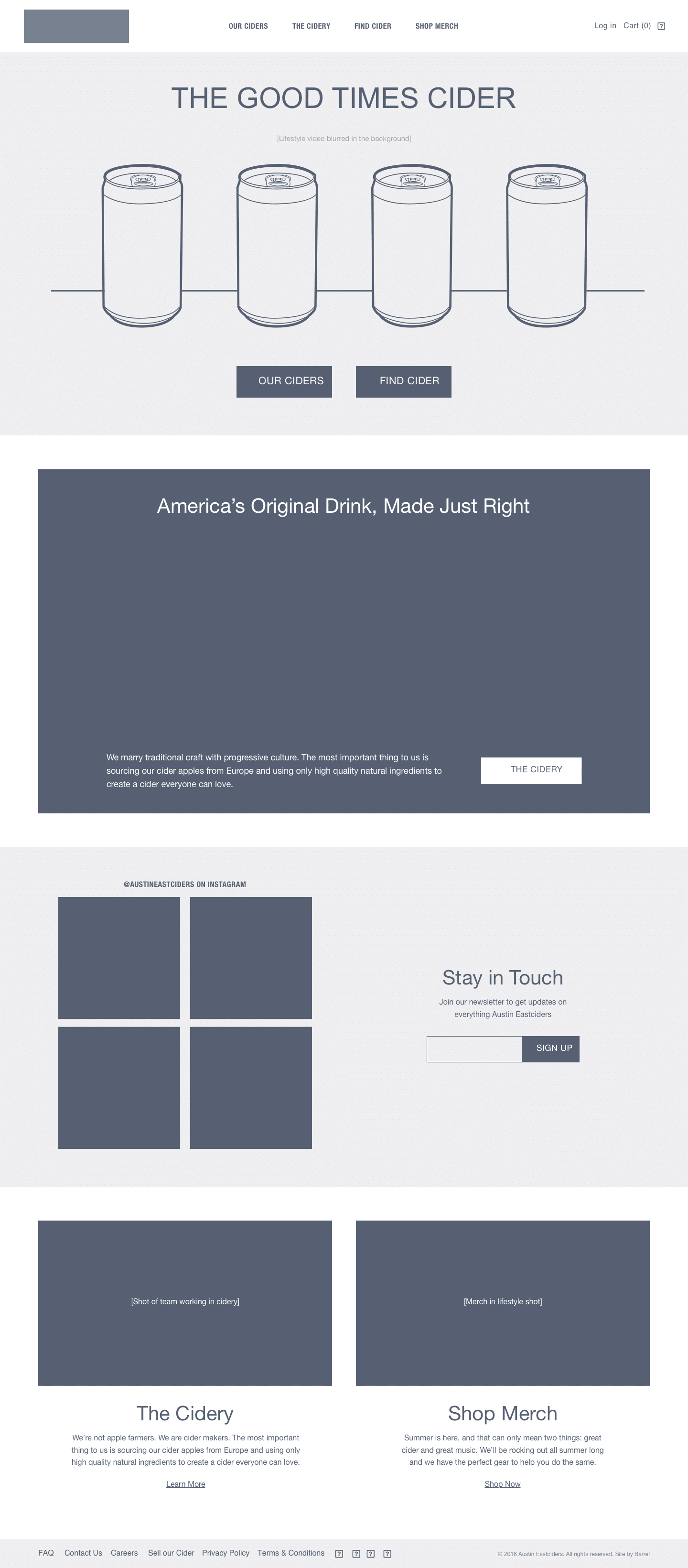
The context to this project is that the agency I was working at, Barrel NY, had designed their online store and website.

I had worked on the wireframes of their website, Austineastciders.com, so when it came time to design and produce a marketing campaign for their new cider they came back and re-engaged the agency.


Assessing The Market Audience
& Brand Feel


MEETING AUDIENCE WHERE THEY ARE

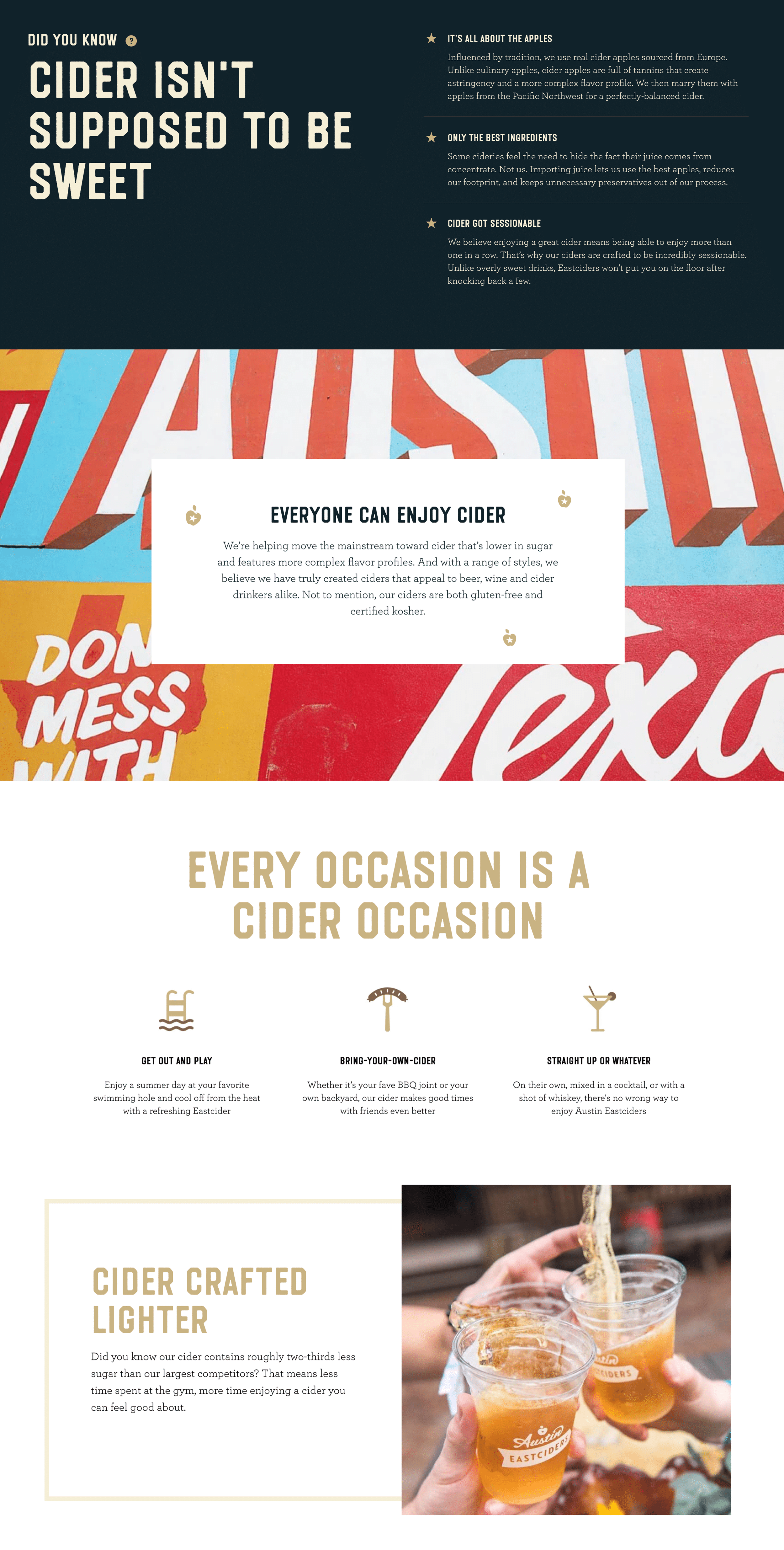
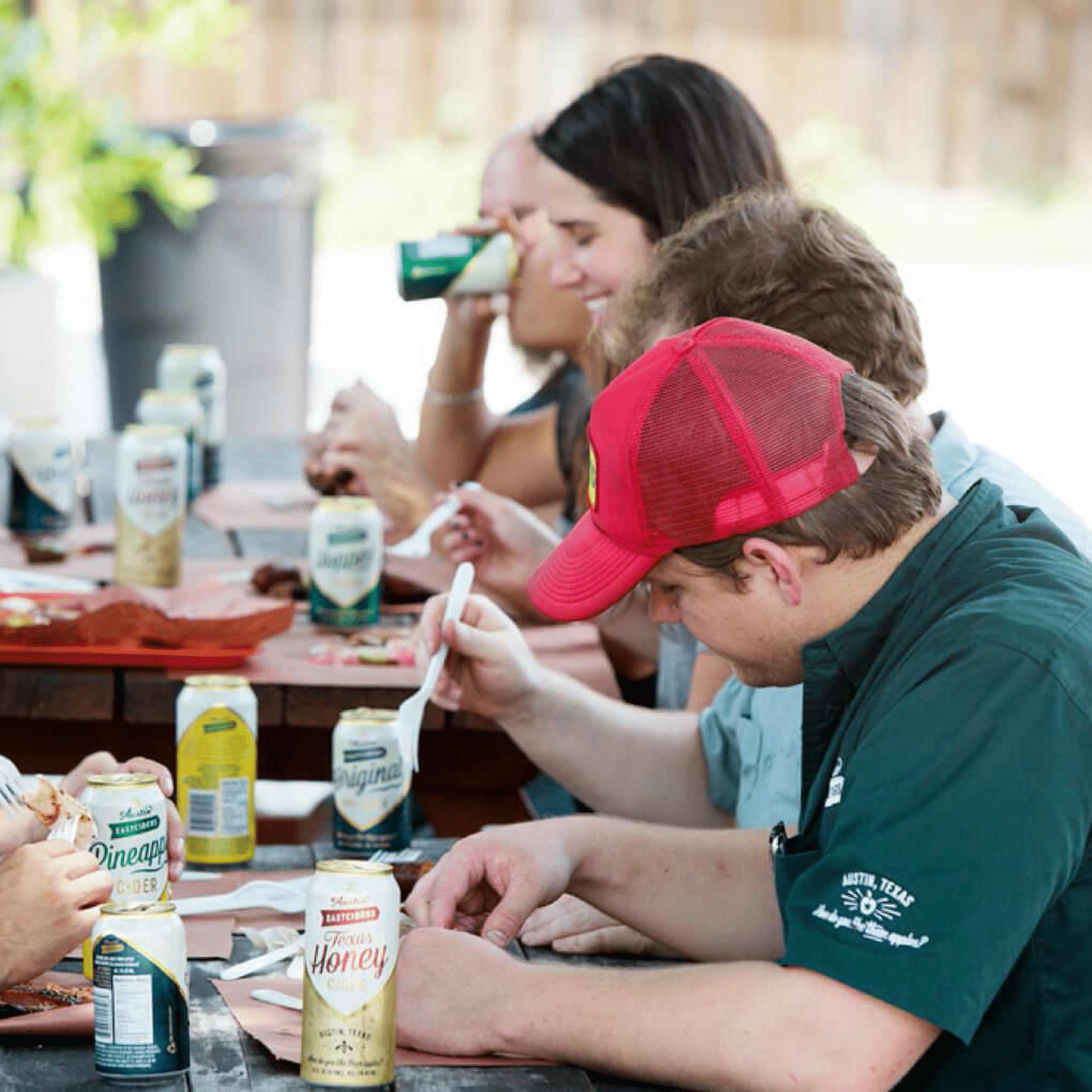
The marketing of Austin Eastciders is built around conveying a fun, social, summertime feeling.

We were very familiar with the brand after designing their website and online store, but when thinking about what kind of campaign we could run we began with re-examining the audience we would be targeting.

It was by kicking around ideas of what would appeal to the audience that we landed on the idea to produce a simple, interactive mobile game that could be easily promoted through a social media campaign.


Story Planning


ELEMENTS OF STORY PLANNING

The centerpiece of the story, and why we were doing a campaign was to introduce the four new flavors of cider Austin Eastciders were releasing.

We also knew both because of resource constraints, and for the sake of keeping the audience attention, that we needed to keep the concept and story of the game simple and not too complex to play.

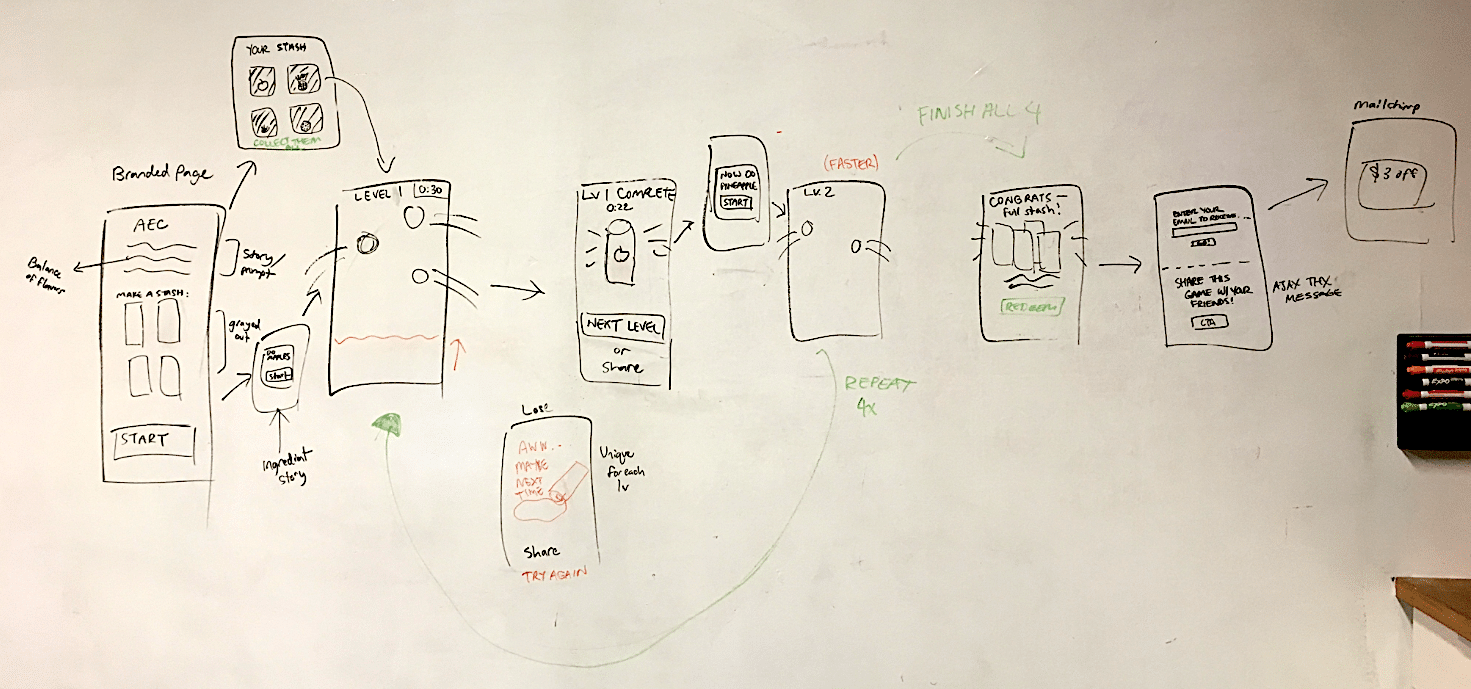
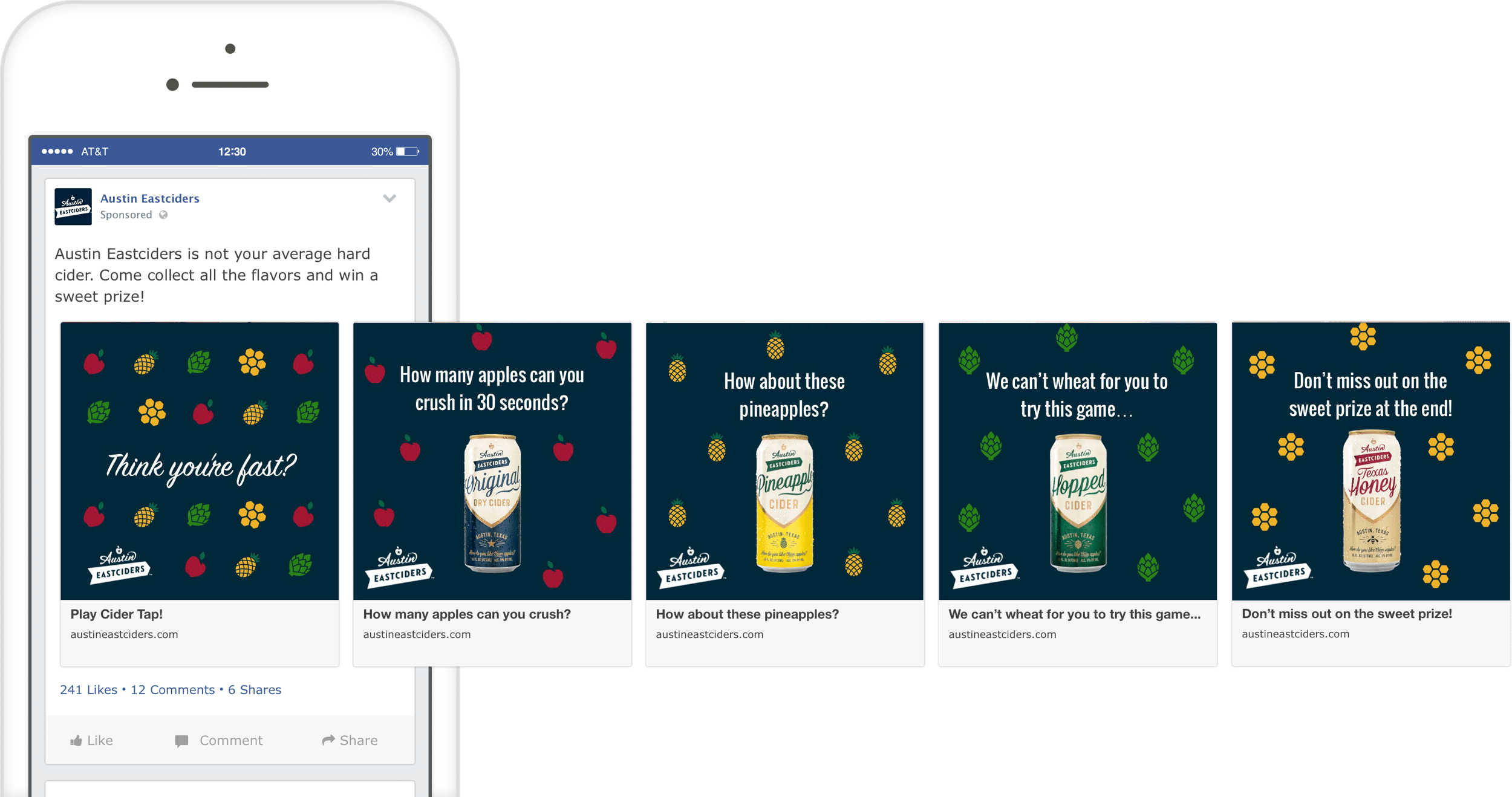
To introduce the four new flavors we landed on the idea of creating a ‘cider tap’ where to play, people would need to help ‘create’ the new ciders by interacting with the four new flavor ingredients on the screen.


Game Concepting


FLOW DIAGRAM & NARRATIVE MAPPING

With the general idea of the game in place that the user would need to interact with the ingredients to help ‘create’ the new ciders, the next stage was to figure out the mechanisms of how users would actually create the cider, and the challenges that would confront them.

We sketched different ideas and landed on an idea where the ingredients would float around the screen and the user would need to ‘tap’ on them to crush them into cider.

This fit multiple levels of what we were trying to accomplish – a coherant storyline, the depth of commitment by a user would not be too high, and the gameplay difficulty could be adjusted based on the speed of the ingredients floating around the screen that the user would need to tap.


Screen Level Design Ideation


SCREEN CONCEPTS

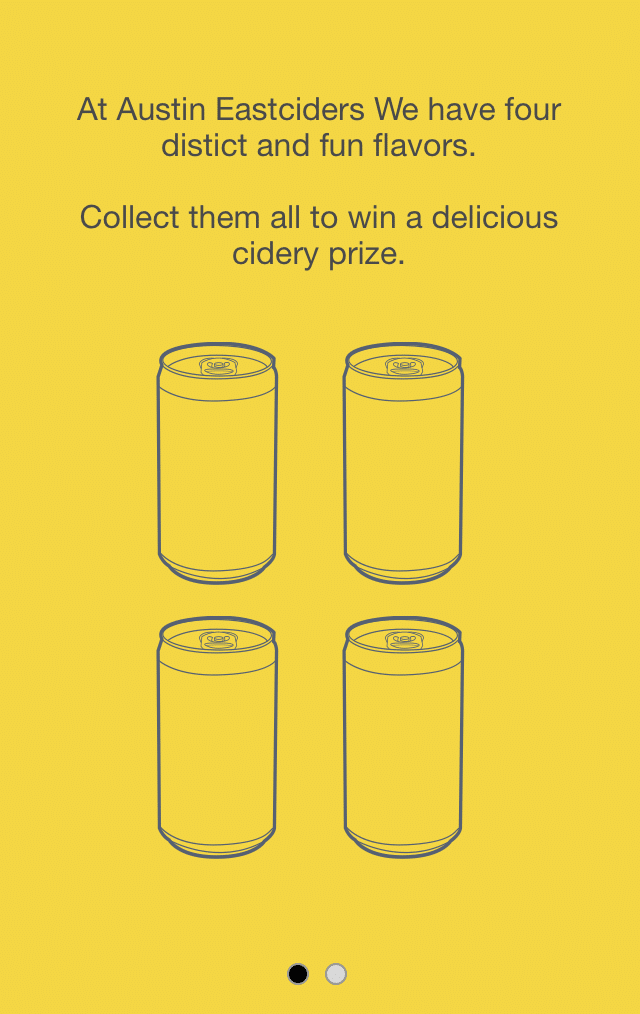
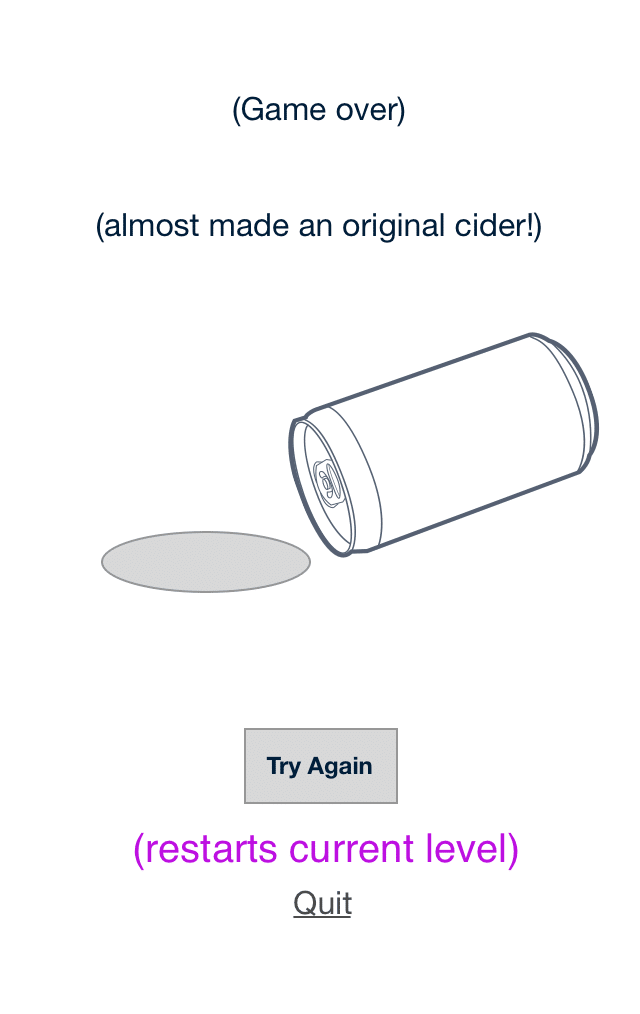
Now with the concept more defined, we began designing loose screen level concepts to fill in how the game might look.

We wire framed the screens between the levels, and worked out how to feature all the four new flavors in a sequence of levels that would increase in difficulty.


Prototyping


PROTOTYPING THE HAPPY-PATH

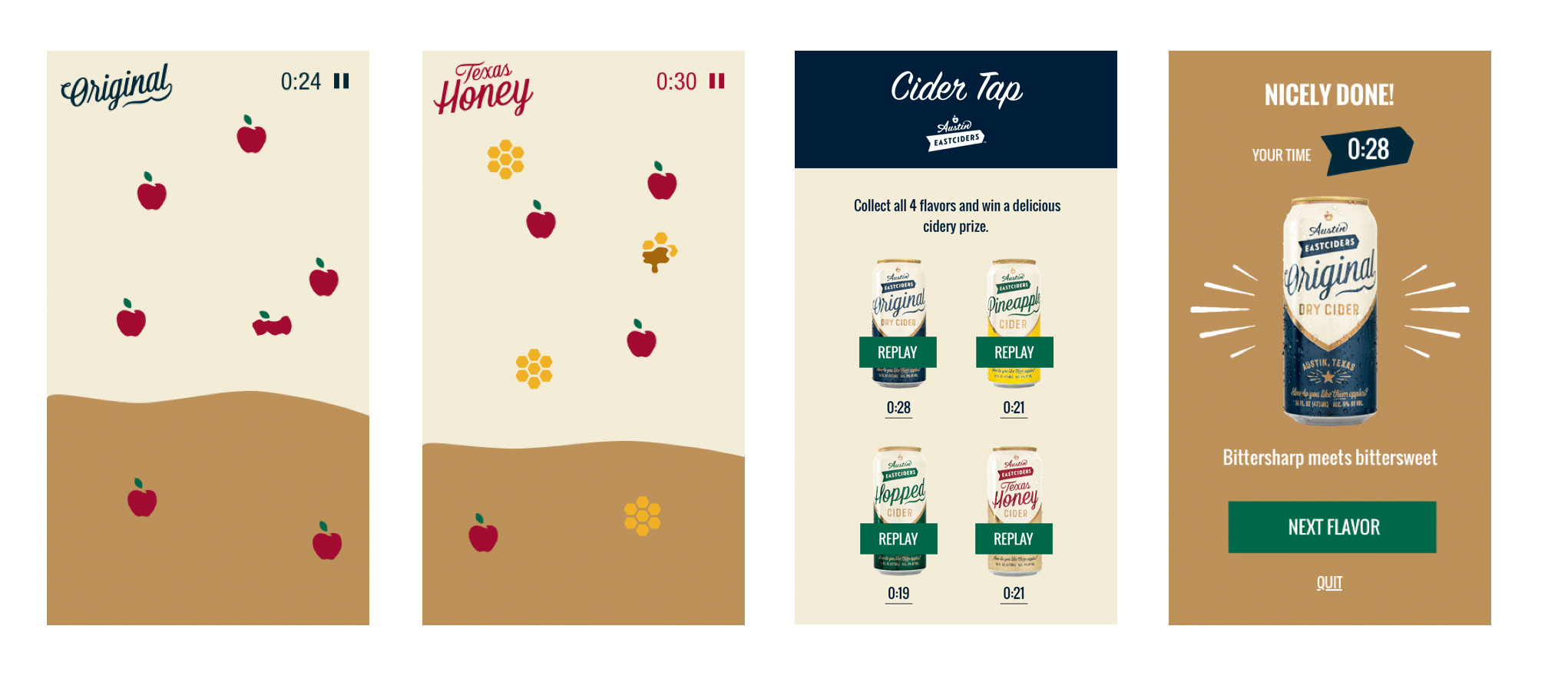
From the wireframes, we worked with the visual designer and the existing Austin Eastciders brand elements to develop a simple prototype of how the game would look, function, and behave.

The prototype was built quickly and only designed around a single happy-path.

The purpose of prototyping this was was to make sure we captured key elements of the game narrative, got the behaviors of the interactive elements right, and also were able to discuss and get good feedback from all project stakeholders.


Handoff &
Marketing / Social Covers


TEASING INTEREST IN THE GAME

After designing the game flow and screens, we handed the designs to an external developer, and consulted when needed as they built it out.

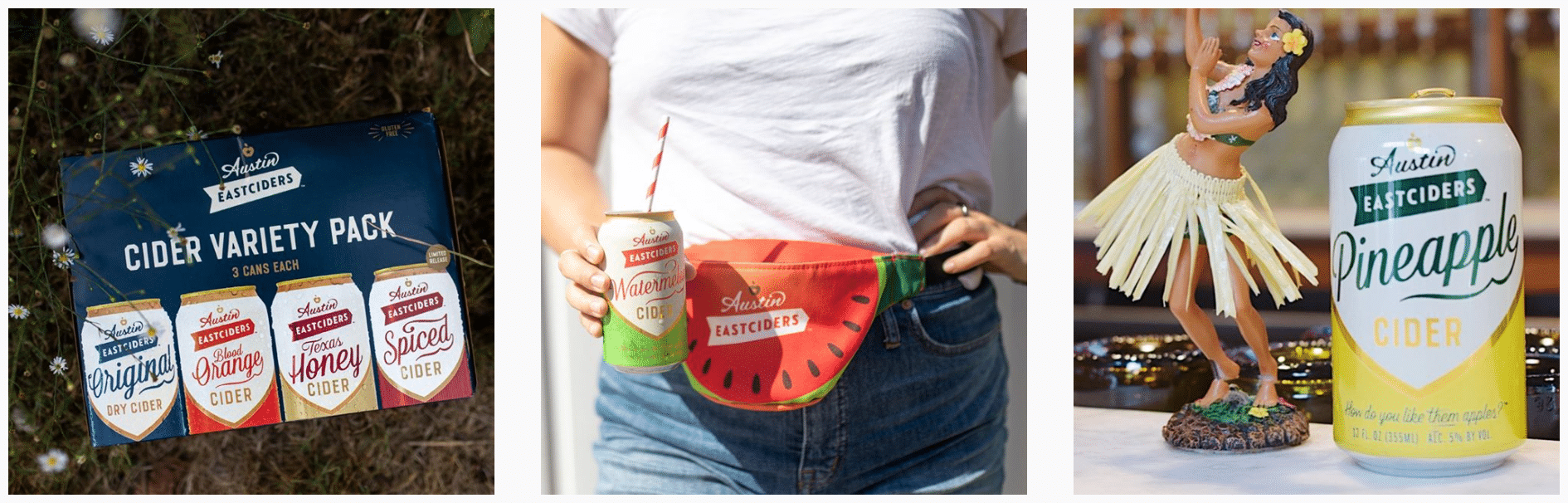
While the game was being developed, we also worked on a series of social posts for Austin Eastciders to get the word out, reach their audience, and promote the final product.


To Code


WORKING

B____
B____
B____


Final Designs


L_____

B____
B____
B____


Ready for More?
View Another Project –


ConnectedCare iOS App (Protected)

Client: Microsoft

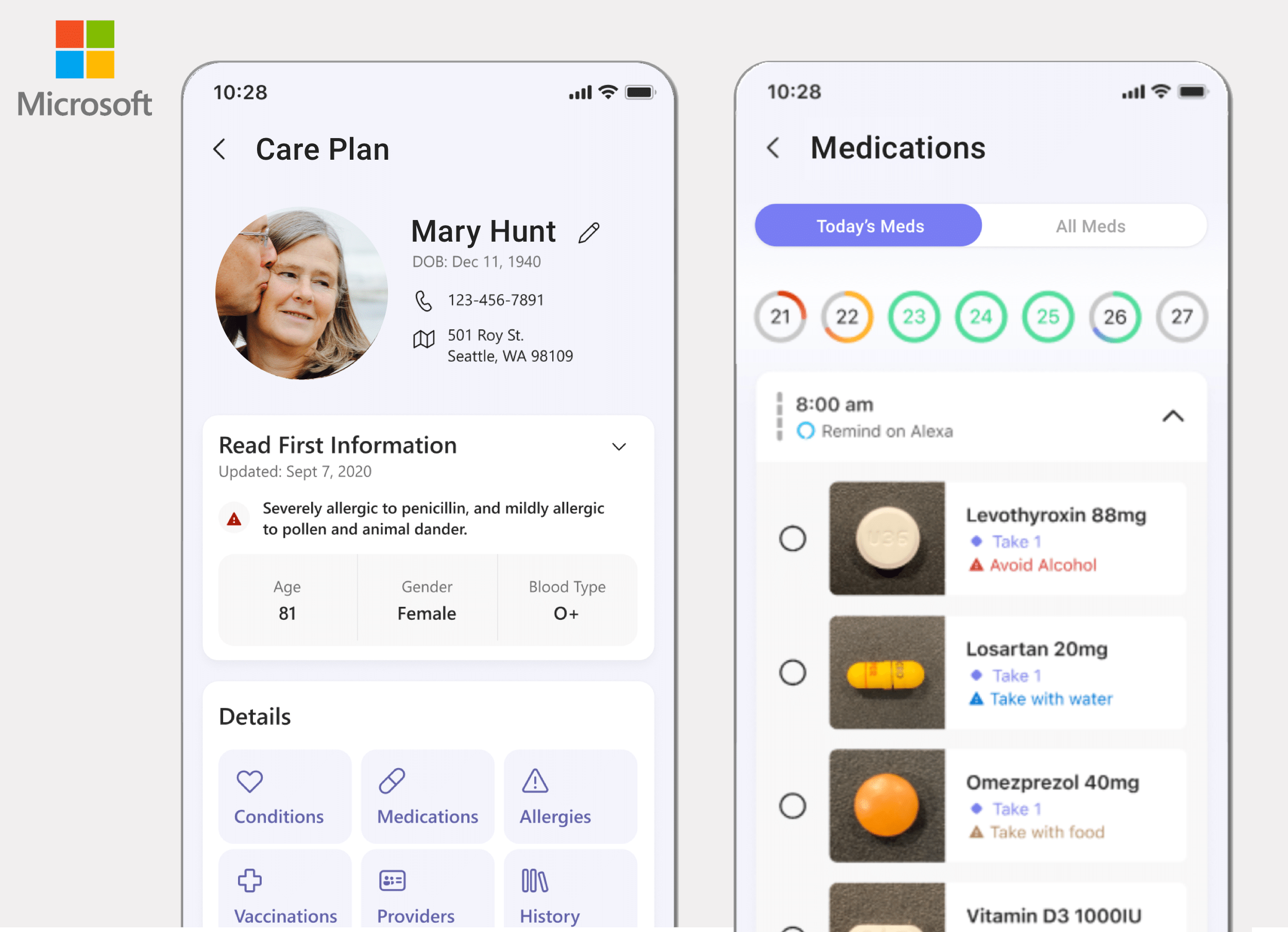
Microsoft’s ConnectedCare App is a summary of an individual’s health records organized into one place.

Website Design

Client: Six Peak Capital

Website design for a real estate investment & development company focused on coliving.


Website Design


Client

Steyn Group Investments

My Role

Project Management
UX & Visual Design
WordPress Development

Summary

Website design for a global family office with investments spread between the US and Europe

Visit the Steyn Group Website


PROBLEM STATEMENT

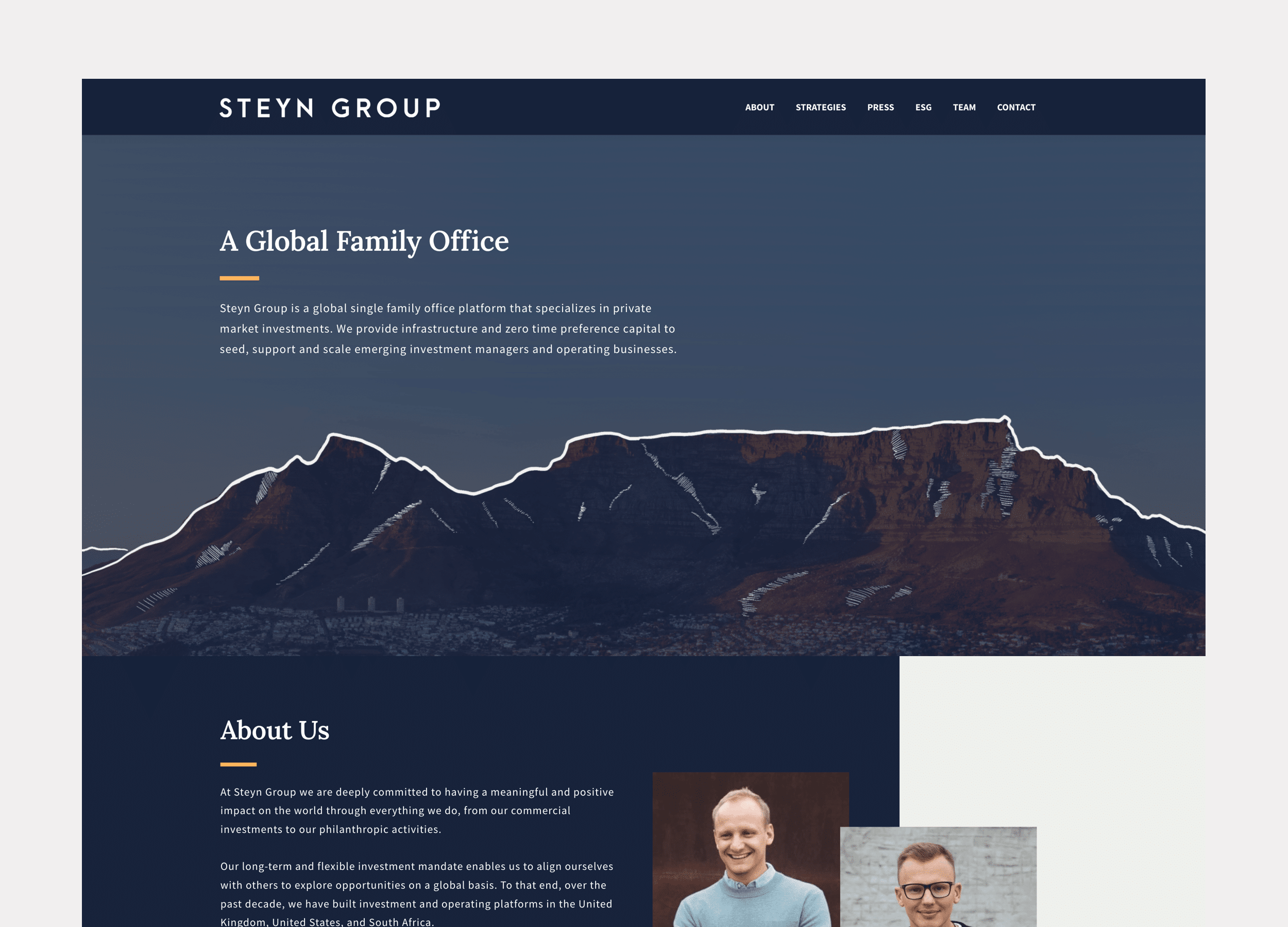
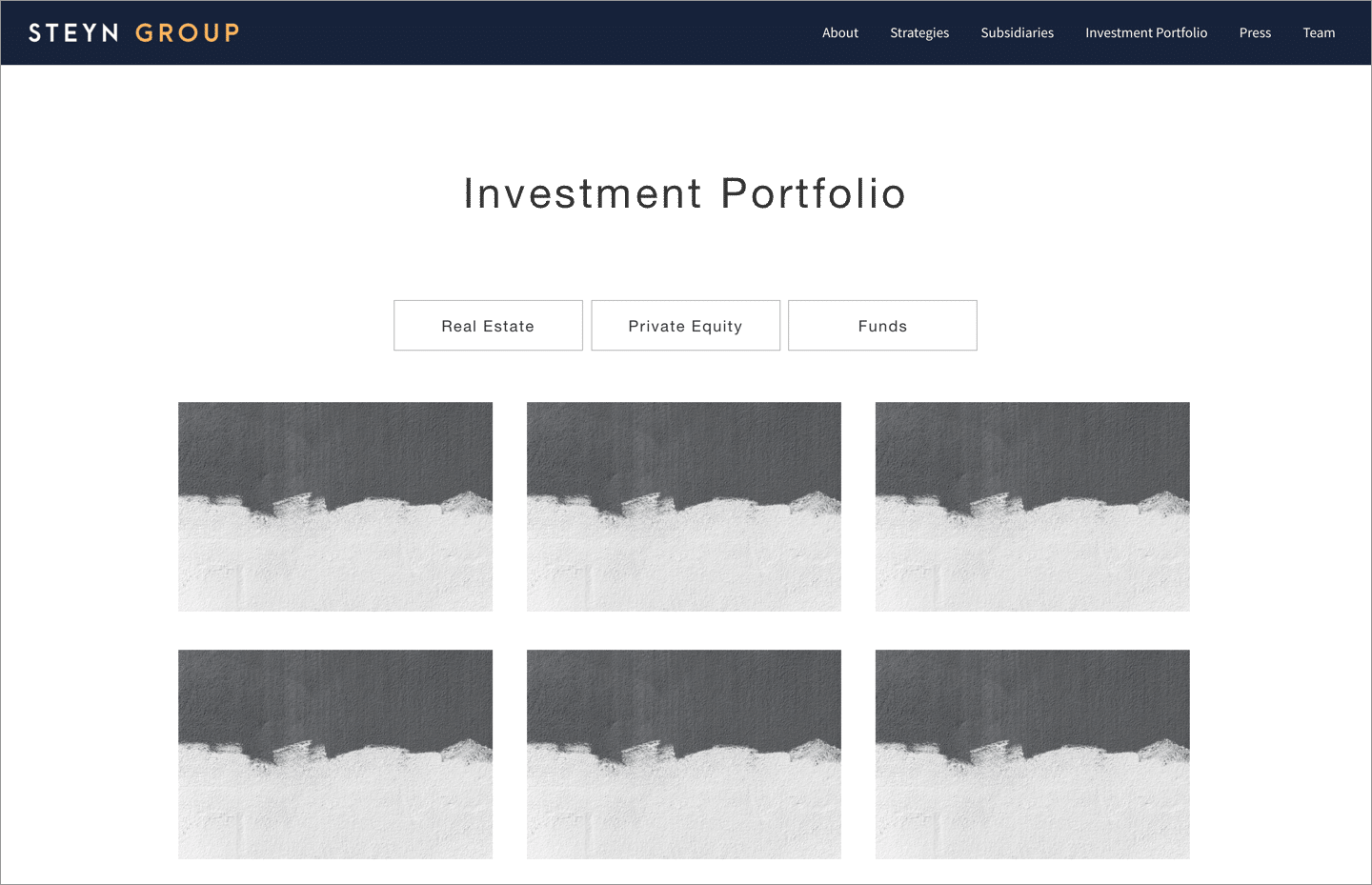
The Steyn Group wanted a website that would introduce themselves and their investment philosophy, and highlight their current investments and ongoing projects.

They also wanted a look that made them seem approachable and ‘non-rigid’ in the way a lot of investment offices are.


APPROACH

Discovery

Structure & Wireframe Design

Visual Design

Development

Ongoing Maintenance & Reporting


1. Discovery


GOALS, AUDIENCE & MESSAGE

In the discovery phase we talked about the intended purpose of the website, the feeling they were trying to convey, and who the intended audiences were.

I like to kick off projects by asking a standard set of questions that really get at the underlying goals and audience goals, and then discuss further with the client to dig in more and make sure we’re both aligned.


Discovery Process

Discovery Intake Questionnaire and Discussion Starter

View Documents


2. Structure & Wireframe Design


SITEMAPS, WIREFRAMES & CONTENT

After getting aligned on the goals, audience, and messaging of the project, the next step was to map out a sitemap (how the website’s navigation and page structure will be), and think about the content that would fill out each of the pages and sections.

With the sitemap as a guide, I always begin designs loosely by blocking out wireframes. This helps clarify the content sections, and helps people see how the layout of the pages will look before I invest further time with visual elements like color or fonts.


3. Visual Design


Colors, Fonts & Images

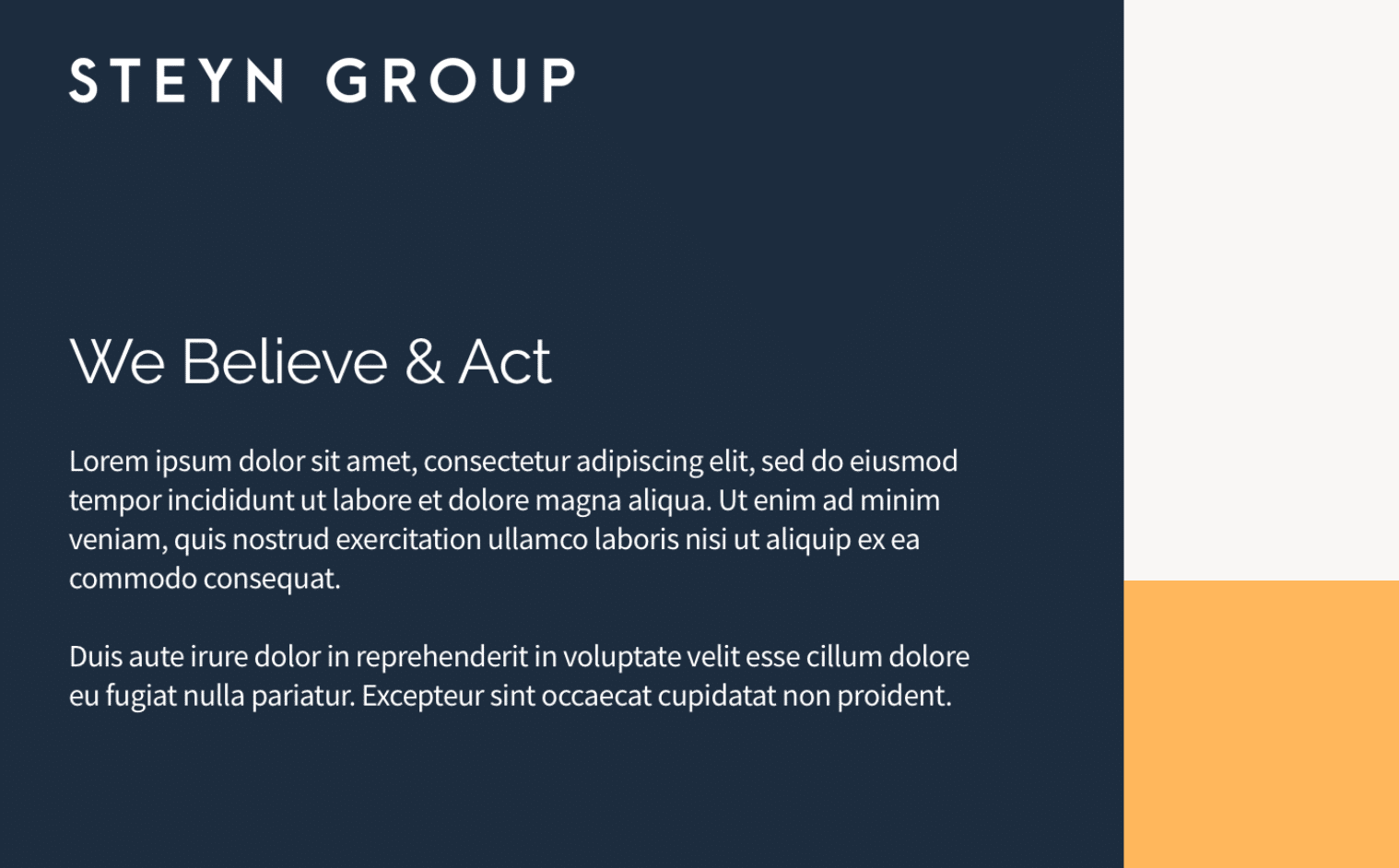
After the structure of the website is set I begin to overlay the visual look and feel elements like colors, fonts and images. This is the stage where the website starts to really come alive and the clients recognize the site as their own.

For this website we decided to go with an illustrated look to reflect the feel of a ‘field journal’. I found and worked with a really talented illustrator to develop each of the illustrations used on the website.


4. Development


WORDPRESS DEVELOPMENT

I typically do WordPress development myself for website projects.

I have a base framework I’ve structured to start each project, and use the Genesis Framework as an easy way to get a lot of heavy lifting out of the way.

For styling I use SASS as an abstracted styling language to compile down to CSS. I like to structure each element atomically as much as possible to keep my styling files organized.


5. Ongoing Maintenance & Reporting


STAYING UP TO DATE & REPORTING

Generally after finishing a website project, I like to offer clients a support and maintenance package to take care of their site, keeping it up to date and fixing anything if something goes wrong.

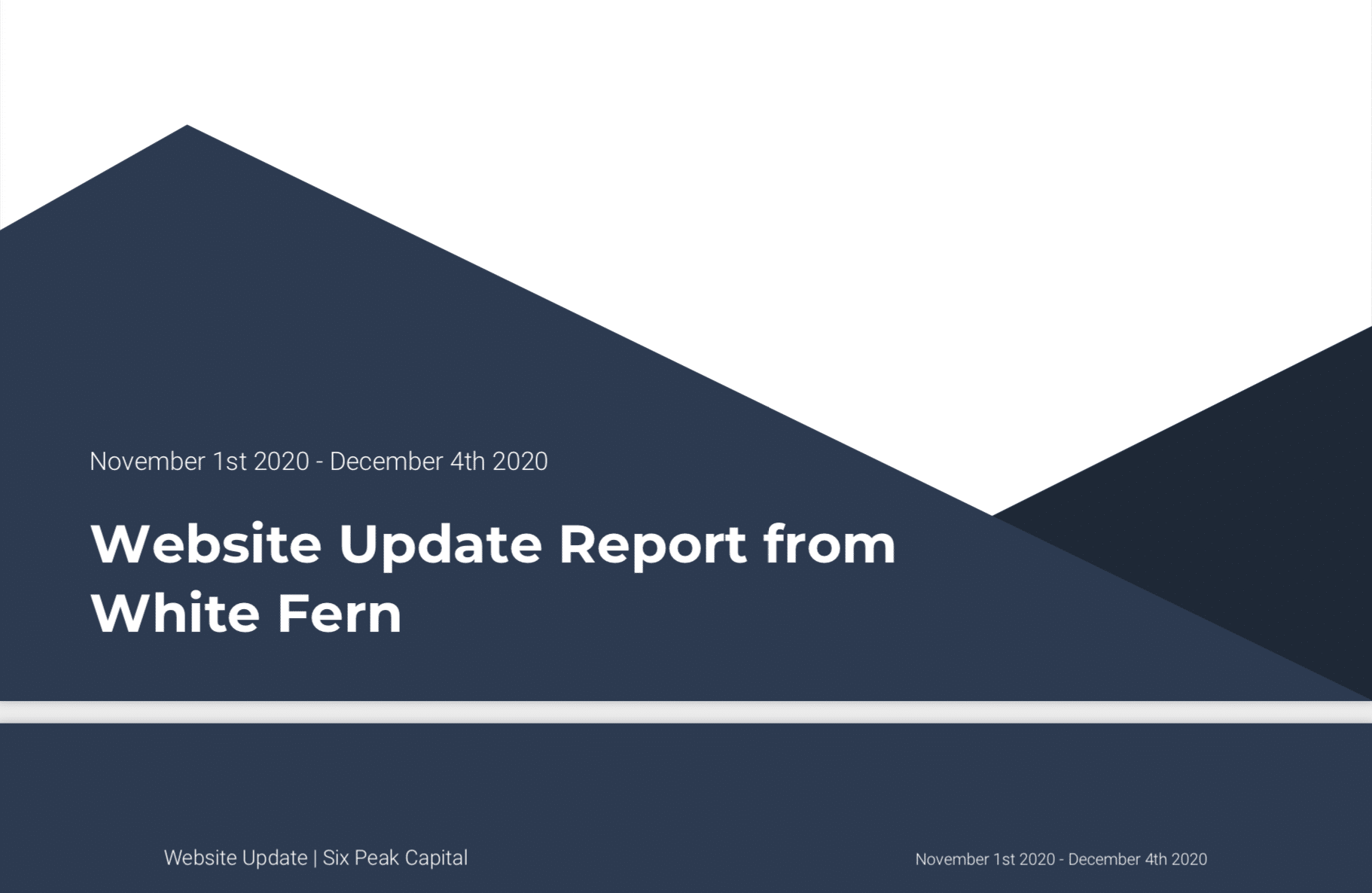
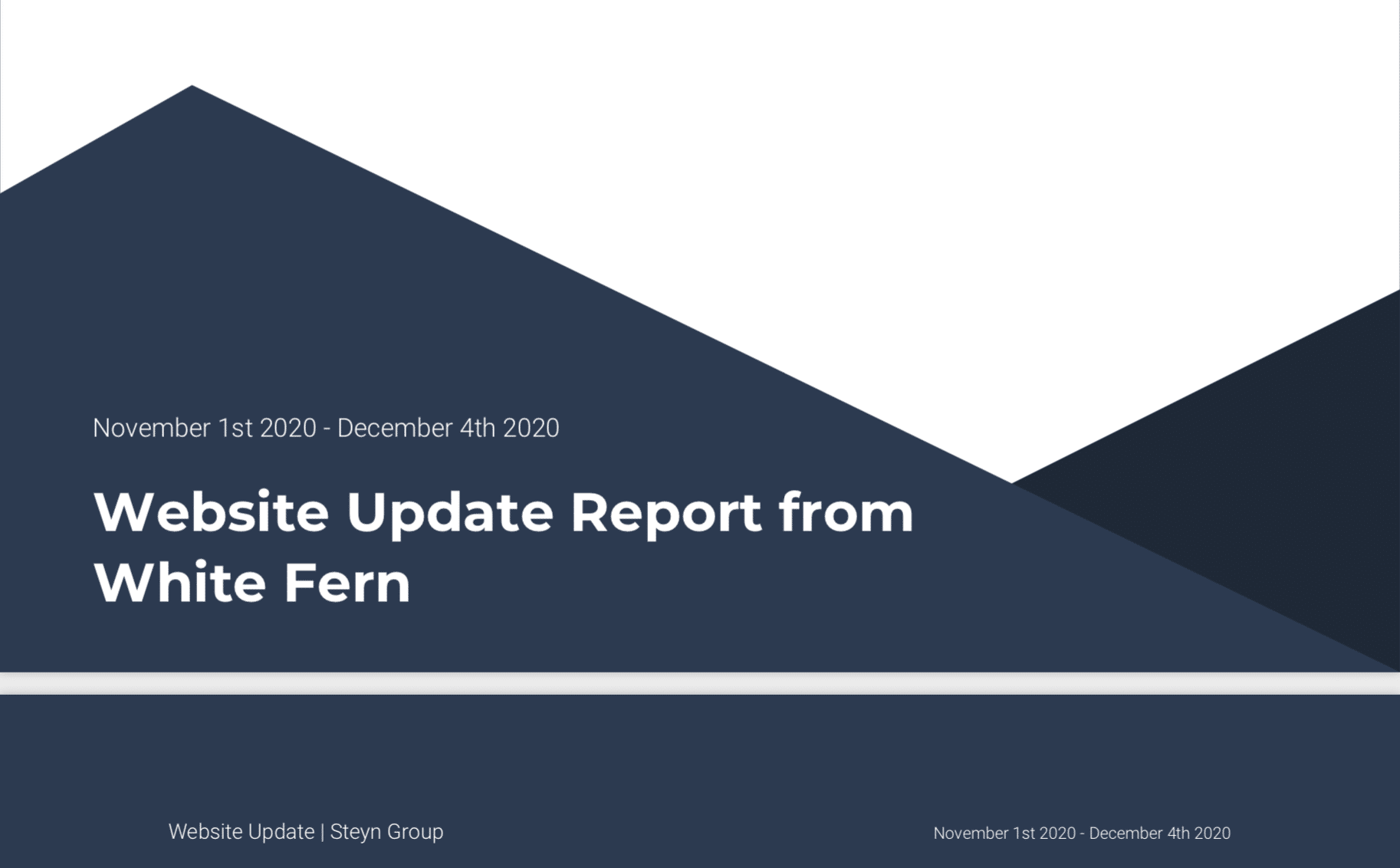
Monthly I’ve set up a system to send detailed reports to clients outlining the analytics, and technical updates I’ve made to the site that month.


Ready for More?
View Another Project –


Data Management Platform

Client: Koverse

A tool used by Data Scientists for collecting, storing, and learning from big data.

ConnectedCare iOS App (Protected)

Client: Microsoft

Microsoft’s ConnectedCare App is a summary of an individual’s health records organized into one place.


Copyright © 2026 Teague Nelson · All Rights Reserved
Designed, Coded, and Produced by Teague Nelson