
OVERVIEW OF MY ROLE
As the only Sr. Product & UX Designer for Spot, I produced and maintained designs for all customer facing and internal platforms across the company.
I also led a small team of designers day-to-day (de-facto) by looking out for the UX team timelines, team workload and tasks, and oversaw UX outcomes.
RESPONSIBILITIES OF MY ROLE
Maintaining The Spot Design System
& Institutional Knowledge
- Maintaining the Spot Design System
- Documentation of company systems & the requirements that shaped them
Product Design & UX Work:
- Project planning
- Stakeholder involvement & communications planning
- Discovery / Requirements & Data review
- Design & Iteration
- Engineering collaboration & supporting the build processes
- Usability Testing & analyzing post launch
Forward Looking Planning & Integrating UX into Company Culture
- Supporting project pitch writing. Collaborating with PMs to shape future project pitches
- Documenting user journeys and process reviews with different teams at the company to uncover upgrade areas and pitch ideas.
- Facilitating cross-department syncs
- Keeping an eye on the sales pipeline and company strategy roadmap to know what kinds of projects will be coming next
UX Team Management:
- Looking out for the UX team timelines, team workload and tasks, and overseeing UX outcomes
KIND WORDS
(TESTIMONIALS FROM THE TEAM)
Reflections & Learnings
A few reflections and learnings from my time at Spot Insurance.
Testimonials From The Team & Company
I’m a big believer that good collaboration is key to great project outcomes (and to having a great work experience). Recorded here are a few kind words from teammates, colleagues, and stakeholders I’ve had the good fortune to work with.
Maintaining The Spot Design System
& Institutional Knowledge
MAINTAINING THE SPOT DESIGN SYSTEM
The Spot Design System was a living and growing resource, and became a shared ground between the Product Design and the Marketing teams, as well as a resource for Engineering.
We would come back to our design system when making wireframes, screens, or any other kind of brand documents. Keeping our components standardized and organized with states and variables allowed us to build screens quickly and efficiently while preserving brand consistency.
As much as possible when designing we tried to limit ourselves to existing components we already had in the system, but every once in a while a good case was made for a new component. In these situations, we would discuss as a design team, and approve additions to the system where needed.
The Spot Design System grew out of necessity once we reached a certain number of designers and started to have challenges with consistency across designs. We took advantage of a brand redesign moment to formally make our design system, starting with a set of goals and principles.
Incoprporateing new Figma variables
Watech Figma Series / Post on Design Systems
Adding New Components


MAINTAINING INSTITUTIONAL
& SYSTEM KNOWLEDGE
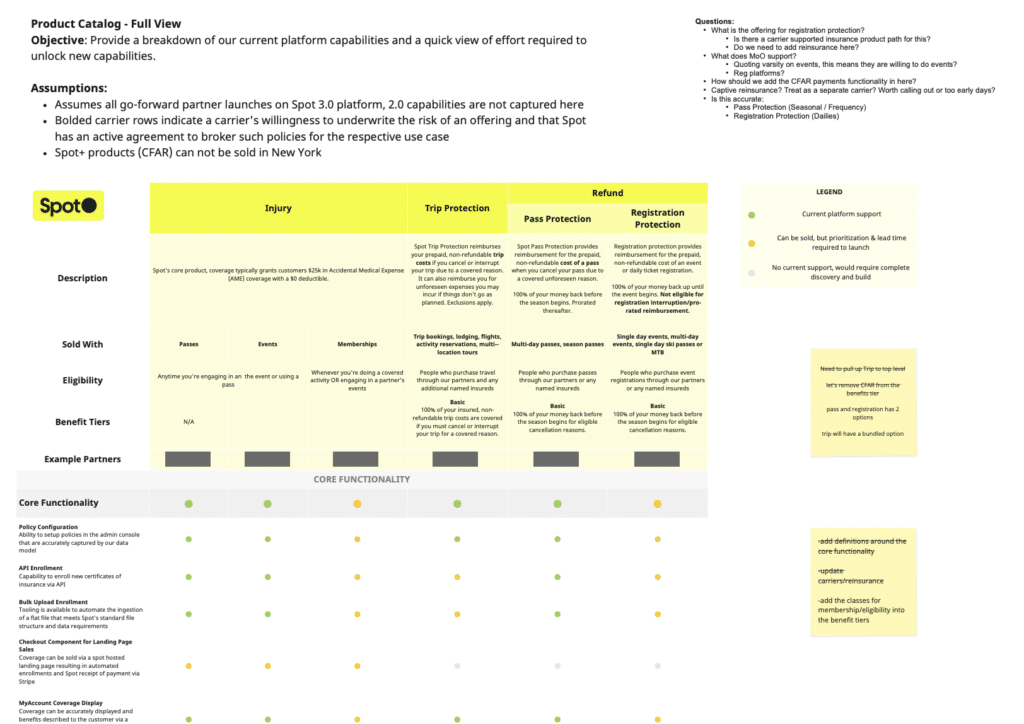
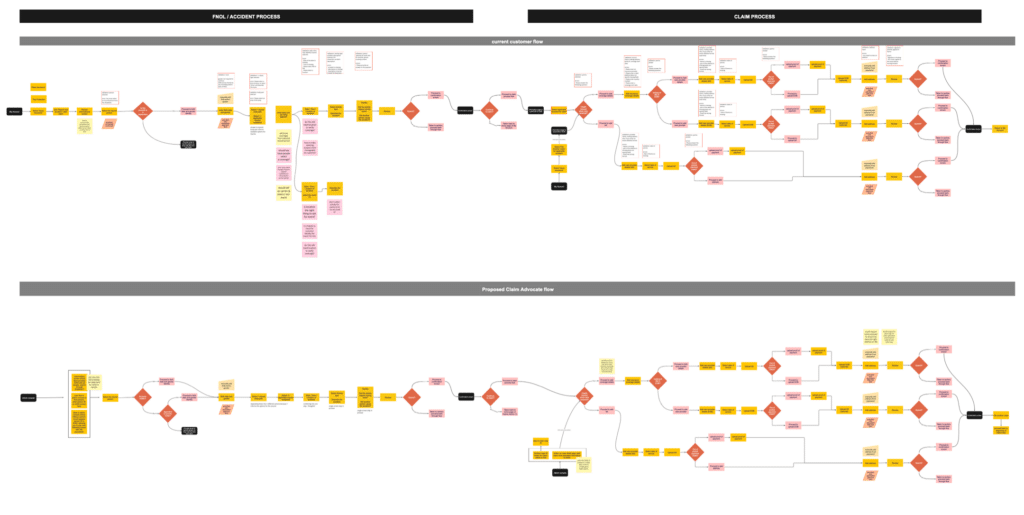
As we built different capabilities for the Spot platform and tools across the company, it was important to keep documented the features and insurance types our platform supported. We also wanted to keep a reference of why functional decisions were made the way they were on the platform.
We needed to be able to communicate this quickly and easily with different teams and stakeholders, so we developed reference materials like a product catalog, and kept up to date flow charts of how certain claims flows were working.
Product Design & UX Work
PRODUCT DESIGN
& UX PROJECTS
The core of my role was in leading and working on UX projects at Spot.
In my role I was responsible for shaping and planning upcoming product design projects, and then working through the UX process to deliver final designs that would be implemented by the engineers.
Some of the steps I would outline and follow in the UX design process are:
Project Planning
- Stakeholder involvement & communications planning
- Timeline planning
Discovery
- Scenario Mapping, User Story Mapping, and requirements reviews
- Materials and data reviews
Design
- Information Architecture and User Journeys
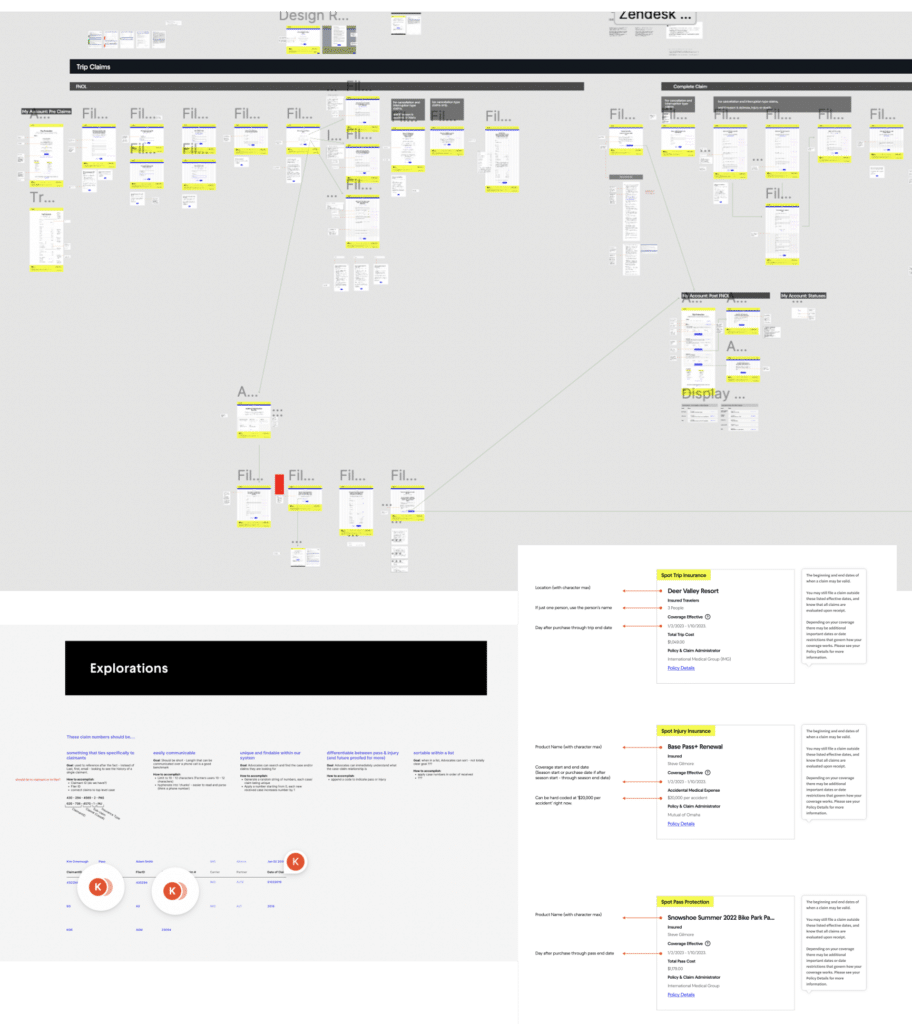
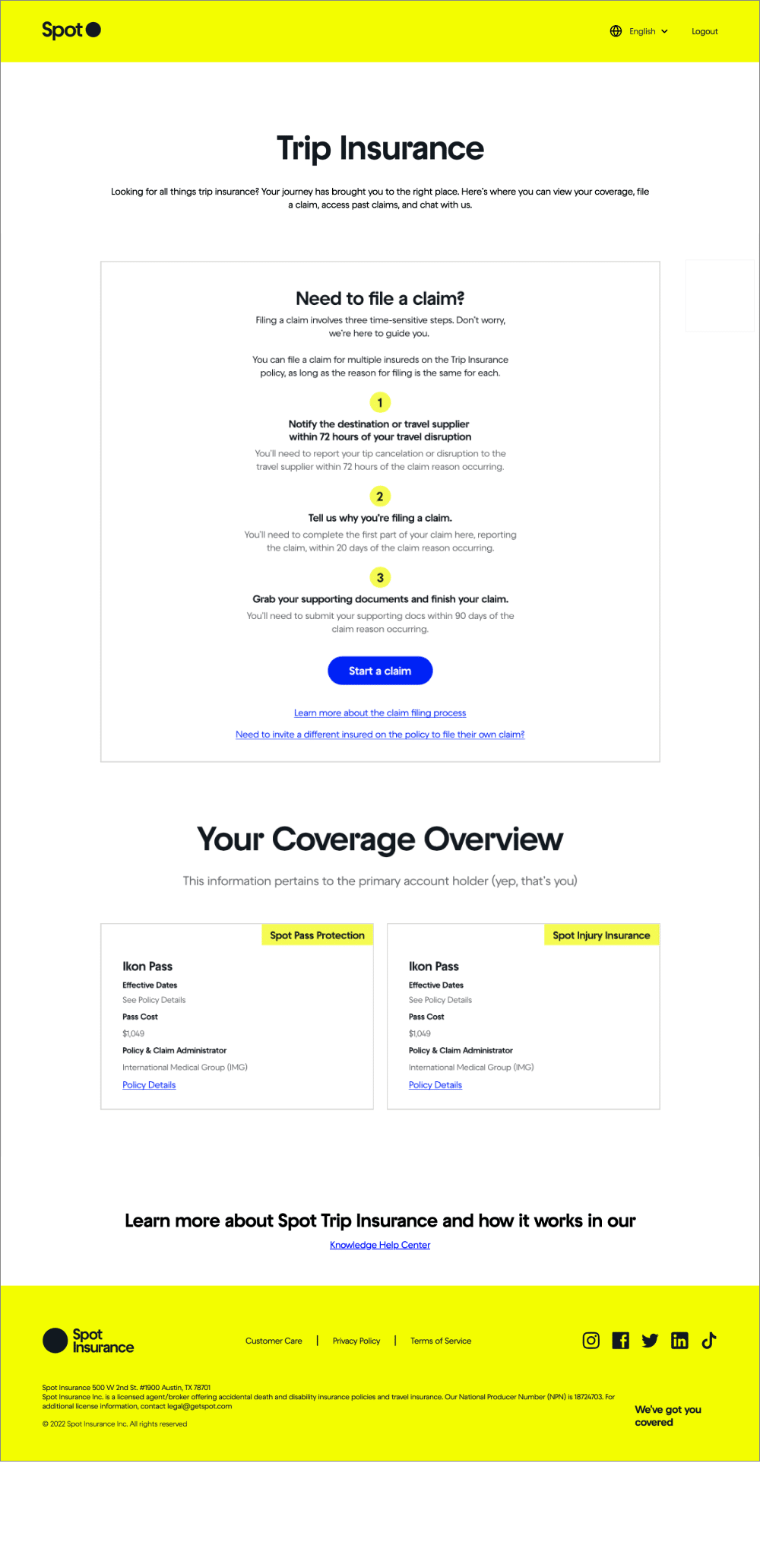
- Wireframing and prototyping
- Copywriting and reviews
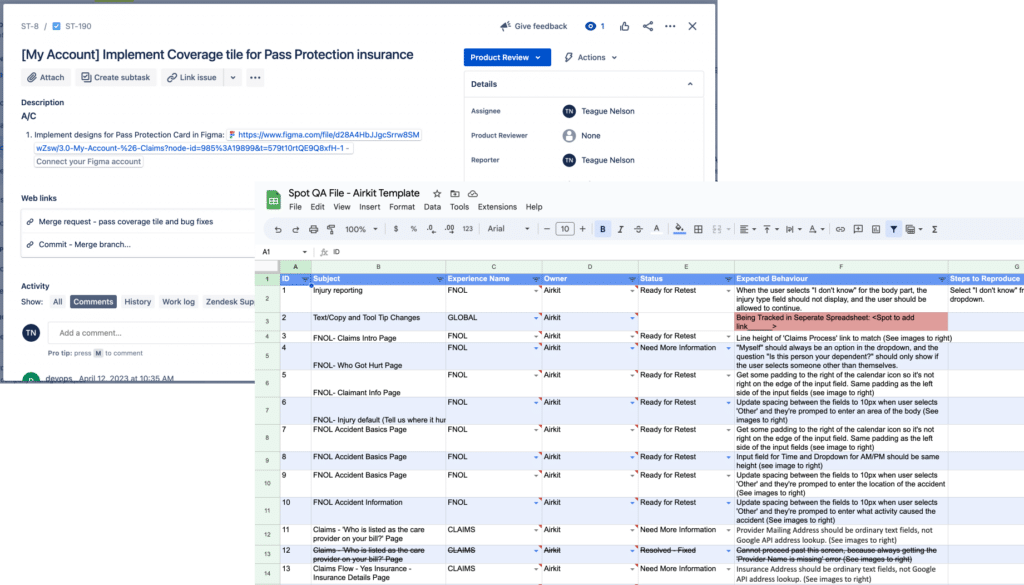
Engineering Collaboration, and Supporting the Build
- Collaborating with Engineering and participating in some rituals
- Doing product review on Jira tickets related to the UX design
- Prepping internal teams for roll out when needed
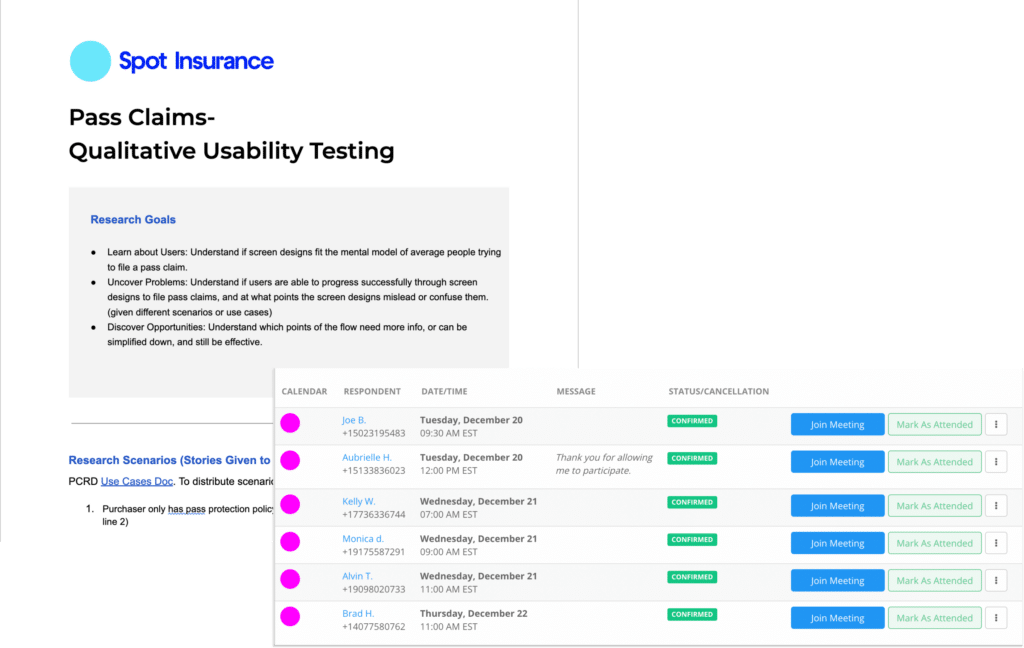
Usability Testing & Analyzing Post Launch
- Usability Testing and making adjustments
- Defining metrics and analytics to track over time
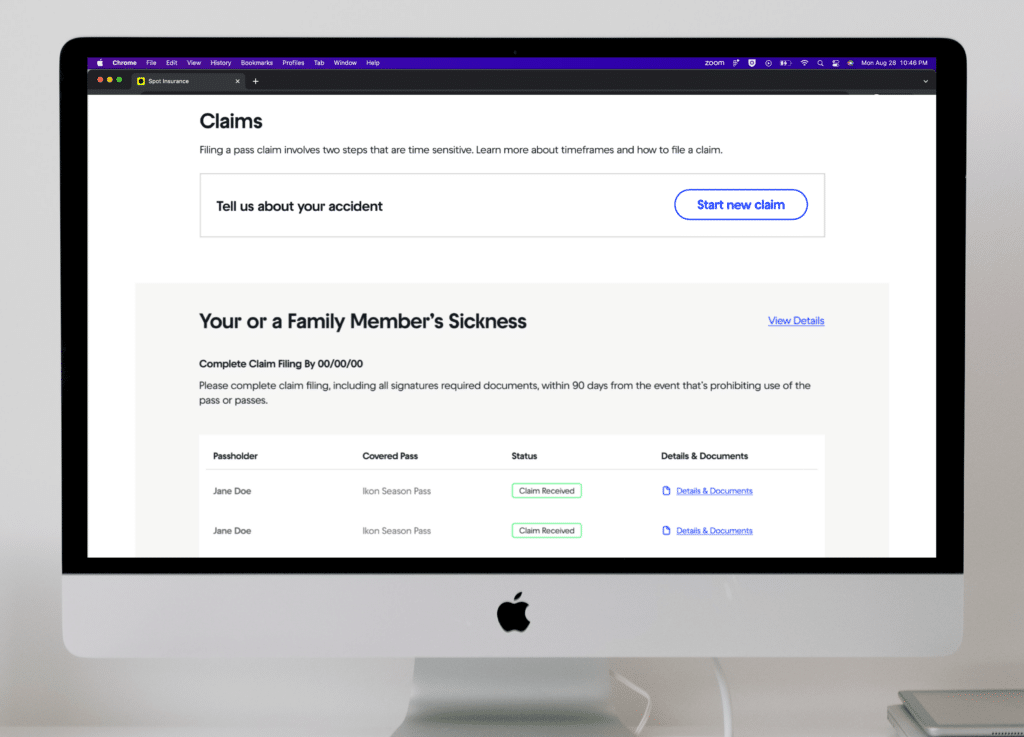
View the
Spot Pass Protection Claims
Case Study
PROJECT PLANNING, STAKEHOLDER INVOLVEMENT & COMMUNICATIONS PLANNING
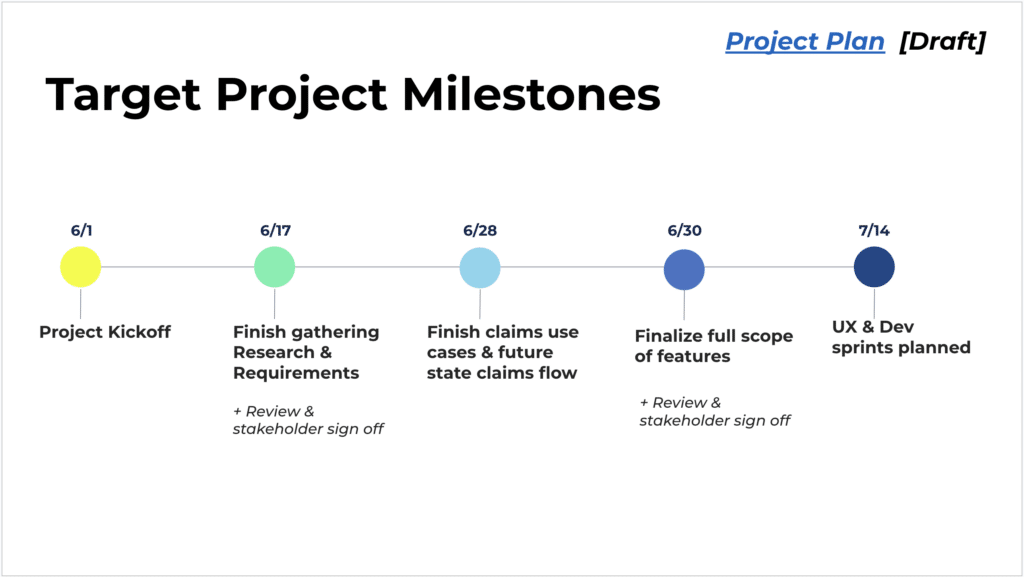
New projects would often start with a deadline driven by a business need. From here, we would plan out the project, allocating time for kickoff, discovery, engineering set up, and then typically we would work in two week sprints once we got into the design phase.
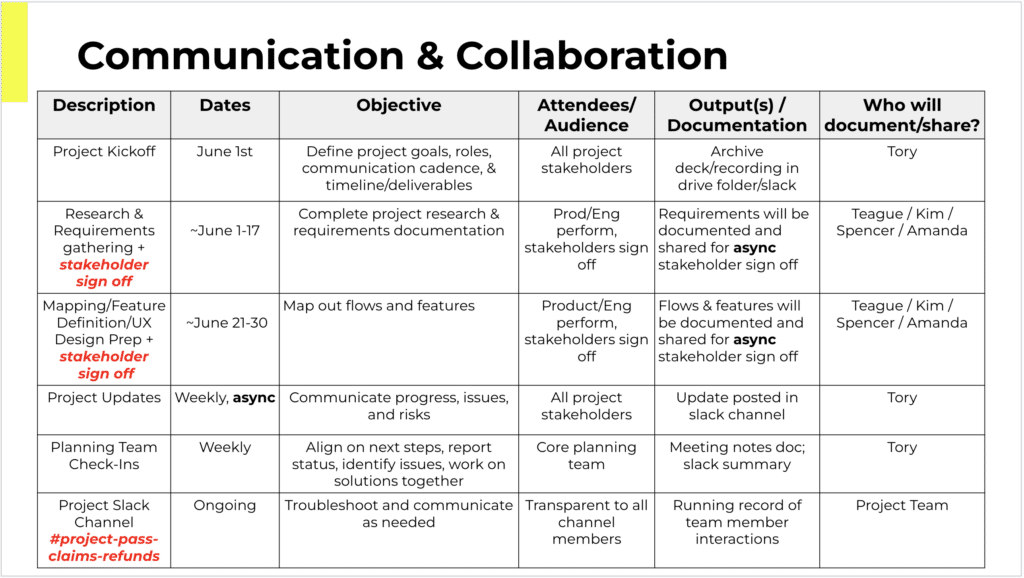
With so many teams and stakeholders interacting with the platform, and with insurance being such a regulated field, it was often important to identify who all the stakeholders were, and what the appropriate amount of decision making power each stakeholder should have. We sometimes used the RAPID framework for projects that had many stakeholders.
Throughout projects, we would hold check ins or share outs with different stakeholders, and reviews when feedback was required.
DISCOVERY / REQUIREMENTS & DATA REVIEW
In discovery it’s important to understand the confines and context of the project. To really understand what the feature being asked for is, and why it’s being asked for.
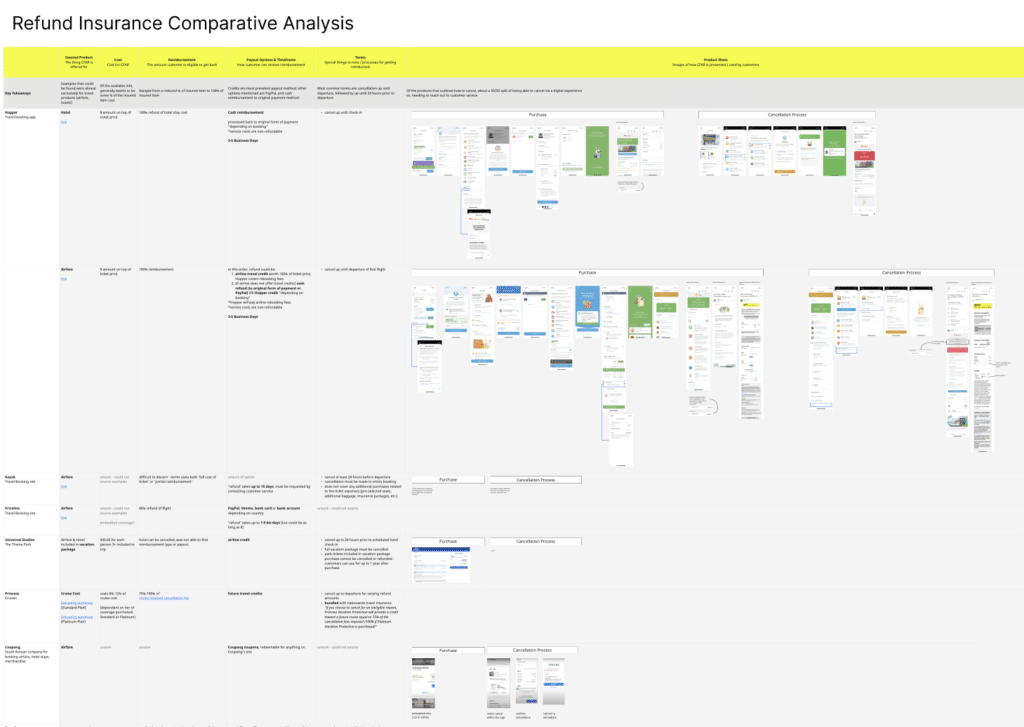
A large part of discovery was about gathering or reviewing the requirements. We would list out all the requirements and open questions we had as designers, then through discussions with stakeholders would narrow down on answers that became additional requirements.
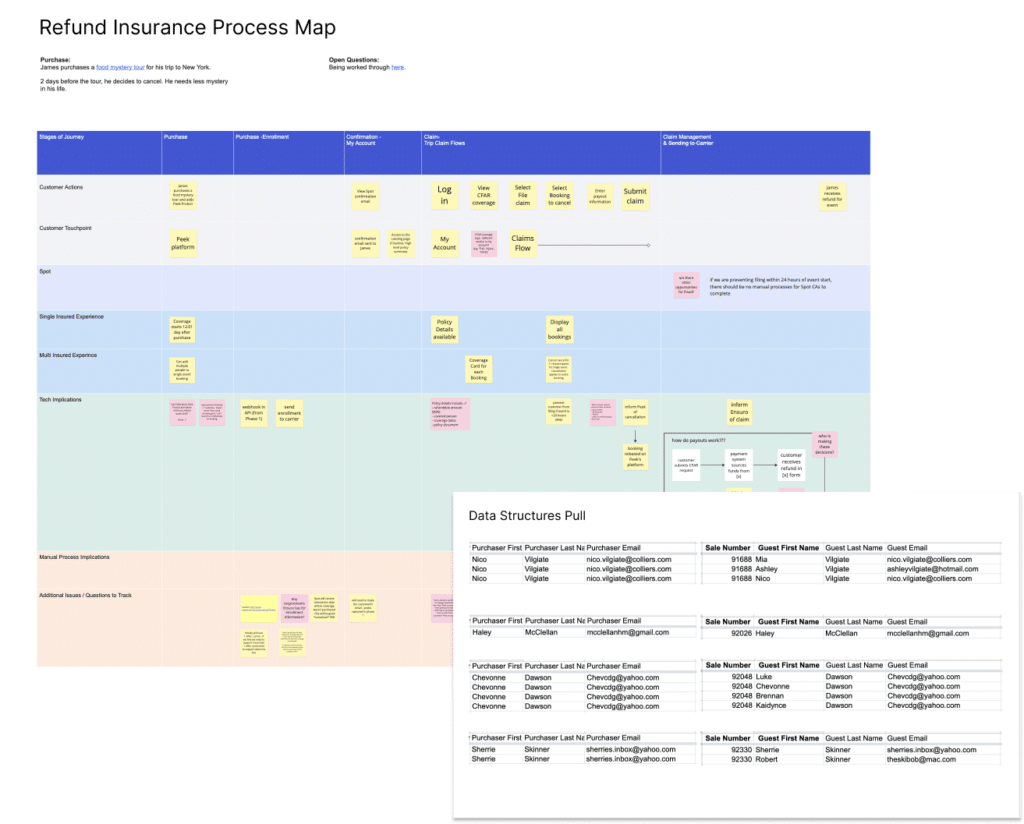
For new features, we would often work through a process mapping exercise where we (together with the right stakeholders) would walk through the expected user experience of a new feature or flow at a high level, and discuss the business processes and logic that the expected user experience would need to support it. This was a great way to uncover further requirements and spark discussion around things that hadn’t been considered previously.
Another big part of discovery was to pull and analyze what metrics or data we had to inform a design. This could be the percentage of current users behaving a certain way, or how many total users had more than one type of insurance with Spot, etc..
DESIGN & DESIGN ITERATION
(USER JOURNEYS & IA)
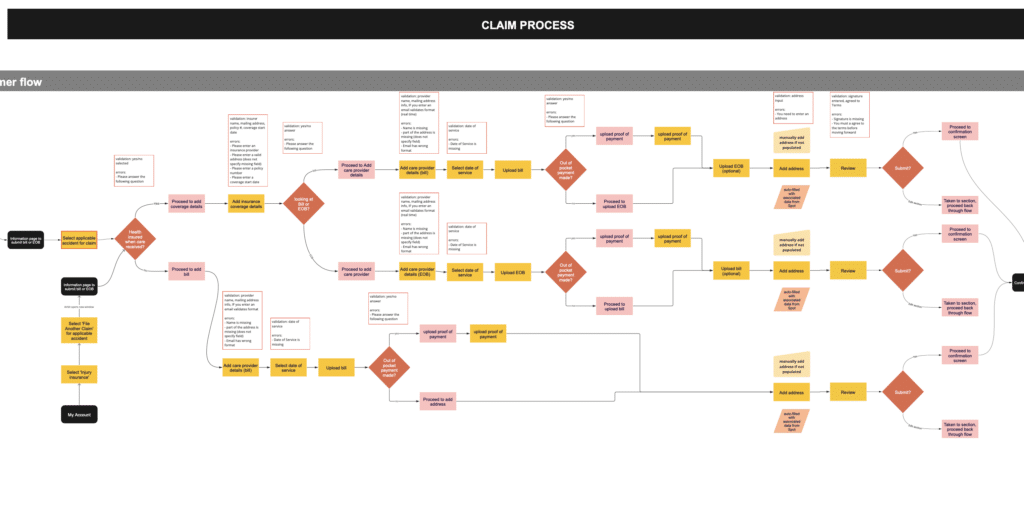
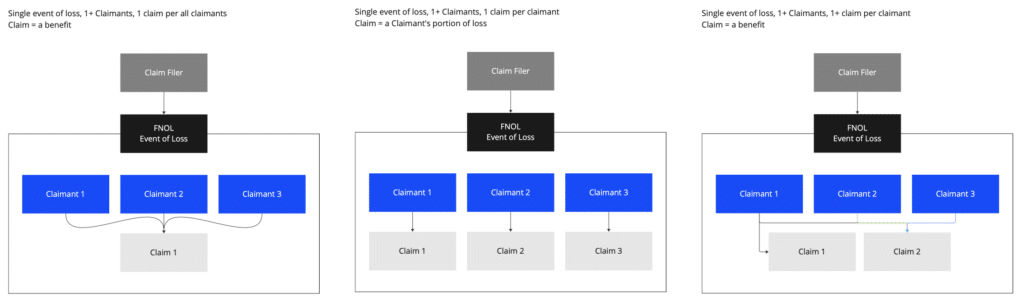
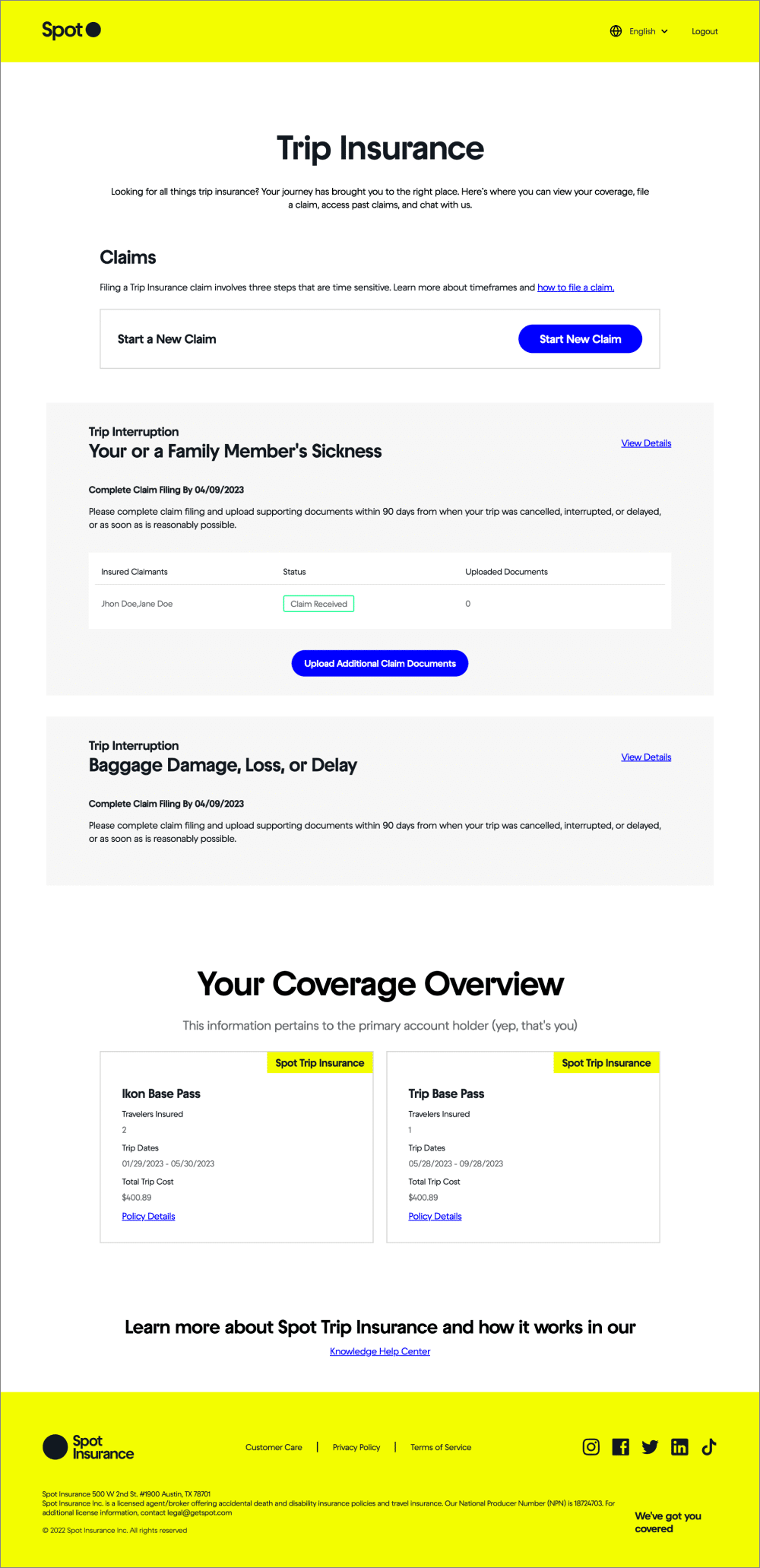
Once into design, we would often start with User Journey Mapping and IA models (sometimes using card sorting), in order to get the right steps in a flow defined and discuss with stakeholders the right model for we should consider structuring user actions. In insurance, there are ‘cases’, ‘claims’, ‘claimants’, ‘bills’, and ‘first notices of loss’ that all can relate to each other in different ways depending on how you want to structure them.
DESIGN & DESIGN ITERATION
(WIREFRAMES & SCREENS)
_____
ENGINEERING COLLABORATION & SUPPORTING THE BUILD PROCESS
_____
USABILITY TESTING & ANALYZING POST LAUNCH
_____
Forward Looking Planning & Integrating UX into Company Culture
COLLABORATING WITH PRODUCT MANAGERS TO SHAPE FUTURE PROJECT PITCHES
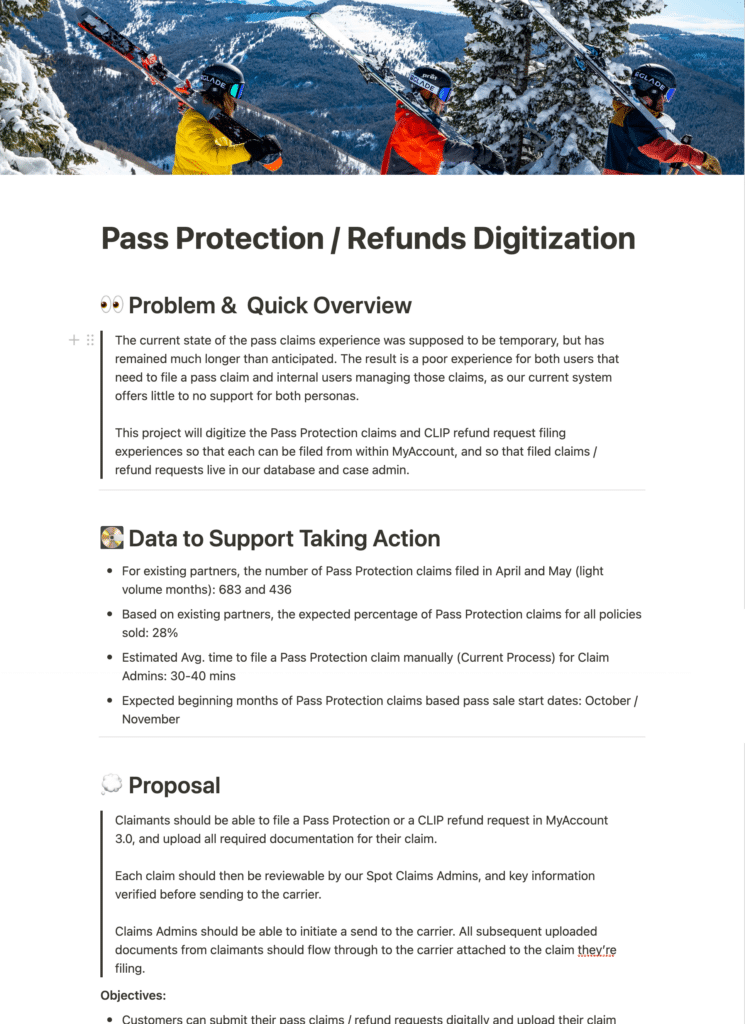
At Spot we used a framework called ‘Shape Up’ to pitch new projects every 6 weeks. Between pitched projects and an already established roadmap, the leadership team at the company would select which projects the Product team would to focus on next.
A project pitch document would outline the problem to solve, list what data there was to illustrate the urgency of the problem, and loosely define the contours of what a solution might look like. It also would suggested a time frame to allocate for the project.
Pitches were a way for the team actually doing the work to communicate what they thought needed to happen, and for project ideas to be loosely framed before getting into the work.
While pitch writing was largely the role of the Product Managers at Spot, as a UX leader I had a role in reviewing pitches, shaping pitches and solution outlines related to the product, and could write new pitches for projects I thought were necessary.

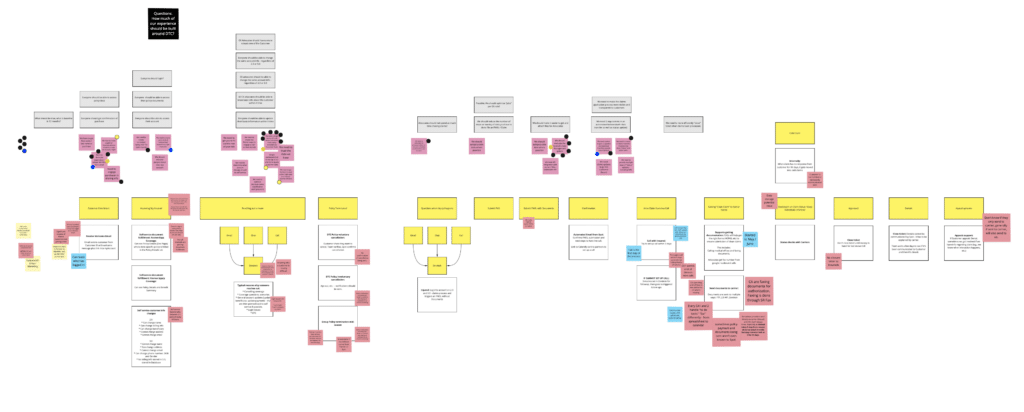
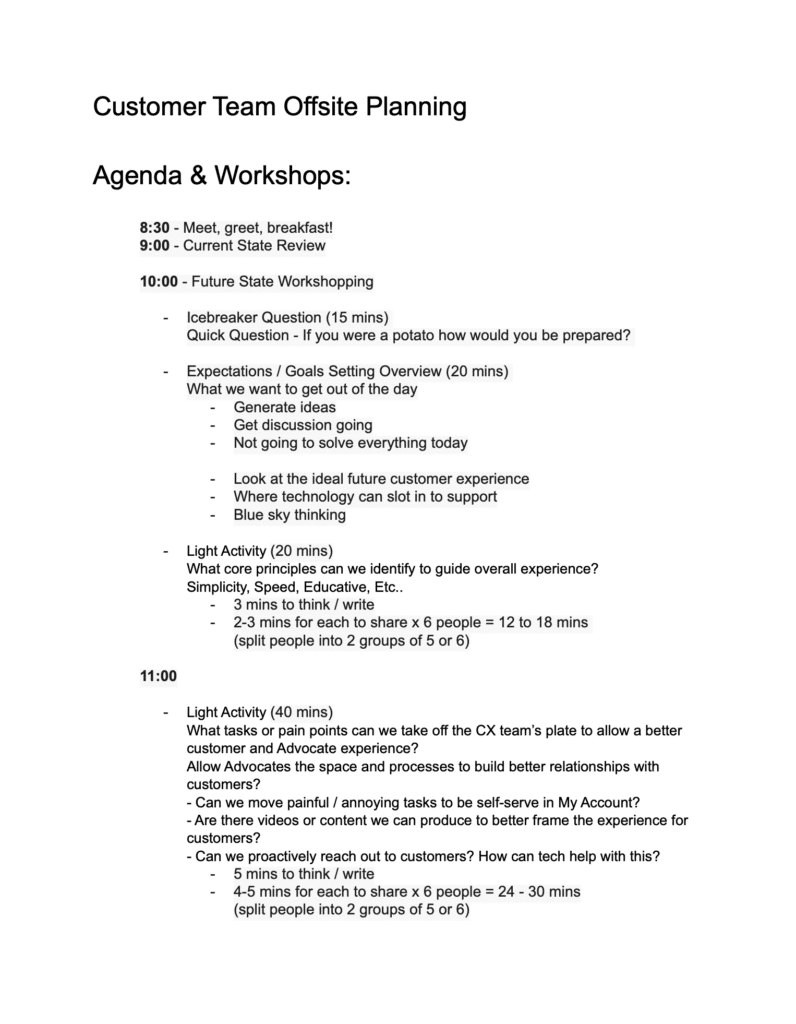
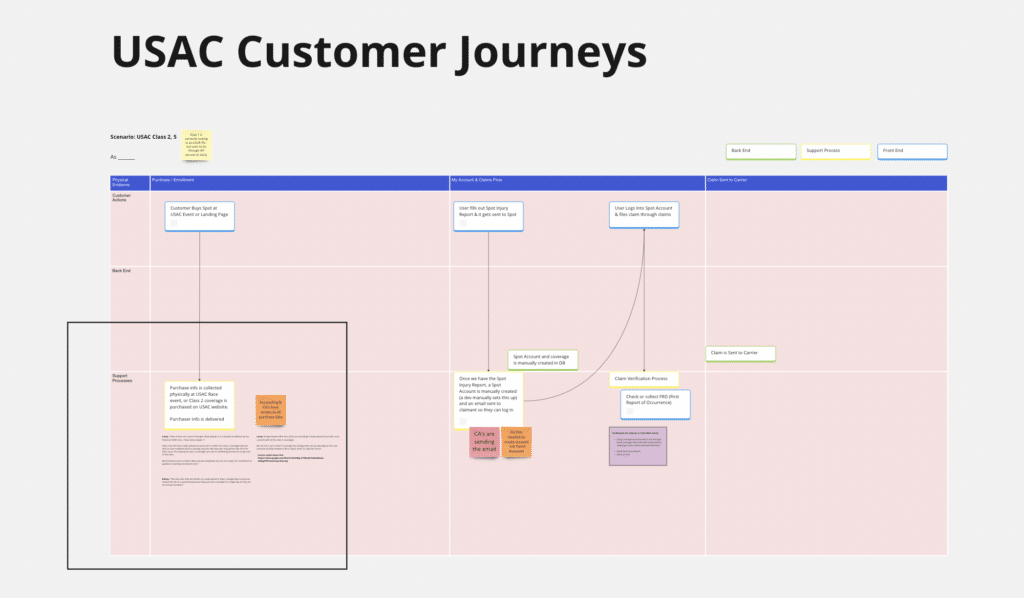
FACILITATING CROSS-DEPARTMENT SYNCS & DOCUMENTING USER JOURNEYS
As a UX team at Spot, we were responsible for the end-to-end experience of the brand and platform; from the moment a customer purchased Spot and enrolled in an insurance product, to filing a claim, to how those claims got managed.
Periodically we would have the opportunity to bring together different departments at Spot, and conduct syncs or workshops where we could walk through customer experiences, internal workflows, and review historical outcomes.
These were enlightening experiences both for the Product and UX team, and often for the other internal teams at Spot, as it allowed everyone to see from an end-to-end perspective how their part in the process affected other teams up or downstream in the flow.
UX Team Management
OVERSEEING UX TEAM TIMELINES, WORKLOADS, AND OUTCOMES
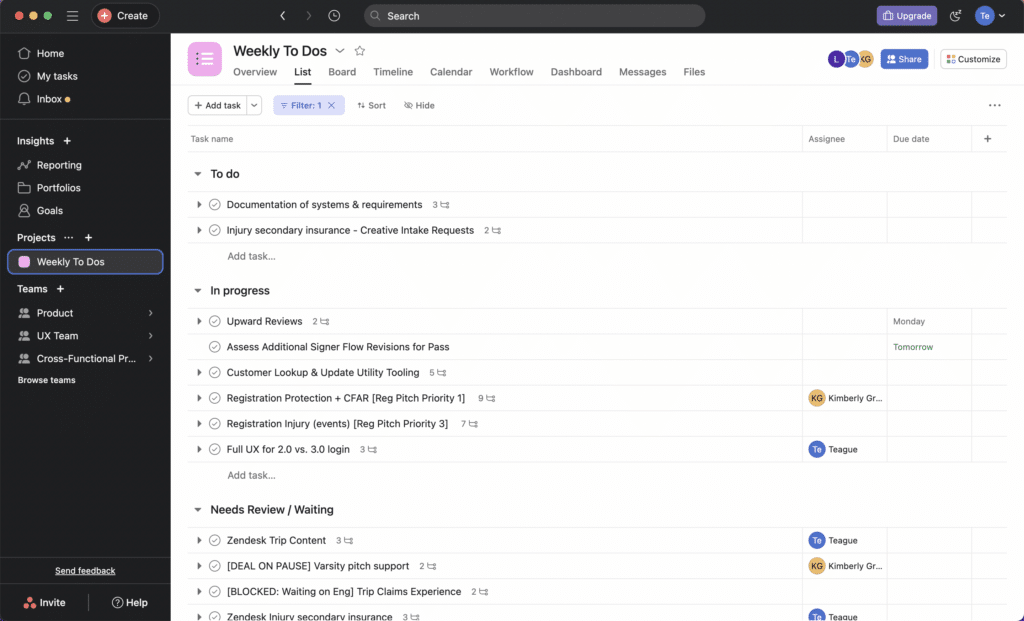
As the most Senior Product & UX Designer for Spot, I would lead a daily standup with the other UX designers and we would discuss what we were working on, what needed to happen next, and set timelines to achieve our work.
We maintained a UX team Asana board, and used the board for our standup meetings.
This daily check in was a valuable time to review workloads, potential risks to our tasks and projects, and to tag in others when reviews or syncs were needed between designers.
Ready for More?
View Another Project –

Client Dashboard & Enrollment
Designing the client carbon credit dashboard for Danish startup, Agreena. This allows farmers to estimate carbon credit potential.
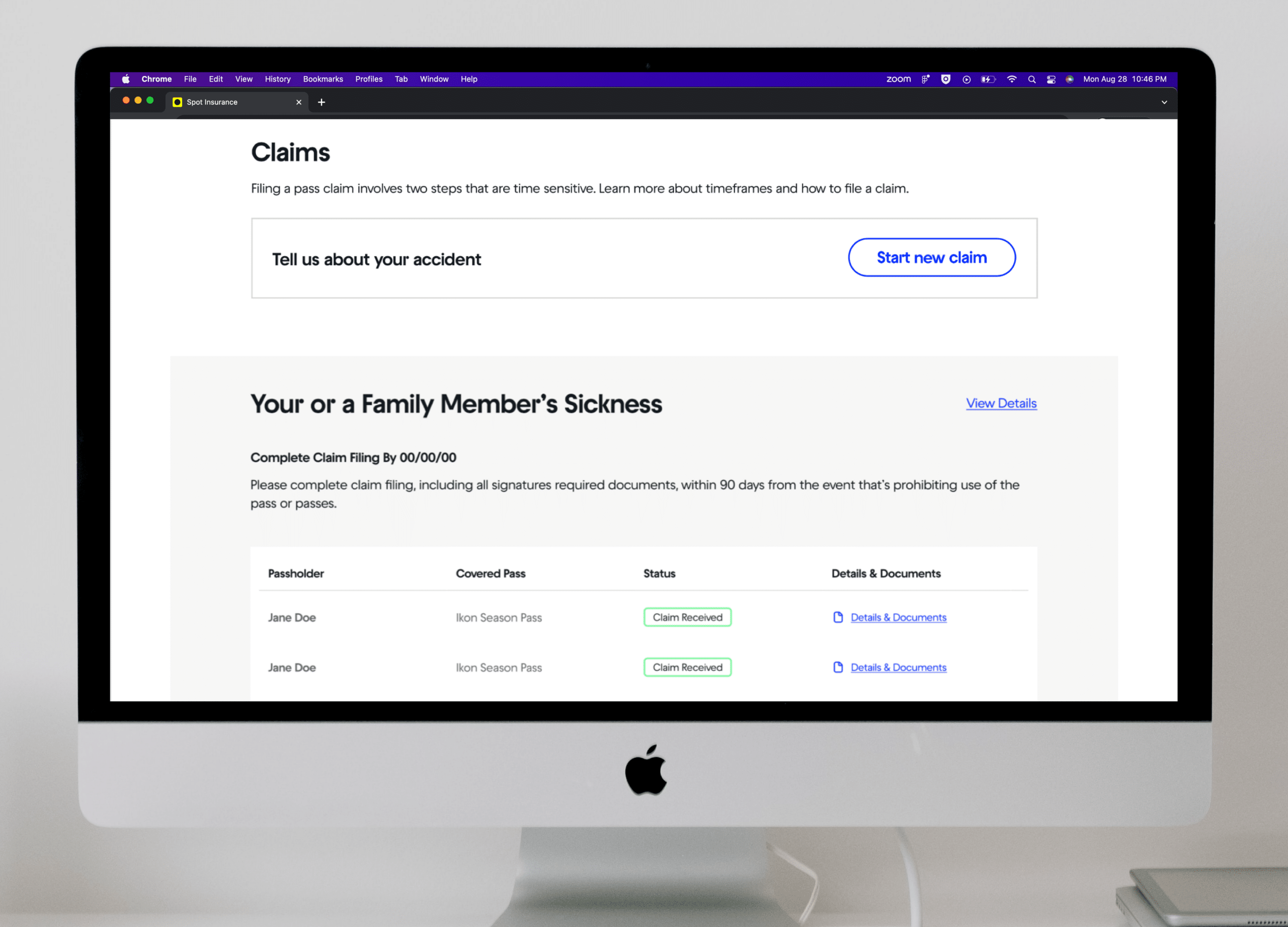
Insurance Claims
Launching a new product at Spot Insurance. Considering the customer facing and management aspects.